

Logitech G502 Lightspeed Wireless Gaming Mouse with Hero 25K Sensor, PowerPlay Compatible, Tunable Weights and Lightsync RGB – Black
Original price was: €120.€91Current price is: €91.



Price: $119.99 - $90.99
(as of Aug 03, 2025 14:50:54 UTC – Details)
G502 is the best gaming mouse from Logitech G, completely redesigned from the inside out with Light speed wireless and power play compatibility so you can game faster and more accurately, The G502 light speed PC gaming mouse is built with superfast 1 ms wireless connectivity and a next gen Hero sensor delivering up to 25K DPI class leading performance and energy efficient up to 60 hours of uninterrupted gaming. 11 programmable buttons help you optimize game play with custom keyboards and macros. Primary buttons feature metal spring tensioning for Fast and crisp actuation. Six adjustable weights let you find the right mouse feel. Light Sync RGB gives you 16.8 million colors to create an exciting and immersive gaming environment. The hyper fast scroll wheel lets you speed through long menus and documents. Pair the G502 Wireless gaming mouse with the Logitech G Power play charging system (sold separately) for infinite charging. USB report rate: 1000 Hz (1ms). OS Compatibility: Windows 7 or later, Mac OS X 10.11 or later, Chrome OSTM.
PowerPlay wireless charging: Never worry about your battery life again. Add the power play wireless charging system to keep your G502 Lightspeed Wireless Mouse and other compatible G mice charged while at rest and at play. Powerplay wireless charging system sold separately
Light speed wireless gaming mouse: Exclusive Logitech G ultra-fast wireless technology used by Pro gamers in competitions worldwide
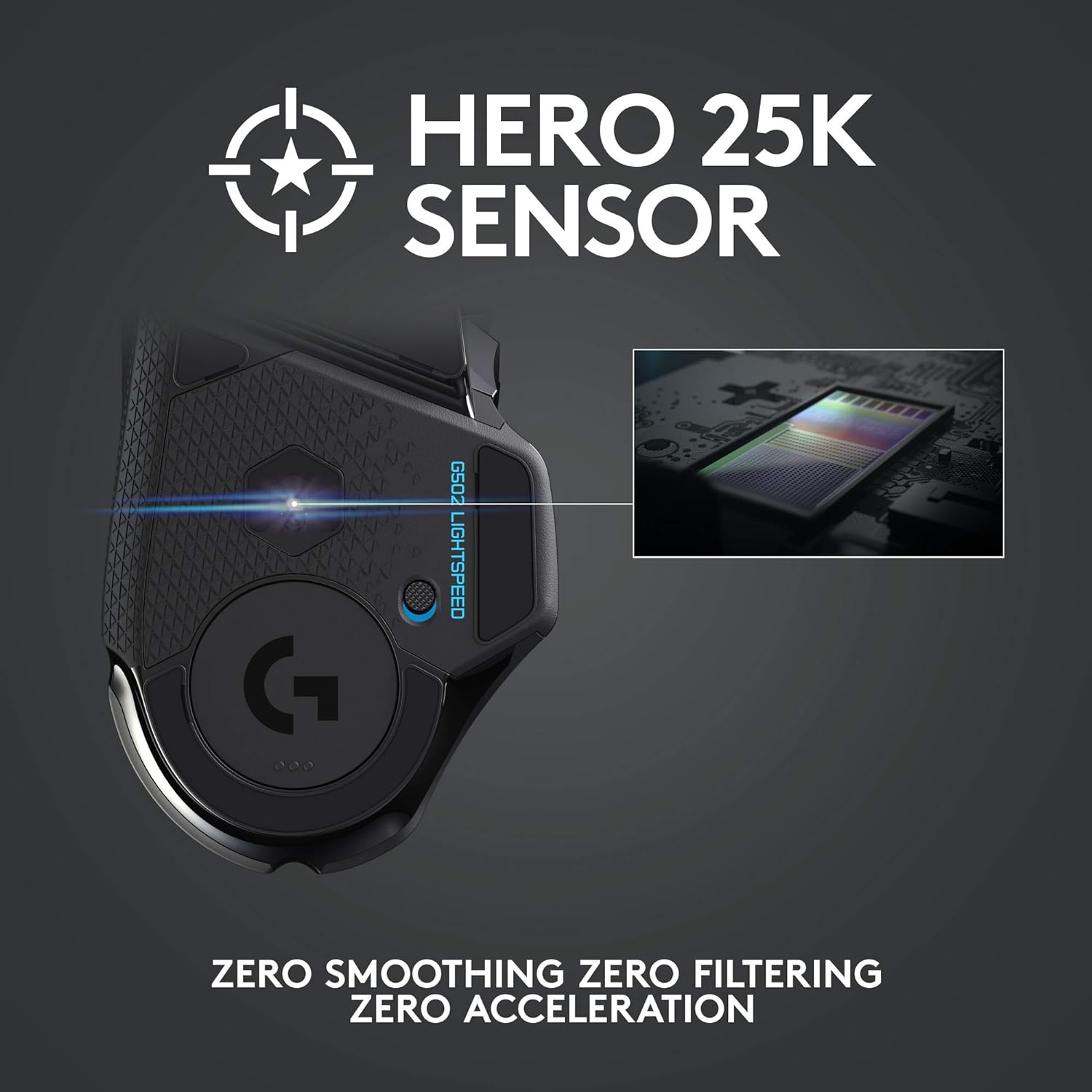
Hero 25K sensor through a software update from G HUB, this upgrade is free to all players: Our most advanced, with 1:1 tracking, 400plus ips, and 100 – 25,600 max dpi sensitivity plus zero smoothing, filtering, or acceleration
11 customizable buttons and hyper fast scroll wheel: Assign custom macro and shortcut commands to the buttons for each game with Logitech G hub software. Use hyper fast scrolling to rapidly review menus, long web pages and more
Note: In case of Wireless mouse, the USB receiver will be provided inside or along with the mouse
Customers say
Customers find the gaming mouse excellent, with great battery life that should last with normal use, and appreciate its responsiveness with no lag. The build quality and value for money receive mixed feedback – while some consider it a reliable Logitech product worth the investment, others note it’s not built to last and is pricey. The buttons get mixed reviews, with customers appreciating the programmable ones but noting they’re in the same place.
13 reviews for Logitech G502 Lightspeed Wireless Gaming Mouse with Hero 25K Sensor, PowerPlay Compatible, Tunable Weights and Lightsync RGB – Black
Add a review
Related Products


Original price was: €120.€91Current price is: €91.
Jsavari –
Good mouse. Would buy again.
Logitech. The MVP. The Goat. From small portable mice, to reliable wireless gaming mice, I have yet to find another mouse I have truly enjoyed using outside of a Logitech model. Its design, while not absolutely perfect in materials used on the outside, (those rubberized grip pads just get worn out so fast) the overall feel of it in your hand more than makes up for it. It feels like it’s meant to be held and used in any occasion, with easy to access macro buttons, DPI adjustment, and a highly satisfying and responsive scroll wheel that can toggle between free spinning or single click mode at a whim and never fails to perfectly match what I need in game and out. The accuracy of it seems to be spot on by what I can tell through my extensive use of it, despite less than ideal surfaces. The RBG isn’t too bright, either. It won’t distract from your gaming, and can even be responsive to what’s going on in your game as it’s happening.
Turkevich –
The one!
This mouse is legendaryâI donât think Iâll ever be able to switch to another. Everything about it is perfect: accuracy, ergonomics, functionality, software, macros, profiles, the scroll wheel, the cable, durability, and aesthetics. Itâs simply the best mouse for both home and office use.
Greg Kyzar –
Great mouse, one small caveat
Great gaming mouse, very responsive. I love the extra button placement. My only complaint is when you push the wheel left or right it is also an asignable button ( which I like ) but when I press down on the center of the mouse wheel it tends to activate the left or right click. To the point where I just do not assign the center click on the mouse wheel to anything.
Nick N –
Awesome wireless mouse!
Absolutely love this mouse! I put off upgrading to a wireless mouse forever and now I wish I had done it sooner. Battery life and lately both rock, which were my main concerns to switching to wireless. I also really like this mouse’s ergonomics and the adjustable weights it comes with. Logitech’s software could be better, but it works well enough.Only gripe is that it doesn’t charge with USB-C like all my other devices. Not enough to take it down from 5 stars, though. Highly recommend.
David Swenson –
Perfect if you use it right (G HUB)
Ergonomics:Size wise I have medium hands for a man. I came from using a Razer Deathadder 2013 for the last 7 years and the fit and feel is very similar. I would say to best use the G502âs buttons Iâm shifting my hold position up a little more on the mouse but ergonomically it feels just as good.Latency:Canât tell the difference between a wired mouse. Iâm using the highest report rate which uses the most battery but Iâm okay with the trade off.G HUB:If youâre having problems you might be using it wrong. You donât even need it on your computer after you set up the mouse profile (a tip later), or you can have it set up to not startup with the computer and leave it on there to tweak when you want. Best of both worlds. In G HUB you can program all the buttons, lighting effects and intensity (to save some battery life, I use 44%) and most importantly dpi, as well as the dpi shift speed which I really kind of love. Now there will be people out there saying âI transferred my profile onto the onboard memory, itâs not holding it right when I start up I have to open G HUB to get my mouse acting right DPI setting wiseâ. Thatâs all user error. In the program by default there are 3 DPI settings in white, which are meant to be what you adjust through with the dpi buttons up and down if you want that. Most people donât want or need that and on startup it goes to the lowest setting. G HUB could make this more clear because I donât know why you would want to shift through DPI so often anyways. Regardless delete the other two and leave a single white DPI setting and a yellow DPI shift setting. At startup of the mouse/computer your DPI will be as expected without having to open G HUB. What happens when you do it no longer goes to lowest DPI option but instead goes to the one it was set to. Copy profile over to onboard and never use the program again, delete it or leave it, disable auto startup so it doesnât mess with PC performance. Itâs up to you and I canât fault this at all. It flat out works however you want it to.Overall:Happy to have made the switch to this mouse. I was torn between Razer and Logitech and you probably canât go wrong with either but I have no experience with Razer wireless. A docking station that isnât the PowerPlay mat would be nice though. Razer having that is nice from a desk/wire clutter standpoint and frankly the PowerPlay mat is too small. As an engineer that does 3D modeling and a PC gamer at night this mouse performs great.
Trevor M. –
Good mouse and the new iterations keep improving
A fairly solid mouse in terms of quality. You no longer need to have Logitechs software running with the ability to use on board settings but if you wish there is plenty of costomization of the colors and lighting brightness. Switching from an older wired G502 it does feel that the newer counterparts may be of a lower overall build quality, especially the mouse wheel, but I’m still happy with the mouse I’ve grown the most used to but with more features. The wireless Bluetooth works extremely well and I’ve never had any sort of perceived lag or delay, and battery last for long enough I almost never have to think about it as long as it’s plugged in maybe once a week.I will always appreciate the lightweight body with nice comfortable but grippy sides and the extra buttons compared to other mice without it being too much. The free spinning scroll wheel may seem like a gimmick but you will find yourself using it more and more whether your scrolling web pages or video game inventories.
Tirvon –
Probably the best mouse youâll ever own.
My favorite mouse. Ever. Just got a 3rd as a backup and love the powerplay mat. Wireless charging is awesome and the response time coupled with the programmable buttons. Plus ergonomically probably top 3 Iâve used. Absolute recommend. Price point has always been a bit high and I wish the software wasnât so obnoxious but overall a recommend.
Desiree Ott –
THE BEST GAMING MOUSE & CHARGING PAD
Love LogiTech merchandise and will continue to buy! I got this for my husband and it is his absolute favorite mouse and the large charging mousepad wirelessly charges the mouse AS YOU USE IT! This is a great mouse for gamers! 10/10 recommend!!!
Danny A. –
Esta super comodo y justo como lo queria sin cable
Dr.ahmed.seleem –
جاÙ٠٠اÙس بسÙÙ Ù Ø´ ÙاÙرÙس ÙØ·Ùبت اعادة اÙÙ Ùتج
Nika –
The Logitech G502 LIGHTSPEED has completely transformed my gaming and productivity setup. After years of using wired mice, I was skeptical about wireless performance – but this mouse eliminates all compromises.Why It’s Perfect:â HERO 25K Sensor is Incredible – Pixel-precise tracking with zero lag (I play FPS/MMOs competitively)â Customizable Weight & Balance – The adjustable weights let me fine-tune the perfect feelâ 11 Programmable Buttons – All perfectly positioned for quick access without being crowdedâ LIGHTSPEED Wireless is Magic – Literally can’t tell the difference from wired nowâ 80-Hour Battery Life – Charges fast and lasts through marathon gaming sessionsBonus Love:The textured grip stays comfortable for hoursOn-board memory saves my settings across devicesRGB is tasteful and customizable
samuel ponda reyes –
Itâs all good . Happy with my purchase worth the price
Mohammed Bakhribh –
اÙÙ Ùتج ج٠ÙÙ ÙÙ٠اÙاÙض٠خذ ÙÙاس Ùد٠بشÙ٠صØÙØ Ùب٠تشترÙÙ ÙاÙÙ Ø·Ùع اÙبر Ù Ù Ùد٠٠ع اÙÙÙت Ù Ù ÙÙ Ùد٠تتعب