
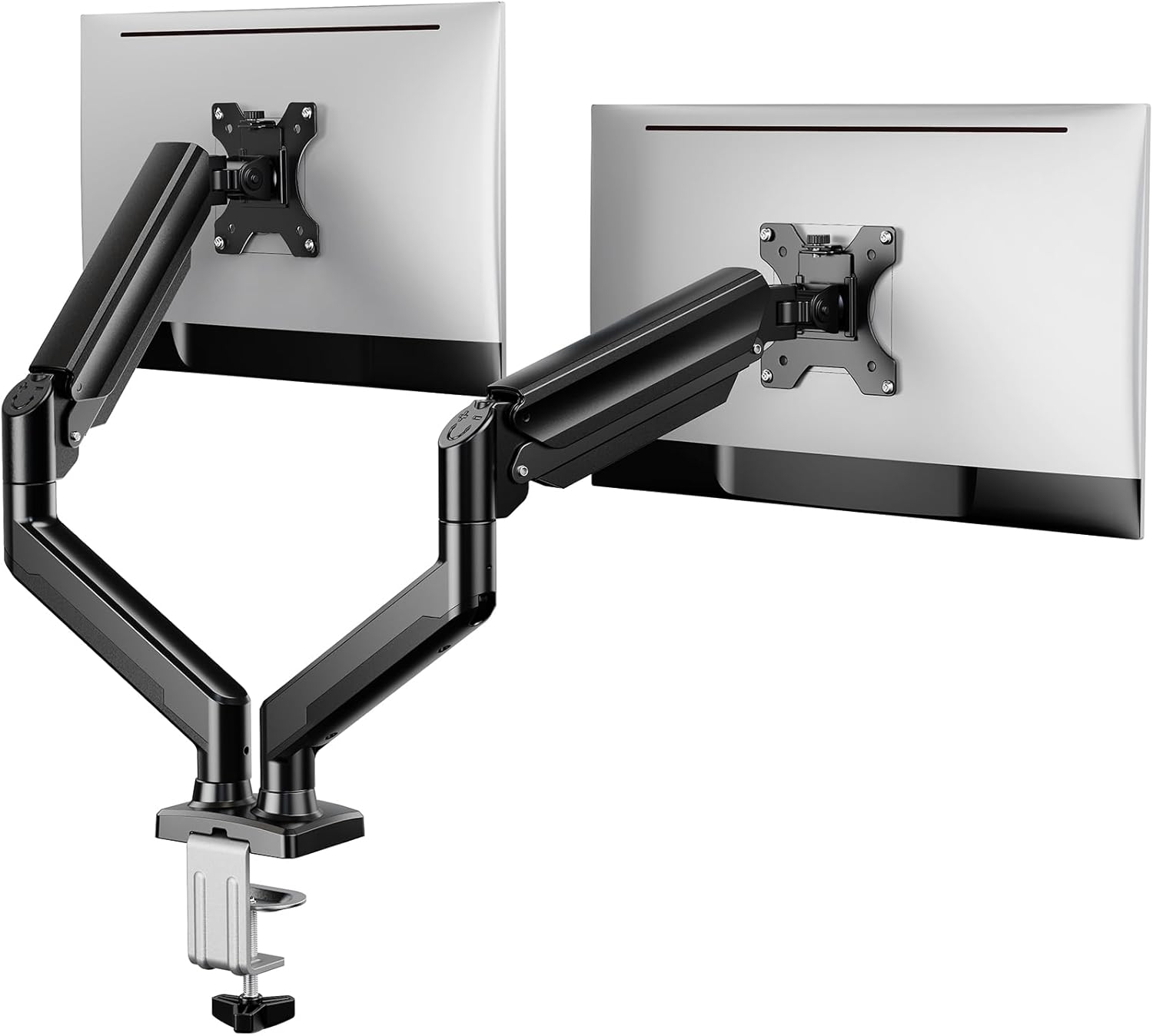
ErGear Dual Monitor Stand up to 32 inches Screen, Load-Bearing Max 22 lbs Each Arm, Adjustable Dual Monitor Mount, Sturdy Steel vesa Monitor Mount with Stable VESA 75×75 100x100mm
Original price was: €60.€40Current price is: €40.


Price: $59.99 - $39.99
(as of Aug 14, 2025 19:23:35 UTC – Details)
From the brand


ErGear Top 10 Monitor Arm
ErGear New Release Monitor Arm
ErGear Single Monitor Arm
ErGear White Monitor Arm
ErGear Monitor Arm & Accessory

Computer Compatibility – To ensure compatibility of the dual monitor stand, each of your monitors must meet three conditions: Firstly, computer screen size range: 17 to 32 inches. Secondly, screen weight range: 4.4 to 22lbs. Thirdly, there must be VESA mounting holes on the back of the monitor screen that are spaced 75×75 mm or 100×100 mm apart. Please make sure that your monitor meets all of the above conditions before purchasing.
Maximum Flexibility – The monitor stand features +/-90° left and right swivel for multi-screen co-driving, +90° to -35° up and down tilt for your office comfort, and 360° swivel for landscape and portrait modes.
Height & Extension Adjustment – The dual monitor arm for 2 monitors can be positioned as high as 12.12″ above the desk surface, allowing you to raise your screens closer to eye level for more comfort. The flexible arms can extend the screens 17.32″ closer to you for a more immersive viewing experience.
Easy to install – The structured monitor stand is very easy to install, you can choose C-clamp or grommet hole as needed. For the sake of using experience, please check if your table meets the following three conditions: Material first, we only recommend wooden table. Table form secondly, The bottom of the table should preferably be free of any beams or panels that may interfere with installation. Table thickness thirdly,’C’ clamp fits 0.39″-2.56″ while grommet mount fits 0.39″-2.17″.
Advanced Technology -Tested for 20,000 cycles, our dual monitor arm holds the screen securely in place while allowing for smooth, easy adjustments. Additionally, the long service life of it will enhance your experience.
Customers say
Customers find the monitor stand easy to set up and appreciate its functionality, design, and mobility, noting it moves easily and looks good on their desks. The stand’s sturdiness receives mixed feedback – while some find it sturdy, others say it’s too flimsy to remain solid. Moreover, the monitor hold capacity and adjustability also get mixed reviews, with some saying it holds two 32″ monitors easily while others find it barely fits, and some praising the adjustability while others find it inconvenient. Value for money opinions are divided, with some considering it a great value while others say it’s not worth the money.
13 reviews for ErGear Dual Monitor Stand up to 32 inches Screen, Load-Bearing Max 22 lbs Each Arm, Adjustable Dual Monitor Mount, Sturdy Steel vesa Monitor Mount with Stable VESA 75×75 100x100mm
Add a review
Related Products


Original price was: €60.€40Current price is: €40.
MomOf5Boys –
Ease of install and use
Perfect for my work desk. Installation was a breeze. This adjusted easily to the best height for me so I can safely work and still have me more room on my desk. Lightweight and still sturdy. I am now able to use my sit/stand desk without fear of my monitors falling over.
Ian S. –
Solid Product
Easy to setup and great value for the money. I set up a 32 inch and 27 inch curved monitors. It came with additional parts to accommodate the curve of the monitors. Adjustable tension to set height and impressive range of motion to set that perfect angle. Solid build quality as well. It really helped to save space, especially for wires since there is built in wire management.
Oz –
Gets the job done
Easy to assemble. Installed this in an atypical way and would have really liked for the arms to be capable of lowering a few more inches. It would also be nice if the mounting brackets had a longer horizontal range of motion, found it hard to get a pair of curved 32″ monitors to line up well because of this. It does seem sturdy, easily supporting about 38lbs worth of monitors right now. Despite what the instructions say, you can mount this to the front of a desk. (This assumes your desk is strong/thick enough, that it is anchored or won’t tip over, AND you’re willing to drill a hole. Don’t try to use the clamp method or it will end very badly…)
Xxsethxx –
Works well.
Working well. Holding up my samsung monitors. Very adjustable. Not hard to set up. I got a little confused with the screws but it was okay in the end.
naor –
Excelent Product
Excelent Product
AGC322 –
Solid product with easy assembly
For what i paid, solid product. Recommend buy.Awesone: material is good quality, adjustable settings is versatile, cord management strong, color (black) is perfect, most of all assembly is really easy (took 10 minutes), has good sturdiness and stable with monitors mounted. I have Dell monitors and it was a perfect fit. Saves so much space on the desk.Bogus: regular price is a bit on the high side, clamp could be a little deeper.
Anonymous –
Does what itâs supposed to.
Easy install. Frees up desk space. Sturdy.
Brian –
What happens when generative AI is used to make an arm.
The product succeeds at its primary task, it holds up monitors and they do not fall over, or catch on fire. Mission accomplished.The arms are, however, very poorly designed. The cable shroud on the top half is a clip in that is extremely narrow, and may have issues with cables that are thicker. Strangely, the cable shroud on the bottom is actually the full width of the arm, so the sudden switch up of shroud width is very odd. Additionally, the bottom shroud does not use a clipping mechanism like the top shroud, instead it has two screw holes and is screwed in to the arm. This would just stop at being inconvenient, on the counts of requiring you to unscrew/rescrew the shroud in, if it weren’t for the fact that the tunnels through the shrouds severely limit your space to actually put cables through it, AND ARE INACCESSIBLE BECAUSE YOU CAN’T FIT A SCREWDRIVER BETWEEN THE ARM AND YOUR DESK.Mounting brackets for the monitors come with two screw types, a short and long, and spacers. Pretty much every monitor’s screw holes will be the length of the shorter screws; the longer screws in a VESA mount kit are always intended to be used in combination with spacers, in the event that a monitor’s VESA mount points are sunken in to the monitor chassis; this then allows space between the mounting bracket and the actual monitor chassis so the monitor and bracket can be slipped out without actually removing the bracket. But the spacers for the longer screws are not actually long enough! So for monitors where the VESA mount points are sunk into the chassis slightly, you will need to use the shorter screws anyways, which in turn means you won’t be able to attach the bracket then slip it on to the arm, you will need to first connect the upper arm to the bracket, then attach that entire assembly to the monitor. Then you can finally put that entire assembly in to the lower arm, trying your best not to break your now awkward to hold and heavy combo of monitor and arm.2/10, irrefutably designed by the drunken hallucinations of generative AI, because apparently all basic human capacity to think and design things which already exist is completely dead. Can successfully hold monitors, just be extremely careful while assembling and don’t expect it to do literally any other convenience offered by other VESA mounts.
David –
Muy bien soporte para pantallas, robusto, fácil de montar y con muchos ángulos, quizás un poco más de altura le vendrÃa bien a la vez q más ángulo de inclinación pero por este precio, nada más que se pueda pedir
Cliente Amazon –
articolo veramente ben fatto, da un senso di solidità e stabilità . anche il design fa la sua parte. soddisfatto dell’acquisto
Elizabeth –
Satisfied with my purchase! Great product & easy installation.
Nicklas –
Stabila, prisvärda och väldigt anpassningsbara
ÙاÙ٠اÙØ´Ùر٠–
ج٠ÙÙ ÙØ«ÙÙÙ Ùثابت اÙصØÙÙ ÙÙÙ