
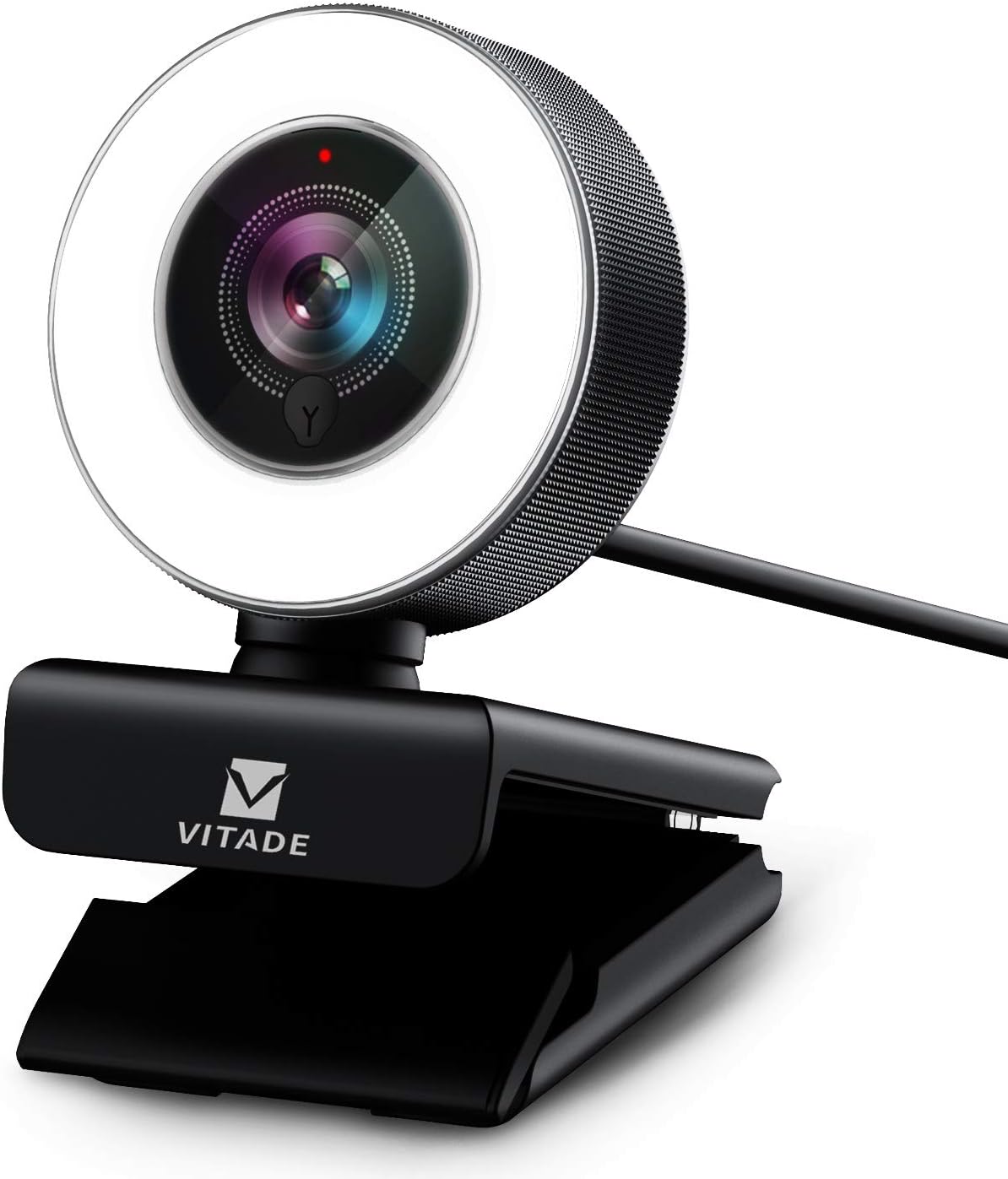
PC Webcam for Streaming HD 1080P, 960A USB Pro Computer Web Camera Video Cam for Mac Windows Laptop Conferencing Gaming Webcam with Ring Light & Microphone
Original price was: €73.€50Current price is: €50.


Price: $72.98 - $49.99
(as of Aug 16, 2025 03:10:15 UTC – Details)
Product Description
Streaming Webcam 1080P with Ring Light & Microphone

Advanced Auto-Focus&Adjustable Brightness

1080P Streaming Webcam with Ring Light


Background Replacement
Please download Chromacam-2.2.1.14 on Windows. Register after installation, then you can change the background in a very simple way.

Automatic Low-light Correction
Automatic low light adjustment keeps video clear even in dimly lit rooms. Never worry about the quality of image.

Plug & Play
No drivers needed. Simply connect this HD webcam 1080p to your computer, laptop, PC, Mac, Android V5.0 or above, Chrome OS etc.

Add to Cart
Add to Cart
Add to Cart
Add to Cart
Add to Cart
Customer Reviews
4.3 out of 5 stars 4,126
4.3 out of 5 stars 250
4.4 out of 5 stars 1,036
4.3 out of 5 stars 303
4.1 out of 5 stars 2,118
4.1 out of 5 stars 2,118
Price
$49.99$49.99 $36.99$36.99 $39.99$39.99 $40.99$40.99
— no data
$39.99$39.99
Video Format
H.264,MJPEG,YUY2 MJPEG,YUY2 MJPEG,YUY2 MJPEG,YUY2 MJPEG,YUY2 MJPEG,YUY2
Ring Light Adjustable
✓
no data
no data
no data
no data
no data
Focus Type
Autofocus Fixed focus Autofocus Autofocus Manual focus Manual focus
Ring Light Adjustable
✓
no data
no data
no data
no data
no data
Auto Light Correction
✓
✓
✓
✓
✓
no data
Background Replacement Function
✓
✓
✓
✓
no data
✓
Field of View
80° Wide View 115° Wide View 80° Wide View 80° Wide View 115° Wide View 100° Wide View
Refresh Rate
30HZ 30HZ 30HZ 30HZ 30HZ 60HZ
HD Resolution
2MP Full-HD (1920×1080) 2MP Full-HD (1920×1080) 2MP Full-HD (1920×1080) 2MP Full-HD (1920×1080) 2MP Full-HD (1920×1080) 2MP Full-HD (1920×1080)
Compatibility
Windows 7/8/10, Mac OS, Andriod, XBOX, Skype, Youtube, Zoom, Windows Live@Messager, Hangouts etc instant messaging applications. Windows 7/8/10, Mac OS, Andriod, XBOX, Skype, Youtube, Zoom, Windows Live@Messager, Hangouts etc instant messaging applications. Windows 7/8/10, Mac OS, Andriod, XBOX, Skype, Youtube, Zoom, Windows Live@Messager, Hangouts etc instant messaging applications. Windows 7/8/10, Mac OS, Andriod, XBOX, Skype, Youtube, Zoom, Windows Live@Messager, Hangouts etc instant messaging applications. Windows 7/8/10, Mac OS, Andriod, XBOX, Skype, Youtube, Zoom, Windows Live@Messager, Hangouts etc instant messaging applications. Windows 7/8/10, Mac OS, Andriod, XBOX, Skype, Youtube, Zoom, Windows Live@Messager, Hangouts etc instant messaging applications.
【Three-Level Adjustable Ring Fill Light】Built-in ring light adjustable in 3 brightness with touch control and facial-enhancement technology optimize the image automatically and enable your video streaming look more professional. ★You can turn on the built in lighting by touching activated control on front. To adjust brightness (3 levels), touch again.★
【Full Hd 1080P Usb Webcam】: 960AF webcam with 80° wide angle lens captures high definition image and video at 1080p/30fps. Built-in dual omni-directional mics with noise cancellation effectively reduces distracting background noise for natural and clear sound.
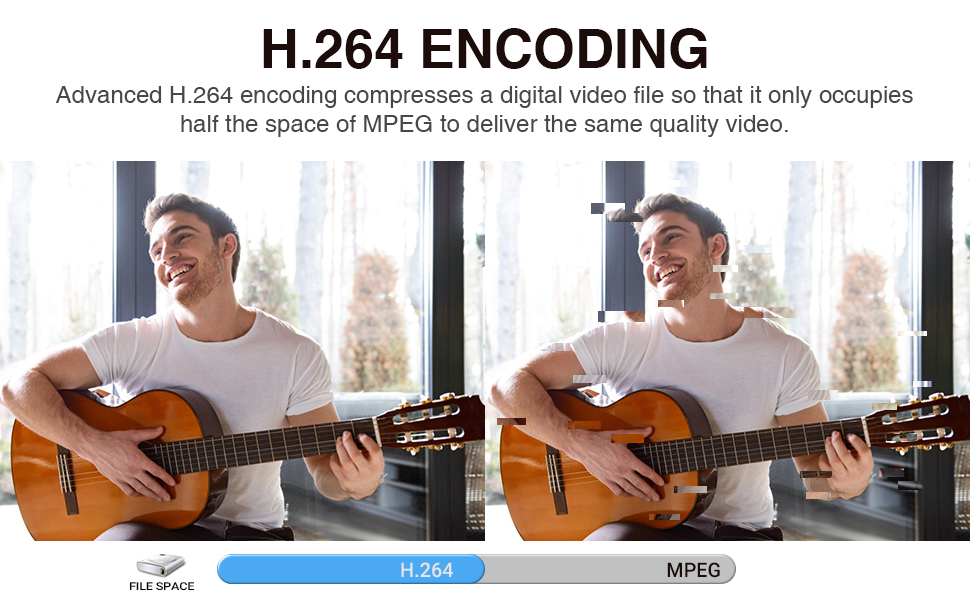
【H.264 Encoding Compression】: Advanced H.264 encoding compresses a digital video file so that it only occupies half the space of MPEG to deliver the same quality video. Enjoy stunning HD video with impressive video performance and faster transmission speed.
【Light Correction & Autofocus】: Automatic low-light correction provide true-to-life video even in dim lighting conditions. Real time autofocus enables the webcam capture more details.Brighter than many other webcams with built-in lights, the light has a soft tone so that it doesn’t create a glare.
【Plug & Play】: Quick and easy setup. Compatible with Windows 7 8 10, Mac OS 10.6 and above. Supports Chrome OS, Android 5.0 or higher. Tripod-ready universal clip fits all laptops, Mac, LCD or monitors.
Customers say
Customers find the webcam delivers high-quality video, with one noting its professional appearance for Zoom calls, and appreciate its ease of setup, with one mentioning it’s plug and play with Windows 10. The camera receives positive feedback for its functionality, with the light ring working as advertised, and customers consider it a good budget option for streaming. The brightness feature receives mixed reviews – while some praise the powerful ring light, others find it virtually useless. The autofocus feature also gets mixed reactions, with some finding it good while others report terrible performance.
11 reviews for PC Webcam for Streaming HD 1080P, 960A USB Pro Computer Web Camera Video Cam for Mac Windows Laptop Conferencing Gaming Webcam with Ring Light & Microphone
Add a review
Related Products


Original price was: €73.€50Current price is: €50.
Alfredo Calderon-Serrano –
Perfect webcam!
Been using for all my virtual meetings. Itsâ features work well and the light ring enhances my image when needed. It works perfectly with my MacBook Pro as a plug and play item in my list of webcams and audio tools.
James –
Great webcam
I bought the Vitade 960A webcam because I’m a consultant, and needed to have a higher quality video than the really old webcam I used to have. The Vitade is a great website, very high quality. I don’t usually use the built-in microphone (I have a studio-quality stand mic) but the few times I’ve used the webcam mic, folks on the other end said it was fine.The webcam has a ring light with 3 brightness levels. You select the brightness by touching the little metal button just below the lens. I usually use it at “medium” which is fairly bright but not “looking into the sun” bright. The photo is at brightness “medium” which confused my camera, but it’s really good.Additional notes:Ring light: If you’re wondering if the ring light is worth it: YES it is. I also have two accent lamps on my desk that I use for additional lighting. As an experiment, I tried a video test with (a) no ring light and no accent light, (b) just the ring light, (c) ring light + accent lights, and (d) just the accent lights. YES, you can see the difference with the ring light. Because the ring light is around the lens, it provides even lighting for me. But accent lighting is also a good idea so you don’t look “flat.”Linux: I run Linux (Fedora) and yes, this webcam works fine on Linux.
Jessica Shutt –
Great Picture Quality – Weird Lighting
I really love this camera, its super easy to use & it has great picture quality. I use it mainly for calling into business meetings from my at home office. So I’ve been using it probably 4-6 times a day, 5 days a week, for about a month & its been a great experience!There are only two things that really keep me from giving it a 5 out of 5.- The light isn’t as helpful as one would hope. Unless you’re right in front of it, it probably won’t help your lighting that much. Additionally, because it has such a limited reach, it tends to have the same result as using a camera flash: you’re very bright, everything behind you is very dim, which looks very ominous on video.- This is really dumb, but there are different light brightness levels that you can adjust with a button on the front. But it doesn’t look like a button & isn’t noticeable so it took me waaay too long to figure out why the brightness levels were changing for no apparent reason. In reality, I was accidentally touching the button when moving the camera, but because it didn’t look like a button or have any tactile feedback, I didn’t realize I was impacting the lighting. It look me 3 days and probably 8 conference calls to figure out what was going on & how to control the light.But seriously, if you are looking for a low cost, reliable webcam to deliver high quality video – I recommend this camera. Just don’t expect it to solve your lighting issues.
NinjaQuick –
Good cam, useful light, easy to set up and use.
I bought quite a few units before finally settling in this one. I was skeptical because it seemed too good to be true, to have good capture, decent frame rate,low noise, good autofocus.Overall, excellent package. I don’t use the mic on the device, but have used it for over 20 hours of calls and it’s had no issues at all.The led ring is bright, and can be annoying, but that’s a small price to pay to dodge low frame rate/ high noise picture. It works well, color balance is fairly natural and honestly, it is more than just good enough.If you’re thinking about this, I’d say go ahead and try it. You get more than you pay for, I think, and I’m glad I got it.
Amazon Customer –
Best webcam I’ve ever used, and I’ve tried A LOT
I went out and bought a $100+ 4k blah blah webcam for my husband for Christmas to help him get his streaming up. I spoke over exactly what I needed it for with the geek squad, researched, etc and got the best of the best. But when he’s on stream, it’s CONSTANTLY zooming in and out for a better picture. I thought that was just… How web cams are. I didn’t have high hopes for this one. I was wrong.The webcam has enough lighting to light you up in the darkest of rooms. There is NO zoom in/out issues, no matter how much you move side to side or closer to or further from the cam, and the picture quality is beautiful. I’m buying another cam to replace his top of the line, “perfect for streaming” webcam with this amazingly priced wonderful piece of technology.
Alicia Moore –
It may just be my situation but a little disappointing.
The Pros: the image clarity is very good, in both regular and HD settings and the sound quality is reported to be excellent. It was easy to install (no special software needed with Windows 10) and I love being able to have virtual backgrounds during business video chats.The Con: I expected the light ring to do a better job of lighting my face, which it actually seemed to do the very first time I plugged it into my desktop computer but after downloading and installing their software, I am often in deep shadow, even with an overhead light on (which is slightly behind me.) I also have a window on the wall behind me but even with the blinds closed, it seems to be too much backlighting. I tried uninstalling the software as well as the camera, rebooting, and plugging it in again but it didn’t help. The only way I can address it is with a lamp on top of my hutch to the side. Now I wish I’d kept my older Logitech webcam, which didn’t have as good clarity and left me a little dim but still much better than this, and just bought a free standing light ring. I will try using it with my laptop in other situations and update this review if there’s a significant difference.
MK –
When it comes to how realistic is the color, it turns out that my humble PC Cam can deliver such color. Unfortunately, Vitade 960A made the color of my skin close to pinkish.The shocking news came when I realize that the green background I have for ZOOM did not fit well with the Cam. In fact, anyone will note that the background, thanks to the Cam technology, is fake. I feel I have been cheated (I do not know if this item is defective or this is its capabilities). I will buy another cam.
Mark Wiese –
I bought this to use rather than my mobile phone for Teams meetings but I found that my phone’s front-facing camera (Pixel 5) has much better picture and video quality and better lighting even without LED lighting.
Aisyah –
I guess photo quality was okay, but the ring light …didn’t do much :/
Amazon Customer –
Good package. Installed.easily. good picture. Manual zoom nice feature. Focus ok but not the fastest but good enough for webcam. Would be neat to have tighter depth of field but would need bigger aperture. Light ring works but makes little difference to already good picture.
Clara C. –
It was good. While it worked.