

PDF Pro 4 – incl. OCR – sign PDFs – create forms – edit, convert, comment, create – for Win 11, 10, 8.1, 7
€30


Price: $29.99
(as of Sep 23, 2025 22:08:09 UTC – Details)
Product description
 Requirements Operating System Win 11, 10, 8, 7 (x64) An Internet connection is required to activate the program..
PDF Pro 4
Merge and convert PDFs into MS Word documents, and edit them like regular text
The best software for your PDFs PDF Pro 4 is the complete solution to manage and edit your PDF documents. The program has everything you need to create, convert, edit, merge and protect your PDFs. Create perfectly sized documents that are readable on any device and use encryption to protect your property when needed. Your PDFs are now as easily editable as Word documents!
Edit PDFs as easily as Word documents Sophisticated word processing New hyphenation support for perfectly formatted texts Powerful spell checker with brand-new dictionaries Convert PDFs to Word, text and HTML quickly Create and edit interactive forms Merge PDFs with ease Download link included in box
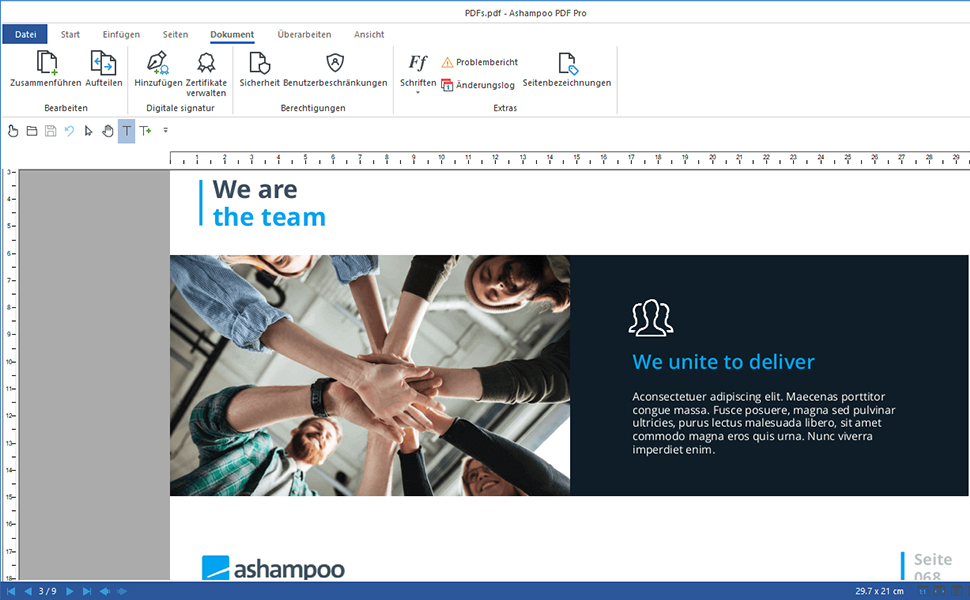
Browser-like overview with tabs, direct comparison, and fullscreen mode
PDF editing as versatile and flexible as a modern Office suite! PDF Pro 4 offers flexible document viewing similar to a web browser. Open and edit PDFs in convenient tabs that enable instant file switching. View multiple pages side by side to get the perfect overview–ideal for comparisons or parallel editing. Freely adjust thumbnails to make navigation and content location super easy, and use the optional fullscreen mode for distraction-free editing, allowing you to focus entirely on your document!
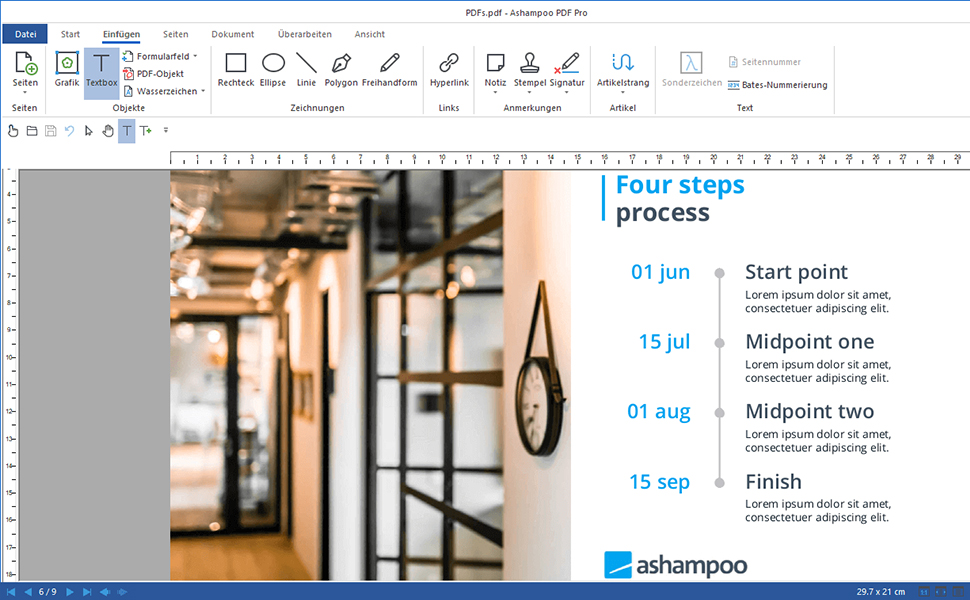
Edit PDFs as quickly and easily as Word documents
Handy and elegant: the new ribbon-based user interface in PDF Pro
With PDF Pro, editing PDFs becomes as easy as editing text documents with an excellent word processor. Version 4 features a new ribbon-based interface that you will also find in any modern office application. This means there’s virtually no learning curve! All essential functions are exactly where you’d expect them to be, just like in Microsoft Word, Ashampoo Write or any other Office program.
Completely new spell checker & hyphenation plus convenient document snapshots No more errors: next-level spell checking and hyphenation With the new spell checker and updated dictionaries, you have full control over your text and can correct errors swiftly. The enhanced hyphenation feature ensures that even long words fit perfectly at line breaks. Additionally, you can now take snapshots of your PDFs and not only save them as files but also copy them directly to the clipboard.
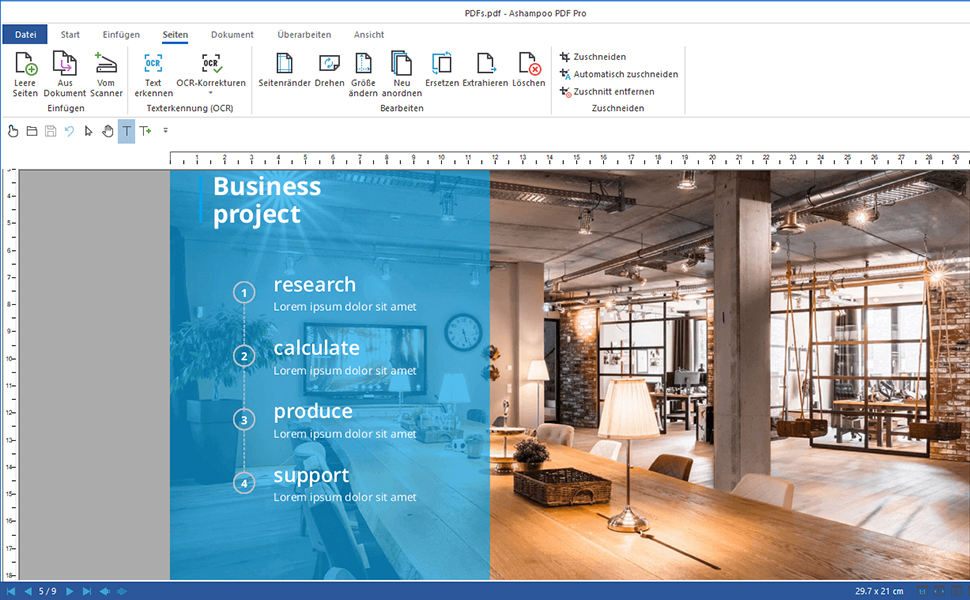
Reduce eye strain with dark mode
Stress-free ergonomics Computer screens are always stressful to the eyes and documents with lots of white portions only add to the strain! PDF Pro comes with a dark mode that reduces eye fatigue and lets you work for longer periods, and be more productive, without breaks, at home and in the office!
Format, revise and recompose with ease Revising documents is a breeze with PDF Pro. Rearrange and delete or crop and rotate individual pages as you see fit. You can even insert pages from other PDF documents or combine multiple documents into a single file with incredible ease.
PDF creation made easy PDF Pro 4 can create high-quality PDFs from any Windows application. Simply click “Print” and select the included PDF virtual printer. If size matters, PDF Pro can automatically downsample images, e.g. to facilitate online publishing.
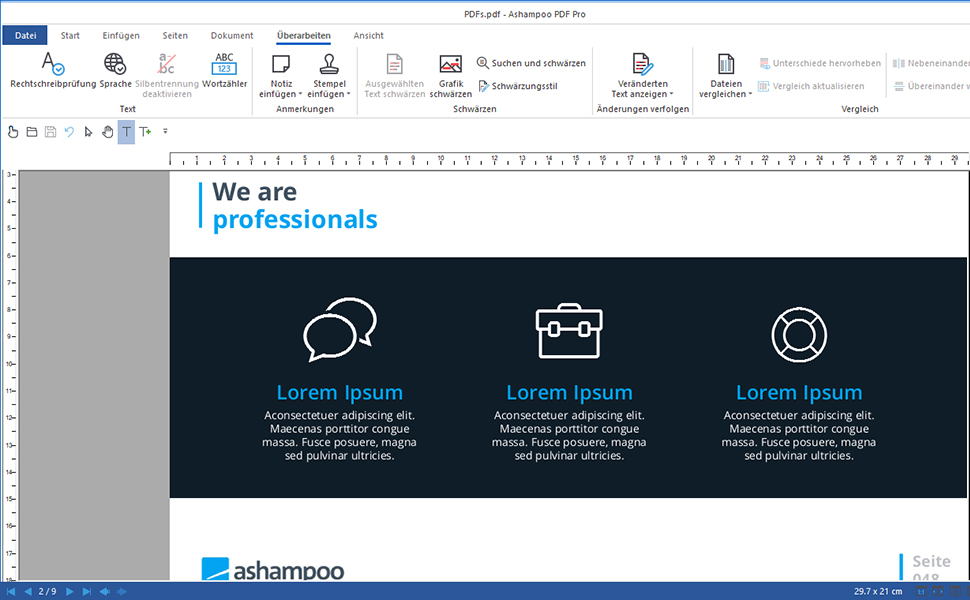
Well-conceived customizable design
Customize the quick-access bar to your needs If you’ve used Ashampoo Office before you’ll be familiar with the quick-access toolbar below the ribbon. PDF Pro now also offers instant access to essential functions in a single customizable bar. Now, you get to decide which functions best support your work flow for maximum utility and efficiency. After all, good software should adapt to its users, not the other way around!
Post-edit your documents in MS Word or other formats
PDF Pro converts your PDFs into text documents editable with MS Office or Ashampoo Office. HTML, EPUB, JPG or RTF are also supported as output formats. PDF Pro furthermore supports optical character recognition to convert your scans into editable and searchable documents.
Fast switching between work modes Switch between work modes in a single click for instant feature access The quick-access toolbar not only hosts the functions that matter most to you but also toggle switches for the various work modes. Switch from text editing to hand or object mode and back again in a matter of seconds. It’s total control at the click of a button.
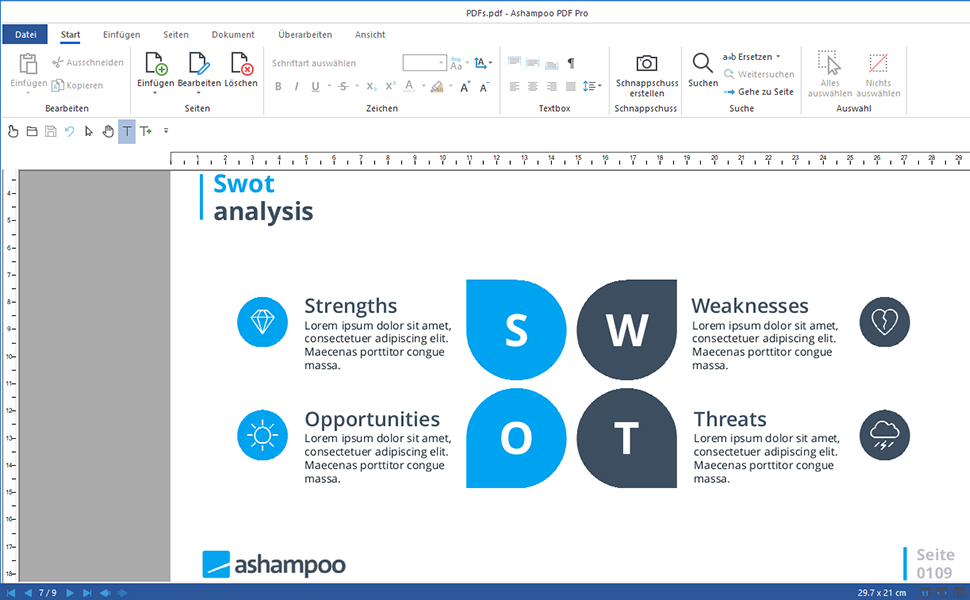
Document magnification from any mode
Use the slider for seamless zooms
PDF Pro features a document magnification slider in the omnipresent status bar for seamless zooms. Selecting and focusing in on content has never been easier!
Versatile change tracking and spell checking With PDF Pro, you can modify, add, delete and format text paragraph or page-based. If required, the program can highlight recent changes thanks to the built-in change tracker to help you with document revisions. The integrated spell checker helps you avoid typos and auto-hyphenation ensures your texts look decent.
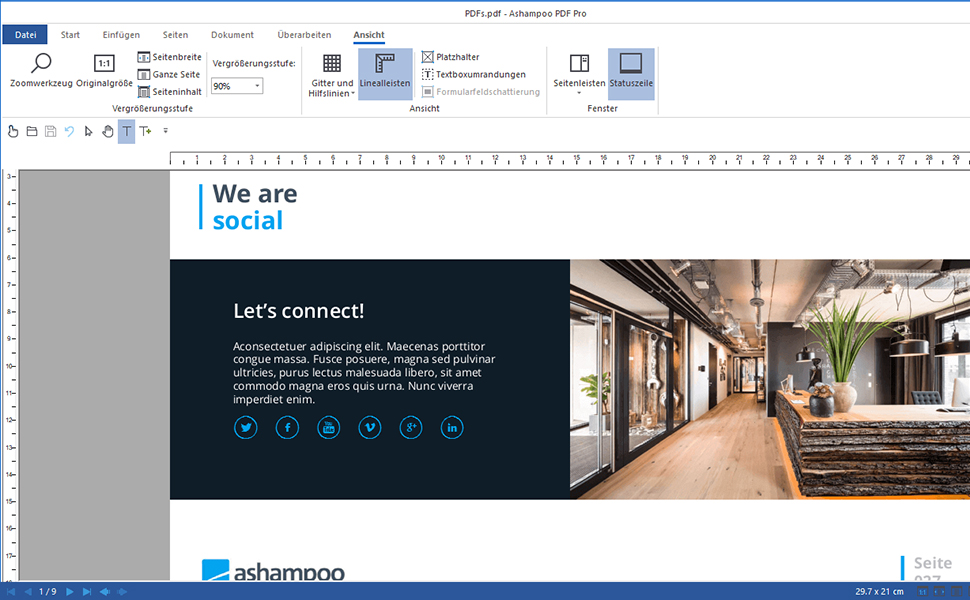
Compact and versatile: multiple new fold-out elements Expand them and gain instant access to essential features! Like a Swiss Army knife, PDF Pro’s ribbon bar features a multitude of fold-out sections. These always contain the most important context-relevant functions in a clear and concise manner.
PDF/A: the secure standard
Use the ISO-standardized PDF/A format for long-term digital document preservation PDF Pro supports the ISO-standardized PDF/A format designed to create documents that stay accessible and readable even after many years. This makes it the perfect format to archive your most important documents and preserve them for posterity.
Fast and precise document comparisons Analyze and spot differences between documents with the built-in compare view PDF Pro not only displays, and scrolls, two documents side by side but takes it one step further: By highlighting differences in various colors. The program saves you time and effort when comparing PDFs. And for added comfort, differences can be listed as navigable links in a separate sidebar. Analyze documents and spot differences in no time with PDF Pro!
Create trustworthy PDFs with digital signatures
Sign your documents for authenticity and added trust!
Digital signatures are the equivalent of an ink signature on a paper document, but much more secure. They signal authenticity and prevent secret tampering. Ashampoo PDF Pro makes signing your documents super easy and helps you build trust with your recipients.
Package Dimensions : 8.94 x 6.34 x 0.71 inches; 1.76 ounces
Date First Available : March 10, 2025
Manufacturer : Markt+Technik
ASIN : B0DZY2B6ML
Best Sellers Rank: #144 in Software (See Top 100 in Software) #7 in Document Management (Software)
Customer Reviews: 3.3 3.3 out of 5 stars 16 ratings var dpAcrHasRegisteredArcLinkClickAction; P.when(‘A’, ‘ready’).execute(function(A) { if (dpAcrHasRegisteredArcLinkClickAction !== true) { dpAcrHasRegisteredArcLinkClickAction = true; A.declarative( ‘acrLink-click-metrics’, ‘click’, { “allowLinkDefault”: true }, function (event) { if (window.ue) { ue.count(“acrLinkClickCount”, (ue.count(“acrLinkClickCount”) || 0) + 1); } } ); } }); P.when(‘A’, ‘cf’).execute(function(A) { A.declarative(‘acrStarsLink-click-metrics’, ‘click’, { “allowLinkDefault” : true }, function(event){ if(window.ue) { ue.count(“acrStarsLinkWithPopoverClickCount”, (ue.count(“acrStarsLinkWithPopoverClickCount”) || 0) + 1); } }); });
Edit PDFs as easily and quickly as in Word: Edit, merge, create, compare PDFs, insert Bates numbering
Additional conversion function – turn PDFs into Word files
Recognize scanned texts with OCR module and insert them into a new Word document
Create interactive forms, practical Bates numbering, search and replace colors, commenting, editing and highlighting and much more
No more spelling mistakes – automatic correction at a new level
Lifetime License, For Win 11, 10, 8.1, 7
Included in box: Product KEY Card with download link and license key
Customers say
Customers find the software has a reasonable price. The functionality and software quality receive mixed reviews.
8 reviews for PDF Pro 4 – incl. OCR – sign PDFs – create forms – edit, convert, comment, create – for Win 11, 10, 8.1, 7
Add a review
Related Products

![Norton 360 Premium, Antivirus software for 10 Devices with Auto-Renewal – Includes Advanced AI Scam Protection, VPN, Dark Web Monitoring & PC Cloud Backup [Key Card]](https://m.media-amazon.com/images/I/71zyM-0FAQL._AC_SL1500_.jpg)
![LibreOffice v4.3 for PC [Open Source Download]](https://m.media-amazon.com/images/I/41uovfMTo7L._AC_.jpg)

![Express Accounts Accounting Software Free [PC Download]](https://m.media-amazon.com/images/I/81gNCZkcLpL._AC_SL1500_.jpg)

€30
Richard A. Lee –
Good product/No subscription
Good product at great price and NO subscription required.
Robin Arge –
Software in a box that is NOT in the box. Nothing sold as Something. The XYZ’s all know.
This appears to be software on a disc in a box.It actually is JUST a code that enables you to download the software from the internet.It is fraud when it is sold to a person who thinks they will get software on a disc in the box.The product is “virtual” (imaginary).It is NOT software on a disc IN THE BOX.It is nothing, disguised as something.The XYZ’s who sell things like this do not think of themselves as fraudsters. They all know that the box only contains a key code and no actual software.
Dabuck –
THE PROGRAM IS OK FOR THE PRICE, YOU NEED TO USE AND LEARN IT
From description … “Included in box: Product KEY Card with download link and license key” … there is no box, you get an envelope with a card inside that directs you to DOWNLOAD the executable file. That being said, I downloaded the file, and after it took several attempts to open it. The software is just OK. It is VERY awkward to use. It is NOT INTUITIVE. You will need to experiment to determine what their function nomenclature is. To combine PDF’s, you use the “JOIN” function. The PDF display is miniaturized to display the ENTIRE PDF page. The print function is weird, so I print using “Microsoft print to PDF” (thank God for that). I still haven’t figured out on how I can print “current view”, as I could with my old NUANCE PRO PDF program, so as to crop PDF images. You can open a PDF and use the cropping function and then reprint, but this is an added inconvenience. This scan program works OK with my Canon printer as a scanner, but my old Nuance was very intuitive, unfortunately that program developed issues and I was unable to reload it to full functionality (I suspect there was some kind of timer on the program that crashes it after a set period, albeit was several years). I opted for this as it was relatively inexpensive, and I’ll get used to it. The price was it’s only redeeming value.
A May –
Good product for my uses. No problems. Great upgrade from the older edition I was using.
Totally satisfied with this product. Does what I need to do.
Kindle Customer –
PDF Suite
It is a good product except that if you have vision problems it is hard to read the print on the program making it hard to do anything with it. Installation was easy. Functionality is ok for not a good value for the price because I can’t read it on my screen well enough to use it
Huong Le –
Please explain why this item does not work like it is advertised?
File could not be converted to MS Word like advertised. It is still in PDF format after being converted to MS Word.
imvho –
Perfect for what I needed at a great price
Overall: Fantastic value for the money – love that it is a one-time, reasonable price and not an endless, overpriced subscription. German-engineered software that does what I need.Details: I simply needed some semi-basic PDF editing features for my home laptop – e.g. extract or combine pages, minor editing, print to PDF, extract to Word, etc. Disgusted that Adobe, Nitro, and all the other players are on the subscription gravy-train now: i just wanted a ONE TIME PURCHASE at a reasonable price for my modest needs. I’d never heard of ‘Ashampoo’ … the company name sounded suspiciously like one of those little back-alley sweatshops that turn out cheap knockoff polyester-knit garments lol … but decided to give this a shot.Glad I did! Does all that I need, and seems that it might suit those who have more complex requirements too. Love that it has several view modes (my preferred Dark, but also has White, Modern, or Colorful) – Nitro Pro can’t match that yet.It arrived only as a ~5×8″ card (inside a sealed envelope) that had a short code and instructions to go to a website to obtain the license code. My ‘Ashampoo’ suspicions flared again lol, so I did a quick internet search for reviews, which allayed my fears of legitimacy. So I downloaded the software and cracked it open.Having extensively used Acrobat Pro & Nitro Pro for work, i found it reasonably intuitive right away. But then I discovered there was a Quickguide PDF document hidey-holed in the download program folder, and found that very useful. (Would’ve been nice if Ashampoo had noted that on the 5×8 card; based on the reviews I found, the complaints from the users who were dissatisfied with the software were primarily focused on not understanding the GUI, i.e. how to accomplish what they needed to do.)
davman45 –
Look elsewhere
Limited capabilities. Difficult to use. Looks like a collection of apps rather than a single app with multiple integrated functions. May explain the low price.