
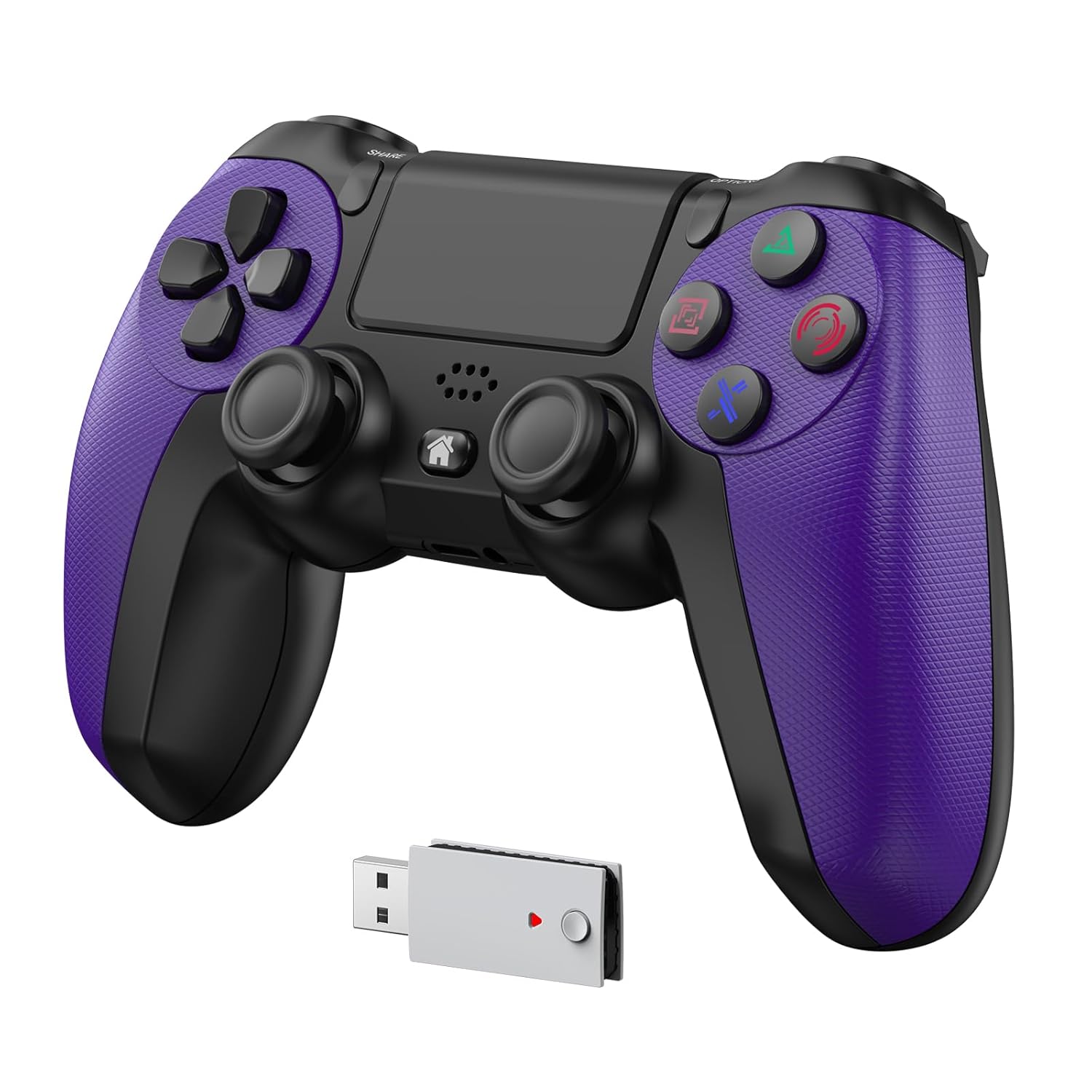
GMVOX Wireless Controller for PS-5, Gamepad Supports Turbo&Programmable Functions, Dual Vibration&Speaker&Hall Effect Joystick Features, for PS-5/Slim/Pro/PC/PS-4/IOS/Android Platforms (PS-5 Game Need 2.4G Adapter Pairing)Purple
Original price was: €50.€45Current price is: €45.


Price: $49.99 - $44.99
(as of Sep 25, 2025 00:38:58 UTC – Details)
Product description
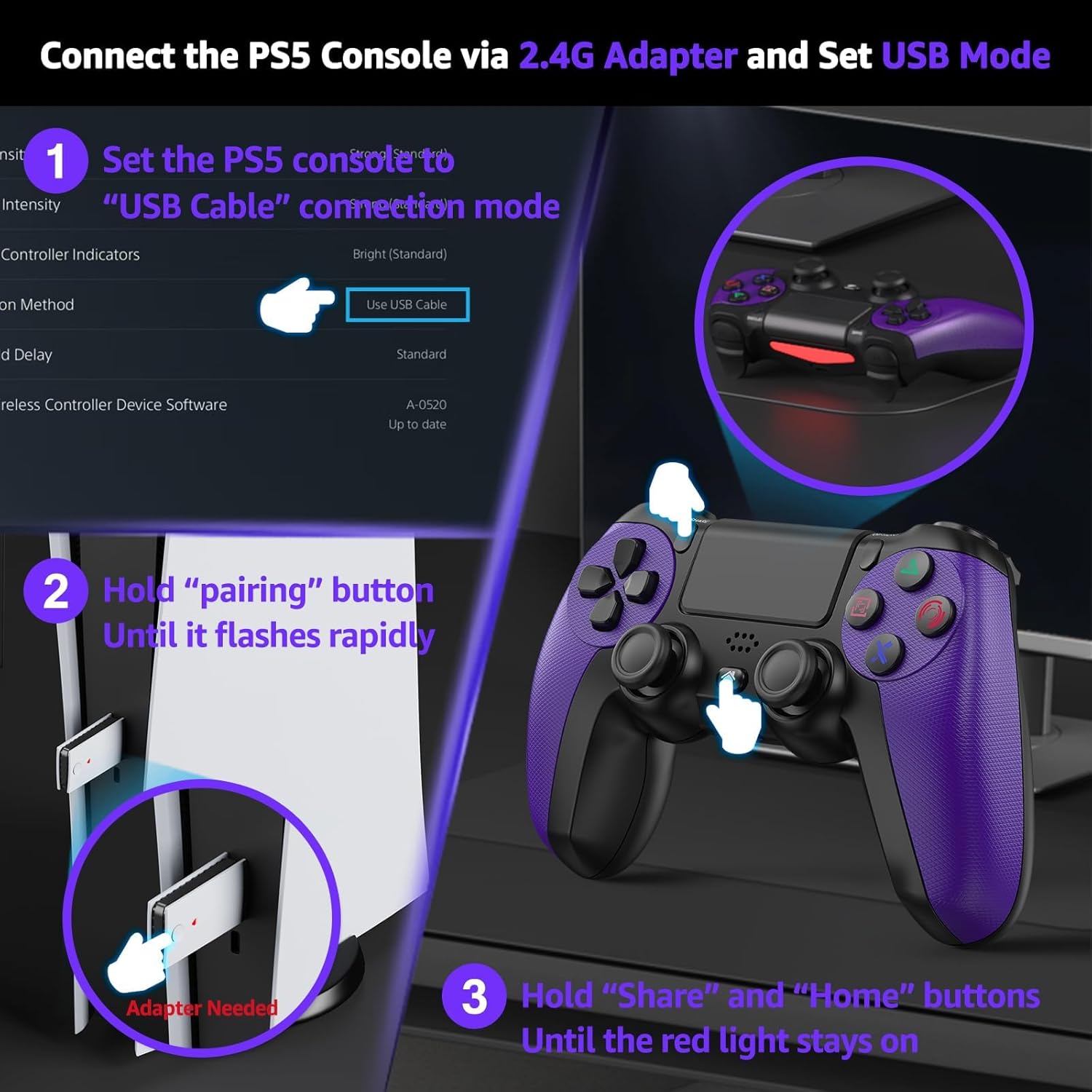
How to Connect the PS-5 Console via 2.4G Adapter
The video showcases the product in use.The video guides you through product setup.The video compares multiple products.The video shows the product being unpacked. How to connect the PS-5 console via 2.4G adapter Merchant Video


1 Turbo-Rapid Fire
2 Programmable(Map)
3 Audio&Speaker
4 Dual Vibration 6Axis Gyro


1 step1 2 step2 3 step3 4 step4
Why does the console display “Cannot use the PS-4 wireless controller to play PS-5 games”?
1. The PS-5 needs set to USB mode. Settings > Accessories > Controller (General) > Communication Metho > Use USB Cable.
2. The USB adapter needs to be paired with the controller. Please refer to the tutorial video for proper operation.
Why does the PS-5 console prompt for an update after inserting the 2.4G adapter?
Please ensure the PS-5 console is configured to USB connection mode in the settings.
Why is the 2.4G controller not working after using another controller?
Unplug and reinsert the 2.4G adapter, then restart the controller to reconnect.
If I want to use the original PS-5 controller wirelessly, do I need to switch the connection mode to Bluetooth?
No, the original controller supports both wireless and wired connections. Setting the USB mode will not affect its wireless connection. Simply turn on the original controller, and it will reconnect automatically.
【Important Notes】To ensure proper functionality, go to your PS–5 System Settings, select ‘Accessories’ > ‘Controller (General)’ > ‘Communication Method,’ and change it to ‘Use USB Cable’—otherwise, the adapter won’t be recognized. Additionally, the controller must be paired with the 2.4G adapter, or it will not support PS–5 games.
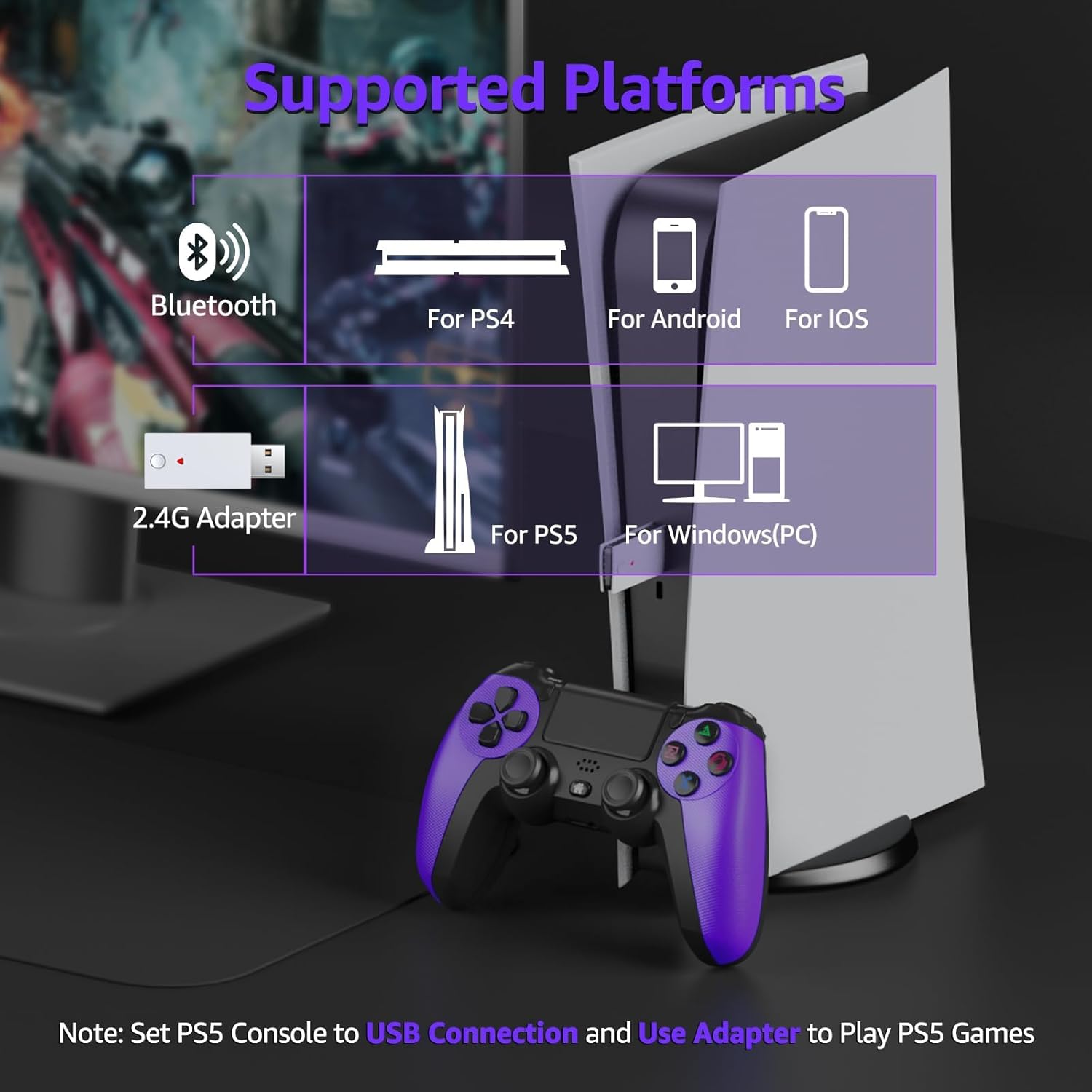
【Support All PS-5 Games】Upon successful pairing of the controller with the 2.4G adapter, full PS-5 game compatibility will be enabled on the console. If unpaired, the controller will default to PS-4 functionality. Note: This requires the PS-5 system’s Communication Method (Settings > Accessories > Controller) to be configured to ‘Use USB Cable’ for proper operation.
【Wide Compatibility】This wireless controller Works seamlessly with PS-5, PC, PS-4, iOS, and Android devices, making it perfect for gamers across multiple platforms
【Programming/Turbo Functions】The PS-5 wireless controller supports a programming function that enables one-button combos for faster and more efficient moves.Turbo function with 3 adjustable speeds (3/6/12Hz), allowing faster button presses and easier gameplay in action scenes
【3.5mm Headphone Jack】Experience immersive gameplay by connecting your audio effortlessly through the wireless PS-5 controller’s 3.5mm headphone jack, delivering clear and precise sound
6 reviews for GMVOX Wireless Controller for PS-5, Gamepad Supports Turbo&Programmable Functions, Dual Vibration&Speaker&Hall Effect Joystick Features, for PS-5/Slim/Pro/PC/PS-4/IOS/Android Platforms (PS-5 Game Need 2.4G Adapter Pairing)Purple
Add a review
Related Products


Original price was: €50.€45Current price is: €45.
Julie James –
2.4GHz Wireless Controller Compatible with PS5
An exceptional value! Delivers zero-lag performance with flawless functionality. Features customizable RGB lighting and a uniquely appealing button design (highly popular with younger users). Seamless PS5 pairing, precise haptic feedback, and proven durabilityâsurvives drops without performance loss. Unbeatable at this price point.
chris –
Does not work well with PS5
Nice controller but does not work well with PS5. Controls are sluggish, limited range especially with games that use the right stick to turn or look. Good quality materials but falls short with functionality. It also lowers chat and surrounding audio by 50% over standard PS5 controllers. May work well with PS4 but I do not recommend this for PS5. Will be returning it to get an original Sony controllers. Sorry just not impressed.
gavin mcmurry –
chose the USB Cable Mode
For optimal PS5 performance, switch this controller to USB mode. It delivers smooth gameplay for PS5 titles, featuring precise Hall Effect analog sticks, remappable buttons, and turbo fire for added versatility. Setup is quickâjust follow the guide. An excellent, budget-friendly choice for PS5 owners seeking reliable performance and advanced features
Cesar Lopez –
Good
For the best PS5 experience, switch your controller to USB mode. It delivers smooth gameplay with hall effect sticks for precision, plus handy features like remappable buttons and turbo. Quick setupâjust follow the guide. A solid, affordable choice for PS5 players.
Kipsia gomez –
work for PS5
An absolute steal for the price! Zero lag, flawless performance. Pairs super easily with the PS5, the vibration feels spot-on, and it’s seriously toughâmine’s taken a few hard knocks and still works like new. Unbeatable value!
Jeff Harms –
Budget-Friendly PS5 Controller That Delivers!
An exceptional value! This controller delivers flawless, lag-free performance. My son loves the button design, and pairing with the PS5 is incredibly simple. The haptic feedback feels perfect, and its durable construction has survived several drops while maintaining like-new functionality. Unbeatable for the price!