

Brother MFCL3780CDW Wireless Digital Color All-in-One Laser Printer, Single Pass Duplex Copy & Scan | Includes 2 Month Refresh Subscription Trial ¹ Amazon Dash Replenishment Ready (Renewed Premium)
Original price was: €455.€425Current price is: €425.




Price: $454.99 - $424.99
(as of Sep 25, 2025 02:31:02 UTC – Details)
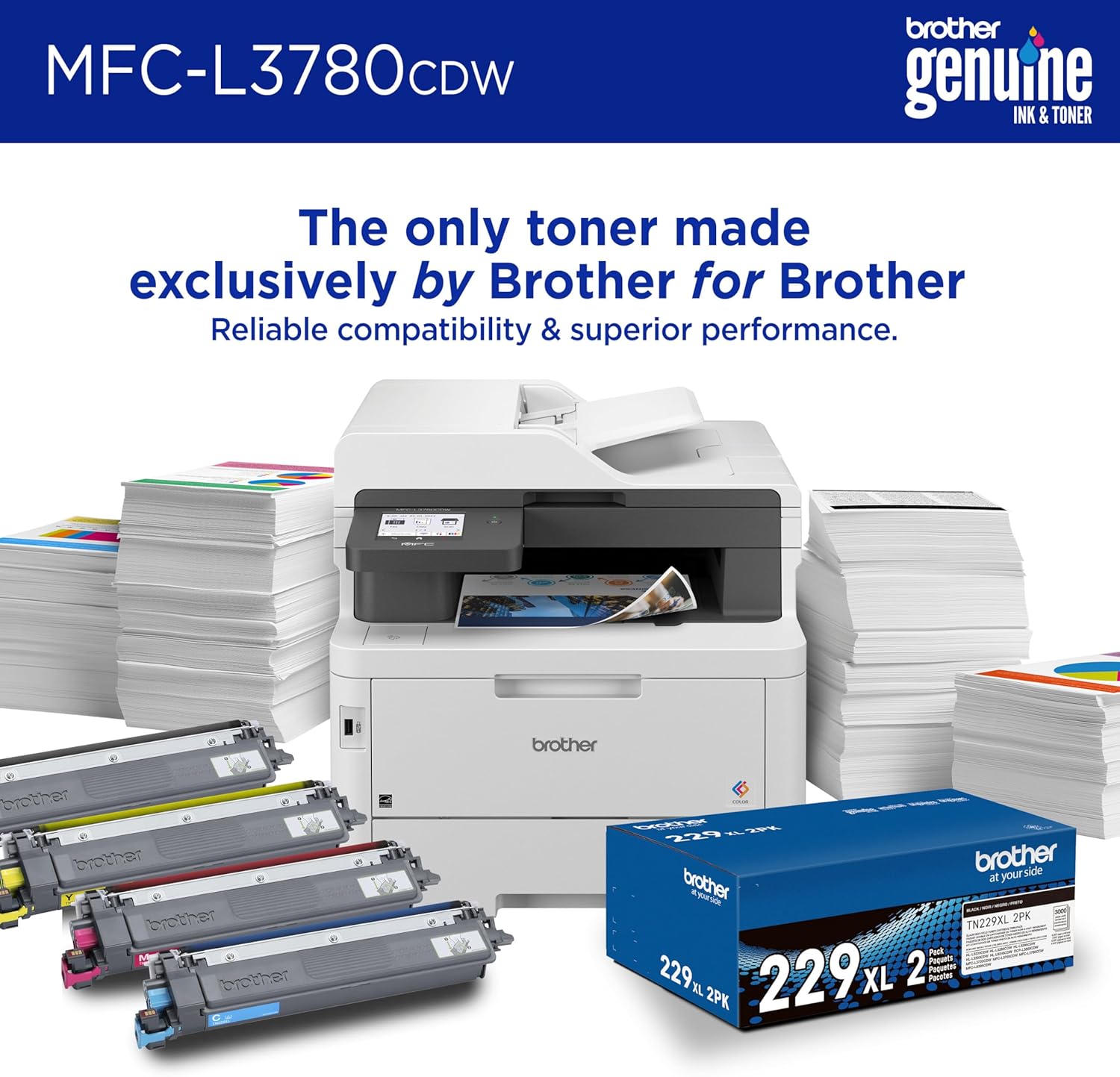
The Brother MFC-L3780CDW wireless all-in-one, digital color printer with copy, scan, and fax functionalities is engineered to offer small business leaders an extraordinary level of efficiency with astounding print speeds and productivity-propelling features. Consistently produces pristine, laser-quality prints for smudge-free documents that capture the attention of clients, customers, and colleagues. Reaching print speeds up to 31 pages per minute (ppm)(2) and scan speeds up to 29/22 images per minute (ipm)(9) (black/color) plus versatile paper handling and an intuitive 3.5” touchscreen help your business thrive by boosting productivity and simplifying tasks. ENERGY STAR® compliant and EPEAT® Silver rated, the MFC-L3780CDW is designed with eco-friendly printer features including Eco Mode, Toner Save Mode, and automatic duplex printing. Advanced security features help safeguard sensitive information while printing, including the added protection of an NFC card reader for badge authentication. Engineered and supported by Brother with a 1-year limited warranty and free Brother online, call, or live chat support for the life of your printer, the MFC-L3780CDW is a hard-working and effective addition to any small workspace. 4. Disclaimers 1. Requires enrollment in a monthly billed Brother Refresh EZ Print Subscription service plan based on monthly printed page allotments. Unused pages roll over, limitations apply. Additional page set charges and taxes apply during trial. Plan, options offer, and pricing subject to change. Open to new subscribers located in the contiguous United States only. After the free trial period your credit card will be charged on a monthly basis for the Plan Fee, Overages, and Taxes in accordance with the Terms of Service. Overage fees will apply during free trial. Your service will continue on a month-to-month basis until you cancel it. May be canceled at any time. Upon cancellation, cartridge will be deactivated and must be replaced at users’ expense in order to continue printing. 2. Based on one-sided printing. Change from default setting required. 3. Maximum capacity based on using 20 lb. paper. 4. Maximum capacity based on using 20 lb. paper. Additional purchase required. 5. Requires an Internet connection and an account with desired service. 6. Requires connection to a wireless network. 7. Free app download and wireless connection required. Compatibility may vary based on device and operating system. 8. Based on monthly subscription cost in U.S. for Color Laser High Plan vs. average cost per page of eligible like standard capacity cartridges. Savings will vary based on Refresh EZ Print Subscription plan selected. 9. Color and monochrome scan speed with all advanced features turned off, Letter at 300dpi. Wi-Fi Direct is a registered trademark of Wi-Fi Alliance®. EPEAT is a trademark of the Green Electronics Council in the United States and other countries. ENERGY STAR and the ENERGY STAR mark are registered trademarks owned by the U.S. Environmental Protection Agency. Images are for illustrative purposes only. Specifications subject to change.
BEST FOR SMALL BUSINESSES – Amplify your professional documents with the consistent performance of laser-quality color printing. The Brother MFC-L3780CDW Multifunction printer with copy, scan & fax features print speeds up to 31 pages per minute (ppm)(2)
MAXIMIZE PRODUCTIVITY – Single-pass duplex copy & scan, 50-sheet Auto Document Feeder, and 30-page multipurpose tray save time on large jobs. The 250-sheet paper tray reduces frequency of refills.(3) Add an optional lower tray for high-volume printing(4)
3.5″ COLOR TOUCHSCREEN – Use the intuitive 3.5” color touchscreen to create up to 48 shortcuts and print-from/scan-to popular Cloud apps such as Google Drive, Dropbox, Evernote, OneNote, and more(5)
FLEXIBLE CONNECTION OPTIONS – Dual band wireless (2.4GHz / 5GHz)(6), Gigabit Ethernet, Wi-Fi Direct, or connect to a single computer via USB interface. USB Host offers walk-up print and scan. Print from almost anywhere with Brother Mobile Connect app(7)
ADVANCED SECURITY FEATURES – Safeguard data and keep connections safe while printing with advanced security features. The integrated NFC badge authentication provides elevated protection for sensitive business information
Customers say
Customers find the printer’s print quality superior to inkjet printers, with crisp output and fast double-sided scanning capabilities. They appreciate its ease of setup, fast output, and convenient wireless connectivity. However, the printer’s longevity receives mixed reviews, with customers reporting that toner cartridges don’t last long and the machine breaks within 5 years. Moreover, paper curling is a significant issue, with multiple customers reporting paper jams and curling problems. While some customers find the cost worth it, others consider it very expensive.
11 reviews for Brother MFCL3780CDW Wireless Digital Color All-in-One Laser Printer, Single Pass Duplex Copy & Scan | Includes 2 Month Refresh Subscription Trial ¹ Amazon Dash Replenishment Ready (Renewed Premium)
Add a review
Related Products


Original price was: €455.€425Current price is: €425.
Kymberly Ainsworth –
This printer doesn’t suck!
I thought it was the holy grail — to find a printer that doesn’t suck. I found it here! Not only does it NOT suck, I actually hug it every time it prints.1. Easy as hell to set up, you don’t even have to use the mobile app (but I did set that up also and it was a few extra steps but also easy). Airprint works instantly.2. So fast, so quiet. I had a Canon MX something that would take about a few minutes to think about printing, and then another minute to print, and the page would usually jam in the middle of the job. The Brother has NO such issues. The Canon could take two days to print a 60 page document (because I had to keep taking breaks from unjamming it and resetting the job so as not to throw it through the window). Those days are gone forever!3. Color is not going to be like a photo printer — it does not take photo printer, please note — but color is fast and bright and perfectly acceptable for a document (vs. a photo).4. My setup is a home office, my printing needs are relatively light, so I agonized over the cost vs. use but when a printer JUST WORKS these days, it’s so miraculous that I decided the cost was worth it and used the Affirm payment plan to make the finances work.5. I did not have to sign up for the ink program, my uses are so light it would be an unjustifiable expense.I spent about a month researching and comparing and reading all of you good people’s reviews — some of which are super funny — of this printer and others, and finally the day came where I couldn’t stand even the thought of trying to print on the Canon so I pulled the trigger. I know I’m not alone in the “I hate my printer” category but I might now be one of a dozen people in the “I love my printer” category.It arrived in a speedy timeframe and it was packaged so well that if it had been a baby, it would have slept without waking from a single bump.Brother is my brand and this printer is 5 stars!
Pmcd772 –
Good Job BROTHER!
MFC-L3780CDW Wireless Digital Color All in One Laser printerYou already know the price. The only other thing to know is that it weighs about 50 pounds.Aside from these drawbacks, this is a great printer! Why do I think that Apple has coached Brother in quality control and ease of use? Installation is nearly idiot-proof.Select Wi-Fi on the touch screen and it finds the local Wi-Fi signals; select the one(s) you want and youâre ready to go. No need to download fancy software onto your iPhone or MacBook. Just hit print and listen for the whirr. (My 11 year old MacBook hiccupped at the first try; I deselected all 3 old printers in the MacBookâs System Preferences, and added the Brother. Smooth as silk.)I think I got more features on the Brother than I will ever use, but I was beyond annoyed with my HP printer experiences (short lifespans and scammy ink subscription.) I decided to believe the Brother reviews and get what I really wanted.So far, Iâm extremely pleased.
Just ME –
Best Printer/Copier I have experienced.
This has been an OUTSTANDING machine. In 2008, I found that Brother was superior to every other printer I had used and I’ve gradually escalated through the Brother line. The others were great, but this has been the best machine that I’ve experienced. My family always calls me if they have any computer issues and they all have experienced printer issues in the past. I’ve recommended Brother printer and they have all changed to brother, and they are all happy because they are simple to use and have performed well above the other manufactures.You can’t go wrong with these units.
MR –
Unreliable – VERY unreliable – and Wastes Lots of Paper
I hate this printer. For much of the first year, it worked beautifully. Clear printing, quick printing, no problems. Toward the end of the first year, I would try to print and nothing happened. The monitor showed “Receiving data” and stay that way for some minutes. Then it showed “Data stored in memory.” Sometimes after that, maybe 20-30 minutes, it might print. Sometimes it started to print page after page after page, some blank and some with a line of unreadable text at the top. The print queue would show up to 70 or more print jobs. I could cancel them, one after the other. I could turn off the computer. There are “fixes” on the Internet that might work initially, but they don’t last. Brother’s warranty was one month out of date when I tried to call about this. I reached customer support about two months ago. They applied one of the fixes shown on the Internet (unplug from outlet, unplug from computer, turn off computer, remove usb connection, restart computer – any or all of these). Those work for maybe a day. I cannot print pdf docs no matter what I do, and I cannot print directly off the Internet (e.g., recipes). Huge waste of money, for printer and extra toner I was foolish enough to stock up on. No more Brother printers for me.
Marjie –
Happy with purchase
Simple set up and prints quickly. printing. Quality is good but not great!
Alexander Conde –
ADF Prints and Scans Turn Out Lousy/Eats Envelopes
There are a lot of comprehensive reviews on here so I’ll keep it short. Overall I like it. The setup was quick. Menu if easy to navigate. First page out is fast and the quality of the prints are fantastic. That’s the good. As for the bad, for some reason when I use the ADF to copy or scan pages it cuts off the sides. I’ve tried everything to alleviate this but I haven’t been able to prevent it. Scanning is worse than copying. The scans produced via the ADF are unusable. In order to prevent this I’m forced to use the glass and handle each page manually. Big inconvenience given the ADF. Additionally, envelopes come out horribly. Not the print quality but the envelope itself is scrunched up when it exits the printer. This thing just eats the envelopes for some reason. For this reason I’ll probably be looking at something else once the toner runs out.
Vero H. –
Muy buena compra. El servicio de venta es muy bueno.
Rbk –
Súper funcional, una excelente compra
MA. GUADALUPE –
Excelente multifuncional, bien protegido el envÃo y manejo de la misma muy fácil
JorgeMRF –
Muy buen equipo. facil de instalar y de operar. El unico inconveniente que podrÃa mencionar es el tiempo de espera. Para Ciudad de México tardó 3 semanas y media.
Luis Robles –
Calidad de impresión es impresionante, tardó 3 semanas en enviarlo pero me respetaron el precio cuando lo pedÃ. Tiene tecnologÃa MFC y hasta conexión Gigabit. Instalación muy fácil