
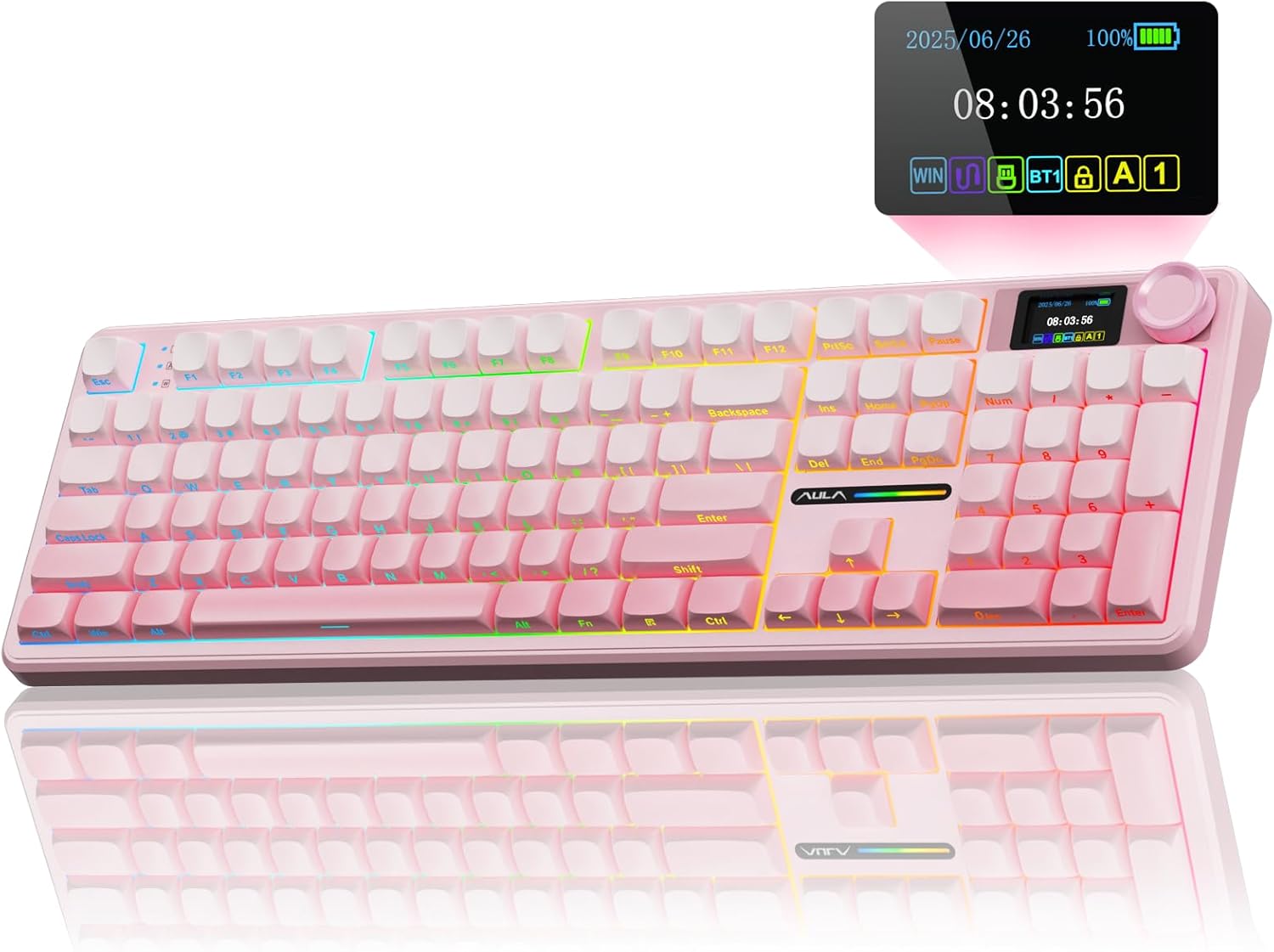
AULA F108 PRO – Wireless Mechanical Keyboard with Screen & Knob,Full Size Keyboard with 8000mAh Battery,Pre-lubed Switches,Side Printed PBT Keycaps,RGB Backlit Hot Swappable Custom Gaming Keyboards
Original price was: €106.€88Current price is: €88.
Price: $105.99 - $87.97
(as of Sep 25, 2025 13:12:57 UTC – Details)
Product description
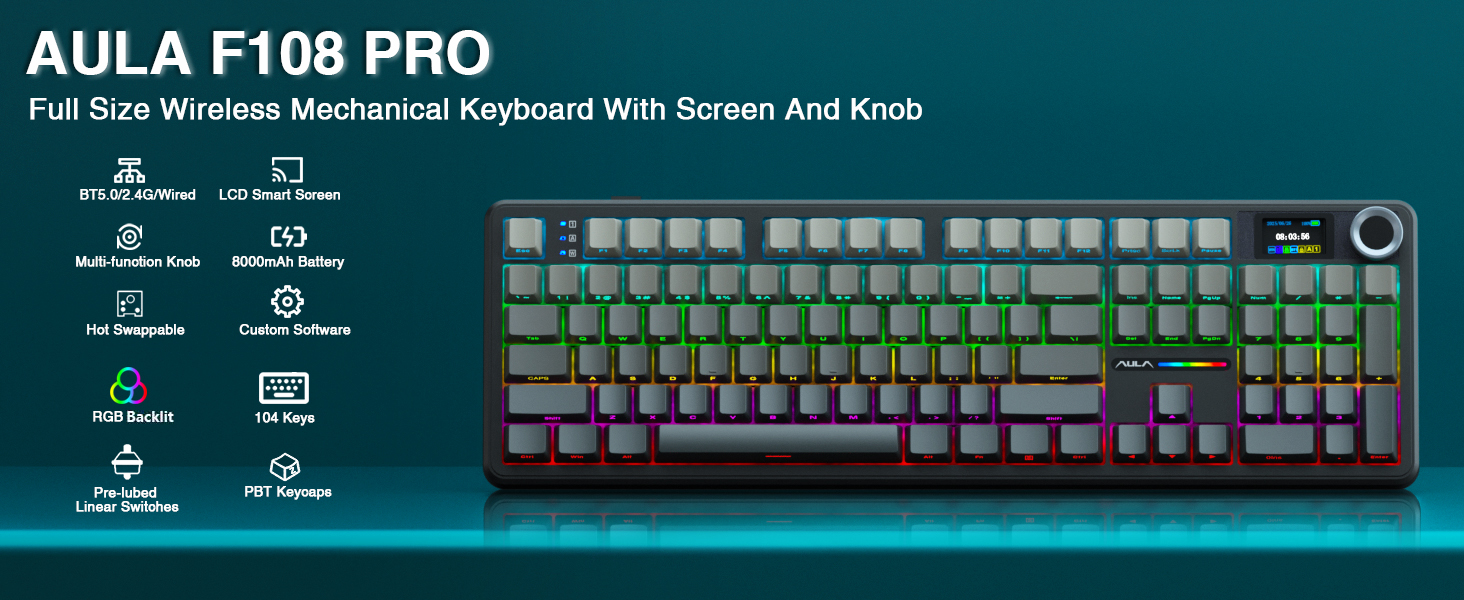


1 RGB Backlight
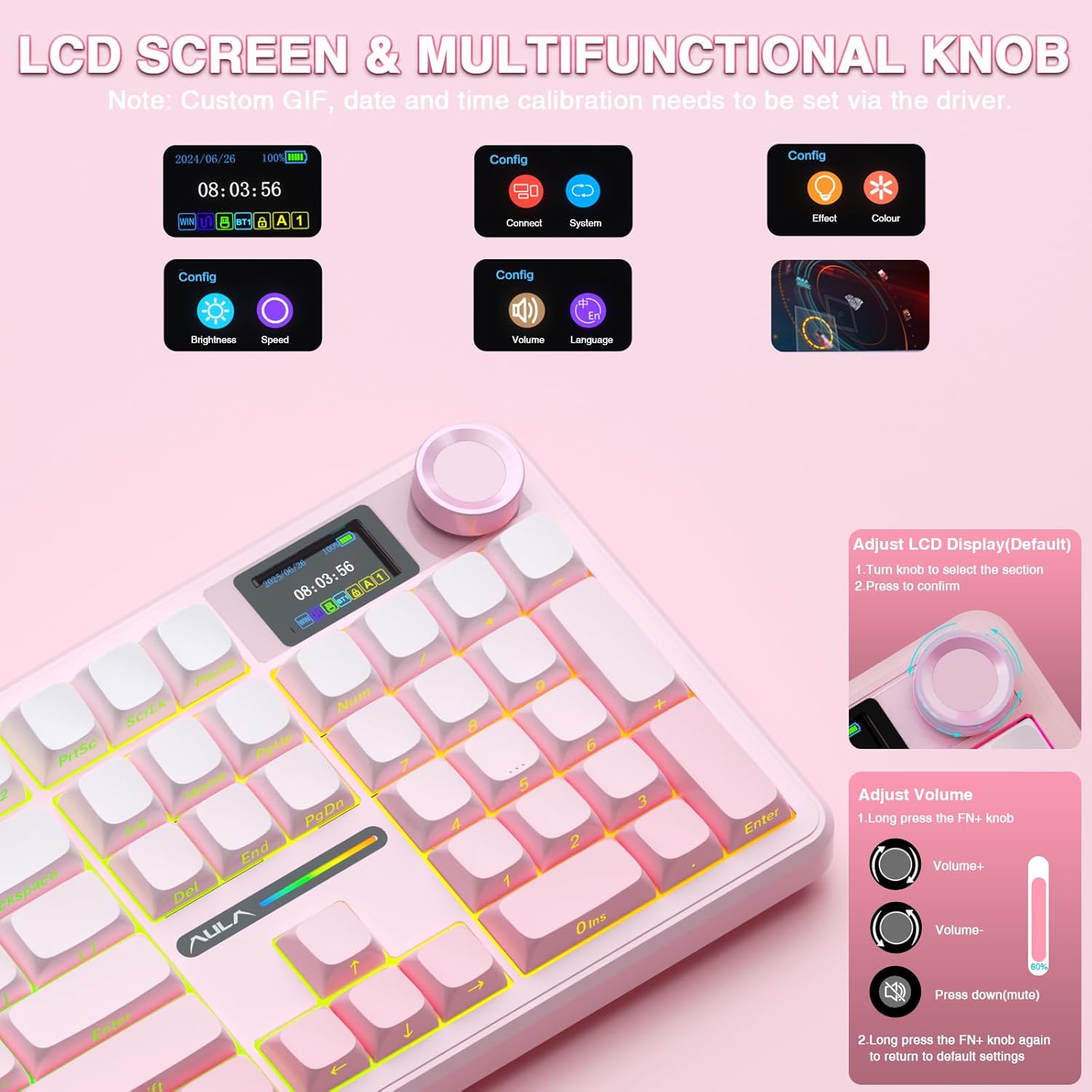
2 Screen & Knob
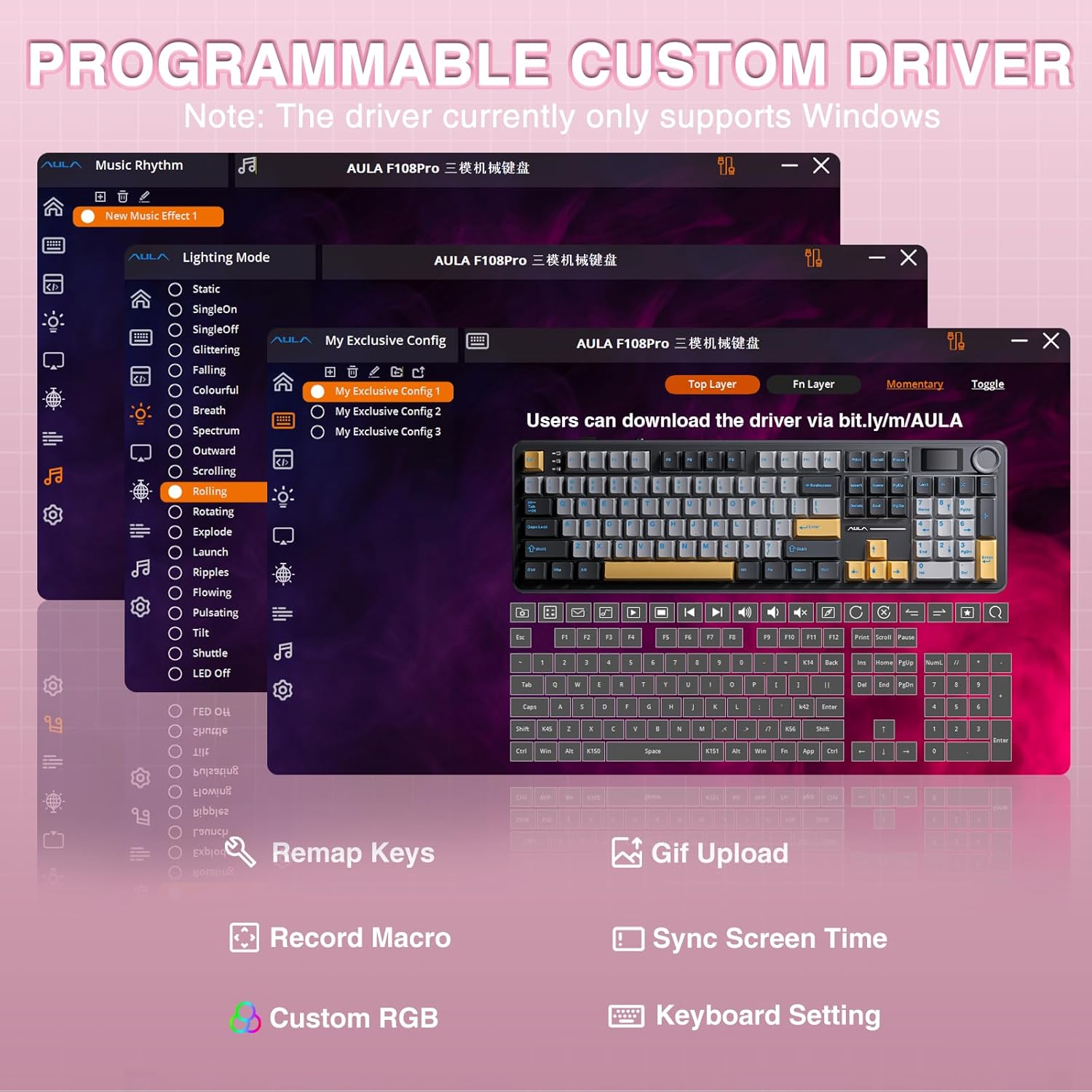
3 Custom Driver


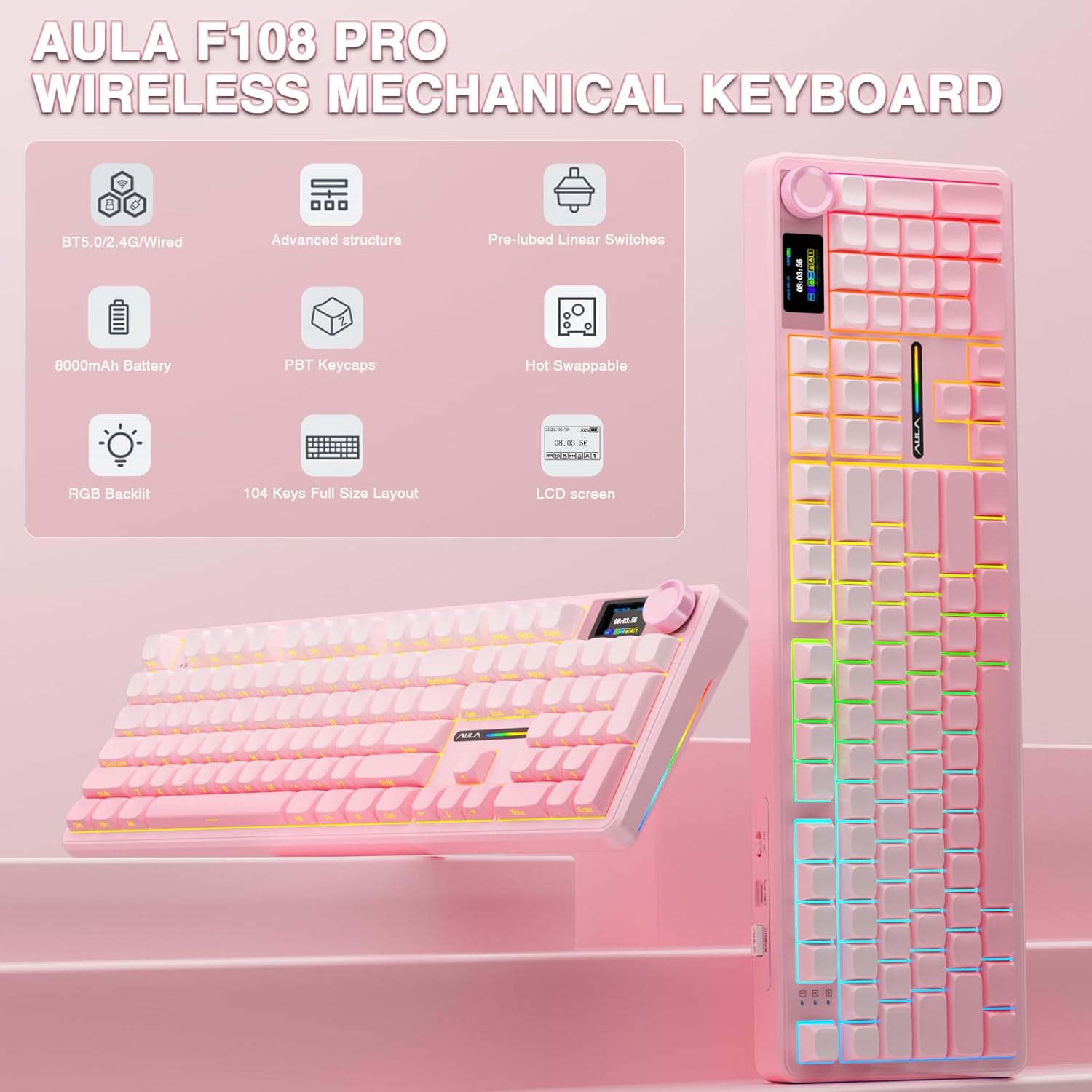
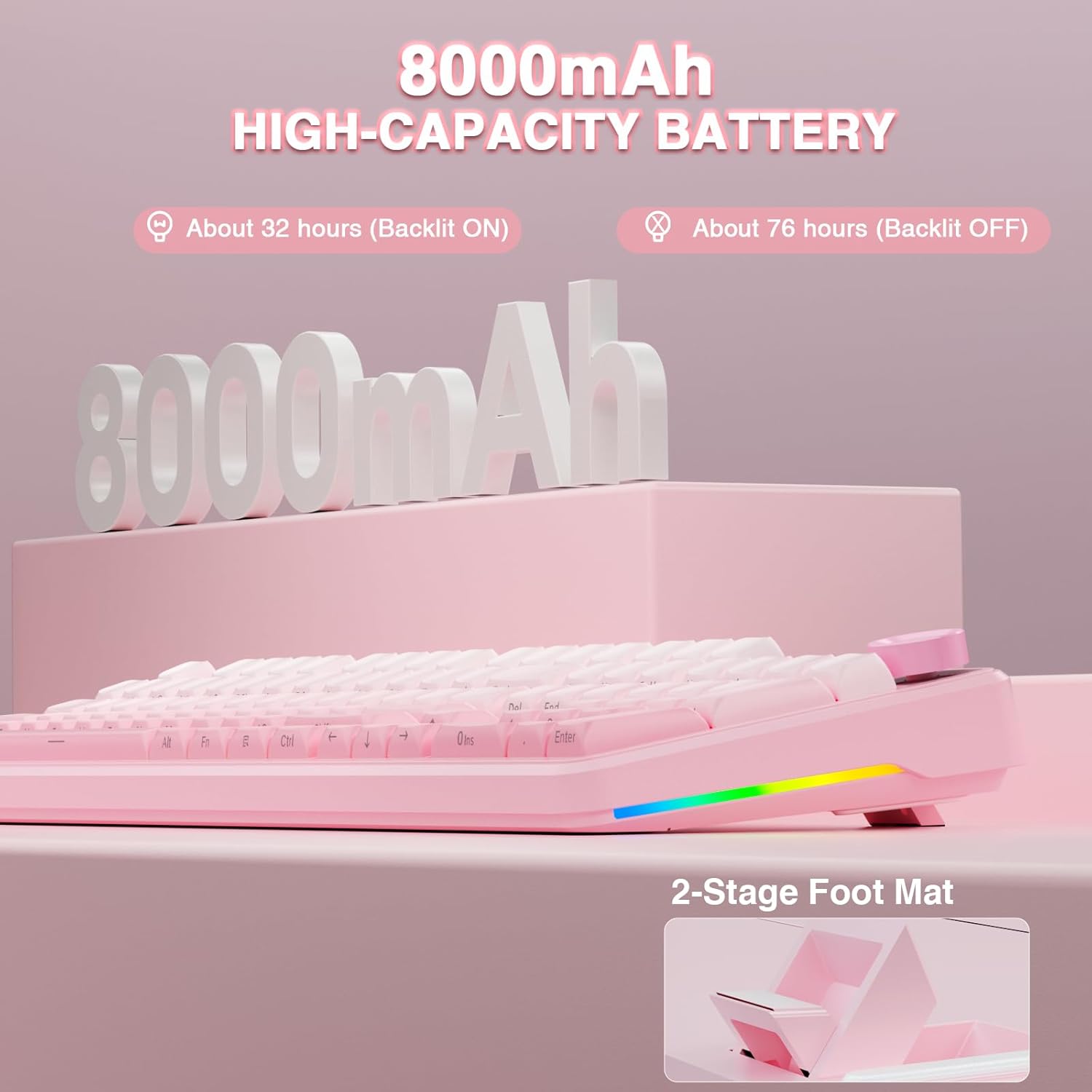
1 8000mAH Battery 2 Hot-swappable 3 Pre-lubed Switch 4 Advanced Structure


How to download the software? Is it compatible with Mac?
1.Download the software via bit.ly/m/AULA
2.This F108Pro mechanical keyboard is compatible with Windows, Mac, IOS and Android systems, but the software only supports Windows system and wired mode.
How to quickly solve keyboard unresponsive or other unknown issues?
Reset the keyboard by holding down FN+ESC for a few seconds until the keyboard light flashes
AULA F108 Pro backlight/side light shortcut key?
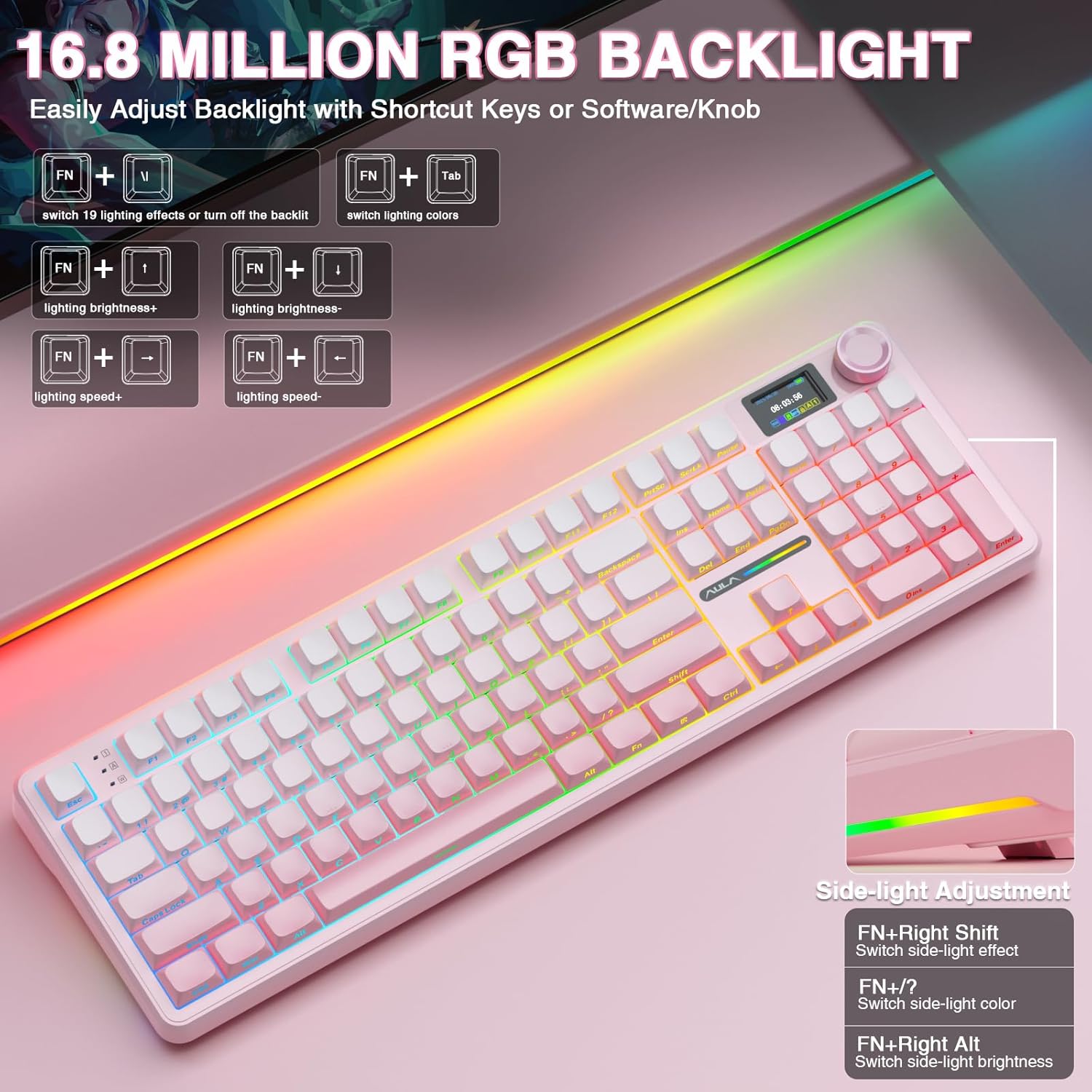
Backlight Adjustment:
FN+|=switch 19 lighting effects;FN+Tab=switch lighting colors;FN+↑/↓=lighting brightness+/-;FN+→/←=lighting speed+/-
Side Light Adjustment:
FN+Right Shift=Switch effect;FN+/?=Switch color;FN+Right Alt=Switch brightness
How to calibrate the date/time and custom GIF images on the screen?
1.Download and install the F108pro driver in wired mode with windows system.
2.Find the “TFT screen” and click to “Time Syns” button.
3.Upload an image or gif
Note: The LCD screen has a transparent protective film that can be peeled off before use.
How to view the instruction manual? And receiving incorrect product colors
Scan the QR on the card inside the packaging to view the instruction manual
The keyboard packaging is uniformly gray yellow, please refer to the actual color inside the packaging for accuracy
Full Size Mechanical Keyboard From AULA
Add to Cart
Add to Cart
Add to Cart
Add to Cart
Add to Cart
Add to Cart
Add to Cart
Customer Reviews
4.5 out of 5 stars 160
4.5 out of 5 stars 160
4.5 out of 5 stars 160
4.5 out of 5 stars 160
4.6 out of 5 stars 31
4.6 out of 5 stars 31
4.6 out of 5 stars 31
Price
$84.78$84.78
$84.78$84.78
$87.97$87.97
$84.78$84.78
$75.99$75.99
$75.99$75.99
$75.99$75.99
Layout&Keys
Full Size/104 Keys
Full Size/104 Keys
Full Size/104 Keys
Full Size/104 Keys
Full Size/108 Keys
Full Size/108 Keys
Full Size/108 Keys
Switch Type
Caramel Latte Switches
Caramel Latte Switches
Caramel Latte Switches
Wind Spirit Switches
Wind Spirit Switches
Wind Spirit Switches
Caramel Latte Switches
Screen&Knob
✔
✔
✔
✔
✘
✘
✘
Battery Capacity
8000mAh
8000mAh
8000mAh
8000mAh
4000mAh
4000mAh
4000mAh
Connectivity
BT5.0/2.4Ghz/USB-C Wired
BT5.0/2.4Ghz/USB-C Wired
BT5.0/2.4Ghz/USB-C Wired
BT5.0/2.4Ghz/USB-C Wired
BT5.0/2.4Ghz/USB-C Wired
BT5.0/2.4Ghz/USB-C Wired
BT5.0/2.4Ghz/USB-C Wired
Hot Swappable
3/5-pin Mechanical Switches
3/5-pin Mechanical Switches
3/5-pin Mechanical Switches
3/5-pin Mechanical Switches
3/5-pin Mechanical Switches
3/5-pin Mechanical Switches
3/5-pin Mechanical Switches
Keycap Material
Side-Printed PBT
PBT
Side-Printed PBT
Side-Printed PBT
Side-Printed PBT
Side-Printed PBT
PBT
Per-Key LEDs
South-Facing
South-Facing
South-Facing
South-Facing
South-Facing
South-Facing
South-Facing
Backlight
RGB(Keycap Side Lit-Through)
RGB (Keycap not Lit-Through)
RGB(Keycap Side Lit-Through)
RGB(Keycap Side Lit-Through)
RGB(Keycap Side Lit-Through)
RGB (Keycap not Lit-Through)
RGB (Keycap not Lit-Through)
Smart Display Screen & Multi-function Knob: AULA F108 Pro wireless mechanical keyboard has built-in intelligent TFT color display screen, which can be used as an interactive interface for real-time updating and customization. The high-definition display and multi-function knobs are designed to make it easy to switch and update custom Gif images, volume, date and time, battery status, backlight and connection modes for greater ease of use(Note: You need to download the software under windows system and keep in wired mode to set the screen image/GIF, calibrate the date and time. The screen has a transparent protective film that can be torn off for use)
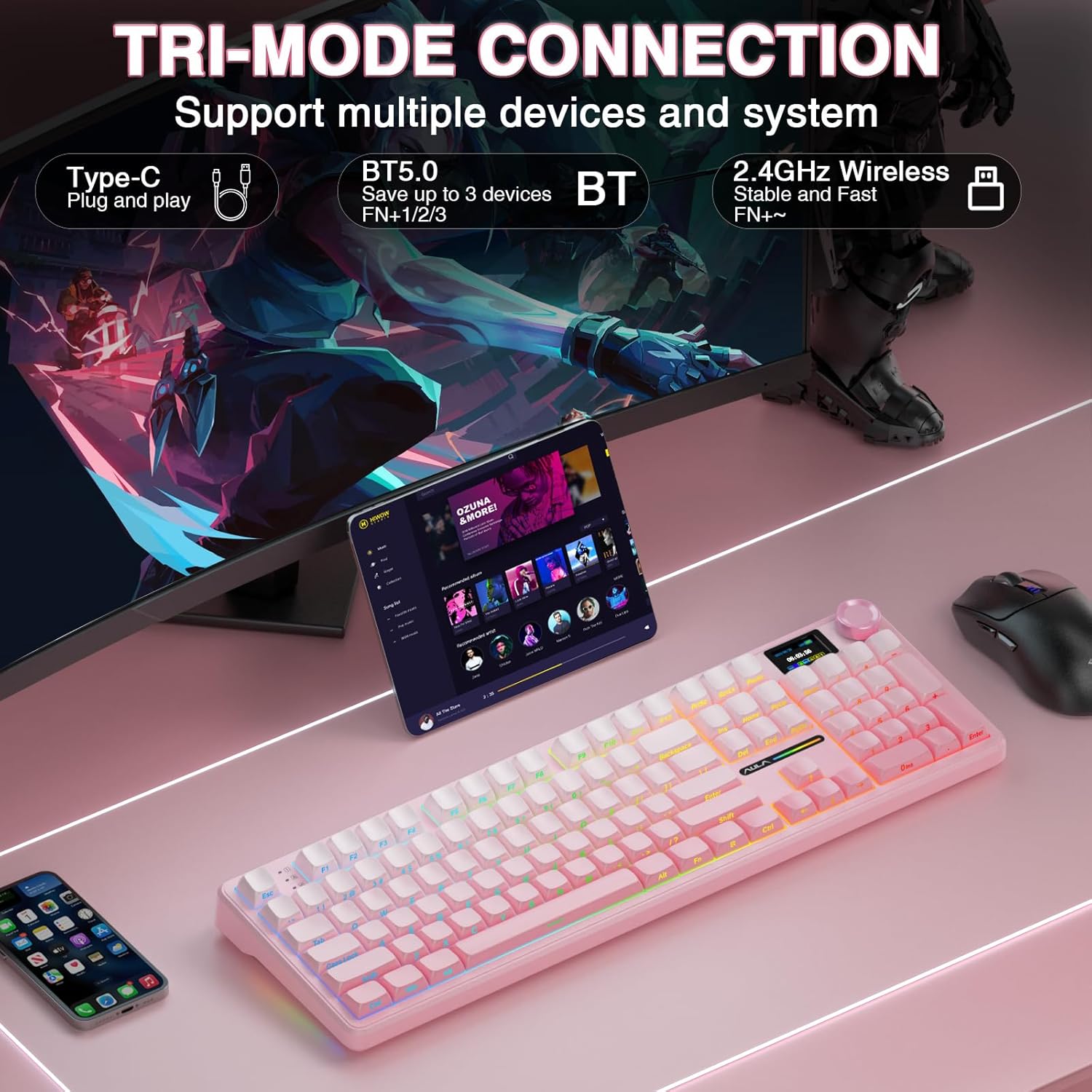
Tri-mode Connection Mechanical Keyboard: The AULA F108 Pro gaming keyboard supports BT5.0, 2.4GHz wireless and USB-C wired connectivity which can save up to five devices. The BT5.0 mode allows for quick switching between pc,mac,laptop and tablets while the 2.4GHz wireless and USB-C wired mode with a polling rate of 1000Hz ensures highly competitive stability and responsiveness.The F108PRO pc gaming keyboard is compatible with Windows, Mac, IOS and Android operating systems, and you can easily switch systems with multifunctional knob(Note: In Linux systems, incompatible driver versions may cause abnormal F-zone functionality, which is a normal phenomenon. Please rest assured to use it)
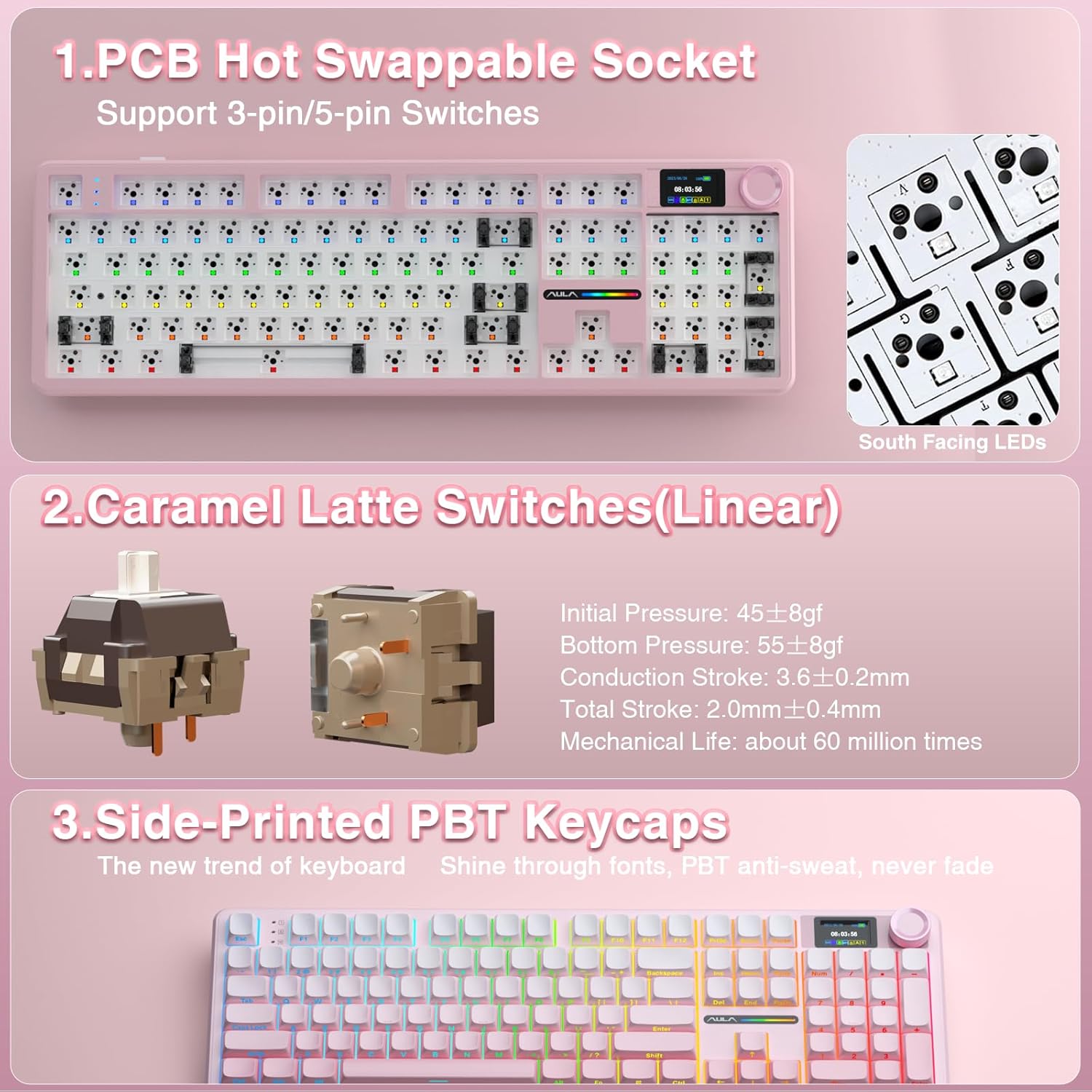
Hot-swappable Custom Keyboard: The F108 Pro wireless gaming keyboard comes with a hot-swappable base that is compatible with 3-pin or 5-pin switches. Without the soldering process, users can easily replace switches and keycaps to customize their keying experience (keycap/switch puller is included in the package). Equipped with pre-lubricated stabilizers and switches, the creamy keyboard bring smooth typing feeling and pleasant creamy mechanical sound, providing fast response for exciting games
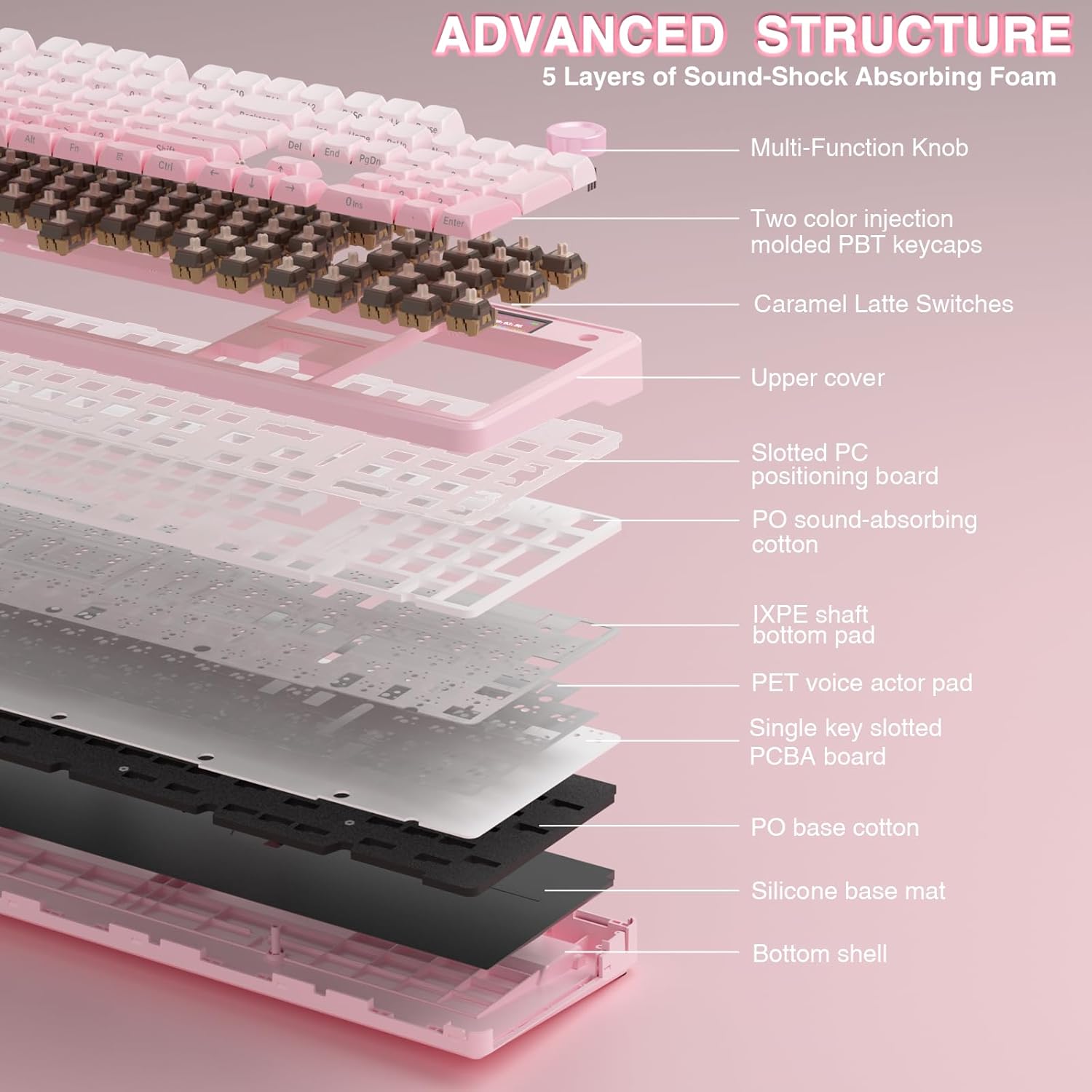
Advanced Five Layers Filling Structure: The mechanical gaming keyboard features an advanced structure, extended integrated silicone pad, and PCB single key slotting, better optimizes resilience and stability, making the hand feel softer and more elastic. Five layers of filling silencer fills the gap between the PCB, the positioning plate and the shaft, effectively counteracting the cavity noise sound of the shaft hitting the positioning plate, ensuring the purest sound and soft and smooth typing experience every time you press the key
104 Keys Full Size Keyboard: The F108 Pro computer keyboard features a newly upgraded 100% full-size layout with arrow keys, function keys, and numeric zones for a more comfortable and productive office. The two-colour injection-moulded PBT keycaps are more durable without fading, sweat-proof, and softer to the touch. With the south-facing LEDs, the pc keyboard backlight clearly illuminates each key through the font, allowing you to operate accurately in the dark. Built-in 8000mAh high-capacity battery, the creamy keyboard with number pad is suitable for long-time work or high-intensity gaming
RGB Backlight & Programmable Software: F108 Pro pink keyboard supports multiple dynamic RGB effects, monochrome and multi-colour modes. Over 16.8 million RGB colors are available to suit your mood, occasion or overall aesthetic. The decorative light bars on both sides are colorful and add a strong gaming atmosphere. RGB effects and colors can be switched through the knob/software, or shortcut keys. With the F108 Pro driver, all keys support macro customization, which allows you to record and edit macros to improve your work efficiency and speed up gameplay. (Note:The driver only supports windows system in wired mode). Driver download: bit.ly/m/AULA
Customers say
Customers find this keyboard to be a high-quality mechanical keyboard with creamy sound and a premium feel. They appreciate its vibrant colors, beautiful aesthetics, and consider it good value for money. The functionality and knob control receive mixed feedback – while many say it works nicely, some report issues with lights not working properly, and several find the knob control too sensitive.
4 reviews for AULA F108 PRO – Wireless Mechanical Keyboard with Screen & Knob,Full Size Keyboard with 8000mAh Battery,Pre-lubed Switches,Side Printed PBT Keycaps,RGB Backlit Hot Swappable Custom Gaming Keyboards
Add a review
Related Products


Original price was: €106.€88Current price is: €88.
KHL –
Great keyboard with some nitpicks
This is my first hot-swappable keyboard and I really like it after using it for a week. I was looking for a fullsize keyboard where I’m able to change key switches very easily and this was the most appealing one to me. The key switches feels nice to press and I like the sound it makes. I like the gradient keys as well but I wish it was more Gray -> Black instead of Light Gray -> Gray. I like the LED screen and I can leave a GIF playing while turning the knob to increase/decrease volume. (FN + Knob Press locks it to a screen and turns it into a volume slider which I found out later.)I never used side-printed legend keys before so it takes a little to get used to, but not a bad thing at all. I still prefer top-facing legend keys. The south-facing LED lights I am not too fond of because your options are very limited if you want to have top-facing backlit keycaps that works with South-facing LEDs, so research the available keycaps before buying this. There is one available in Etsy which is great, but I really want more options. The keycaps with graphics/art designs are nice but a majority of them have too much going on or makes it hard to read some of the keys. I have some pudding keycaps from my previous keyboard but it won’t light up very much as it wasn’t designed for south-facing LEDs. So this may or may not be a deal breaker.The little LED screen is neat but can be just a gimmick for others. I like being able to use a GIF of my choice and can change it anytime. The requirements are not fully mentioned anywhere and it says the maximum frames allowed is 141 in the Aula APP, but the default GIF it comes with has 214 frames and it works. The best dimensions to use is 240×135 but a 4:3 ratio GIF is also fine. As other reviewers said, the knob is very sensitive but it doesn’t bother me much. I also do wish it had Standard Time as an option instead of Military Time. The instructions are Chinese by Default but it is easy to change to English and the manual is also available in their site in English which I recommend to look at its shortcut keys.For the Aula App, I do wish it had more RGB Customization compared to apps like Corsair’s iCUE and Razer Synapse, but maybe I expected too much out of it. There is no option to make individual keys switch between the colors you want like back and forth with White and Blue, only all colors or a single color.I should mention that the keys it comes with except the Alphabetical keys are very slightly blurry to read. Not sure how to describe it well, but it isn’t clear. It is not a big deal as I’m replacing these keys anyways. The LEDs for PLUS and ENTER key in the numpad just wont shine through well with side-printed keys, it has to be top-facing but bottom centered. So I replaced it with flipped pudding keycaps for now and it looks better as you can see in the photo. Judging from other photos that were posted in the reviews, I’m not the only one that has that issue with Plus and Enter. The lights however, shines nicely during the day and with lights out for the rest of the keys.After receiving this keyboard, I did realize that this isn’t from the real AULA brand from what I searched (I think??), but I don’t regret buying it all. Again, this was the only hot-swappable, fullsize keyboard that looked appealing to me and I really like it. I could have gone with one without the screen and 4 extra keys and does the same, but this was just a few dollars more so I said why not and went with it. It also doesn’t have QMK/VIA support if you’re into that. I’d actually rate this keyboard 4.5/5 than 5/5 if I was able to.
Joe Daoud –
AMAZING KEYBOARD, MINOR QUIRKS
After putting together my first Desktop PC I found myself having switch my wired keyboard back and forth between my work laptop and the new Desktop. I needed a keyboard that had multiple connection options so I wouldn’t have to physically change what my keyboard was plugged into.I also have never spent more than $30.00 for a keyboard but looking at my options it was evident I needed to spend a little more.I wanted a full size keyboard with the ability to connect wirelessly to both of my systems. After a ton of research I decided on the Aula F108 Pro, this would be my first premium keyboard.Once received and unboxed, right off the bat I knew this was a quality keyboard. It was very well packaged, was SUPER heavy, and came with some extra keycaps and a tool to remove and install the keys.I decided to use the included wifi dongle to connect to my desktop as that is my gaming rig, and connected to my work laptop via bluetooth. Switching connections is super easy, you just use the circular dial on the keyboard to switch back and forth between bluetooth, wifi or wired connection.This is also my first keyboard where the letters and symbols are on the front of the keys and not on the top. Honestly it works out just fine, you can see all of the keys just fine thanks to the way the keys get higher from the bottom row to the top. I also feel as though it will increase the durability of the key symbols so they won’t wear out and fade after a while.The RGB color and light pattern options are out of this world. You have so many options that for the first day or so you’re just going to be going through them all to find your favorite.The sound and feel when typing is amazing. Each key stroke has a deep thud, the keys are responsive, and using it just makes you want to type.The sides of the keyboard have an RGB strip which can also be customized with both color and strobe effect. There is also a small screen next to the dial that shows you a ton of information and where you can change color, brightness, strobe effect’s, etc.You can also customize the screen to show a small gif of your choosing. Doing so was pretty straight forward after watching a quick YouTube video.I mention YouTube because you will definitely want to watch a quick video on how to get the keyboard set up, why you ask? What about the instruction manual? Well, it’s all in Chinese, the manual, the writing on the box even the keyboard screen itself comes preset to Chinese.It’s honestly not that big of a deal because you can just change it through a couple of spins of the radial dial.There is also a program you can download to even further customize the keyboard and is needed to use your own gif. It is a bit buggy and windows will think it is a malicious program but it is just fine to quickly download, set up your keyboard and then uninstall or just leave it be.The time on the screen is also in military time with no option to change it. The advertised battery charge is also a bit exaggerated. While wireless with all of the RGB’s on, I was getting roughly 4-5 hours of charge time before needing to plug the keyboard in.I also did notice that the battery indicator was a bit wonky, I would start a full 100% charge and then notice it drop to 70 after 30 minutes or so. I just don’t think the indicator is accurate.These are things I just don’t mind and would not take points off because the keyboard as a whole is amazing. The convenience of multiple connections, the radial controls and just the overall feel of the keyboard far outweigh the tiny inconveniences.
LordhavMercyy –
Excellent multi-device keyboard.
As solid as keyboard as I could want. I got this to handle 4 pcs as the kvm switch I have struggles with gaming peripherals. Being able to connect to 5 devices is excellent though im only using 4 atm.I am really pleased with the build quality and key presses feel satisfying without being overly loud.The side printed shine through keycaps are perfect and the rgb options allow for decent customization.I have one minor annoyance and that is the dial to control the settings is super sensitive. Its easy to overshoot what you ware trying to access and even pressing the dial can cause it to move forward or back before the click is recognized. Minor annoyance but maybe for any updates to the board or software to reduce the sensitivity?Outside of that, I love everything else about this keyboard and if I ever need another I’ll likely pick up the same or similar.
Minyong29 –
thocky! great keyboard. solid build. easy to program with aula software esp. if you’re using macros. highly recommended. would have given 5 stars if the knob key wasn’t too sensitive.