
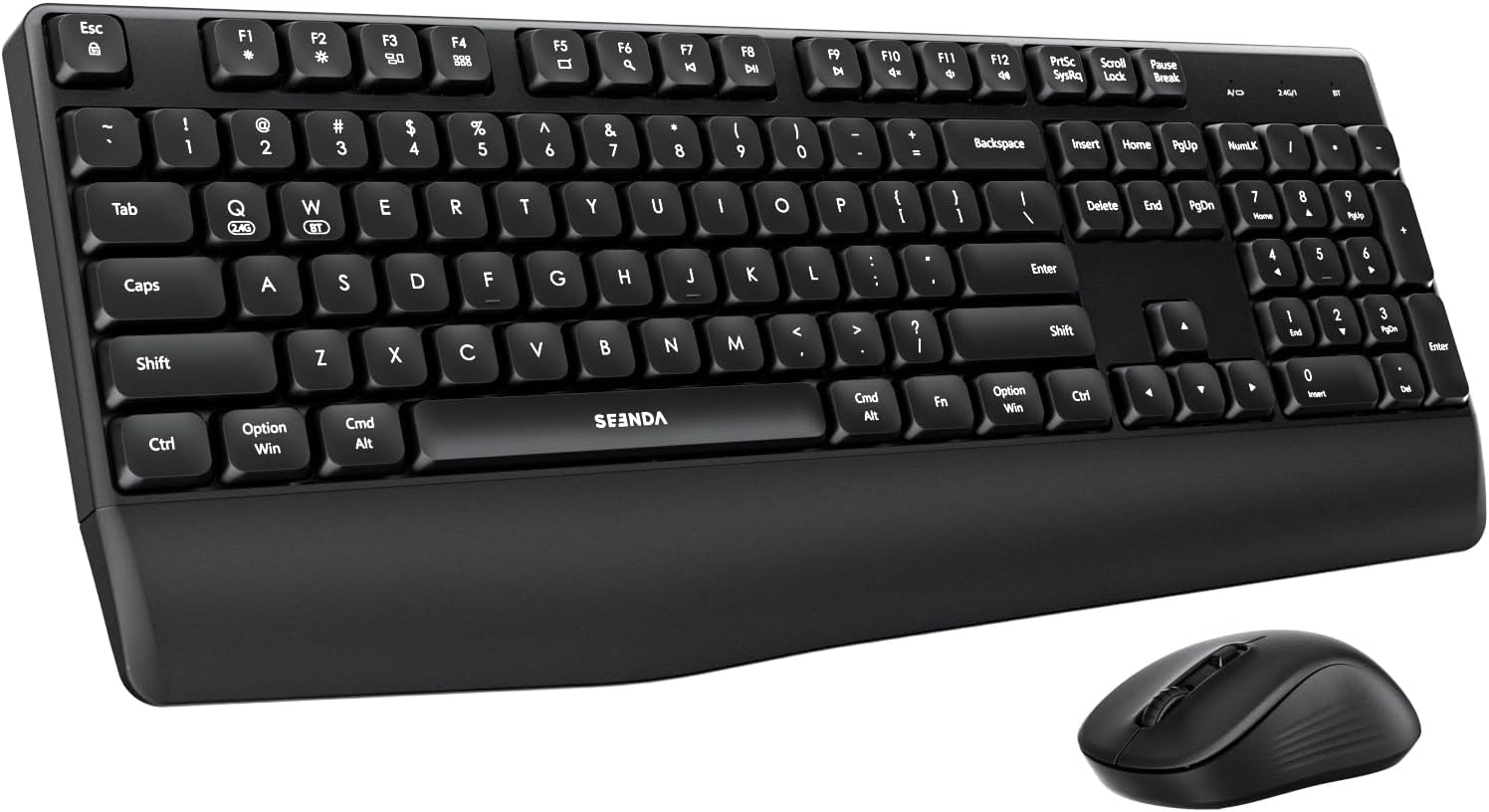
seenda Bluetooth Keyboard and Mouse, COE200 USB + Bluetooth Multi Device, Ergonomic Keyboard Mouse Set, Full-Size Wireless Combo Compatible for Mac OS/Windows PCs Computers Laptops MacBooks – Black
Original price was: €30.€23Current price is: €23.
Price: $29.99 - $22.99
(as of Oct 02, 2025 21:23:24 UTC – Details)
Product description

The video showcases the product in use.The video guides you through product setup.The video compares multiple products.The video shows the product being unpacked. bluetooth keyboard and mouse Merchant Video
Model: COE200
Quick Notes:
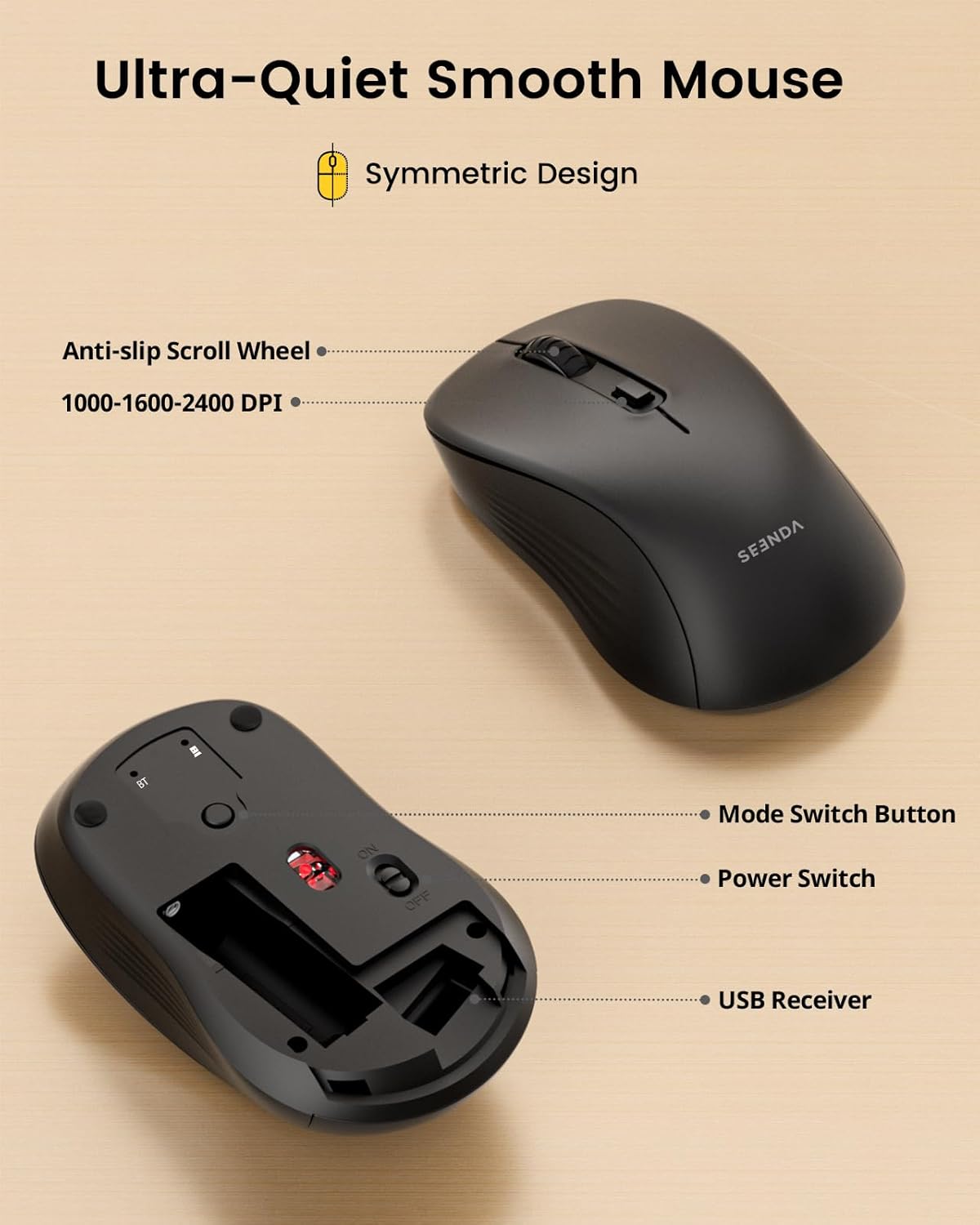
1. 2.4G USB Mode (Windows Exclusive): → Windows XP/7/8/10+ → Receiver stored in mouse compartment
2. Bluetooth Mode: → Windows XP/8/10/11+ | macOS 10.12+ | iPadOS/iOS 13+ | Android 4.3+ → NOTE: Requires built-in Bluetooth 4.0+ function (Bluetooth adapter not included)
3. We recommended this set is suitable for small to medium hands
4. Please don’t hesitate to seek help by your order if anything happens


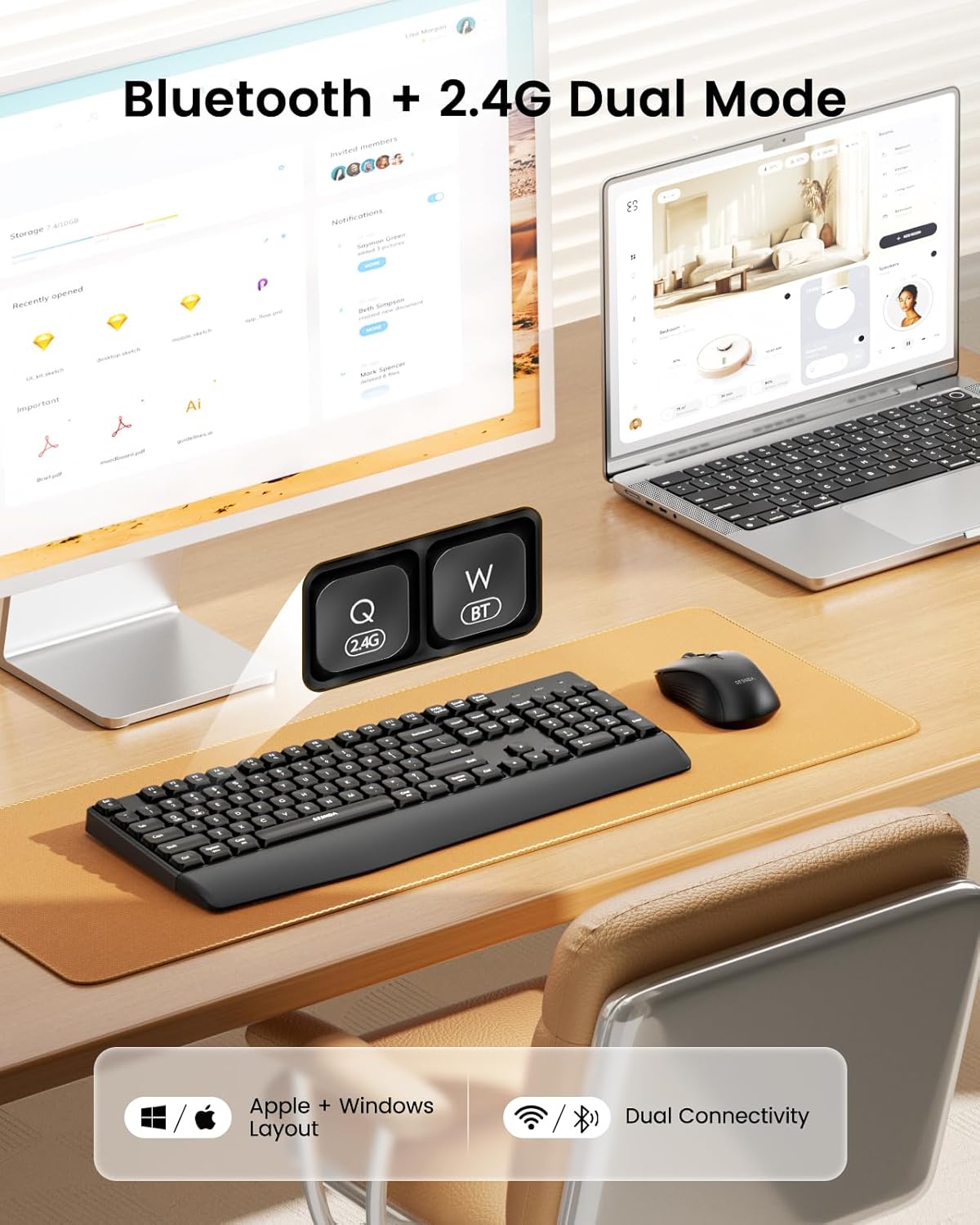
1 2.4G+Bluetooth Dual Mode
2 2.4G Mode Connection
3 Bluetooth Mode Connection


SEENDA – Choose the Keyboard and Mouse that’s Right for You
Add to Cart
Add to Cart
Add to Cart
Add to Cart
Customer Reviews
4.4 out of 5 stars 227
4.7 out of 5 stars 34
4.9 out of 5 stars 25
4.6 out of 5 stars 671
4.6 out of 5 stars 11
4.3 out of 5 stars 1,344
4.4 out of 5 stars 1,365
Price
$22.99$22.99
$49.99$49.99
$42.99$42.99
$24.59$24.59
$42.99$42.99
$35.98$35.98
$37.98$37.98
Connection Mode
2.4G + Bluetooth
USB + Type-C + Bluetooth
USB + Type-C + Bluetooth
2.4G + Dual Bluetooth
2.4G + Dual Bluetooth
3 * Bluetooth
2.4G + Dual Bluetooth
Compatible Devices
Windows/Mac OS/iOS/Android
Windows/Mac OS/iOS/Android
Windows/Mac OS/iOS/Android
Windows/Mac OS/iOS/Android
Windows/Mac OS/iOS/Android
Mac OS/iOS
Windows/Mac OS/iOS/Android
Battery Type
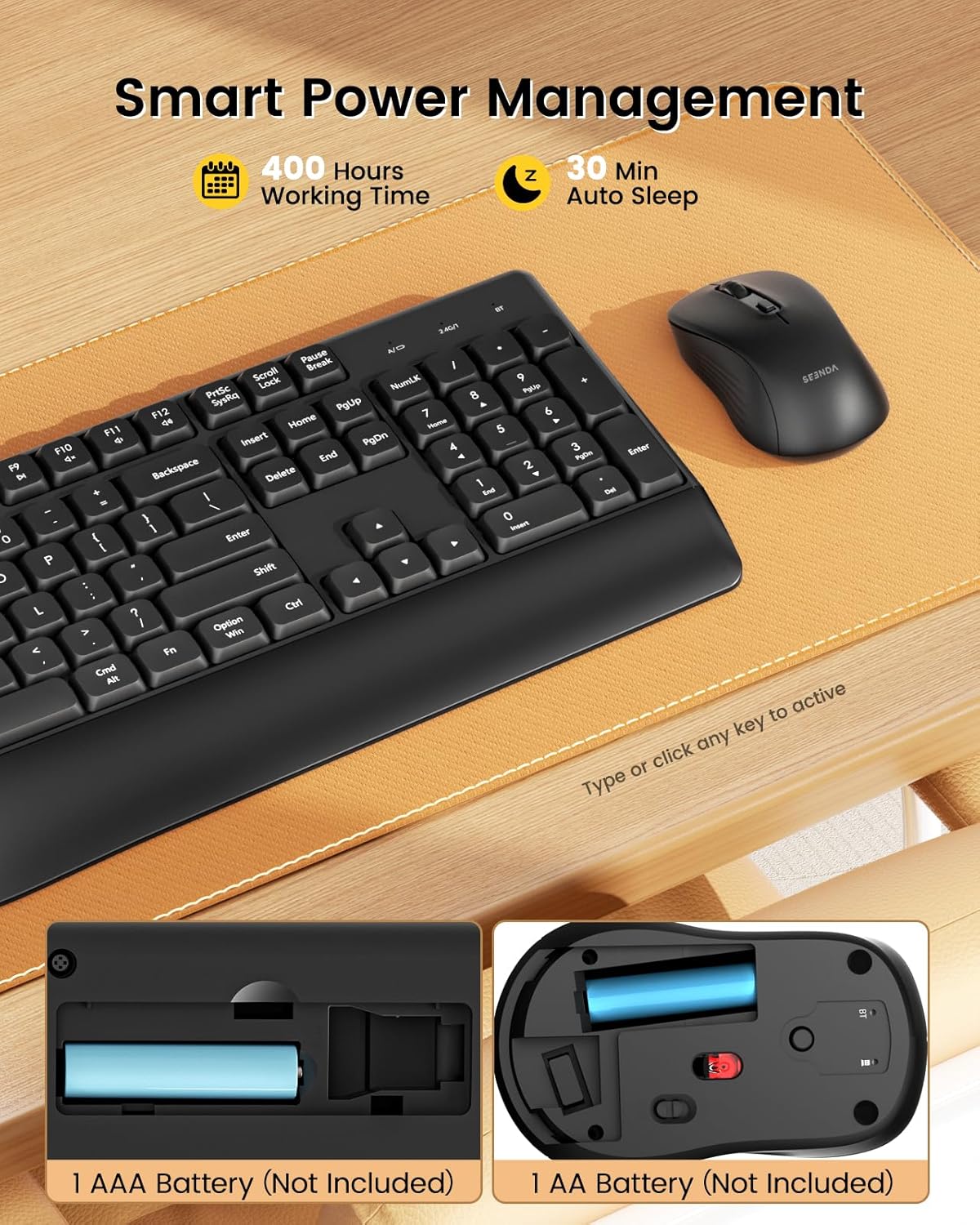
1 AAA battery + 1 AA battery
Rechargeable
Rechargeable
Rechargeable
1 AAA battery + 1 AA battery
Rechargeable
Rechargeable
Keyboard Layout
Windows & Apple Layout
Windows & Apple Layout
Windows & Apple Layout
Windows & Apple Layout
——
Apple Layout
Windows & Apple Layout
Optional Colors
Black/White/Pink…
Black
Black
Black/Purple/Pink…
Black/White/Pink…
Black/White/Rose Gold…
Black/White/Blue…
Effortless Multi-Device & OS Integration: Swiftly switch among two devices using USB-A/BT options. seenda Bluetooth keyboard and mouse combo achieve effortless connection with Windows devices through USB-A and enjoy seamless Bluetooth integration with MacBooks or iMacs. Perfect for enhancing productivity and maintaining a clutter-free setup
Bluetooth & 2.4G Wireless Dual Connectivity: Experience a clean, cable-free setup with advanced Bluetooth 5.0 technology, ensuring seamless connection up to 33FT(10m) without lag. For devices lacking Bluetooth, utilize the 2.4G USB receiver (tucked beneath the mouse) for instant plug-and-play functionality. No software or driver needed, providing stable and reliable use across desktops, laptops, and PCs
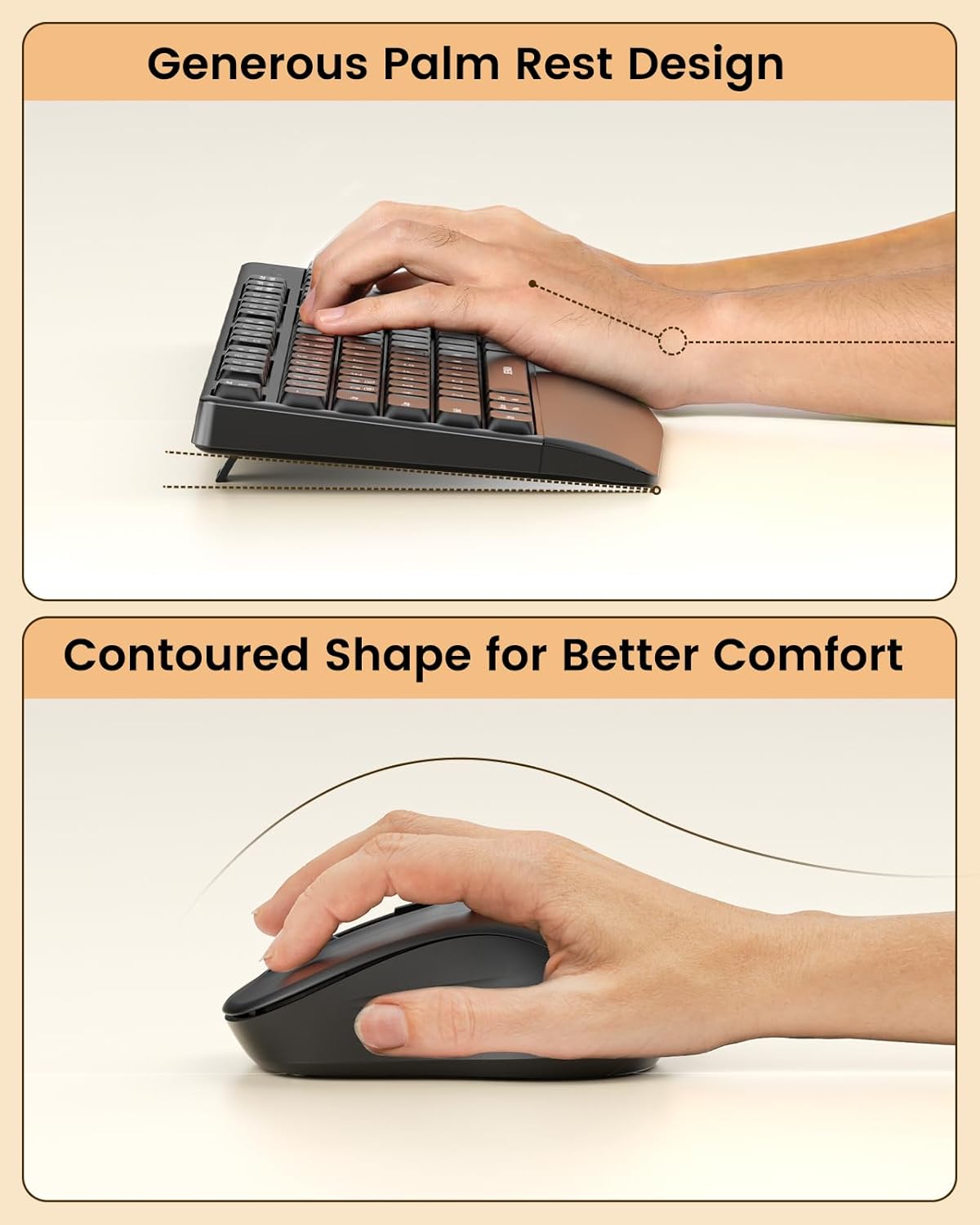
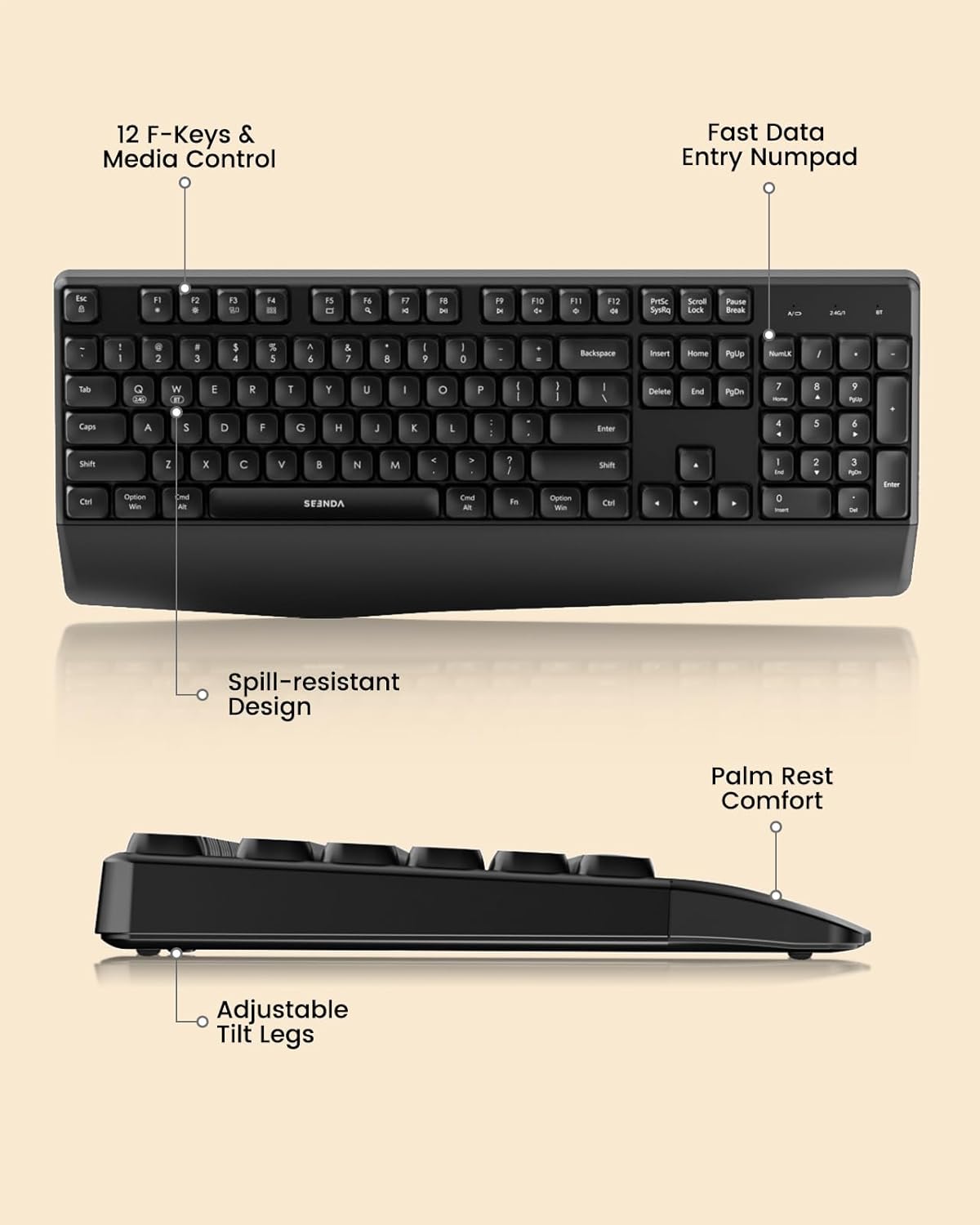
Ergonomic Design for Supreme Comfort: Enjoy sustained ergonomic support with a built-in wrist rest for prolonged sessions. The symmetric quiet mouse is ergonomically crafted to reduce fatigue, ensuring a comfortable grip that enhances your work or gaming experience
Extended Battery Life for Uninterrupted Use: Powered by 1 AAA battery for the keyboard and 1 AA battery for the mouse (batteries NOT included), this setup offers an impressive standby time of up to 365 days. Enjoy reliable performance and the convenience of long-lasting battery life
Quiet Clicking & Typing Experience: Designed with noise reduction in mind, this keyboard and mouse combo ensures your work environment remains undisturbed. With adjustable DPI settings of 800/1200/1600 on the Bluetooth mouse, customize your sensitivity preferences effortlessly
Full-Size Keyboard with Numeric Keypad: Maximize productivity with this full-size keyboard, tailored for Windows & Mac, complete with a numeric keypad. It’s the perfect choice for enhancing both work efficiency and entertainment at home or in the office
Customers say
Customers find the keyboard and mouse set to be a great value with a nice feel and quiet operation. The device is responsive and easy to set up, with one customer noting seamless connection to their Dell laptop. The functionality receives mixed feedback – while the mouse works well, some customers report issues with the dongle.
13 reviews for seenda Bluetooth Keyboard and Mouse, COE200 USB + Bluetooth Multi Device, Ergonomic Keyboard Mouse Set, Full-Size Wireless Combo Compatible for Mac OS/Windows PCs Computers Laptops MacBooks – Black
Add a review
Related Products


Original price was: €30.€23Current price is: €23.
Scorpio –
Awesome and Inexpensive
I love this keyboard! I like the way the keys feel. It’s quiet and I also like how the mouse clicks. I have a more expensive Logitech one, and this one is way better. I was a little skeptical because it was very inexpensive, but it’s a great keyboard mouse combo. Highly recommend.
Caren –
Amazingly quiet, superb quality and excellent price!
Super quiet, great value, easy bluetooth setup and reliable connectivity, good quality keyboard and mouse. I was so impressed by how well they worked with my Surface Pro 11 (the elite X ARM processor) and how quiet both the keyboard and mouse are I bought another one for my home office. And what a deal, can’t beat $19.99!
Amazon Customer –
Perfect for Mac, but noisy
Pros:1. Works out of the box with Mac. The command and option keys are in the correct positions without any additional configuration. No need to swap the keys in the OS nor switch any settings on the keyboard itself.2. It has all the media keys I need (volume, play/pause etc), and the Fn mode can be swapped by pressing Fn+ESC. (That means whether you hold Fn to do the F key or the media key).3. The mouse has quiet switches instead of clicky switches.4. Mouse works great. Low latencyCons:1. BATTERIES NOT INCLUDED! I was surprised. You need a AAA for the keyboard and a AA for the mouse.2. The keyboard is really noisy, just like a typical basic PC keyboard.3. No on/off switch on the keyboard. Well, that makes it simpler but I like to turn off the keyboard to clean it.The keyboard might feel firmer than you expect but you’ll probably get used to it quickly. You might prefer it or you might not.In my case, the keyboard is for my father so the main issue that bothers me is hearing the clickety clackety noise all day. Previously I got him an apple keyboard which was very quiet but way too sensitive to water and he soon ruined it by spraying and wiping it with window cleaner. So I got this one as replacment.To be determined: Battery life
Steven Potter –
Cheap done well
Great little combo. Feels nice. Itâs like cheap done well. No excuse anymore for cheap products that feel cheap are donât work. This is cheap but the plastic and the way things click feel satisfying and full.
Rodger Fagerburg –
Works well just not great
The keyboard is smooth and comfortable, but takes a minute to react at first. The mouse cuts off with inactivity and has to be turned off then back on. There is no programming the wheel button either, which I have been used to for years.
Amazon Customer –
Excellent key Board with great price
Excellent key board with this price comes with mouse . I would highly recommend this productNice key words very quite I love it,
Jason Statham –
Great Value and performance
Worked great,keys are quiet. Mouse was equally well made and performed beautifully.
Stan –
It’s just okay
The keyboard is nice, and feels sturdy, well built. I like the way the keys feel when pressed, and they are responsive. As nice as the keyboard is, the mouse has a lot to be desired. It has some sharp edges that dig into my fingers, and generally doesn’t work as good as it’s logitech equivalent. If you bump it, shortly after putting you PC in standby mode, it will wake your PC back up. I think I’ll use this keyboard with a different mouse.
NZ –
It feels very solid.It’s made of solid plastic and has some weight to it.It’s a good height and you can also flip open the legs.It is a full size keyboard.The keys have a nice premium thud when pressing and a very good rebound.But I think they are a bit too blocky and close together.It’s too easy too hit adjacent keys. It would be better if they where more tapered.With the additional function keys, it’s tailored for laptop use. (eg brightness settings)Keyboard uses 1 AAA battery.The mouse is more of a laptop mouse than a full size.Mouse also has 3 DPI settings, to slow or speed up movement.Default DPI is the lowest setting, and is a bit too slow. Best is the middle 1200 dpi.But there is no visual DPI indicator on the mouse.The laser works on most surfaces.Scroll wheel is very smooth and precise.Only the mouse has a hardware on/off switch.Mouse uses 1 AA battery and has a quick release door.Batteries NOT included. But I prefer this over built-in battery.Just change them out when needed.The keyboard & mouse each have their own dedicated device buttons.(Dongle, BT)However you need to switch between them manually using the dedicated buttons.I like that it includes a dongle which controls both. Just plug in and go.Dongle is always the better option, specially for a PC.With Bluetooth, you can connect to anything that supports keyboards and/or mouse (iPad, iPhone, Android, etc)But you also need to BT pair the keyboard & mouse individually.Which means that when you switch devices, you need to switch them individually using the dedicated buttons.The keyboard has indicator lights for 2.4, BT, and CAPs.Overall it’s a good keyboard mouse combo, that feels more premium than MS or Logitech.However the blocky keys need some getting use it.And it is a quiet keyboard.
FatJuicyandSteph –
I. Love. PINK. Half of what I own is probably pink at this point. And this keyboard and mouse are the PERFECT shade of blush pink.The keyboard feels SO nice to use – the sound of the keys in muted (I’m literally typing this on the keyboard right now) and the feeling is…I guess satisfying would be the word? It just feels really good to type on this keyboard.The mouse, I’ll be using as a backup when my regular mouse runs out of juice and needs charged. It looks really cute and it feels good to use it, but the cursor on your screen is a bit slower and less reactive than with other mice.I like that you can connect both through the adapter and through bluetooth. The only tiny thing I wish for the keyboard is that I wish it were backlit, even if it were just backlit white. I feel like this keyboard would be perfect then.I’m really happy with the keyboard, and satisfied with the mouse, and I switched out my RGB backlit gaming keyboard for this, so that’s saying something. Really lovely and professional!
GЯÎƬi ð§ð²ð°ðµ ! –
ðªððð§ ð©ðððð ðªðð§ð ð ð…â Amazing value for the priceâ Keyboard does not look or feel cheap at allðªððð§ ðððð¡’ð§ ð©ððð ðªðð§ð ð ð…⨯ N/Að§ðð¢ð¨ððð§ð¦ â´Gone are the era of horrible cheap keyboards. Back in my day if it was cheap, it sucked. Not anymore it seems. I am finding a hard time to complain about this keyboard/mouse as I can’t possibly ask for more for the money.FYI, Seenda is a pretty well established brand. I’ve bought a couple of silent mice from them 6-7 years so and the quality always punches well above its price point. This keyboard and mouse combo is the same story. Yes it looks basic, and it is basic, but it’s a ð©ðªð¨ð© ð²ð¶ð¢ððªðµðº kind of basic.The matte PBT keys have a very attractive look to them and typing on them is very quiet yet tactile. I’d rate it as above average typing experience for a membrane keyboard. As for the mouse, it’s great too. All the buttons are silent except for the middle button. Again it’s quite basic, yet there’s nothing really to complain about.ððð¡ðð ð©ðð¥ðððð§ â´$20 for a keyboard and mouse combo that actually doesn’t suck. This is what I’d consider a real deal. I would highly recommend this to people like college students, or just someone who doesn’t care about fancy features and only wants a basic yet reliable keyboard.
Dave (Toronto) –
1) The keyboard and mouse work fine.2) a) Overall, the quality feels fine but not as good as a Logitech keyboard and mouse.2) b) I know it’s not a good comparison because Logitech hardware costs a lot more but I just wanted to mention this.3) a) Just a note but you won’t be able to access the BIOS of your computer if you have your keyboard connected via bluetooth.3) b) If you want to access the BIOS then you will need to use the USB dongle.3) c) The reason is because when the computer starts up, when it’s time to press the key to access the BIOS (e.g., Delete, F4, whatever it is for your motherboard), the keyboard will not be connected via bluetooth at this point in time.3) d) The USB dongle will be active at this point in time and will be able to register your key press.Keyboard4) The keyboard uses 1 x AAA battery (not included).5) a) Pressing on an F key will do whatever the function is.5) b) For example, pressing on F5 will refresh the page.5) c) As usual, you have to hold the “Fn” key and then press an F key to activate their function. For example, pressing Fn + F10 will mute the sound.5) d) Pressing Fn + Esc will lock the F keys to their secondary functions. For example, pressing F10 will mute the sound.6) a) The keyboard will automatically go to sleep after 60 minutes of inactivity.6) b) I’m unsure what you call the mode when all the lights turn off after 10 seconds of inactivity. To me, this would be sleep mode.6) c) Pressing on any key will wake up the keyboard.7) a) The keyboard is completely silent.7) b) Pressing on a key will feel mushy and not make any noise.7) c) I’m unsure if the keys feeling mushy is the reason why the keyboard does not make any noise.7) d) Personally, I prefer my keyboard making some noise but silent is fine. It’s not a big deal to me.Mouse8) The mouse uses 1 x AA battery (not included).9) The USB dongle is in the battery compartment of the mouse.10) The wheel on the mouse turns easily. As in, there is no resistance.11) a) There is a DPI button just below the wheel.11) b) The options are 1000, 1600, and 2400.11) c) Personally, I prefer 1600 DPI.12) a) Overall, the mouse is fine but a Logitech mouse would be so much better.12) b) In the Logitech software, you can change what the wheel button does. I always set mine to double click.12) c) Logitech hardware is much more expensive but I just wanted to mention this difference.I can definitely recommend this keyboard and mouse combo.
Review Extraordinaires –
I’ve been really enjoying using this keyboard and mouse combo with my work from home setup and it’s also worked well as a media controller for my projector.Getting it connected and working with my laptop was super easy. It comes with a 2.4ghz receiver and can also work with Bluetooth, which means you can use it on a variety of devices. Both the keyboard and mouse are very comfortable to use and have a nice ergonomic shape to them, with the keyboard having a built in wrist rest.I’ve personally been using the Bluetooth function to connect to laptop and have found it to be very reliable and haven’t experienced connectivity issues or lags. The keys and switches on both devices are clicky and responsive, and are pretty satisfying to use! The one improvement that I would have liked to have seen the ability to recharge them, but, having a couple of rechargeable AA and AAA batteries around to power these with is not a problem at all.Overall, I’d recommend this to anyone looking for an affordable, reliable and functional keyboard and mouse combo! The keyboard has a bunch of keys and features built into it that allows users to switch between Windows and Mac mode, which I love!