

KINESIS Freestyle2 USB-A Ergonomic Keyboard w/ VIP3 Lifters for PC (9″ Separation) (KB820PB-US)
Original price was: €149.€134Current price is: €134.


Price: $149.00 - $134.00
(as of Oct 03, 2025 03:57:22 UTC – Details)
Product description
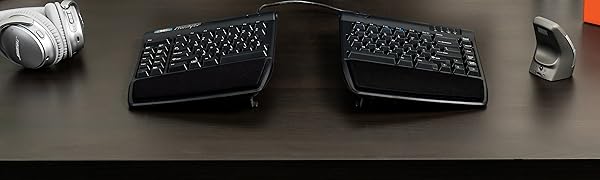
The Freestyle2 is the most versatile ergonomic keyboard on the market and is designed to adapt to your body type and preferences to increase your comfort and boost your productivity. Customize the position of the keyboard modules with adjustable split, splay and tenting to achieve natural positions for your hands, wrists, and forearms to reduce static muscle tension and strain.
Adjustable split boosts comfort and productivity for all body types
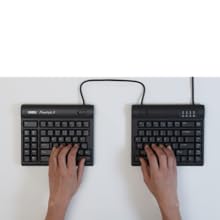
Adjustable Split
Separate the modules to shoulder-width to keep wrists straight (up to 9 inches).
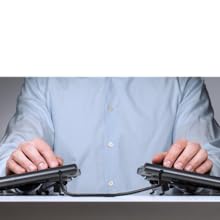
Adjustable Tenting Included
Tenting enables 5, 10, and 15 degrees to reduce forearm pronation caused by flat keyboards.

Low Profile and Cushioned Palm Supports
Zero-degree slope and integrated palm supports eliminates harmful wrist extension.
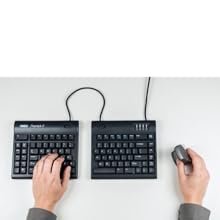
Compact Design
Tenkeyless layout results in a smaller footprint for closer mouse placement to reduce over-reach
Kinesis Corporation- The leaders in computer ergonomics since 1992
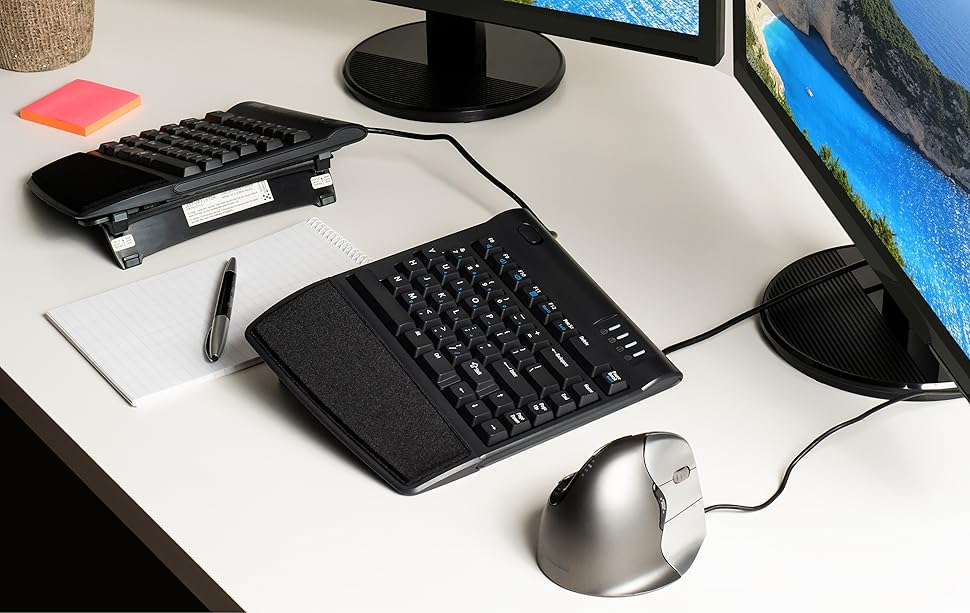
Tenting with the Pre-Installed VIP3 Lifters Reduces Forearm Strain
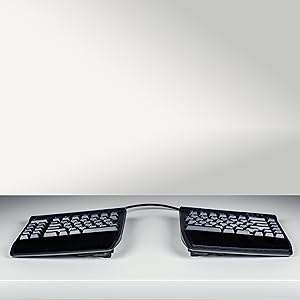
5 Degrees
Unsnap legs and fold flat
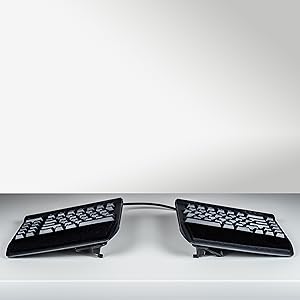
10 Degrees
Snap legs and flip in
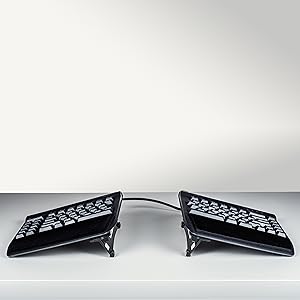
15 Degrees
Snap legs and flip out

Freestyle2 at 10 Degrees of Tenting
 Flat keyboards cause painful forearm pronation
Pronation in the forearm and wrist occurs when typing with your palms face down towards the worksurface. Sustained pronation puts pressure on the forearm muscles and tissues which reduces blood circulation and can lead to fatigue and repetitive strain injuries (“RSI”).
Research demonstrates that a moderate elevation of the thumb side of the hand dramatically reduces the pressure on the forearm muscles.
What is tenting?
Backed by extensive research and testing
For 7 months the Atlas IPS firm conducted an independent study investigating the impact of the Freestyle keyboard’s unique split design on posture, comfort, and performance with 80 employees at a large U.S. software company.
Findings:
100% were back to full productivity after a brief adaption period 96% preferred the Freestyle over their conventional keyboard 79% experienced a decrease in neck discomfort 50% experienced a decrease in ulnar deviation
Kinesis Freestyle2 Keyboard with Pre-assembled VIP3 Lifters
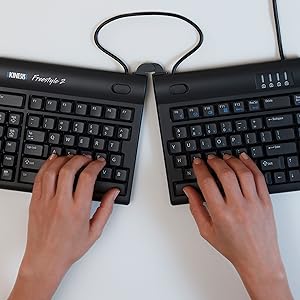
Specifications Width: Min: 15.4 inches; Max: 23.5 inches Depth: 7.1 inches Max height: 3 inches (at 15 degrees of tenting) Connection: USB Wired USB Cable Length: 6 feet Weight: 2.5 lbs 2 Port USB Hub (Mac Version only) Numeric 10 Keypad in Embedded Layer (PC Version only)
Standard Layout No Learning Curve Choose Windows or Mac Layout
Windows 7-10Mac OS X 10.4+ Low-Force, Tactile Key Switches
Peak force: 44 gramsActivation force: 35 gramsTravel distance: 3.9 mmSwitch type: Rubber dome, membrane
AWARD-WINNING SPLIT DESIGN: Unlike fixed ergonomic keyboards, the Freestyle2 allows you to rotate and separate the key modules up to 9″ to achieve natural hand, wrist and forearm positions for your specific body type and preferences.
ADJUSTABLE TENTING: The Kinesis KB820 model keyboard is pre-assembled with the popular VIP3 tenting accessory which enables 5, 10, or 15 degrees of tenting with integrated cushioned palm supports to keep forearms neutral and wrists supports for an optimal typing posture.
STANDARD WINDOWS LAYOUT: The Freestyle2 for PC features a standard Windows layout with hotkeys like Cut, Copy, Paste, multimedia keys, and an embedded numeric 10-key to boost your productivity. No software or special drivers required.
LOW-FORCE KEY SWITCHES: The Freestyle2 uses a custom membrane key switch that features a low-activation force and tactile feedback to reduce finger fatigue, impact and strain.
WHAT’S IN THE BOX: Freestyle2 keyboard with a standard Windows Layout and the VIP3 tenting accessory and palm supports pre-installed onto the keyboard for maximum convenience, adhesive cushioned palm pads, detachable pivot tether for adjustable splay, and Quick Start Guide.
Customers say
Customers find this ergonomic keyboard excellent for Mac use, comfortable to type for long periods, and appreciate its ability to position hands naturally, reducing shoulder and wrist pain. Moreover, the keyboard is easy to adjust and offers good value for money. However, opinions are mixed regarding functionality, layout, and value for money.
8 reviews for KINESIS Freestyle2 USB-A Ergonomic Keyboard w/ VIP3 Lifters for PC (9″ Separation) (KB820PB-US)
Add a review
Related Products


Original price was: €149.€134Current price is: €134.
Al –
A great ergonomic keyboard
It took a little bit of time to get used to this layout, but this is a very good keyboard for those looking for ergonomic equipment. It takes a bit of time to get used to the design, but practice and regular use will make it easy to adjust. The keys feel great and my fingers have never ached after prolonged use. Changing width and tenting angles are both great for adjusting the keyboard for optimizing comfort.I also really like that this keyboard has separate keys for Cut, Copy, Paste, and Undo. They make those actions much easier. I haven’t used the web home, back, or forward keys very much since my mouse already has back and forward buttons.My main disagreement about the design is that the B key is on the left section. I strongly think it should be on the right. The Fn key can be confusing because it stays active after pressing it. I’m used to Fn only being active while the key is held down. The Delete key can also take some getting used to because it’s the same size as the Backspace key and the keys are very close to each other. I’ve had a few experiences where I’ve tried to use Backspace but ended up hitting the Delete key instead. These issues haven’t been enough to hinder my experience, and overall I’m very satisfied with this keyboard.
Andrea –
OMG, the best keyboard EVE!
It seems I type all day, and have gone through keyboards, have broken keys, and have particular criteria I need in a keyboard, and specific things I don’t want.Important to me: ergonomic is #1. And part of that includes NOT having a numeric keypad attached. It means I have to over-reach and take my hands off the keyboard to use my mouse which slows me down. I’ve used the Microsoft Sculpt and loved it — that is, until the doggle (?, the USB thing you plug into your computer) stopped communicating to the keyboard. So I bought another one. Except the new one had the same problem the old one developed after several years of great use. So I returned it.And the search was one. I got another one which had the same problem (the lag time between hitting the keys and it typing was either terribly slow, or the keys I typed never showed up. And then I started reviewing the reviews much more thoroughly, and it seemed NONE of the reviews of the ergonomic keyboards without numeric keypads had unanimously positive reviews.Except 2: one of them was about $200 + an additional $150 or $200 for the lifters. Well, if this thing works best with the lifters (which all reviews say it does), why would that not be included? Plus, it had features I didn’t like and didn’t really want, including bright red, blue and green lights on the keys, and keys you could program (largely for programmers, which I am not).Another feature I want is for the caps lock key to be backlit so I can tell at a glance if it’s on or not.And then a friend sent me the link to this keyboard. It had all the features I wanted, none of the features I didn’t want . . . at a fraction of the price. And the reviews were ALL positive.It’s still costs more than the average run-of-the mill keyboard. But, when my friend compared it to when he buys a guitar…. he doesn’t mind spending the money on a Les Paul.Well, my keyboard is how I make music!, and so I decided to go for it. It’s my Les Paul!It was instant plug-and-play, I have the lifters in the halfway position, and am totally in love with it.It took zero time to get used to. So what that it has a cord.This keyboard is a dream. I’m so grateful to have found it!!!!!! You won’t be disappointed.Oh, one more little thing. I use the little bumps that remind my fingers when they’re on the home keys (or not!). These little bumps were rather little, and hard to sense. So I just added a little thing (a textured tape) to make the bumps bigger, and now my fingers find the home keys without my having to look!
Jay Sekora –
Great feel and ergonomics; special keys don’t work for my purposes
In the brief time I used this keyboard, it seemed like a very good quality, comfortable keyboard with good build quality. Unfortunately, it didn’t serve my needs. I previously used a Kinesis Ergonomic Maxim keyboard, and I depended on being able to remap the right Windows key and Menu key for special functions, while leaving the left Windows key as a modifier key. The Freestyle2 only has one Windows key, so I can’t do that. I knew that, but I assumed I’d be able to remap the other special keys on the left as needed. But they can’t actually be remapped as independent keys; they’re only shortcuts for other existing keys or key combinations (at least as far as Linux can tell; perhaps it’s different under Windows). For instance, pressing the Cut key sends a left Control key keypress, an X keypress, an X key release, and a left Control key release, so it’s absolutely identical as far as the computer can tell to pressing Control-X. I’d just live with it if the keyboard had a distinct right Windows key so I wasn’t *losing* functionality over the older Maxim keyboard.I’m very disappointed, because I love the ability to have the two halves of the keyboard separated and I really love the feel of the keyboard. If all the keys were distinguishable I would be very very happy. I’d recommend it for anyone who just wants a good ergonomic keyboard and doesn’t want to do funny things with key layouts.This is, of course, a fairly specific use case, and there aren’t going to be very many people it matters for. But I wanted to share this as a little caveat for anybody who was hoping to use this with Linux (or, perhaps, anybody who was hoping to remap the additional special-function keys in software for Windows or Mac, although I can’t be 100% certain Windows and OS X can’t tell them apart from the corresponding key sequences on the main part of the keyboard).
Lara –
Recommended to anyone who wants to improve their posture.Super comfortable.Easy to type.Good size.
DR P A RAI –
Really helps me with my current RSS
D R –
Was having shoulder and arm discomfort so i researched some ergonomic keyboards. Only had it for a month but loving it so far and my pain has lessened. I have the plug in one so no need for bluetooth set up – just plug and play. I like that i didn’t have to set up the mounting system it was just ready to go!Takes a little bit of getting used to (muscle memory of certain keys being a certain distance) but well worth the investment.
Milica Guberinic –
Fantastic! have high sensitivity in my tendons from past carpal tunnel and bilateral tendonitis injuries.
Héctor –
No tiene lÃmites para usarlo a la medida de nuestras manos