

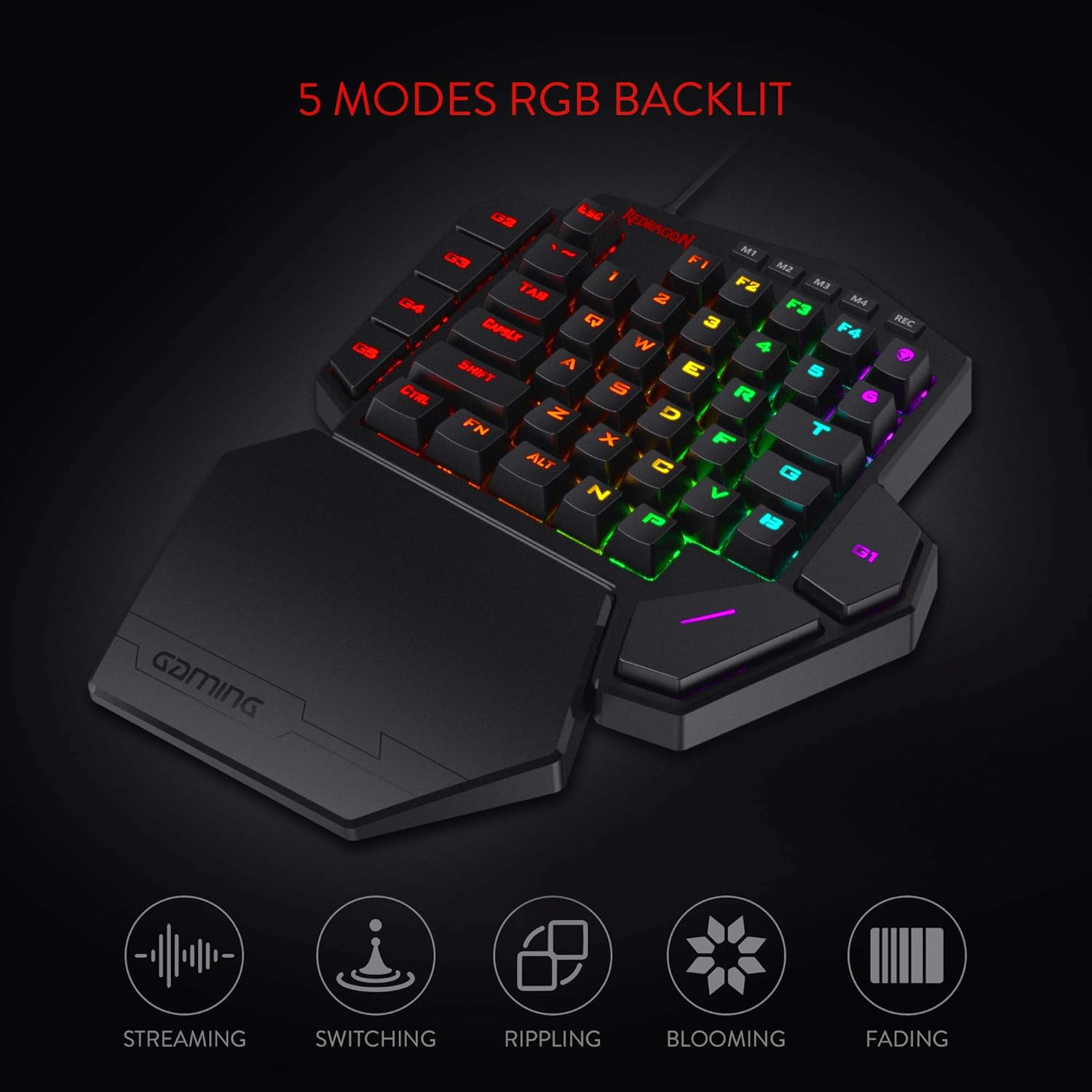
Redragon K585 DITI Wired One-Handed RGB Mechanical Gaming Keyboard, 42 Keys Type-C Professional Gaming Keypad w/Upgraded Hot-Swappable Socket, 7 Onboard Macro Keys & Detachable Wrist Rest
Original price was: €37.€30Current price is: €30.


Price: $36.99 - $29.99
(as of Jul 26, 2025 22:33:37 UTC – Details)
From the brand

BIG SAVE
NEW ARRIVED GEAR
Gaming Keyboard
Gaming Mice
Audio Gear
Gaming Setup

Redragon H848 Headset
Weighs only 178g (6.2 oz)
Comfortable to wear all day long!
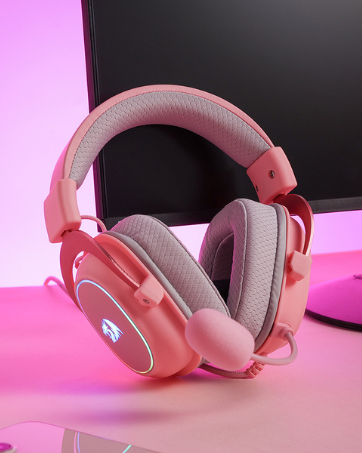
Redragon H510 RGB Series
Pink! Yes, that is PINK available now, cute & hot.
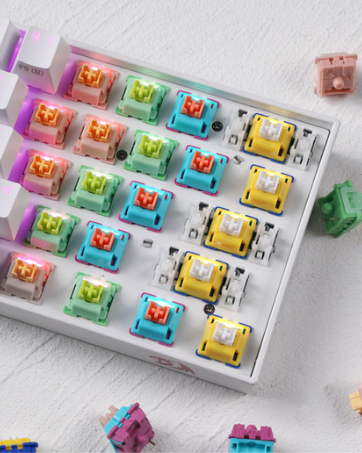
Redragon Custom Switches
6 Types Available for Any Keyboard Moding
Tactile, Linear, Silent, We Got What You Want
Slim and Tactical – The K585 keyboard gets rid of those extra keys and keeps the most useful ones in a slim & portable package. All of your keyboard action keys are in one convenient place. No need to worry about misclicked keys.
Upgraded Hot-Swap – The upgraded socket is now available on Redragon one-handed keyboard, with more ways to mod, and more fun. The iconic Redragon Blue Switches deliver audible clicky with clear tactile feedback, original mechanical feel.
Play to Win – With 7 programmable macro keys, binding multiple commands and activating them instantly is simple and quick. Assign single or multiple keystrokes to any macro key to save precious time in the middle of battle.
Light it Up in Your Way – 5 RGB backlit modes are selectable with 16.8 Million Colors. Glorious & amazing lighting effects let the light of victory wreak havoc in the dark.
USB Pass-Through Port – Positioned for uninterrupted game play and ready for your mouse, headset adapter, or other USB device.
Form & Function – Ergonomically designed with a detachable wrist-rest section connected by magnets, the wrist-rest offers great support to make use more comfortable.
Customers say
Customers find this one-handed keyboard excellent for gaming, noting it works straight out of the box and withstands heavy use. They appreciate its comfort, with mechanical presses feeling nice, and its build quality, noting it feels solid and has withstood countless hours of use. Customers consider it a phenomenal keyboard for the price, with easy-to-set key assignments and simple software. The design receives positive feedback for its RGB features and cool light patterns, while opinions about size are mixed, with some finding it perfect while others say it’s a bit bigger than expected.
7 reviews for Redragon K585 DITI Wired One-Handed RGB Mechanical Gaming Keyboard, 42 Keys Type-C Professional Gaming Keypad w/Upgraded Hot-Swappable Socket, 7 Onboard Macro Keys & Detachable Wrist Rest
Add a review
Related Products




Original price was: €37.€30Current price is: €30.
Edward –
Replacing my Logitech G13 with the Redragon K-585 DITI
So it finally happened â my beloved Logitech G-13 gave up the ghost. After years of patching it together and a final, hopeful autopsy, I had to admit defeat. It now rests in peace somewhere in the garage, never to grace my desk again.Over the past two weeks, I dug through every possible replacement. The market isnât exactly overflowing with options, but I finally landed on the Redragon K585 DITI. The reviews were mixed â not amazing, not terrible â but it seemed like a decent shot.ðï¸ First ImpressionsItâs basically half a keyboard â no frills or fancy curves, just a straight-up slice of the left side. But that simplicity has its perks.Setup was quick and painless. I downloaded the software from Redragonâs site and was programming keys in minutes. I pulled up my Logitech G-Hub and began transferring profiles â smooth process overall.ð® Layout & UsabilityThe K585 has plenty of programmable keys, and its standard keyboard layout makes it familiar to use. Thatâs a double-edged sword â it lacks the ergonomic curve and intuitive thumbstick of the G-13, which was a huge plus for wrist comfort and muscle memory. I do miss that design, especially during longer sessions.That said, the magnetic wrist rest on the K585 is a nice touch â not perfect, but helpful. I even tried modifying it with some padding underneath, but ironically, that made it worse. Still, out of the box, it gets the job done.âï¸ Performance in ActionIn-game, the K585 really shines. The mechanical keys are responsive and satisfying, a major upgrade from my 17-year-old G-13. Whether in combat or fast-paced gameplay, the key presses feel snappy and precise. Mechanical keys absolutely rule â there’s no going back.ð© Minor FlawThe one real miss? No indented or textured key â especially on the W. Most gaming pads have some tactile marker to keep your fingers centered during chaotic moments. This one doesnât. A simple bump, texture, or raised edge would make a big difference for feel and orientation.â Bottom LineDespite a few comfort trade-offs, the Redragon K585 DITI is a great value. Tons of customization, solid performance, and easy setup. For the price, itâs hard to beat.ð¡ My wishlist for a âProâ version?A raised or removable ergonomic wrist restReplaceable indented keys for better finger positioningA little more curve to mimic the feel of the G-13If Redragon released that version and doubled the price? Iâd buy it in a heartbeat and finally call it: the true successor to the G-13.
AustenD. –
Highly Programmable, Sturdy, Very Useful
So I have to say, this thing is pretty cool. The build quality is surprisingly very sturdy with relatively heavy plastic. The Blue Switch keys sound great and press well. The magnetic palm rest is really nice. The extra USB port is handy.Couple things to note about the product. The cord is USB C into the keyboard and USB A into your PC. You can program the 7 macro keys (G1-G5, ~ and T) by using the keyboard itself (though only with keys that already appear on this left-handed keyboard), OR you can download software from manufacturer’s website that allows you to program ALMOST every key (FN key, Rec key, and maybe one or two others excluded). This latter software method is good if you want to reprogram any of the normal letter keys or if you want to program a key to use a key NOT on this keyboard already (example: Windows key or Enter or any right-side characters or arrow keys). There are 4 layers or modes you can have (accessed via the M1-4 keys), so you can theoretically have a 4 sets of keys programmed. You can set the RGB LED color setting for each layer/mode as a visual clue for what layer/mode you’re active on, which is really handy. It does not have a Windows key, which I wish it did, but using the software method you can program another key to be the Windows key (though unfortunately you can’t reprogram the FN key for this purpose). The size of the keyboard is larger than I expected, but it’s good. The optional key re-programming software is decent. The bottom space key is easily accessible for my thumb. The right top G1 key, though, is not so comfortable for thumb press and I’ll need to use my index finger for that one. The top right key (right of F4) is the m character (though a few programs read it like an F5) and I guess has special meaning in some games or something.Overall, this is really quite nice. It can easily be used as a macropad or shortcuts-specific extra keyboard too, which is cool. Have to say, the ~$30 spent on it seems well worth it.
Hangry Zombit –
I can see this being handy for a gamer who uses a laptop. I have a full PC setup, keyboard, mouse, everything! so here’s why I decided to purchase half a keyboard:The ‘W’ key on my Blackwidow Chroma (had it since 2016) has started to play up, when I hold it down it doesn’t continuously register that I’m holding it down and as a gamer, I use the ‘W’ key constantly to walk forward so my characters keep walking and stopping and walking and stopping. I figured the rest of my keyboard is working just fine so why go purchase a brand new one if it’s just one key playing up? Red dragon was the answer.Pros: It has ‘just enough’ buttons to use for gaming, You can install a program to change the lights, I prefer the pass-without-a-trace setting (only lights up when I press a key), and there are a few different settings to play with but don’t expect to pay this much and have as many features as a razer device when it comes to RGB lighting. The price is right. It’s ergonomic, I have had no wrist issues and the wrist rest is detachable also if you prefer not to use it. It’s plug and play, plug it into a USB port and you are ready to go. The REC button is handy and there are other buttons available to set up macros, especially handy for MMORPGs. It has non-slip padding on the bottom. Having the ‘Enter’ key (G1 key) right there is super handy. The buttons are positioned in a way that makes them easy to reach during gameplay.Cons: you may need to re-bind some buttons such as the ‘I’ and the ‘M’ keys if you are playing a game that uses an inventory or map feature. Most newer games are using TAB for those features. The space bar takes a bit to get used to.There were complaints about having small hands in other reviews – I have tiny hands and I have no issues using this keypad.So if you absolutely have a use for a one-handed keyboard I highly recommend the Red Dragon. Obviously, it won’t be as handy as a full-sized keyboard with all the keys present. But for what I need it for it is perfect. For FPS gamers it’s perfect!
Clemens van der Geugten –
Om specifiek games (bijvoorbeeld Hogwarts Leggacy) te spelen is dit een aanrader. Degelijke kwaliteit, prettige aanraking en handzame vorm.
JUAN CARLOS ROSON GARROTE –
Buen resultado, no ha fallado nada y viene con recambio.
D –
La caja llegó muy maltratada pero el teclado está en perfectas condiciones, no he percibido ningún grado de input lag y es bastante cómodo y funcional, en especial si se utiliza en Laptops para ahorrar espacio o no dañar el teclado integrado de la computadora. No tuve problema para acostumbrarme al tamaño y posición de la tecla “Espacio” (que es lo que suele preocupar a las personas). Muy recomendado.
Ä°brahim BEDÃK –
Klavye yer kaplamıyor fakat space çok kötü yerde ve aynı anda bazen farklı tuÅları algılamıyor gibi hissettim kaykepleri berbat kısa süreli tatillerde felan kullanılır ama bu paraya deÄmez bence