

GMKtec Mini PC, Intel Twin Lake N150 (Upgraded N100), 16GB DDR4 RAM 512GB PCIe M.2 SSD, Desktop Computer 4K Dual HDMI/USB3.2/WiFi 6/BT5.2/2.5GbE RJ45 for Office, Business
Original price was: €210.€157Current price is: €157.


Price: $209.99 - $156.87
(as of Jul 26, 2025 22:39:37 UTC – Details)
From the brand

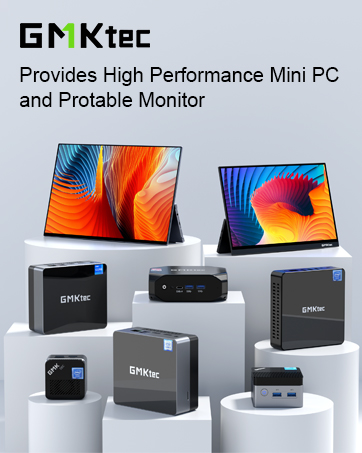
GMKtec Mini PC
1 Year War~ranty, 24Hr Support.
Amazing discounts for Business Buyers.
Follow our brand for deals and updates.
Nucbox G Series Entry Mini PC
Nucbox M Series Office Mini PC
Nucbox K Series Gaming Mini PC

Shenzhen GMK Technology Co., Ltd is a high-tech enterprise integrating scientific research, development, production and sales of Mini PC and Computer Accessories.
Our company was established on June 6, 2019 and our core team is composed of engineers with 20 years of experience in consumer electronics. It was our shared dream that brought us together as GMKtec.
GMKtec manufactures professional Mini PC computers.
How did we get our start?
GEEK | We aim to provide the ultimate product experience for users around the world.
MODERN | We aim to provide users with cutting-edge technology products.
(K) Creative | We always adhere to the innovative spirit of keeping pace with the times.
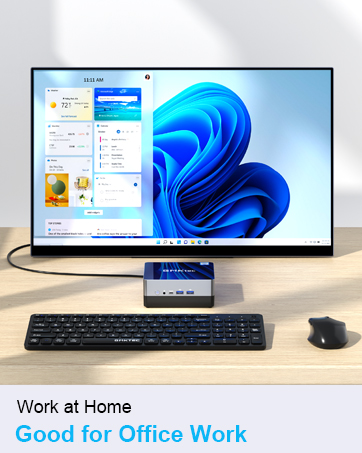
The GMKtec mini PCs are widely used at office, home theater and bussiness. All computers support customer customization.




Premium Gaming Mini PC
Equipped with the latest AMD Ryzen & Intel Processories. Built-in GPU for smooth framerate and gameplay.


2025 INTEL TWIN LAKE N150 PROCESSOR – The G3 Plus mini pc uses the latest Twin Lake N150 CPU 4 Core 4 Threads 6MB cache, base speed of 800Mhz with a burst speed up to 3.6GHz. As an upgrade of the Alder Lake N100, the N150 offers an overall performance improvement of 6%-10% and 15% improvement over the N95. Ideal for routine tasks, office work and home entertainment,which is more convenient than traditional desktop pc.
16GB RAM MEMORY & 512GB SSD STORAGE – GMKtec Nucbox G3 mini pc is prebuilt with 16GB DDR4 RAM, you will enjoy a speedier experience with Built-in 512GB PCIe 3.0 M.2 2280 NVMe SSD Hard Drive. Our mini desktop pc boots up in seconds, work on multiple browser tabs, software applications and quickly transfers files.
RICH INTERFACE – Nucbox G3 mini computer is equipped with USB 3.2*4,up to 5Gbps/S, HDMI(4K@60Hz)×2, 3.5mm Audio Jack. Supports WiFi 6, and Gigabit Ethernet RJ45 2.5GbE network connectivity, Bluetooth 5.2. This Mini PC supports multiple device connection and can be used with servers, monitoring equipment, office equipment, displays, projectors, televisions, etc.
4K DUAL SCREEN DISPLAY – Mini desktop computer is equipped with upgraded Intel Graphics(max 1000MHz), supports 4K video playback and AV1 decoding, connect the pc with a projector as a home theatre, enjoy a variety of entertainments. Two HDMI 2.0 ports allows you to multi-task efficiently on two 4K@60Hz displays.
UPGRADED COOLING FAN – The G3 PLUS has upgraded the cooling fan to reduce fan noise and thermals. We are using an upgraded thermal paste as well to help reduce heat on the CPU.
WiFi6 & BT5.2 – Features the latest wireless connectivity with 802.11ax which offers speeds up to 600Mbps. Built-in Bluetooth 5.2 enables you to connect multiple wireless devices such as mice, keyboard, monitoring equipment, printer and monitor. High-speed wireless connection technology, reliable and efficient transmission speed, providing a faster internet experience for browsing and streaming. Small pc supports Wake On LAN, PXE Boot, RTC Wake and Auto Power On, ideal to use as a server.
2.5GbE LIGHTNING FAST ETHERNET SPEEDS – Intel i226v 2.5 Gigabit Ethernet up to 2.5x faster than 1.0GbE Gigabit Ethernet. Compatible with Linux, Proxmox, Firewall Server, Unbuntu, ESXI VMware.
GMKtec WARRANTY – GMKtec offers a 1-year limited warranty for each mini PC, starting from the date of the purchase. All defects due to design and workmanship are covered. With a professional after sales team always ready to attend to your needs, you can simply relax and enjoy your mini PC.
Customers say
Customers find the mini PC performs flawlessly as a Plex server and appreciate its speed, with one noting its 3.4 GHz burst speed. The device is praised for its compact size, serving as a space-saver, and customers find it easy to set up with flawless Windows 11 pre-install. They consider it a great PC for general computing, offering excellent value for money. The noise level receives mixed feedback – while some find it super quiet, others report issues with audio output.
9 reviews for GMKtec Mini PC, Intel Twin Lake N150 (Upgraded N100), 16GB DDR4 RAM 512GB PCIe M.2 SSD, Desktop Computer 4K Dual HDMI/USB3.2/WiFi 6/BT5.2/2.5GbE RJ45 for Office, Business
Add a review
Related Products


Original price was: €210.€157Current price is: €157.
Kelman Browne –
It’s small and saves space and is reliable.
It came on time and was well packaged. The mini Pc came with an HDMI cable and a power cable. Setting it up was easy and straightforward. The speed is good and it’s a reasonable buy for people who want to use it for surfing the internet. The build quality is good also. It has four USB ports and two HDMI ports. It has good brightness. So far, the heat level is good, with no issues.
John S. –
Perfect replacement for expiring Windows 10 machine
For a long time, my 88 year-old mother had an older computer that she only used for simple tasks like browsing the web and typing documents. With Windows 10 security updates expiring, she needed an upgrade. This is perfect for her needs. It comes with Windows 11 Pro. Setting it up for her so that it worked closely like what she was used to did take some time, but that is Microsoft. It boots fast and reliably. It has good video. It has 4 USB-A sockets, so everything she had before plugged in and worked. Wi-Fi is quick and reliable. It has a very small footprint. Overall, I was exactly what she needed, and with the low price, I can say we are very happy with the purchase.
Texas Dad –
The new desktop
I needed to replace a Intel Nuc that I had in the garage for for my Laser engrave using Lightburn. This was a winner from the very beginning. It is a small machine that could fit behind the monitor leaving plenty of desk space. It handles all tasks and general productivity,This could be our primary machine if you don’t do gaming. If you are a person that does media streaming , online shopping, pay your bills, a conspiracy theorist that “does their own research” This is an excellent computer for you. I would replace the gaming computer but i still game. I am telling you that you no longer need that tower computerThis box has 4 E-cores (efficiency) and enough GPU oomph to handle any media you may want to play back, and almost any productivity task you may throw at it. Again anything you can do on a computer with the exception of gaming and maybe heavy video editing photo shop works great, trading platform work great .Setup was almost instantaneous, and didn’t require walking through a Microsoft account. You can simply create a local account and hit the ground running with Windows 11 Pro (a pro license at this cost is great!) Painless setup and immediate use mean that if you’re deploying this for someone else you’ll have little to worry about.The low power usage is also worth noting, and makes this a great small box for everything from casual use to productivity, to a child’s learning tool to an always-on device in studio (which is what I will use it for).
Marty B –
Faster than I expected
GMKtec G3 PLUS 8gb memory, 256gb storageI had been looking for a backup for my three year old Lenovo laptop in the event that it might quit on me in the middle of doing my taxes. I didnât want something that cost more than a couple of hundred dollars â just something that might be able to take over in the midst of a crisis. I read a few dozen reviews of these mini PCs and most of them were far more powerful and expensive than what I needed.But around Christmas, Amazon had a deal on the GMKtec G3 PLUS mini with an N150 chip, 8 gigs of ram and a 256 gig storage drive. It clicked all my buttons. It arrived quickly (Thanks Amazon!) and I started it up within a few days.The first thing I noticed was the Windows 11 Pro operating system. Iâve never used that flavor of Windows before and found some differences from my Lenovo laptop which was upgraded from Windows 10 Home to Windows 11 Home. The other thing I found was that despite its presumably slower processor (than the Lenovo Core 5) it is pretty zippy. Nothing seemed slower or more cumbersome than what I was used to. Last, I noticed that this small green box on my desk never makes a peep â apparently there is no fan necessary to dispense heat from the processor.Plusses- This thing is tiny. It is as quiet as a church mouse, has plenty of ports (four USB3 and two HDMI ports) and takes up very little landscape on my desk.- The GMKtec G3 Plus processor is more powerful than I expected. I have one huge Excel file that contains over 20 thousand rows of data and I tested my new box by sorting the rows in different ways. It didnât pause a bit â almost scary how fast it handles data. Again, versus my Lenovoâs Core 5 processor, I noticed no difference.- The operating system is Windows 11 Pro. Iâve never needed a Pro edition of Windows before, so Iâm not sure if this is a plus or a minus. See note below about SMB access.- This dynamo is so quick at doing things that Iâve changed out my Lenovo laptop as my main machine and now use this. I keep 90% of my work on a network drive, so accessing what I need is easy, regardless of which computer Iâm working on. But the extra room this small box gives me on my desk made this switch inevitable. There seems to be no downside to moving from a 12 gig Intel 5 laptop to this GMKtec.- Support is really on-the-ball. I contacted them via email over a minor issue and they got back to me within a few hours. That is extraordinary.Minuses- This is picky, but I wish GMKtec had designed the box around a USB-C power supply. Instead, they provided a fairly large power brick with a proprietary plug. Not a huge deal, but most of my laptop computers and Chromebooks take USB-C power inputs.- Windows 11 Pro will not connect to two older Buffalo NAS devices. The error seems to be connected to an issue with SMB1. No problem connecting to my newer Synology and UGreen NAS drives, but I cannot for the life of me get the GMKtec to talk to those older drives. My Lenovo laptop, running Windows 11 (not Pro) has no problem at all. This might not be an issue with GMKtec, so this, too, is a minor point.All in all, this GMKtec is an incredible bargain. It is small, sleek and impresses me every day that I use it. The storage can be supplemented with a bigger internal drive and the memory can be upgraded. It could attach to the back of a monitor that has the necessary screw ports (my monitors do not have these) for a even smaller foot print. The USB ports meet my needs and this is one of my best purchases of 2024.
Hogan Burrows –
Really good PC for the price,
Marco Handmann –
I received this package from Amazon last Monday, superfast delivery even without Prime. The packaging was sealed and already small, and the box is even smaller, all the content is shown on the photo. The G3 is very light weight and there’s a metal clamp, I believe this is to attach and hide it behind a screen, however the box takes so little space that I simply place it even on a really small desk.The box’s plastic material feels like good quality and the colour is a nice, maybe dark-olive green, I prefer that over white which often gets yellowish over time, black collects dust and grey looks boring. It is replacing a bulky old Omen gaming PC in the living room area that was 8 time more in height and about the same difference is true for the surface area, the photo gives you an idea. The old PC was used mainly for internet researches, some homework related uses, some attempts in coding and writing emails etc. A Steam client was running on it with quite a collection, but more casual games. One issue was that the old PC was on 24/7 and a gaming PC is drawing a fair bit of power and I don’t need the heat it produces now in summer, the Omen must have used at least 10x more energy than this G3. The tiny charger that came with the box says in small font I believe 36W, but I suppose the G3 is running on a lot less on average, so at 20 Watts it costs just about 3 cents a day to run permanently. The box is slightly warm but definitely not hot. The other issue with the Omen was that it didn’t allow an upgrade to Windows 11 although the specs on that gaming PC are not bad. The G3 comes with Windows 11 preinstalled and that was very is easy to set-up. I recommend to take a backup with a 16/32 GB USB stick immediately once you’ve installed your browsers and any additional software. It takes about a night to run a Windows backup but it is just good practice because you don’t want to be forced to buy an expensive Windows licence if ever something happens, even if it feels unlikely with a fresh Windows 11, which in my experience is a stabile OS and has become fairly secure, make sure you don’t disable the updates.I’ve been running the G3 now for a week with three different browsers (Edge is preinstalled), countless tabs open. I had no problems connecting the Samsung screen via HDMI, a USB keyboard (even has French has second layout), a USB mouse and a headphone (cinch). My Wifi printer worked without much hassle, very easy to add it in Windows 11. This purchase fully meets my expectation and use case.
Amzn_Buyer –
nice PC – needs SD card slot and a USB-C port,decent speed for daily tasks. worth purchasing for kids and home use.
Clint Adams –
I recently had the opportunity to try out the GMKTec G9, a device that seeks to integrate the functionalities of a mini PC and a NAS. As a Linux user and someone who has GMKTec devices already (G3 and an M5) that are performing splendidly, I have a particular interest in its potential for Linux-based applications. I have a homelab setup with Proxmox, and this device looks to be well-suited to this architecture.The device’s compact form factor is immediately notable. Its small size is advantageous, particularly where there is limited workspace. The design is generally clean and understated.A primary feature of interest for the GMKtec G9 is its storage capacity. The inclusion of four M.2 slots allows for the installation of substantial high-speed solid-state storage. For Linux users, this facilitates a range of storage configurations, including diverse file systems, RAID arrays, and the potential for virtualization.The unit is shipped with Ubuntu pre-installed on the internal 64GB EMMC. The availability of an internal drive for the OS install (Ubuntu, Proxmox, etc.) is beneficial. This leaves the M.2 slots free for ZFS, RAID, and other storage configurations. Ideally suited to a TrueNAS or OpenMediaVault install.The device is equipped with an Intel N150 processor, which is more than adequate for server-oriented tasks, such as home server operation, media streaming (e.g., Plex). Thermal management is a consideration, particularly with the installation of four NVMe drives. I anticipate that the addition of low-profile heatsinks to the drives may be necessary to maintain optimal operating temperatures under heavy load.In terms of connectivity, the inclusion of dual 2.5GbE ports is a significant advantage. This feature is highly desirable for robust home server configurations. The device also provides a range of USB ports and HDMI outputs, enabling its use as a traditional desktop system if required.From a Linux user’s perspective, the GMKtec G9 presents a compelling combination of versatility, compact size, and reasonable cost. I am enthusiastic about the prospect of exploring its capabilities as a home server platform and investigating its potential for various Linux-based applications.To get an idea of how things would work in my environment, I first installed TrueNAS. This was a little tricky, having to install an older version to get the install to work on the eMMC. Once installed, it performs well, having added Plex to the mix. Network and Disk performance were as expected. Next, I installed Proxmox (again having to tweak the install to get it to install to the eMMC) and added it to my cluster. I migrated a Windows 11 VM to the G9 and was impressed with the speed.Lastly, installed a pfSense VM and plan on using the dual 2.5G NIC to modernise my firewall config.I now plan to replace my clunky EliteDesk and hard drive setup with the G9 after adding some more NVMe storage.All in all, impressed with the capabilities.
Ran C. –
I recently tried out the GMKtec G9 as a mini PC that can double as a home server or light NAS. Overall, itâs a solid and budget-friendly optionâparticularly if you want a compact device for both everyday computing and basic network storage.Pros:- Preinstalled Systems: The G9 comes with Windows 11 on an M.2 SSD and Ubuntu on the built-in eMMC. Itâs handy if you just want to get started without messing around with OS installation.- Great for Unraid or Docker: If youâre considering a more robust NAS setup like TrueNAS, the eMMCâs 64GB storage may not be reliable or practical. Installing it on the SSD also feels wasteful. Thatâs why unRAID or virtual machine/Docker solutions might be a better fit for this device.- Compact Size: The small form factor saves space and makes it easy to tuck away on a desk or entertainment center. Perfect for minimalistic setups.Cons:- Not for Pure NAS Purists: If you want a dedicated, stable, and simple NAS, a traditional NAS brand might serve you better. Theyâre more straightforward to configure and often provide better reliability out of the box.- Thermal Considerations: The compact design restricts airflow, meaning the device can heat up quickly. To ensure longevity and stability, you may want to adjust the BIOS fan settings for more aggressive cooling (for instance, kicking in at 40°C with 50% fan speed).- 2.5Gb Dual LAN vs. SSD Speed: While it includes 2.5Gb dual LAN portsâwhich is great on paperâthese ports might not fully tap into the high read/write speeds of an all-SSD NAS configuration. However, if you plan to connect an external HDD DAS, the 2.5Gb speeds could match most hard drivesâ performance. If all your devices connect via Wi-Fi, standard Gigabit Ethernet is usually plenty anyway.Bottom Line: The GMKtec G9 shines as an affordable mini PC with the potential for light server and NAS tasksâespecially if youâre willing to tweak settings, experiment with unRAID, or run Docker/virtual machines. Just be aware that if youâre looking for a straightforward, out-of-the-box NAS solution, you may be better off with a dedicated system. But if youâre comfortable tinkering and want a compact all-in-one device, this little PC can be a surprisingly capable performer.