

Yealink UVC34 4K Conference Room Camera System 10 Microphone 8 MP All-in-One Video Conferencing System AI Auto Framing 120° Field of View Microsoft Teams Certified Webcam Zoom Rooms USB-A
€412


Price: $411.99
(as of Jul 27, 2025 21:32:11 UTC – Details)
From the brand

2024 NEW LAUNCH
NEW LAUNCH
USB Video Bar

3-5 MEMBERS

5-10 MEMBERS

Yealink is committed to helping the clients make the most of their UC experience and embrace the power of “easy collaboration, high productivity.”
With high quality, innovative technology, and user-friendly experiences, Yealink is one of the best providers in more than 140 countries and regions, ranks No.1 in the global market share of IP Phone, and is the Top 5 leader in the video conferencing market (Frost & Sullivan, 2021).
Impress Everyone in Every Meeting – Yealink UVC34 enables you to impress everyone in video meetings no matter where work happens. UVC34 integrates a 4K AI-powered camera, microphone array and speakers into a single device, enabling stunning video and audio experiences even in small and crowded rooms. Moreover, the all-in-one and plug-and-play design make it portable and simple to set up, no matter where you’re working.
Immersive Video Experience – By automatically framing participants, the 4K ultra-HD 8 megapixel camera delivers a crystal-clear and engaging video experience to remote participants. Featuring a 120° super-wide-angle len with 5x digital zoom, UVC34 captures tiny details in the room. Moreover, the image brightness can be automatically optimized even in a dim or backlight environment, ensuring the participant faces can be seen clearly.
All-in-one Design, Plug and Play – Easy And Effective – Thanks to the compact design,admins save a lot of effort in deploying and maintaining devices. With the plug-and-play feature on the USB type A, you can simply walk into your next meeting with everything you need at your fingertips. No extra drivers are needed. Just an easy and effective solution for you to start a meeting no matter where you want.
Superior Audio Performance – With Yealink Noise Proof Technology, dereverberation and full-duplex features, the built-in 8 microphone array, and 5W high fidelity speaker allow users to hear and to be heard clearly without distraction.
Remote Device Management, Electric Lens Cap – UVC34 Download the “Yealink USB Control Software” can realize remote device management, configuration, diagnosis, and upgrade. The camera electric lens cap automatically opens when the video conference starts and remains closed when not having video conferences, securing your conference privacy.
Customers say
Customers find the camera system worth its price and appreciate its functionality, with one mentioning it works well with Microsoft Teams. The camera quality receives positive feedback.
10 reviews for Yealink UVC34 4K Conference Room Camera System 10 Microphone 8 MP All-in-One Video Conferencing System AI Auto Framing 120° Field of View Microsoft Teams Certified Webcam Zoom Rooms USB-A
Add a review
Related Products


€412
Texas BellyDancer –
It works with MS Teams!
I had another camera and had constant high CPU and Memory use when using Teams. I found this via Microsoft Support, it was on the list of tested cameras for Teams. I purchased it with low expectations, but have been happily surprised. CPU is down to 30% or so, and Memory is about 650MB. Definitely worth the price because I can now actually do work while on Teams meetings.
Chris F. –
Pricey but very nice web cam
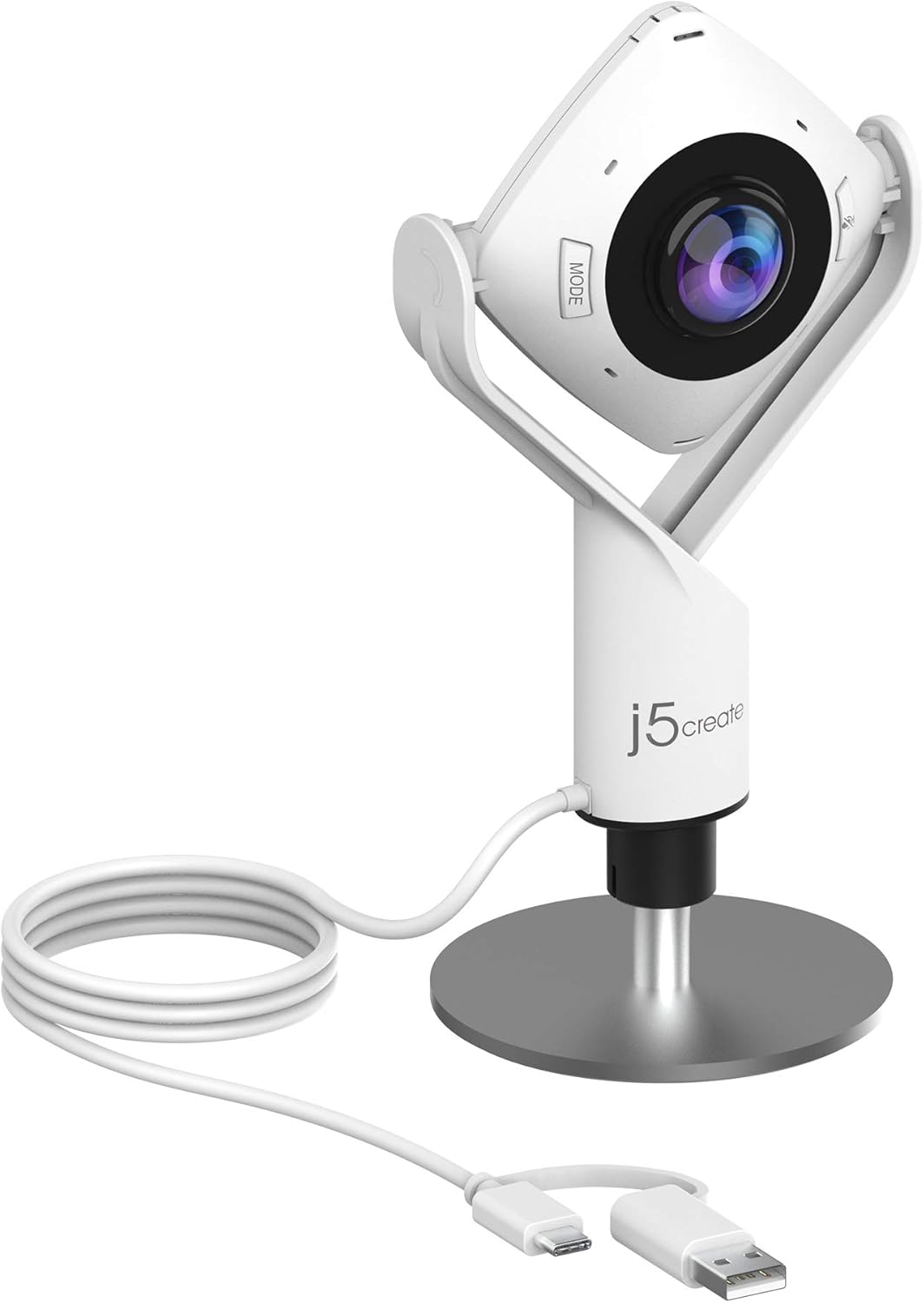
At the current price ($85) this web camera is on the pricier end of the scale for its class. It does come with some rather nice features, like the built -in lens cover for privacy and its omni-directional microphone. Of course if you are using a headset for you meetings, that may not be so useful, but if not, it is likely a much better microphone than is available out of the box on your machine. The digital zoom is a nice feature, as is the width of the camera lens capture area. Being able to turn the camera itself on its bracket is a nice feature meaning you are not limited to a static facing of the camera. Additionally, the ability to use the bracket in different configurations so that you do not have to hang it off the top of a monitor is a useful thing as well. The pickup is good in low light as well as bright light from what I have seen thus far. Overall, I am extremely happy with this and am glad I got it.
WDB –
Very Surprised by Quality
Our CEO likes to do company wide “Town Hall” meetings every quarter to let the employees know how things are going. Each Department head gets up and tells what is happening in their area and what is planned for the future. We have employees on different coasts and in several areas around the country, so a lot of this is done on Teams. Having a wide angle camera that tracks you is very nice. The Speaker and Microphones are pretty useful as well. We, in the IT department got big kudo’s after the last Town hall everyone locally or remote was able to see and present without any issues. We may be purchasing additional ones as we have 3 seperate locations the CEO likes to give Weekly updates from as well and would like a similar setup at each.
Sean Hebein –
OK meeting bar with some frustration
The unit is ok for the price point. One thing that is extremely annoying is it makes a number press tone like on a telephone whenever a key is pressed on the remote. Whoever thought that was a good idea…… I have searched high and low for how to turn off the tone on key press but I guess it’s there permanently. I can assure everyone at Yealink that nobody wants that feature.
Edward Heier –
Great Performance for the Price
Very simple setup and works great! Remote users connecting to meetings using this device are very pleased with the video and audio quality.
UUFA –
Decent camera, junk interface, impossible to actually manage.
This device is manageable if you are utilizing a controller device/tablet, otherwise it is IMPOSSIBLE to set up – it will need both OS upgrades and app upgrades, and good luck getting that accomplished. It’s falsely advertised – it requires use of Zoom ROOMS, not just Zoom, and it doesn’t really have a [manageable/usable] OS, or at least the UI is complete garbage.
Gustavo Adolfo Ortiz Palacio –
Buena imagen y buena cancelación de ruido.
Excelente nitidez en la imagen y el micrófono tiene buena cancelación de ruido y trasmite el sonido con eficiencia.
SetterBob –
Don’t buy this product if you are not somewhat tech savvy.
The documentation is awful, the Yealink website is little help and not smartphone compatible, so don’t be fooled by the QR code. The sales info says the device is plug and play. I am using a MacBook with IBM silicon. It was not plug and play with my device. The device requires software that must be located and downloaded. The only reference to software in the manual is in the two-sentence section on upgrading firmware. I could find no other information, but I took a shot, downloaded the Yealink USB Control software and it worked. The software is primitive, but functional. The device performance is fair. My only use is for small-group Zoom meetings. For that it is OK. Zoom recognizes the camera and the interface works. FYI, the device comes with a USB type A connection, so if you have a newer PC make sure you have an adaptor. The device is probably worth the relatively low cost. The support is worth nothing. If you are looking for corporate level performance and support, I suggest you look elsewhere.
Eric Steffler –
Amazing camera. It is easy to use for everyone in the office, the mic is excellent and video quality is great
Kitty Mom –
Easy to use, clear picture and works well.Have been using for over 2 years. Would recommend.