

Amazon eero Pro 6E mesh wifi router – Supports internet plans up to 2.5 Gbps, Coverage up to 2,000 sq. ft., Connect 100+ devices, 1-pack
€250





Price: $249.99
(as of Jul 27, 2025 22:04:13 UTC – Details)
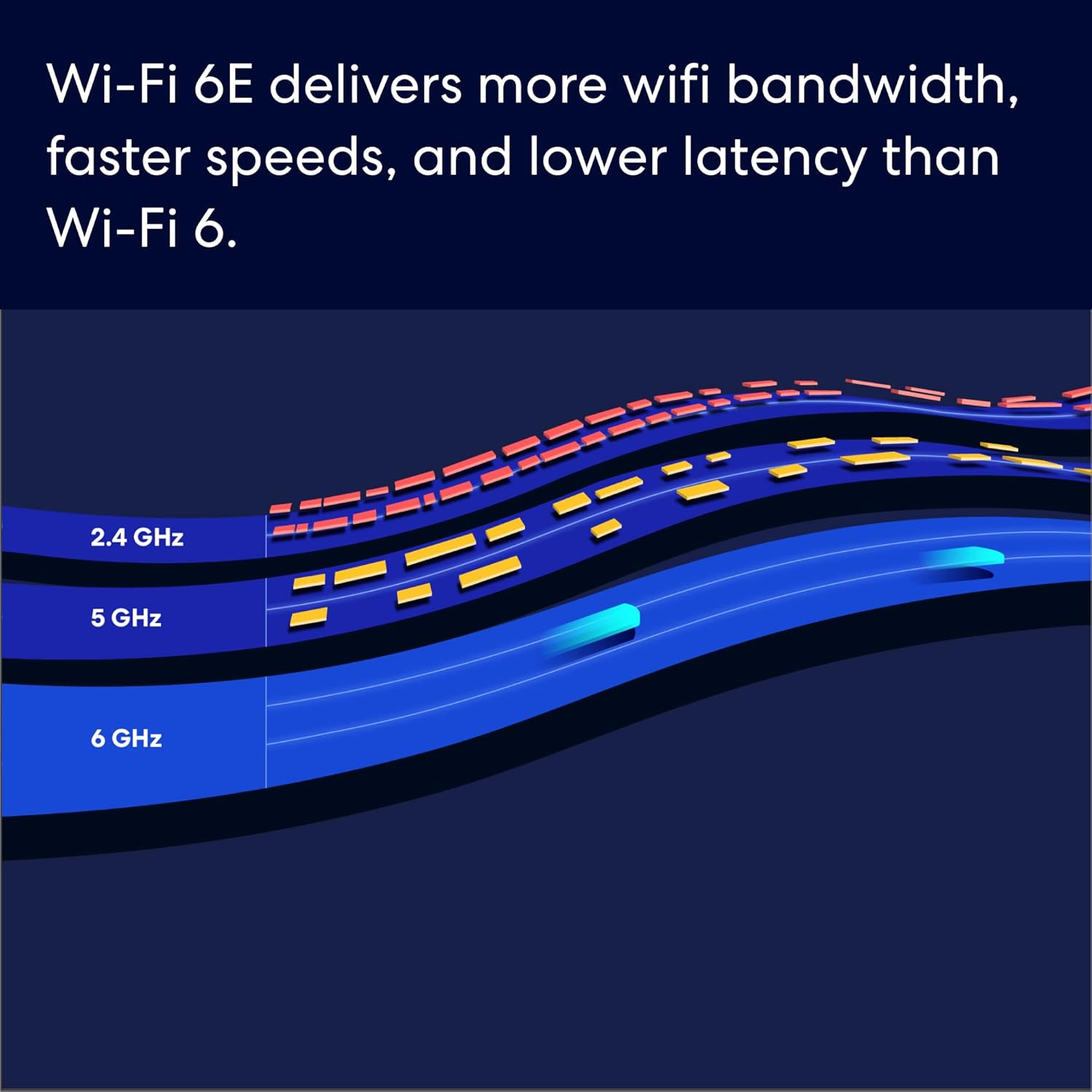
EERO’S FIRST Wi-Fi 6E ROUTER – eero Pro 6E supports fast speeds and direct access to the new 6 GHz band when using Wi-Fi 6E devices, resulting in lower latency. Backward-compatible with previous-generation eero devices.
WIRED SPEEDS, WITHOUT THE WIRES – Game, work, or stream reliably with eero Pro 6E.*
EASILY EXPAND YOUR SYSTEM – Use any single eero as a gateway to replace your current router, or add it to your existing eero network to extend wifi coverage.
MORE BANDWIDTH, GIGABIT+ SPEEDS – Supports network speeds up to 2.3 Gbps — including wired speeds of up to a gigabit and wireless speeds of up to 1.6 Gbps. Enables gigabit+ internet plans when using the 2.5 Gb Ethernet port.
MORE WIFI FOR MORE DEVICES – Network coverage up to 2,000 sq. ft. (a 25 foot radius) and support for 100+ connected devices.
EXPERIENCE THE EERO TRUEMESH DIFFERENCE – eero’s patented TrueMesh technology intelligently routes traffic to reduce drop-offs and dead spots.
SET UP IN MINUTES – The eero app guides you through setup and allows you to manage your network from anywhere.
WORLD-CLASS CUSTOMER SUPPORT – Any questions? Our expert wifi troubleshooters are ready to help by phone in the US at +1-877-659-2347 or by emailing support@eero.com.
GETS BETTER OVER TIME – Receive automatic updates to help keep your network safe and secure. Online security and additional network management features available via a separate subscription.
Customers say
Customers find the mesh WiFi system easy to set up and appreciate its performance, with one noting it doubles WiFi speeds. The system receives mixed feedback regarding signal strength, with some reporting strong signals while others experience connectivity issues. Customers disagree on the value for money, with some considering it well worth the cost while others find it overpriced. The system’s stability and connectivity also receive mixed reviews, with some finding it rock solid while others report crashes during software updates and connection timeouts. The WiFi performance receives mixed feedback, with some praising it while others report disconnections.
4 reviews for Amazon eero Pro 6E mesh wifi router – Supports internet plans up to 2.5 Gbps, Coverage up to 2,000 sq. ft., Connect 100+ devices, 1-pack
Add a review
Related Products


€250
314 –
Works very well. Very easy to set up.
Previously just had the standard wifi router provided by ATT with fiber connection. It was fine really but some parts of the house lacked good signal. Purchased the 6 Pro E and put the ATT router in bridge mode, the Eero instructions on doing that were perfect and it worked. The 6 Pro E was up and running in minutes and did it’s own software updated immediately. Was super easy to rename the network, set the password and permissions and every single device that was previously on the old router connected seamlessly on it’s own without any intervention. I think possibly one 2.5GHz device may not have auto-connected but it connected just fine once I put it in pairing mode. We have a lot of devices, mixed 5ghz and 2.5ghz, and so far both networks broadcast fine and everything works. Also 5th Gen Echo Dots seamlessly boost the wifi signal and I already had those in nearly every room before getting the Eero 6 Pro E.Few things to note:I don’t pay for Eero Plus subscription so I don’t use any of the extra reporting features.New devices connect with what looks like a random code or with a manufacturers name, which usually does not help identify what it is. That can be a challenge when you’re trying to figure out if it is something you just added or someone else who managed to get in passed the firewall. Googling the name that shows up does not always help figure out what it is.For some reason my iphone reconnects every few weeks as a “new device” with a name of “unknown device”. This does not happen with my husband’s iphone. This means that at any given time there is one active “unknown device” and several others that are inactive with that name. Looks like eventually they drop off the recently connected inactive list. Even if I rename it to something specific, after a few weeks it will reconnect as if it’s brand new and I’ll get an Eero notification that a new device has connected. It is frustrating to have to continually check the app to make sure it’s just my own phone and not something intruding.The Eero devices have a Zigbee hub built-in but my recent purchase of motorized Alexa compatible shades with Zigbee motors had issues. They connected sort of, but were not functioning in the Alexa app even though both Eero and the shade manufacturer said they should work. Eventually I had to also buy 2 older 4th gen Echo’s that also have a Zigbee hub built-in, only then would they be found by Alexa and then they started working in Alexa app with voice and scheduling. However, adding the old 4th gen echos created two more issues: While every single other device in my house on other floors away from the Eero 6 Pro can connect just fine because I have 5th Gen Echos in most rooms boosting the mesh coverage, for some reason, the 4th Gen Echo placed on the second floor could not connect to the 6 Pro E router on the first floor. I had to end up buying a second Eero 6 for the second floor to act as a booster up there as well. Only then did the second floor 4th Gen Echo connect to wifi and stay connected. That’s very odd because everything else on the second floor and in the basement and detached garage had no issues connecting to either the wide array of 5th Gen Echos or to the main 6 Pro E on the first floor. The second new issue… the Eero devices are set to roam automatically which is the point of mesh coverage. However, the Zigbee shades hated that feature and would constantly bounce from the nearest 4th Gen Echo to the 6 Pro E and back. Each bounce made them “unresponsive” in the Alexa App. Eventually I had to turn off that roaming feature in the Eero app settings so that every device now connects to whichever Echo or Eero it sees first and then stays there. Defeats the purpose of having mesh but it was the only way to make the $2000 worth of “smart” shades actually work with the network and Alexa.
Andrew K. –
Absolutely outstanding coverage and operability
I bought my Eero mesh 3 pack some time ago and it has served me very well. It was very simple to set up and to identify each device it found. I live in a 3 story 2000 sq ft condo and the coverage is outstanding everywhere. I needed to add my solar inverter and could not connects it wirelessly so I bought an older 5g model and plugged my inverter into it and it easily joined my original 3 and worked perfectly. If I were to do it all again I would do exactly the same. I am very pleased and highly recommend these.
Ideal.Noise –
A breeze to set up
I had an older Eero Pro system already set up and have been using Eero’s app on my phone for several years. So installing and updating it with the new one was a breeze. The app even asks you if a new unit is replacing an old one, and once you choose it, it does all the setups and updates automatically, so there is no need for connected devices to be set up with a new network name and password. The total time spent: 10 minutes (5 minutes for switching and setting up the new units and 5 minutes for the system download and setup itself with the latest updates).Bonus : If you were using the old Eero Beacons to boost the WiFi signal in your setup, they work with the updated units flawlessly.
Patrick Calder –
Having trouble deciding if this is right for you? Read this.
I’m only two days in to this, but I want to leave a review to help others who went through the same ordeal I have.This Eero Pro 6E has replaced an Orbi R750 system which I purchased in 2021 and used with two satellites. The Eero has some pros and cons over the Orbi.First, the reason for my replacement: while the Orbi still gives good coverage and speed, the stability of the wifi network has significantly decreased in the last year or so. I’ve done a lot of research on this and the only thing I can think of is that the Orbi 750 is rated for “40+” devices. I have “Smart Homed” my house and have 40-50 devices in total connected. Additionally, my wife owns a hair salon which operates out of our home so we have a guest wifi for that. So, I think that while theoretically the Orbi should still be fine, in practice it can’t deal with more than 40 or so devices and starts “cycling through them” causing some devices to disconnect and reconnect repeatedly. I live in a rural area where cell signal is lousy, so you notice it very quickly when your device loses connectivity – especially if you are streaming. What good is my 65″ OLED TV with wifi sound and my $300 a month cable and internet bill if I can’t use the damn thing?So, on the Eero. I bought the three unit package since it was on sale (I’d actually initially bought the 2 unit package, and they went on sale the day afterwards so I returned it and ordered the 3 set. One complaint is that while I think you should get a “bulk deal” by ordering a 3 pack over a 2 pack over a single unit, but it’s a huge difference. The 3 pack was $350 which equals $116 each. To buy just one if you misjudged how many you need, would be another $160.)Set up was quite simple, and was all done through the app. So it gets +1 for ease of use. As others have noted, there is no web log in and without the Eero plus subscription, there isn’t much beyond set up and maintain the wifi. For the majority of users this is likely to not be a problem. Due to my recent wifi challenges, I wanted to use the analytics function of the app to see how the new coverage compared to the old. You can’t do that without the plus subscription. So that’s strike 1. However, you can set up the Guest network and basic things like that with the regular app access, so at least there’s that.Likewise, adding each additional unit was pretty easy. What I recommend you do is download an app like WiFiman (which seems pretty legit) after you set up your first Eero and walk around with the shortcut function on in the WiFiman app which will tell you the signal strength as you move about. I would say right about the limit of where it stops being either “Excellent” or “Good” is where you need to place your next Eero unit. “Excellent” ensures the best quality, but if you have a lot of space to cover you’d need to stretch it to “Good”. I will note here that unlike the Orbi, which has a router and two (or more) satellites, each Eero unit is functionally identical, so it doesn’t matter which one you grab first, and which one are the satellites. It’s easy to add the next Eero device from the app even if you didn’t immediately select “Add another device” after the first one. Like I said, I recommend walking around and getting an idea of your coverage needs before adding the next ones anyway.So that’s a +1, again for ease of use. However, I notice compared to the Orbi that its range and speed drops off much faster the further you get. So, you’re not going to get the overall quality range. I noticed this while out doing yardwork this morning – my phone would stay on the Orbi wifi a hundred or so feet from the house. It loses the Eero wifi (or, the quality goes way down) at the same range.So this is another point that I guess I knew, but is important to remember: at range, the speed at which you transmit decreases despite what your internet connection actually is. So, for example, my service provider gives me 1000 mb/S service which is reasonably fast. Standing next to the Eero unit which is connected to my modem via the ethernet cable gives me close to that speed. But, get a dozen feet away with a wall in the way, and you are down to about 400 mb/s. As stated, the Orbi has better range and the speed keeps up better.But what good is range and speed if you are constantly getting booted off the Wifi? Supporting my max device theory, I’d often get booted off the Orbi wifi somewhat predictably at various times in the day. Last night, on the new Eero network, it didn’t happen! I was able to stay connected the whole time. (As was my mother in law in the in-law apartment, so not having to deal with that is a major plus!). So stability is a +2 on the score scale.Finally, if you’re like me and have several dozen Wifi devices you don’t need to worry about the new Eero units and compatibility – as long as you name your new Wifi network the same and keep the same password, the devices don’t know the difference. They connect to the new network the same way they’d go back to your old one as if it were nothing more than a power outage.So, ultimately the Eero 6E is a little slower and gives a little less coverage than the Orbi 750….but unlike the Orbi it says it will take “100+” devices…and it *works*. At least so far. That said, I’d definitely get it on sale. While functionality is always key, the fact is the features are much less than many competitors. It might not be worth the full price.