

Cooler Master NR2 Pro Mini ITX – AMD RYZEN 7 7800X3D 4.2 GHz (5.0 GHz Turbo) | Gigabyte RX 9070 16GB & B650I AORUS Ultra | 32GB DDR5 6000MHz | 2TB Gen4 M.2 | WiFi | Windows 11 | 280mm AIO Gaming PC
Original price was: €2,000.€1,900Current price is: €1,900.



Price: $1,999.99 - $1,899.99
(as of Aug 02, 2025 13:11:01 UTC – Details)
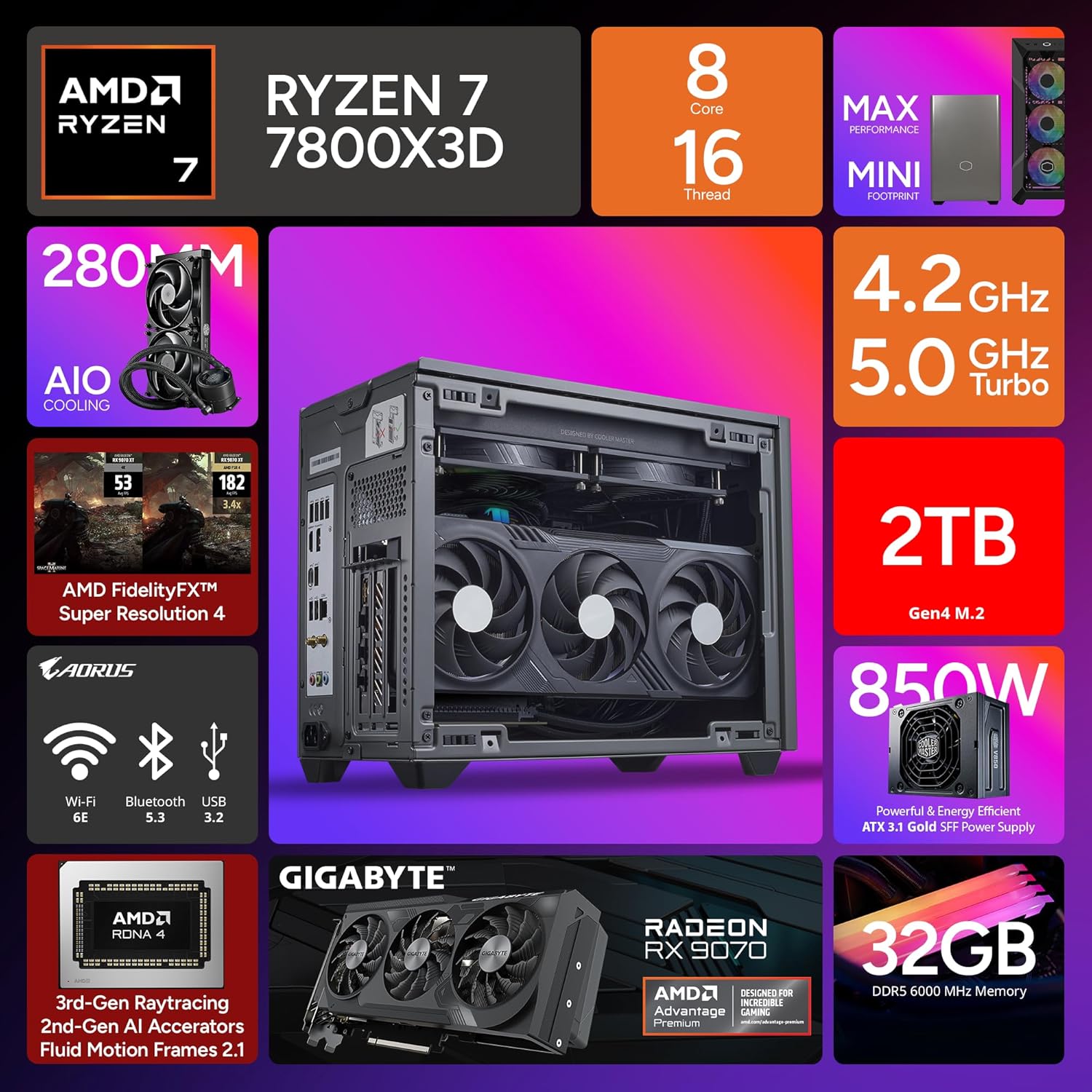
The Cooler Master NR2 Pro redefines gaming and professional computing with exceptional cooling and performance that outshines the competition. Gaming Powerhouse: Experience smooth gameplay at 60+ FPS in Full HD+ resolution across a wide range of popular titles, including ROBLOX, Minecraft, Call of Duty, Fortnite, The Sims, League of Legends, Counter-Strike, Valorant, GTA V, Overwatch, Rocket League, Apex Legends, Rainbow Six, Escape from Tarkov, Genshin Impact, Destiny 2, World of Warcraft, Cyberpunk 2077, Dota 2, Battlefield, and more. With NVIDIA’s Ray Tracing technology, enjoy breathtaking visuals and immersive VR experiences. Built for Professionals: Beyond gaming, the NR2 Pro excels in content creation, data analysis, and other intensive workloads, delivering professional-grade performance with advanced cooling and high-end components. Its sleek, durable design ensures reliability and efficiency, making it the perfect workstation for productivity. Whether you’re gaming at the highest level or tackling demanding tasks, the Cooler Master NR2 Pro is built to elevate your experience.
COMPACT ITX DESIGN: Unleash top-tier performance in a sleek 18.25L system, compact yet powerful for gamers, creators, and professionals—roughly the size of a large shoebox.
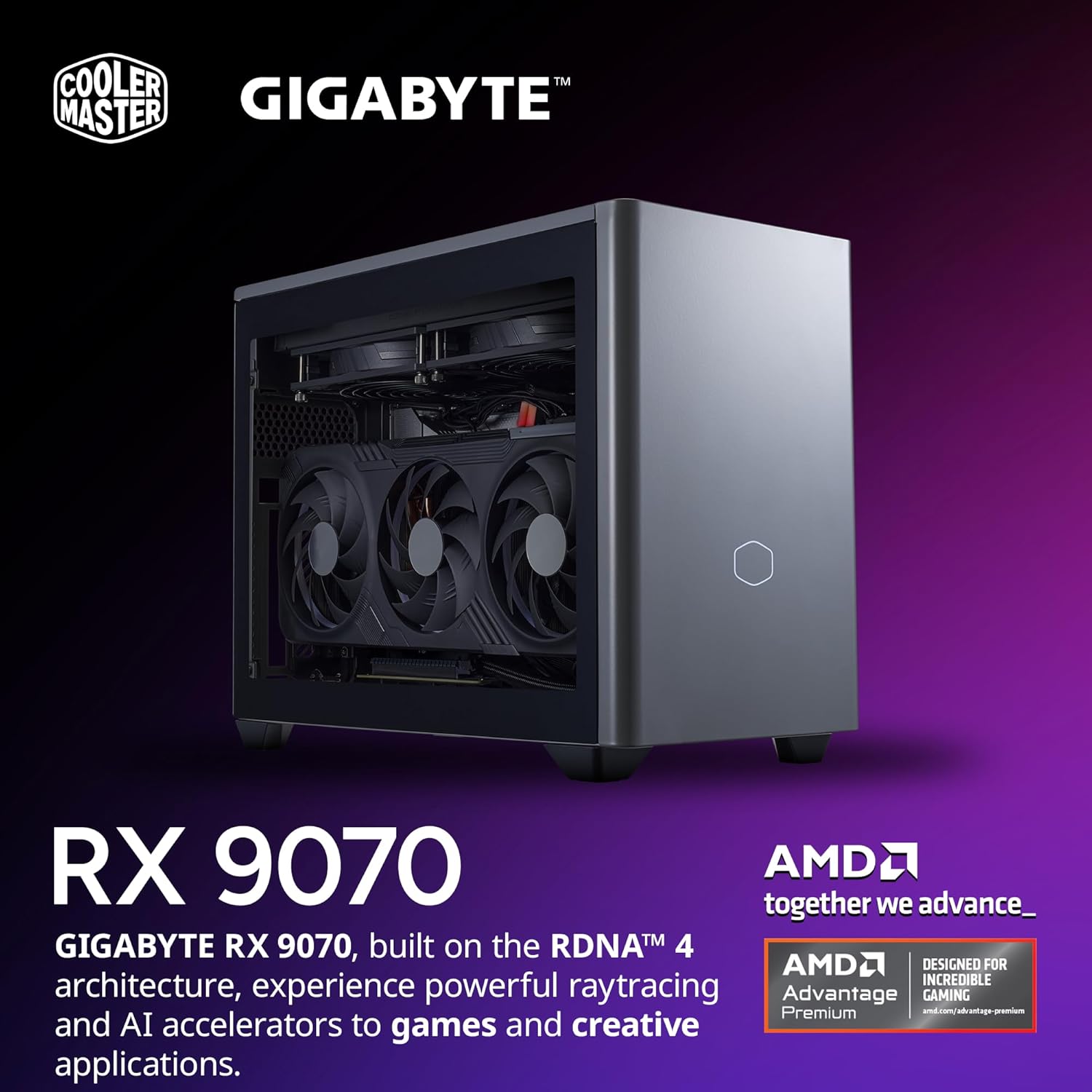
PLAY ANY GAMES: 120+ FPS on High+ Settings on 1440p | AMD RYZEN 7 7800X3D 4.2GHz (5.0GHz Turbo) 8-Core 16-Thread | Gigabyte B850I AORUS PRO Motherboard | Gigabyte Gigabyte RX 9070 16GB
MAXIMUM PERFORMANCE: NR200P Max Case | 280mm AIO| 850W 80+ Gold Efficiency Power Supply, unlocks your system to its full cooling & gaming potential
SUPERIOR MEMORY: 2TB Gen4 M.2 SSD offers next-gen storage with a Gen 4×4 NVMe controller, delivering high-speed performance for apps, photos, media, and games | 32GB (2x16GB) DDR5 6000MHz RGB RAM w/ heatsink delivering blazing speed, plus vibrant RGB lighting
SPECIAL FEATURES: Glass panel or Mesh panel | Type-C | USB 3.2 Gen 2 Type-C| 5x USB 3.2 | No Bloatware | WiFi | Bluetooth | 1x HDMI & 2x Display Port | USB Ports | HD Audio & Mic
7 reviews for Cooler Master NR2 Pro Mini ITX – AMD RYZEN 7 7800X3D 4.2 GHz (5.0 GHz Turbo) | Gigabyte RX 9070 16GB & B650I AORUS Ultra | 32GB DDR5 6000MHz | 2TB Gen4 M.2 | WiFi | Windows 11 | 280mm AIO Gaming PC
Add a review
Related Products


Original price was: €2,000.€1,900Current price is: €1,900.
Tanja Bohms –
Quiet, small, amazing graphics.
I was uncertain for some time on whether to convert to a smaller computer as I was afraid things wouldn’t fit right. I was completely wrong. Though it is a tight fit, everything sets in just right. I got the 4070TI super and I couldn’t be happier with the graphics.Pros:Super Quiet MachineLiquid CooledEasily fits larger graphics cardWorks beautifullyAmazing graphics even on the more intensive graphic games850 watt PSU is nice.Easily fits in small spaces.Mesh filters to help keep the dust bunnies away.Cons:Small, so adding and upgrading parts can be a bit of a pain.Case doesn’t really show off the equipment inside like many cases do.All in all, this is a great computer. Good for both starter computer gamers and the more advanced gamers. Definitely a keeper.
Alex –
Awesome computer!
Been using the NR2 Pro Mini for a few weeksâzero complaints. Itâs small enough to fit on my desk but still runs everything I throw at it (1440p, ultra settings, no stutters). Thermals are well-managed, and it stays surprisingly quiet under load. The build feels premium, and the swappable front panels (glass vs mesh) are a nice touch. Basically, itâs the sweet spot between performance and footprint.
Ethan R. –
Minor Issues Nothing Major
Did not come with the same GPU that’s in the product pictures it’s still a gigabyte GPU, but it’s the cheaper one without the LEDs. Honestly, it’s five stars I just had it four star experience. I was modding this to have two fans that sit at the bottom of the case (120mmx15mm) It’s very well organized for cords. When they opened it up it was all very neat and tidy the issue when it comes to modifying, especially something this small that’s already organized and made it a pain there’s only one system fan slot and to be able to actually unplug the fans that are in the system fans thought you have to take off the entire radiator which I did not do. I just Daisy chained them together and that worked completely fine. I had RGB fans that I plugged in in the RGB didn’t work on the motherboard which I’ve heard is been issues. That’s fine I bought a SATA cord anyways so I can plug them in with a remote It’s just a bummer it didn’t work. I was expecting a 50/50 though my only big gripe is the amount of times that I take apart the case and put it back together and the screws are so small that they’re easy to lose. I lost when the case screws and I’m just ordering some random PC screws on Amazon because I have no idea what screws they are I tried locking them up online and there’s it’s just vague but I think I found the right ones. As far as firing on start, make sure that you take the side panel off and take all the foam out inside. Read the directions I did that. It’s fine. Two things to note is check the riser cable that it’s plugged into the motherboard and that it’s plugged into the GPU for me that was the issue. It didn’t fire the first time because I forgot to plug the GPU back in cuz I had to move the GPU out of the way to get to the Riser cable but it fired up like a champ after that and I’ve had no issues with actually running the machine. Only my own personal issues with modding it. I was going to originally change out the radiator fans but I figured that that would void my warranty and there’s really no need to actually do it and it would be a pain to completely change the radiators because you’d have to rewire everything. I would say for somebody who doesn’t know much about PCS. This is a great option but it could also be a failure if something goes wrong and then you have no idea what went wrong because you didn’t build it so it could be literally anything. Whereas when you’re building a PC most the time you know when you did something wrong because you’re like I don’t know if this goes here whereas when it’s already built it could be anything this is definitely a five-star PC. I had no issues with turning it on. Most of it was my own mistake. Definitely a five-star review. I just had a four-star experience. (The only actual issue I had is that I noticed that the prongs on the bottom of the GPU where they slide into place to have the GPU sit vertical were kind of bent as I took pliers to them and straightened them out as long as you’re gentle, you shouldn’t damage the GPU. The only thing is that it left a couple of scuff marks but it has no effect on how the GPU runs and it probably happened during shipping there should be a picture down below or wherever they put the pictures on here there’s a picture where the GPU is sitting kind of upwards and then I have a picture of how it looks after I was done with it and what it should look like. It might be hard to tell this difference, but it was definitely bent.)(Update)Gpu I got has coil whine It’s actually very common with higher end gpus and really old gpus to get coil whine coil wine can also happen when you’re using higher settings than what your GPU is normally capable of running or when you don’t have a cap on your FPS it just keeps pulling different amounts of voltage causing it to make the sound a lot of new gpus that have the buzzing or humming sound are normally not as loud as older gpus because people are maxing out graphic settings on old gpus most people report that for the most part the coil whine goes away after breaking in the GPU, not always. My PlayStation 5 also has this issue coil wine does not affect the gameplay whatsoever so most companies won’t allow you to return a GPU with coil whine that’s how common it is. And to be fair with these newer gpus pulling as much power as they do. It’s like turning on a jet engine and expecting it to be quiet. I do think the two fans I installed really neutralizes some of the sounds that are coming out of it. I’ve been checking my temperatures for both my CPU and my GPU for the past 3 days I’ve had no overheating problems. I think the only issue I truly have with this PC is if you plan on installing another m.2 you literally have to take the entire PC apart to do it with most itx’s. You can remove the back side of the pc case and install it into the back of the motherboard. For whatever reason, gigabyte has a steel plate over top of the m.2 slot for the second slot making you have to completely take off the motherboard to be able to access it. I highly recommend installing either an SSD or buy an enclosure for an m.2 and plugging it in because the m.2 that is in the system only has a redirect speed of around 4,000 It’s common nowadays for and that Tuesday I have a read write speed of 7,000 for gaming. I also just don’t agree se running games on the same drive that has your operating system cuz you got to remember you’re putting all that strain on one memory chip and it’s the same memory chip that’s operating the entire system but that’s just me. It probably wouldn’t be that big of a deal if it was on a better m.2. (If this is your first time owning a gaming PC and you want to either install an SSD or get an m.2/SSD enclosure to plug it in to the system. Don’t forget you have to code it for the system to recognize it cuz if you just plug it in the system will recognize it’s there but it won’t know what to do with it. You have to tell the system. This is what I want you to do with this drive just look up a YouTube video I believe in you!) I believe there’s two ways to do that as well. The way I’ve always done it is through command prompt but I think there’s an easier way to do it as well.
Vincent Aldaco –
Solid, Quality, POWER!
It runs and performs as solidly as its built and looks. HUGE upgrade from my old machine and its so so so nice, storage is lacking for the price BUT the price overall + amazons pay over 5 month plan made this an absolute DEAL. Every game I’ve had the chance to throw at it has been absolutely smooth and perfect, graphics settings do not matter with this machine.
jeffrey chen –
Buyer beware!
Beware! The computer was shipped nicely but when I opened the box I could hear a rattle inside the case. Turns out there was a screw loose and to top that off the computer would power on but not display anything on the monitor. I suspect that either the video card malfunctioned or it was not properly connected or secured. I also had a problem with UPS in returning the computer due to them losing the package in one of their facilities for 5 days. Over a bad experience.
Em & Al –
Small, Quiet, and Excellent Performance
Epitome of plug and play with excellent performance! Very happy to snag this before gpu prices and availability got really bad, 120+fps at 1440p with nearly every modern game.
MareN –
Great Value, but Beware of GPU Variance
Overall, this is a great computer for the price, but there were some discrepancies between the product images and what I received. I was sent a Gigabyte RTX 4080 Super Windforce V2, which lacks RGB lighting and has less effective cooling compared to what was advertised. The product images showed a Gigabyte RTX 4080 Super OC Gaming, which is one of the best air-cooled 4080 GPUs available.Pros:RAM Speed: The RAM runs at 6000MHz instead of the listed 5600MHz, which is a pleasant surprise.Motherboard: Comes with a Gigabyte B760I, a solid and reliable choice.BIOS Update: The motherboard is pre-updated with the latest BIOS (F12B as of 12/04/24), which helps manage voltage draw issues with 13th/14th-gen Intel chips. While this mostly affects i9s, it’s nice peace of mind.Build Quality: It’s a small form factor gaming PC built with quality components, and you don’t pay the usual “small form factor” premium.Cons:Price: Slightly expensive, but still a bargain compared to other pre-builts if you’re willing to invest.Storage: Only comes with a 1TB NVMe. A 2TB option wouldâve been better for modern games and large files.GPU Mismatch: The biggest downside is the incorrect GPU, which affects cooling and aesthetics.Final Thoughts:I’m generally satisfied with the PC’s performance and build quality. However, due to the GPU issue, Iâll be returning it and repurchasing to see if the correct model arrives next time. Hopefully, they get it right because otherwise, this is a fantastic machine.