

256GB Flash Drive for iPhone Photo Stick,Thumb Drive USB Stick High Speed Transfer USB Drives External Picture Video Storage Memory Expansion for iPhone/iPad/PC (Blue)
Original price was: €30.€20Current price is: €20.




Price: $29.99 - $19.99
(as of Jul 27, 2025 21:28:10 UTC – Details)
From the brand


Backup Your Every Wonderful Moment
We all starts with a mission: to provide you with high-quality services, let you enjoy the convenience of high-quality flash drives.
Wherever you go, never fear that your phone memory is not enough. You can store and share happy moment anytime.

To provide our customers with better products and services is the goal of our company.
If you have any questions about flash drives, please feel free to reach us. We have a professional team to answer you and will solve your problem within 24 hours.
Flash Drive 256GB
Free Up Your iPhone Storage Space – With 256GB of additional storage capacity, you can easily transfer large files such as photos and videos from your iPhone to our external storage device. No need to worry about running out of space or expensive cloud storage services. With our USB flash drive for iPhone, carry all your important files with you wherever you go.
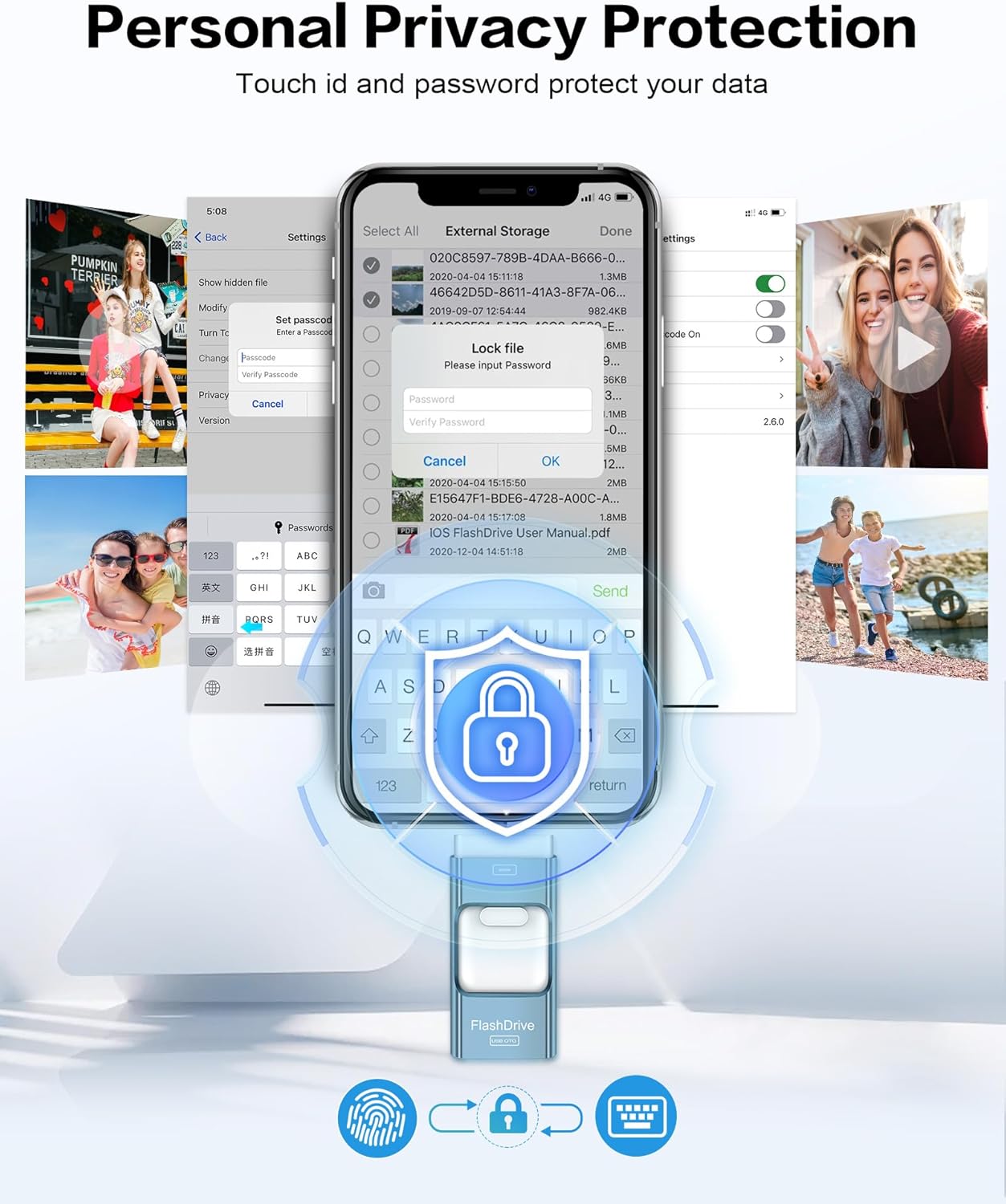
Touch Id and Password Protection – Our USB flash drive for iPhone includes advanced security features like fingerprint and password protection for your data security. With our USB thumb drive for iPhone, you can have peace of mind knowing your data is kept safe from unauthorized access and breaches.
Multifunctional App Manage Your Files – Effortlessly manage files on your iOS device with the EASYFLASH PRO app, which enables you to view, access, and back up all the photos videos and address book. You can also share photos, videos with just one click directly from our thumb drive to social media such as: Instagram,Twitter.
High Speed Transmission – Our USB Memory Stick for iPhone offers high-speed transfer rates of up to 80MB/s write and 40MB/s read.This means you can quickly and easily transfer files. With our device, you won’t have to wait hours to transfer your data.Get fast and reliable data transfer on-the-go with our photo transfer stick for iPhone.
ZARMST Great Customer Service – Our jump drive for iPhone includes excellent customer service.If you face any issues with our flash drive photo stick, our team will assist you in finding a quick solution. We prioritize customer satisfaction and aim to make your experience with our product satisfactory.
Customers say
Customers find the flash drive’s durability positive. However, the functionality receives negative feedback, with multiple customers reporting it doesn’t work at all. The ease of use is mixed, with some finding it simple to use while others say it’s not intuitive. Customers disagree on the transfer speed, with some finding it fast while others say it takes hours. The storage capacity and value for money also receive mixed reviews, with some praising the storage while others find it doesn’t hold many pictures and consider it a waste of money. Customers disagree on the USB port functionality.
8 reviews for 256GB Flash Drive for iPhone Photo Stick,Thumb Drive USB Stick High Speed Transfer USB Drives External Picture Video Storage Memory Expansion for iPhone/iPad/PC (Blue)
Add a review
Related Products


![SABRENT USB 3.0 to SATA External Hard Drive Lay-Flat Docking Station for 2.5 or 3.5in HDD, SSD [Support UASP] (EC-DFLT)](https://m.media-amazon.com/images/I/81Y8qIYM2eL._AC_SL1500_.jpg)


Original price was: €30.€20Current price is: €20.
George –
Cleared my phoneâ¦
It does as advertised. It gathered all my photos with space left over. If you need to clear your phone of your memories this memory stick does the trick. Iâm glad I got this product and recommend it to anyone who has an iPhone.
Disposer –
Works will all my devices
I had almost 1,000 pics and vids stacked up on my iPhone and this device made it easy to transfer them over to a much bigger storage device. Since it has input/output for 3 different ports, USB, Apple Lightning and USB-C it works on all my devices, iPhone, iPad and PC. All in all, a great way to move files around from mobile devices.
Andrew Kim –
Major Quality issues. Worst piece of electronic that I purchased in years.
Right out of the package, the time to copy a file 2.3 MB size to this drive was whopping 22 seconds from iPhone to this usb driveFormatted with various options such as NTFS, exFat, Fat32, with different options. I formatted more than 10 times. The USB drive write speed from iPhone to USB was staggering 22 seconds per each photo of 2 – 2.5MB size for different formatting applied. In one occasion formatted with NTFS with block size of 128K the fastest sustained speed I could get for the 2MB photo files was 10MB/s write, and 20M/s read (this test was using my laptop running Windows 11 with 48MB of RAM not from iPhone).The device locked up several times with error messages as shown in the above screenshots on the iPhone. Some time the copying will go on 10-25 files before locking up (I had to unplug the drive to recover, and in one occasion when I was getting my fingers crossed the total of 256 files were copied from iPhone to the USB drive before locking up. In the worse case just couple of files were copied and the USB locked up my phone. In one case it heated up my iPhone to very hot temperature as well as the drive itsslf. At the cover of iPhone (my estimate is over 120F for both drive and the iPhone 12). Then, the iPhone just shut off after heating up while trying to transfer files.This is the worst electronic product that I purchased, period. I also belive that the size of the drive (256GB) is in question. I have had other USB drives that over stated their actual capacity by sneaky means, but when trying to store more it simply died; I suspect this is the case here as well.I spend about 4 hours trying to get this to work. I wanted this to work, because I have to transfer the files from one iPhone to another before a complany imposed dead line. I could not even get the files from the iPhone using this drive, let alone get it to the second iPhone. I ended up using iTune account and copying piece meal fashion of the 25GB of photos from old phone to the new phone.BTW, I tried different number of files copying at a time, thinking that maybe there is a maximum number (or amount) that this firmware can handle. That was not the case. Sometimes the slwo speed of 22 seconds/file of 2 MB size appeared immediately.If you value your time, stay as far away from thie product as you can. I belive, this has to be a orchestrated and intentional bad product with hyped specifications that may only work if one or few files are processed if you are lucky. But, in my experience dictates that transferring more than 10’s of files is out of question. I do not have patience to download photo files that numbers in thousands in increments of 10’s. It is very very deceptive product which promises ease of use and delivers exactly the opposite.Stay away you are forewarned.
Grandma B –
External flash drive
I used these to take multiple photos off my phone seemed to work ok. Not sure all photos were transferred to the drive.
Alvin O. Lemmon –
Works great
Arrived as described
Gladys –
Great
Great
Mandie –
Worth a try for the price if you know what youâre doing
My husband got me one for my birthday so I ordered this one for my sister when she was in town. I think to think I am DECENT with my knowledge of technology but I just couldnât get this to work as smooth as everyone claims. Altho my husband didnât seem to have much issues. It just doesnât seem to be as straight forward and I really didnât feel safe that I wasnât going to accidentally delete the original pictures too.
tammy rogers –
Hard to navigate how to use at first.
Some of us old timers are not computer savvy and this thing was extremely hard for the 65-year-old person wheeling it.The instructions were very vague.But after messing with it for a few boring and frustrating hours, I finally figured it out.But the problem is I donât know how I figured it out, so therefore I canât go back to it and put more pictures on it until I figure out what I figured out the first time (laugh out loud!)I say buyer beware if youâre not that computer savvy on this type of item we need something more easily understood and American understood better step by step instructions . Yes, they speak English, but you can barely understand them. And it also sounds like you have to use an app in order to use this jump drive.Iâm not too keen on that if I had known that, I probably wouldnât have bought it.All I want is to be able to transfer my pictures from my phone to my computer or just leave them on a jump drive till im ready to see them and also get rid of paying my phone carrier lots of money for storage. Not entirely happy with my purchase