
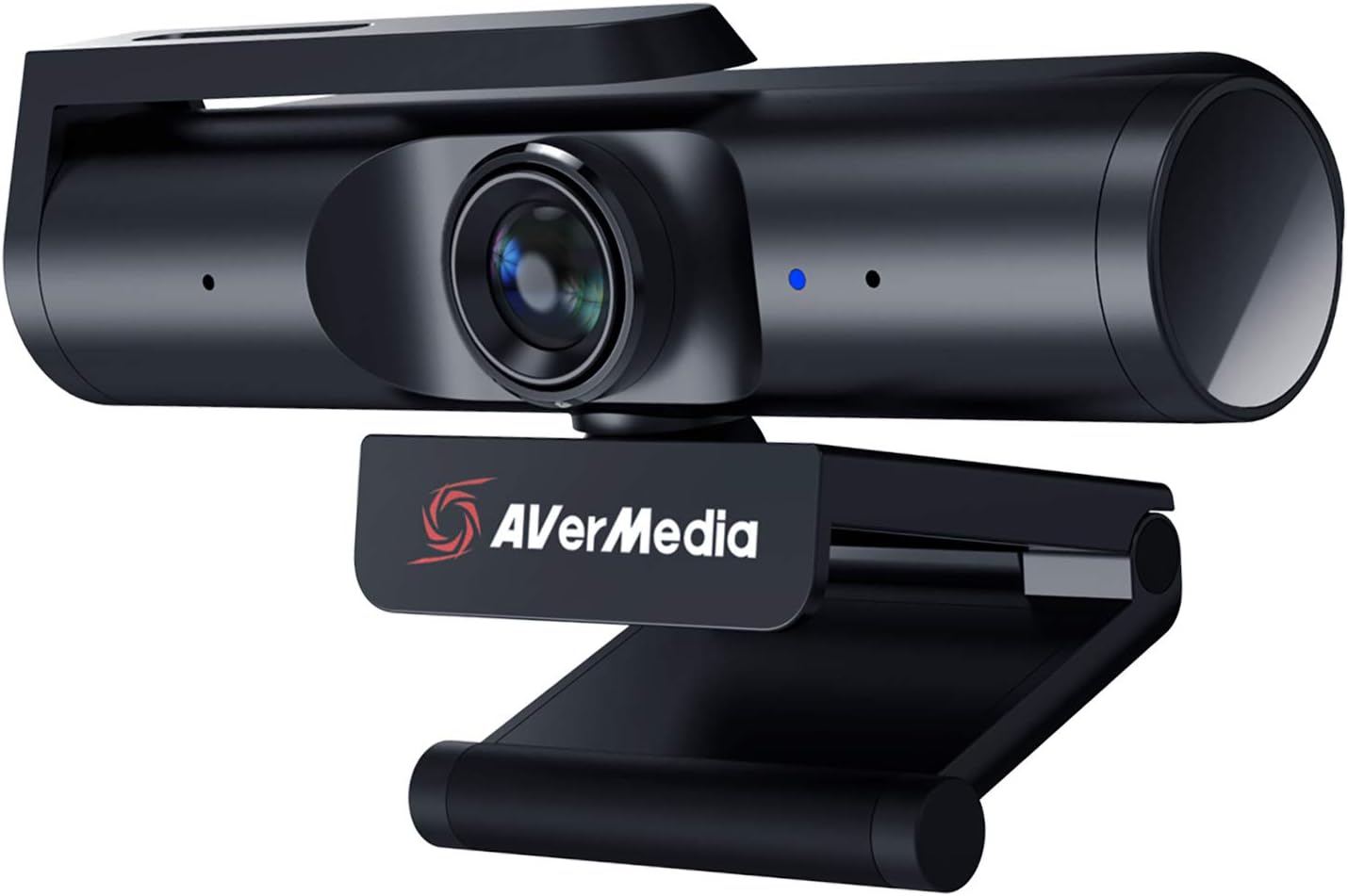
AVerMedia 4K webcam for PC, Gaming Camera for Streaming, Video Calls, Built-in Mic, Privacy Cover, for Teams, Google Meet, Zoom, OBS and more, for PC/Mac – PW513 Live Streamer CAM
€110




Price: $109.98
(as of Jul 28, 2025 08:33:07 UTC – Details)
From the brand


Perfect for streaming
Enhance your streaming experience with AVerMedia’s exceptional range of products.
The FIRST HDMI 2.1 capture
The ideal choice for creation
High-Quality & Reliable
Advanced & Dependable
NDAA & TAA compliant products

AVerMedia PW513 Webcam: Whether you’re multiplayer gaming, streaming to an audience or holding a conference in remote working settings, the PW513 provides professional-grade video quality
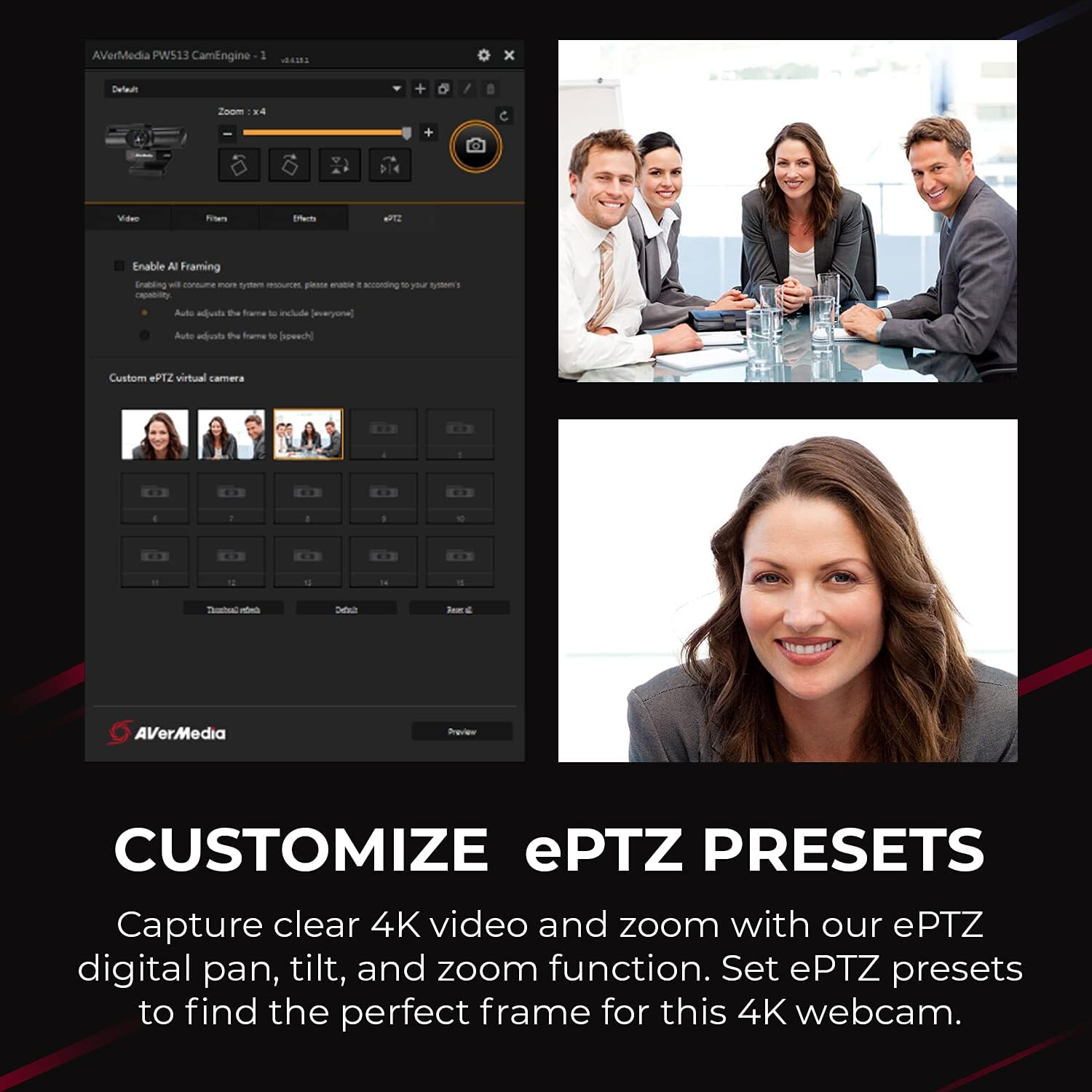
Video quality: Built in 4K optics capture an astonishing 4K30 video when used with optimal lighting conditions and setup, creating clear images for your audience, whether streaming or in meetings
Ultra-wide angle and sliding shutter: The 94-degree FOV angle allows you to share easier with a less restrictive angle and the sliding shutter design covers the webcam to protect your privacy
Compatibility: Set up this webcam with easy-to-use USB plug and play technology and easily connect and collaborate on 3rd party applications including Zoom, Teams, Meet, Skype, OBS and many more
Items delivered: 1 x Live Streamer Webcam PW513 for streaming and remote working, 1 x USB 3.0 Type-C to Type-A Cable, 1 x Quick Guide
Customers say
Customers find the webcam excellent for streaming and video conferencing, with crisp color-accurate video feed and easy setup. The picture quality receives mixed feedback – while some find it very clear, others report grainy and dark images. Moreover, the camera’s functionality and value for money get mixed reviews, with some saying it works well with OBS Media app while others report it doesn’t work with Mac, and some consider it worth the price while others find it expensive. Additionally, lighting performance is also mixed, with some praising the lighting while others find it insufficient.
9 reviews for AVerMedia 4K webcam for PC, Gaming Camera for Streaming, Video Calls, Built-in Mic, Privacy Cover, for Teams, Google Meet, Zoom, OBS and more, for PC/Mac – PW513 Live Streamer CAM
Add a review
Related Products




€110
Amazon Customer –
Far Better Color Than My Logitech C922 Pro, Works Great on Macs
I have had Logitech C920s and C922s for Macs and PCs in my company for several years, and they all have lousy color, no matter how well lighted and what color adjustments I make. I either look like a grainy beet or Orange Man with those cameras, and I have professional studio lighting that can vary the brightness and light warmth (white point). Colors of background objects display even worse. The last straw was when Logitech “upgraded” their driver software, which made it worse. I either look like my face is made of putty, or I have chicken pox.I happened to do a webinar with a friend who has an AverMedia webcam, and he looked flawless on a PC; perfect color and good resolution with overhead fluorescent lights, so I bought the AverMedia PW315. I was concerned from the lack of reviews on MacOS that the camera might not work well, but it works great on my 2019 MacBook Pro 15″ 2.8 GHz Quad-Core Intel Core i7 running Big Sur. I do a lot of webinars and web meetings, so skin tone and correct color are important for my use. I’m not a gamer, so I couldn’t care less about that.The documentation for Macs is sparse, so it was unclear if this webcam needs software to manage the camera settings, and it does need the CamEngine app on MacOS or Windows, which you can download from AverMedia’s web site. The documentation says the camera doesnât need a driver installed, which technically is true for MacOS, but Windows does already have a driver for it, so on PCs technically it does have a driver, although you donât have to install one. With either OS, you need the CamEngine software to make adjustments. I would ignore the review that says this cam is useless on Macs, thatâs nonsense, it works fine on my 3 MacBook Pros and 2 Mac Pros.That app has a lot of settings to adjust color, focus, white point, brightness and contrast, and improve skin tone and focus. The only drawback to this 60fps camera is it has about a 2-second lag time, so I can raise my hand and put it back down before the camera displays it. A minor annoyance for me; not sure how it would work for gaming.If you’re not well lit, the image can appear grainy, but that’s true with any web cam. Conversely, if youâre over lit, youâll look washed out. So itâs advisable to get lights in front of you that you can adjust the brightness on. It helps a lot with any web cam to have good, balanced lighting. If I turn on my small studio lights and have a window next to me with no blinds, that side gets a bit over exposed. I suspect the people complaining about poor color or saturation donât have decent lighting and are relying on home light fixtures and window lighting only.While the camera has fixed focus, no auto focus, it doesn’t need it since the lens depth of field is excellent. I am in focus sitting 2 feet away from the camera, and the background about 10 feet behind me is also in focus. Again, proper lighting makes all the difference.The built-in camera mount works well hanging over a monitor, but I prefer to use an Olisicht Mini Projector Wall Ceiling Mount 215mm on Amazon to mount it to the 1/4″ x 20 screw mount, placed on a monitor stand to bring the camera to eye level.The lens cover slides right to left over the lens and works fine. Camera build quality is as good as my Logitech C920s and 922s.I love this web cam and will be replacing all Logitech cams in my company with these.
RAJ –
Probably the best webcam on the market in early 2021
This is a very high quality webcam that gets about as close as you can get to a DSLR while still having the simplicity and affordability of a webcam. Some early negative reviews were due to the fact that the early firmware in this camera required studio lighting to get a good quality picture. Recent firmware updates have dramatically improved camera performance in more typical lighting conditions although lighting can significantly improve picture quality like is the case for all cameras. I purchased this to run on my Linux system running PopOS 20.10, a derivative of Ubuntu. While you’ll want access to Windows or MacOS to run the firmware update utility since the recent firmware updates profoundly improve the camera’s performance and picture quality, the camera works flawlessly in Linux and is plug and play with no driver installation or special setup required. I would highly recommend this camera for people wanting a webcam capable of top tier image quality. I had also considered the logitech brio and the razor kiyo pro. While I haven’t tried these other options, from what I gather reading and watching reviews, this camera is sharper and crisper than the brio although the brio has better color accuracy so consider which is better for your use case. The kiyo pro provides the best performance in lower lighting conditions. Additionally the kiyo pro reports a slightly wider viewing angle but suffers from a fisheye effect making rhe AVerMedia more desirable at a wide field of view. The AVerMedia does not have autofocus, which makes for a better experience for presenting so long as you’re staying a normal distance from the camera. The logitech autofocus performs reasonably well although any autofocus can be annoying for typical use cases. The Kiyo Pro has terrible autofocus at time of release, but it can be disabled. The microphone quality on all of these seems reasonable, but I don’t see the point of putting a microphone in a high-end webcam. I can’t imagine that anyone would spend over $100 on a webcam and not use an external microphone.
Wilson –
Great picture quality! (If properly set up)
I’ve never had a webcam before, so I chose the PW513 as my first one seeing how it was being touted as the best product for the price. My first impression of the PW513 was not great. The quality out of the box was awful, but I sort of knew it needed to be fine tuned to get the best image. It took me hours to adjust and learn what some of the settings CamEngine (AVerMedia’s webcam software) did to get a great image quality. After the latest drivers are installed, and the webcam is properly configured based on your environment/skin tone, and most importantly, provide proper lighting, you will get an immense improvement over stock settings and come out with outstanding image quality (enough to justify its price tag). I recommend this to anyone who’s able to sit down and willing to go through the process of fine tuning the webcam. I should note, like any camera/webcam, the picture quality will be grainy and look terrible if you do not have PROPER LIGHTING regardless of any amount of tweaking you do. I think many of the negative reviews stem from not having adequate lighting, but if you do, then you’ll be able to enjoy what the PW513 has to offer.
Paul –
Must use AverMedia’s software to work with OBS and StreamLabs
The camera is really nice with good image quality. I had to download and install AverMedia’s software and then set OBS and StreamLabs to the software’s virtual camera instead of setting it to the webcam. After doing so, it worked without issue. The software also allows you to tweak the image for the best look. The camera has a 1/4-20 thread to attach to a tripod if you use one
M. O. –
Funciona sin problema siempre y cuando no se conecte por usb C, ya que no lo reconocen los equipos a los que los he conectado, la calidad de imagen es muy buena y el ángulo de captura es amplio
keith richards –
Weâve purchased two of these webcams for our office employees needing to conduct Zoom meetings etc. Great quality- video and audio quality is very good for single person conferencing
Scott –
I was looking for a camera to use for conferencing with friends and students and for potential Vlog use. Yes this is at the high end of video cameras for general use however the picture quality is extraordinarily sharp. I can see however that I am also going to have to invest in added lighting to experience the full advantages of its potential. Yes there is a need for additional free software to control the brightness and coloration however well within the technical abilities of most people as I myself am no tech wiz and find it well within my capacities. I bought this after considerable investigation and researching reviews from different sources. I find that I can easily concur with the positive findings of other reviewers after purchasing this camera and, if you can afford the added cost which I myself strongly scrutinised before purchasing, this is a very good buy…
Wesley M. –
Easy to setup and install and the video quality is far and above any I’ve ever used. The CamEngine software works great for fine tuning image and the virtual cam is awesome for Zoom calls, Streaming and video recording. I was looking at this vs. another major brand with a higher end webcam with a “920” in the name, glad I went with the AverMedia 513 instead! Yes, you will be better served by having some external light sources as it does make a big difference in image quality, but that is not the fault of the camera, just the price of raising your game.
Noel kath –
This product for me was not to my expectations .Afer 5 minutes of isuage it stop working the camera was so laggy and gets stuck at some point of time I had to turn of my pc or unplug the webcam camera and plug it back.Price range is very high such low end item.