
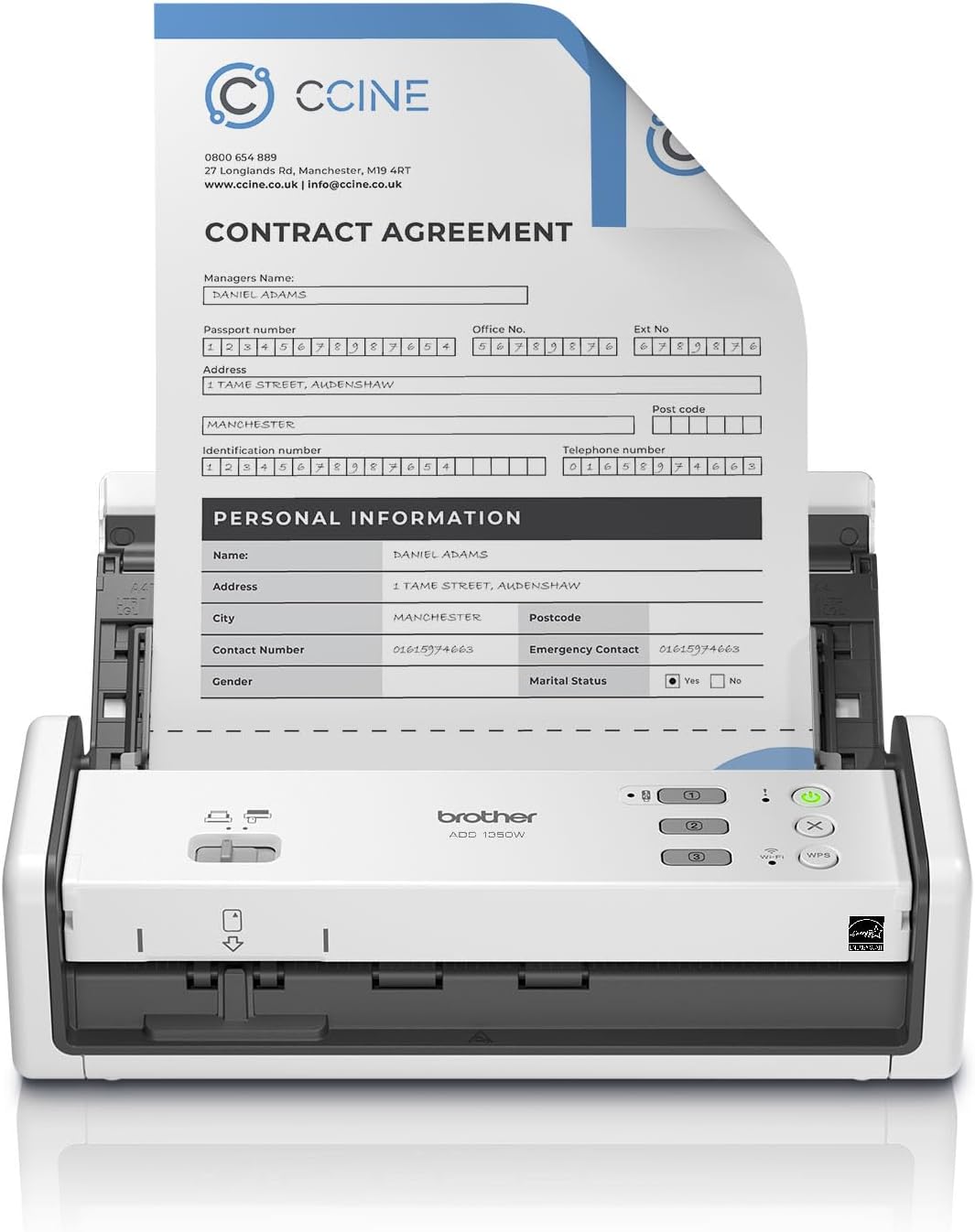
Brother ADS-1350W Wireless Compact Desktop Scanner | Scan Speeds of Up to 30ppm | Single Pass Double-Sided Scanning
€290




Price: $289.99
(as of Jul 27, 2025 05:21:38 UTC – Details)
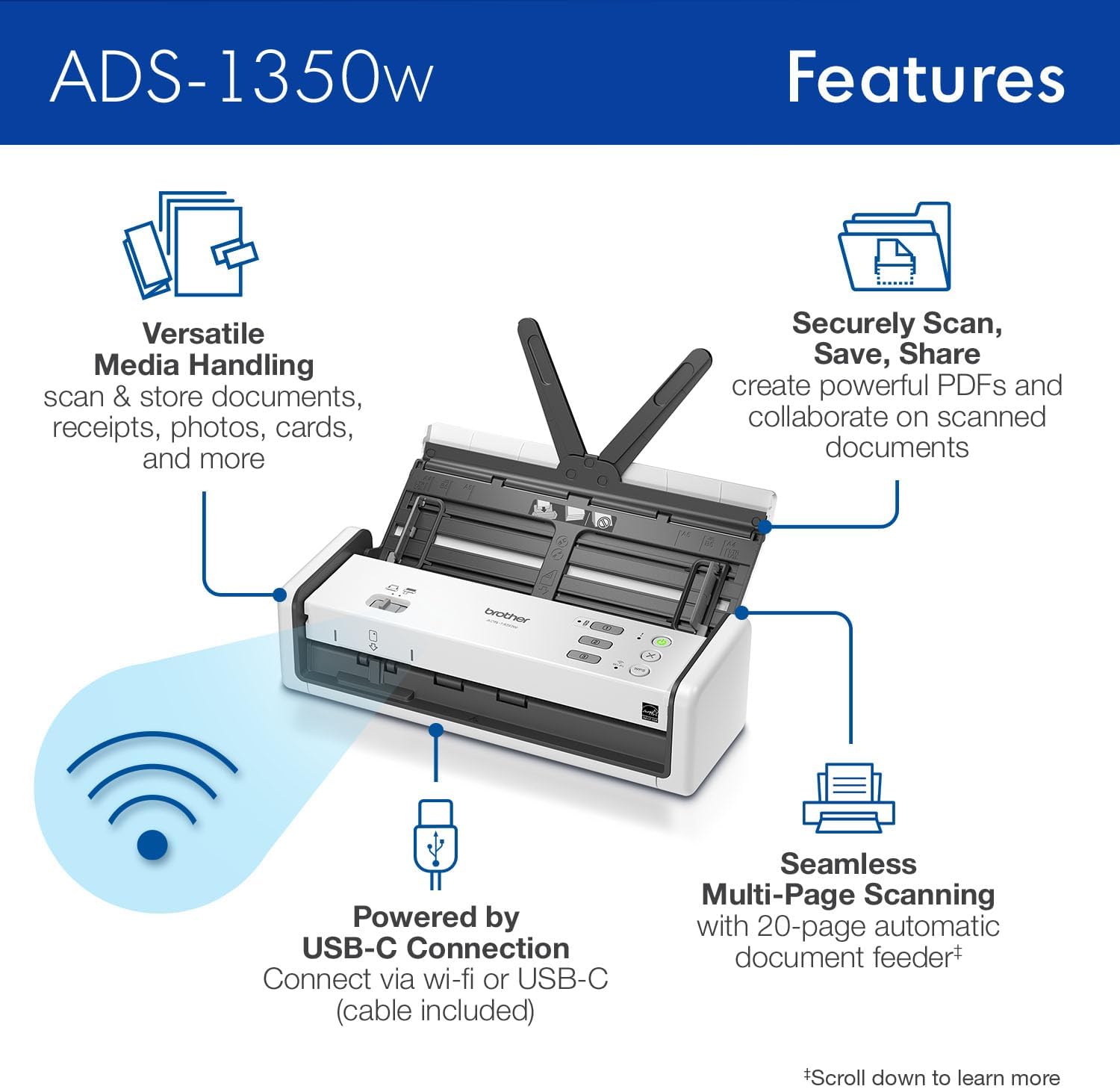
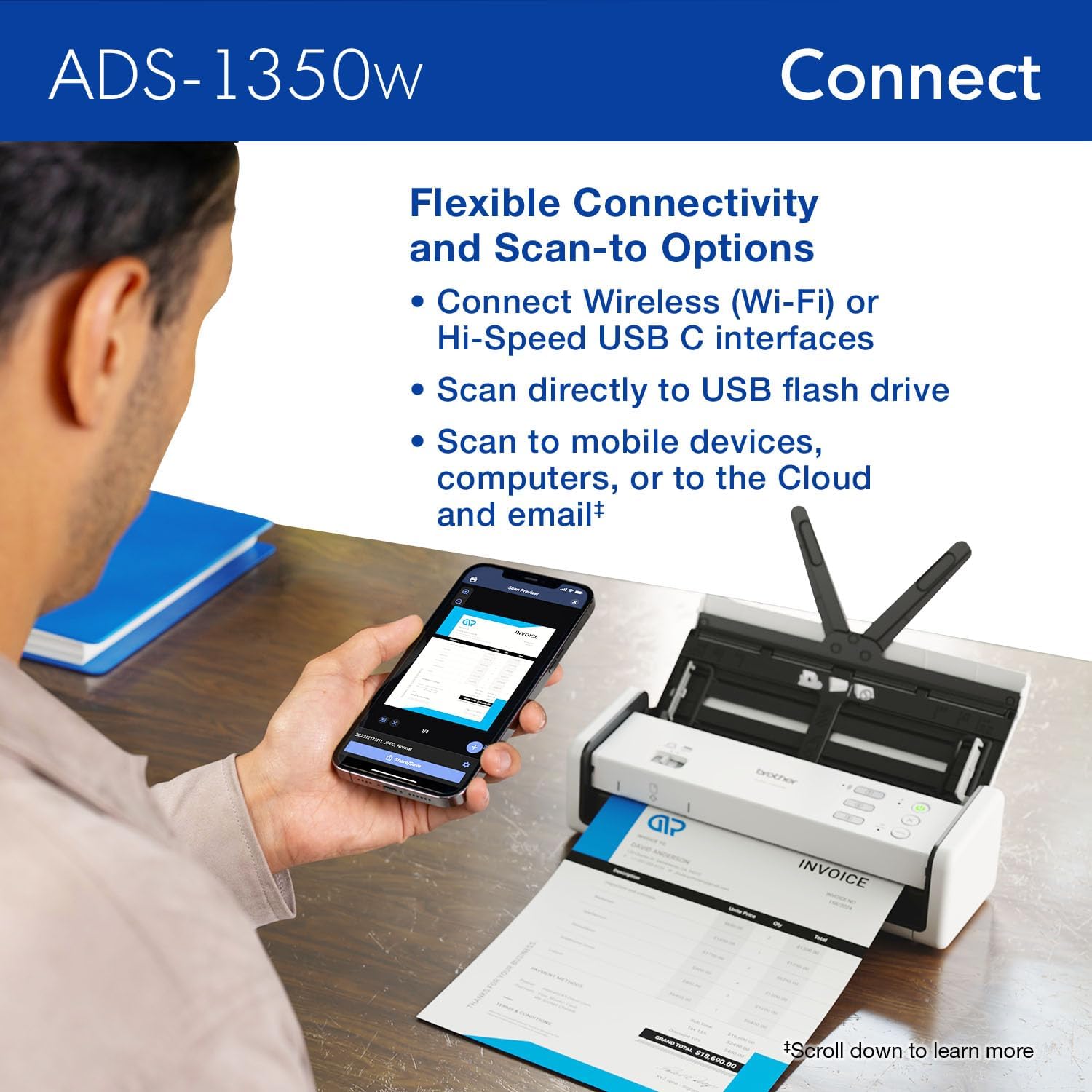
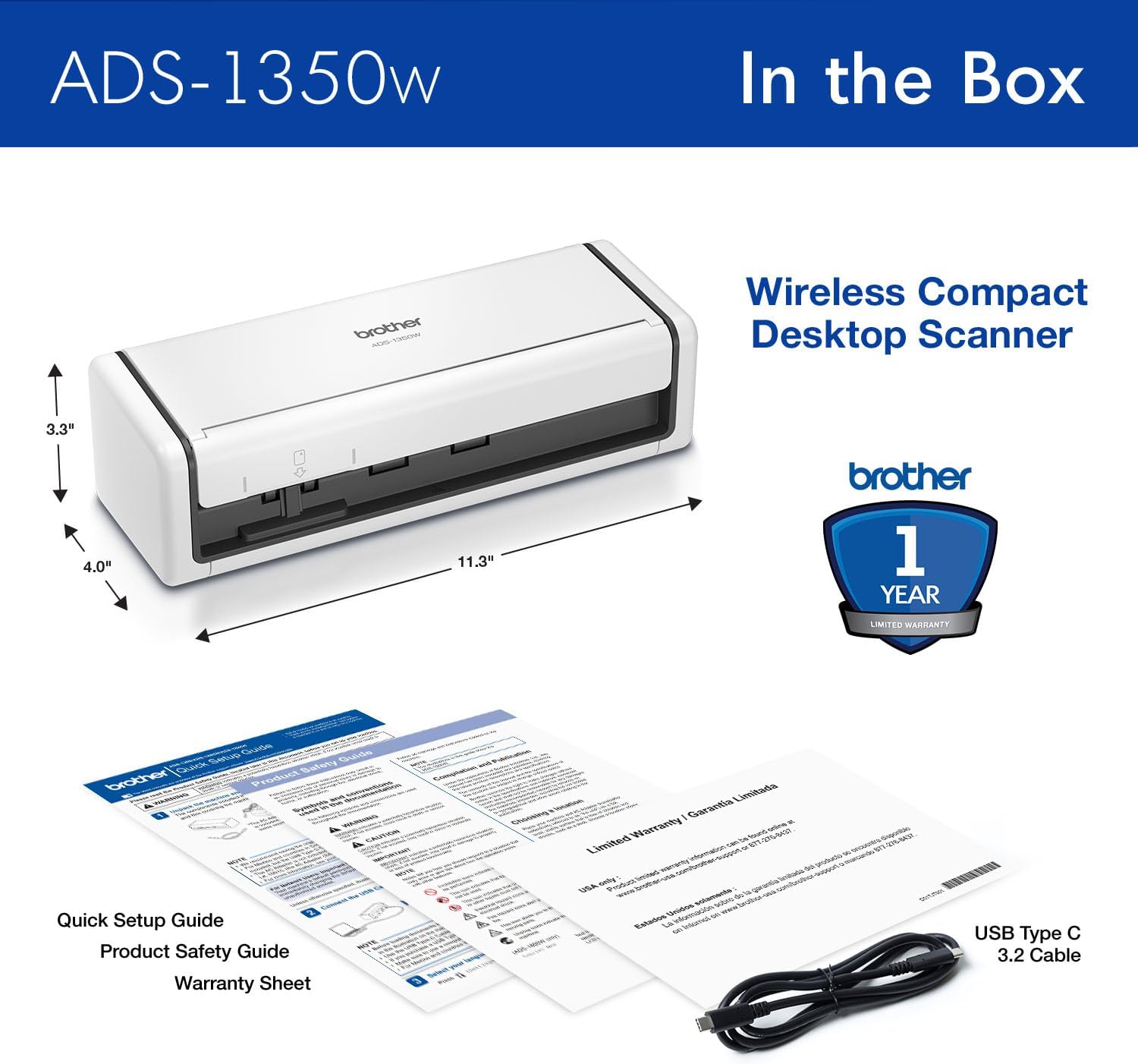
Manage your work, and digitize your life from work, home, or any place your life takes you with the Brother ADS-1350W Compact Desktop Scanner. It’s perfect for busy people on the go – a combination of wireless capability and the Brother Mobile Connect app(1) for iOS® and Android™ lets you scan from virtually anywhere to your computer or the cloud(4) when connected to your scanner over a Wi-Fi connection. Whether you’re at home, at the office, or working from the coffee shop, you can scan and organize almost anything! Clearing your paper clutter has never been easier. The Brother ADS-1350W handles large jobs with ease, with fast scanning speeds up to 30ppm(2), 20-page automatic document feeder(3), and easy single-pass double-sided scanning capabilities. You won’t believe the scanning power you get from this small but mighty scanner. Whether you’re scanning photos, organizing your library of business cards, tracking ID cards, digitizing your tax forms and receipts, or scanning forms and contracts, the Brother ADS-1350W is your partner to get the job done quickly and efficiently. The scanner delivers precise black and white or color scans at a sharp 600 x 600 dpi. Features like automatic color detection and adjustment, image rotation (PC only), bleed through and background removal, and text enhancement will help make your scans sharp, readable and searchable. This energy-efficient scanner is ENERGY STAR 3.0 and EPEAT SILVER certified, with built-in power saving features like sleep mode. It’s also powered directly through your computer or laptop via a USB-C connection (cable included), so you won’t need to deal with extra cables or plugs in the way. Perfect for daily or occasional scanning, the Brother ADS-1350W handles multi-page documents up to 8.5” x 14” from the automatic document feeder, and can scan single pages up to 197” long. It also features a handy card slot for easy scanning of ID cards, business cards, or almost any type of plastic card. Think of it as a virtual assistant – it comes bundled with software(1) to organize and manage your files, create and edit PDFs, connect with your scanner over Wi-Fi, manage your business card contacts, make documents readable and searchable, and automate workflows. Essential Productivity Software Apps included(1): Brother iPrint&Scan for Windows and Mac, Kofax PaperPort 14SE with OCR for Windows, Kofax Power PDF for Windows and Mac, Brother Mobile Connect App, Bizcard, and BR-Receipts. The ADS-1350W comes with Brother At Your Side support, including a 1-year Limited Warranty, and free online, call, or live chat support for the life of your scanner. It’s so simple to use, you’ll never know how you organized yourself without it. 4. Disclaimers 1. Additional download required. Compatibility may vary by device and operating system. May require connection to a wireless network. 2. Color and monochrome scan speed with all advanced features turn off, Letter at 300dpi. 3. Maximum Capacity based on using 20lb. Paper. 4. Internet connection and account with desired service required. ENERGY STAR and the ENERGY STAR mark are registered trademarks owned by the U.S. Environmental Protection Agency. Images are for illustrative purposes only. Specifications subject to change.
IDEAL FOR USE AT WORK, HOME, OR ANYWHERE – Connect directly to your computer via included USB-C cable, or scan on the go over a wireless (Wi-Fi) connection using the Brother Mobile Connect App(1)
COMPACT & VERSATILE – A compact, easy to use, complete organization solution to digitize your photos, receipts, and documents, make them easily readable, editable, and searchable
HANDLES LARGE JOBS WITH EASE – Scan multiple file sizes and large jobs quickly with scanning speeds up to 30 pages per minute(2) (ppm), single-pass double-sided scanning, and a 20-page automatic document feeder(3)
BUILT-IN CONVENIENCE – Easily scan small documents like business cards, ID badges, or plastic cards via the card slot, single pages up to 197” long, or multiple pages up to 8.5” x 14” via the document feeder
BUNDLED SOFTWARE – Includes 6 essential software applications to create and organize files, make readable and searchable documents, manage business card contacts, simplify receipt management, and efficiently enhance and edit scanned files(1)
Customers say
Customers find the scanner super fast and appreciate its compact size. The setup and functionality receive mixed feedback – while some say it’s simple to set up and works fine, others report pain during setup and issues with functionality. Additionally, the cord length receives negative feedback, with one customer noting it comes without a power cord.
13 reviews for Brother ADS-1350W Wireless Compact Desktop Scanner | Scan Speeds of Up to 30ppm | Single Pass Double-Sided Scanning
Add a review
Related Products


€290
Amazon Customer –
Scans well.
Scans very well. Was a little bit of a hassle to get set-up. Happy with scanning both documents and photos.Oth types of scans look really good.
Joe –
Skinny on Compatibility
I am giving this item a one star. This is simply because this brother model and probably others are not compatible or supported by drivers from brother for Window 11. This is the skinny on this. I have tried and learned over three days of attempting to get it to connect. I tried downloading other software but it is not possible unless brother makes drivers to support which I have read they do not intend to. I will have to return this item and search for other buys.
shopper48 –
Scans multiple pages at a time
Simple to set up and use.
Vendy –
It just works.
This scanner just works. Bit of setup out of the box to get the Brother iPrint & Scan installed, but once done, press one button, it takes in documents from the scanner, processes them the way I’ve told it to, and dumps the OCR’ed compressed high quality PDF into a directory on my home server. It just works, and that’s the highest praise I am capable of giving a device like this.
Gaavidae –
Does not include cable
The scanner comes with a USB-C to USB-C cord, so any laptop older thank a few years will require that you buy a new cord. I tried several of my own but none would work, and I was unwilling to shell out for one of theirs, so I returned it. Returning it took a couple of hours of my life and required messaging with Amazon help as there was no way to contact the manufacturer. If you have a new computer go for it; otherwise stay away.
B. J. –
Hard to know how it works.
It was hard for me to understand how it works. The only way to scan your data to your computer is through wifi. Does not work with Hotspot. The other way to scan a document is by using a usb flash drive attached to the scanner and then you will be able to transfer your data to your computer.
jose hernandez –
good buy
really fast, easy set up, decent price, small office use, buy the power cable, its the only thing that is missing which is really weird
Bingo –
compact size and efficient
This scanner was easy to install on my desktop computer and works flawlessly. Because of its compact size it does not take up much space and can easily travel with you.
Rob Turner –
For their lower end model, this packs a punch. I have literally had it fully loaded up, and scanning for hours straight, for weeks on end, and it’s never failed me yet. For any business that scans a lot of documents or images, this will be more than enough to do the job. Fully recommend!
Romeu M. –
Excelente equipamento
mp3 –
Wanted to run this wirelessly to scan to a network drive. I should have trusted the negative reviews. It might work if you buy the optional power supply but it wasn’t happy with a 4 amp usb-c power source (that runs my pi 4 just fine). Setup is clumsy requiring multiple software downloads. I couldn’t see where you could specify a shared drive as a destination. Not worth the trouble. Going back.
José Vicente –
Funciona perfeitamente, com nitidez, frente e verso – DUPLEX, rápida e é possivel criar rotina de scanear no padrão que usa apenas colcando papel e ela puxa tudo no formato, dpi, cor, etc podendo pre configurar varios botõres um para formato, só apertar ele na tela – se viaja compre tambem a CASE, protege em deslocamentos = perfeita, protegida
Falkor –
One of the things that has been on my mind lately as a creative running a photography business, was to take my old physical photo collection and scan them all into a digital record as a backup and for future longevity. I decided to give this ADS-1350W compact desktop scanner from brand BROTHER a try to help me navigate this task.This particular option features no touchscreens or any other bells and whistles, but what it does offer is a fast and responsive setup with easy to navigate buttons, and of course a wireless setup for fast connectivity directly to my Mac for easy transfer of scans, so it is very convenient.BROTHER also offers cloud services, and while I personally have my own methods of backup, this is still a solid option for many people looking for easy, dependable storage. As it stands, this is a very functional, modern alternative to my old flatbed scanner on my crappy printer, and it produces a valuable service for me in my business, and I could not be happier with it. 5 stars.