
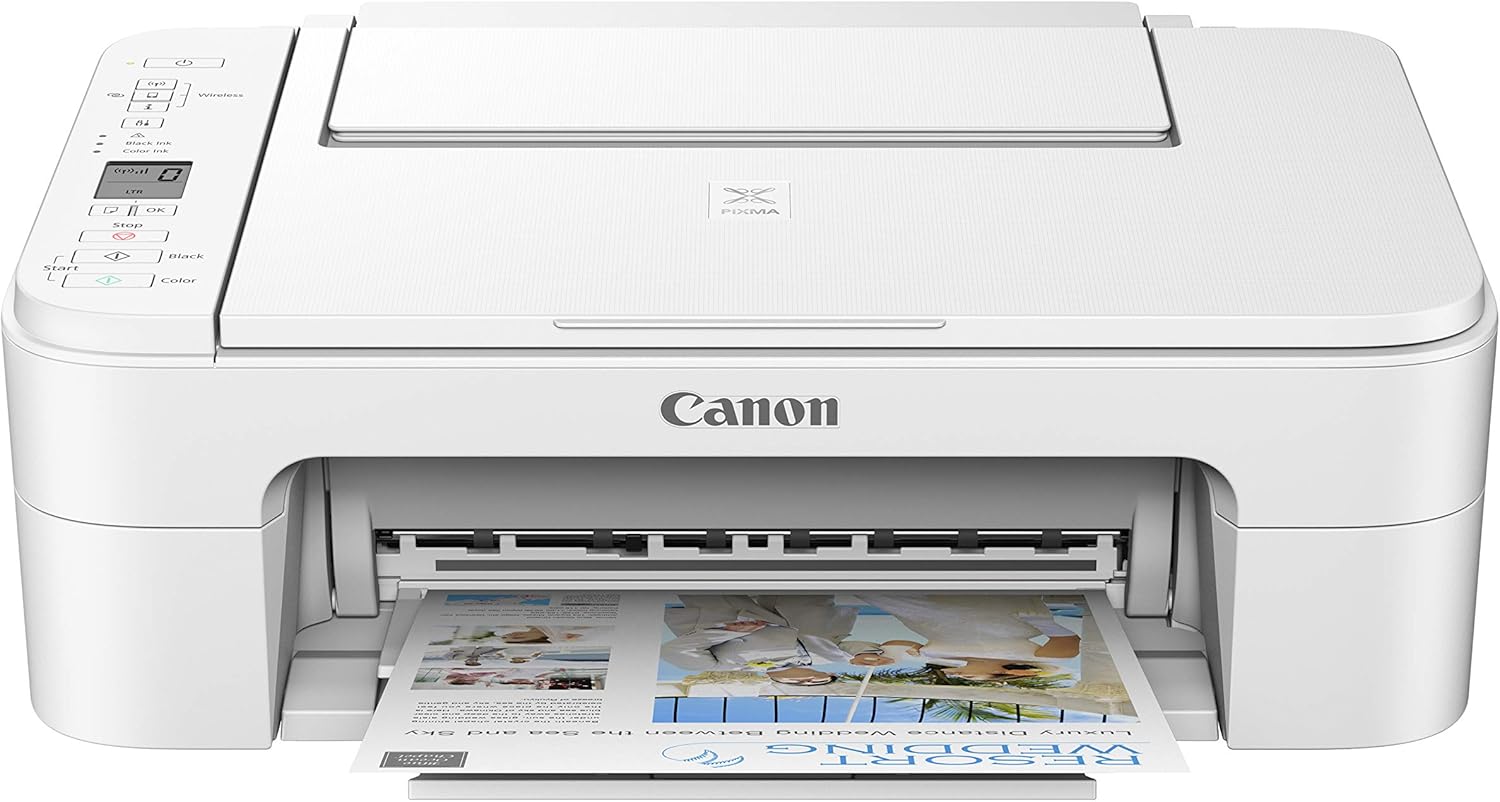
Canon Pixma TS3320 White, Works with Alexa
€124


Price: $123.90
(as of Sep 27, 2025 07:45:14 UTC – Details)
Welcome to simple printing with the PIXMA TS3320 all-in-one printer. With an easy to replace 2-cartridge fine hybrid ink system, improved setup using wireless connect, and a rear paper tray that makes reloading plain or photo paper quick and easy. The PIXMA TS3320 is more than your Basic printer, with quick & easy scanning and copying. In addition, the PIXMA TS3320 has the ability to print from your smartphone or tablet using AirPrint, Mopria Print service, and the Canon Print app or from laptops and computers with built-in Wi-Fi.
Wireless connect provides a simple setup process that only takes minutes from your smartphone.(1 )Connect your new printer and your smartphone for a streamlined setup process – no computer needed
Designed for ease of use and simple replacement, the PIXMA TS3320 only needs 2 fine cartridges for great print quality
Easily Print from any room – from laptops, tablets, and smartphones – with built-in wi-fi(1)
With AirPrint, effortlessly Print from your iPhone, iPad, and Mac without additional apps.(4)
Customers say
Customers give mixed feedback about the printer’s print quality and functionality, with some reporting good results while others find it cheaply made and prone to failure. Setup experiences are also mixed, with some finding it super easy to set up while others struggle with the process. The printer’s WiFi connectivity receives negative reviews, with customers reporting poor connectivity and frequent disconnections. Value for money opinions are divided, with some considering it well worth the affordable price while others find it expensive.


Hsun L. –
Great printer and scanner. Functional and durable.
Great printer and scanner. Functional and durable. 6-7 years , still in good shape. Very pleased with its quality.
anonymous –
Excellent Printer for the Price and Quality
This printer is very similar to another Pixma model previously used. This particular model allows for direct connection to a smartphone, Apple Iphone in particular, via means of a free app through the local network. The tested photo print, using a personal picture taken by the phone, was of excellent quality.The only complaint concerns a small piece of plastic in the rear of the printer, just a couple millimeters in width, which snapped off near where the power box attaches to the main body; this power box should not be dislodged, but because of this minor damage the power box had to be lined up, carefully, and held into place by hand while moving the printer around. This minor damage does not interfere with the printer’s function or operation, but does require extra care when moving the printer from its storage shelf to the platform on which it is used and vice versa.I would recommend to Canon to make the power box clip a little wider to help prevent this type of damage from being an occurrence. This damage was apparent immediately upon removing the printer from its store packaging.
Cal O –
Works Great – Once It Is Installed
I’m writing this review after having used this TS3320 printer for 3 1/2 years. This printer works great once you get it installed. Clear text printouts and good color printouts. Photo printing quality is good/fair but acceptable for most applications. The printer itself is great.Wireless installation is another story – difficult – not for the fainthearted. Took several attempts to finally get it installed initially. Installation instructions are sparse and they try to mix everything together in one instruction set, mixing wired, wireless, computer, phone/tablet all together, where the installer has to pick the right line or paragraph from each instruction step. Then in some steps like pressing buttons on the printer, sometimes you have to retry a step multiple times to get it to ‘take’. Then a lot of experimenting to determine the best printer settings for each media type. Limitations on each media size and type. For example, choosing Photo Printing forces glossy paper then limits size to 4X6 or 5X7 or 5X5.For larger photos, you have to work around it by choosing Standard Print, then Glossy Paper, then size like 8 1/2 X 11.If you have to change out your wireless router, reinstallation is worse, a real nightmare. During reinstallation, the printer gets multiple false errors, (P10, E15, E38) requiring unplugging the printer for 10-15 minutes each time, multiple times, to clear the errors.So, in summary, printer is great, installation is awful.
A.Rose –
Great printer for the price, but there are better options for photos
Love that its affordable and easy to set up (once you hit the WPS BUTTON on your wifi to connect it). It prints documents just fine, the speed is quick and noise is minimal. I’m being super picky because I came from a Canon pixma, but ideally, would not recommend this printer for high quality photos. The photo prints are decent enough for a casual display (like a picture frame or family parties,) but for anything better, go to CVS to have them printed instead, will save you ink and be better quality.
Jess –
Impossible Installation
I ordered this cheap little printer so I could stop paying Fed Ex for copies of my drivers license and social security card as I continue to apply and interview for jobs during this crappy pandemic nightmare we are all living in. I used to have an Epson Small-In-One printer and went looking for it again only to find that it now costs over $100 (I bought mine for $40 at Target). The Canon Pixma TS3320 seemed like an affordable alternative so I went with it, despite the many reviews that complained about the wireless installation. Boy was that ever a mistake. My printer arrived on time and was packaged nicely, no complaints there, but when I followed the instructions provided I hit a wall at the software installation. The manual tells you to go to a specific website and download the software, however, when I click the download button, nothing happens. It appears that the printer cannot connect to the wifi until after you’ve downloaded the software, but you cannot download the software unless your printer is connected to the wifi. At least, thats my best guess as to why NOTHING HAPPENS when you click the download button. I tried troubleshooting the printers wireless connection but it didn’t work. I then decided to use the installation disc that came with the printer, only to realize that there was no printer cable included with the device, which means I cannot connect it to my PC. I tried to just install the software anyway but once again, after choosing to “run” the files nothing happens. The installation should automatically start and I shouldnt hit a wall until it asks me how I want to connect to my printer (since I need to choose USB and wasnt given one). Needless to say, I am at my wits end with this damn thing. I have just ordered a USB printer cable that will be here tomorrow. Im going to attempt the installation one more time while the printer is connected to the PC and see if that makes any difference. Im not sure what else to do. Im super frustrated and I kinda wish I would have just bought the $100 Epson and saved myself the headache. If I am able to install the printer software to my PC with the printer cable I will test out the function and update my review but after this experience there really is NO CHANCE that they will see a 4 or 5 star rating from me. This is absolutely ridiculous.
Annie –
Perfect for student use / home office. EASY to use.
Needed a no-fuss printer for college and general home use, this thing does the trick! It was VERY easy to set upâI seriously plugged it in, downloaded the app on my phone and was printing from my phone 5 minutes after taking it out of the box. It does a nice job of printing, is fast, and doesnât over-complicate a simple process. Havenât used it to print photos yet. I will also mention that itâs SUPER light. Moving it around is easy because itâs so light!If you want a simple, reliable, easy and quick to use printer for general home and/or student use THIS IS IT.
Amazon Customer –
I like that I can print from anywhere in my home, dislike the printer switches off after some time
Ky Xuan To –
Good overall, don’t know if ink will be expensive on long term
J Wu –
Color printing is no good. Right side of the paper support is broken, have to find a way to fix it otherwise it falls off easily and will not be able to hold any paper. I will use it mainly for black and white printing and scanning – both appear to work pretty well. So I guess I’ve got what I paid for.
A C MOGENSEN –
The most important think to know installing this printer is that the SYNCH TIME can be longer than a few minutes. Donât panic during setup thinking a faster response and acknowledgement should be received. My setup on my iPad must have take at least 5 minutes
Daniel Soli –
Worked great for a bit then abruptly stopped working. Followed all of the instructions online and through tutorials to fix and I am very tech literate. Even downloaded the bad software to try to detect the issue. Still can’t get this to work again. Do not buy this