

Changing Ceci Digital Calendar with Magic Mirror Touchscreen|Google Photos&Voice Assistant&Home Hub|Chore Chart|Music Speaker|Install Google Play Apps|Built-in Li-Battery|Gift For girl|10.1 inch(F10C)
Original price was: €300.€139Current price is: €139.



Price: $299.99 - $139.00
(as of Aug 03, 2025 16:22:09 UTC – Details)
From the brand

Changing your modern home life
Bringing better changes to your touch-control experience is our goal. Simplicity and innovation are the core of our philosophy.

User experience is the core of our design process. We believe that technology should be accessible and enjoyable, making life simpler and better. Our products are designed to be user-friendly. We care for our customers’ feedback and continually improve our designs to meet their needs.
At Changingtouch, our mission is to bring better changes to your life.


Best gift for your loved ones
Portable Office
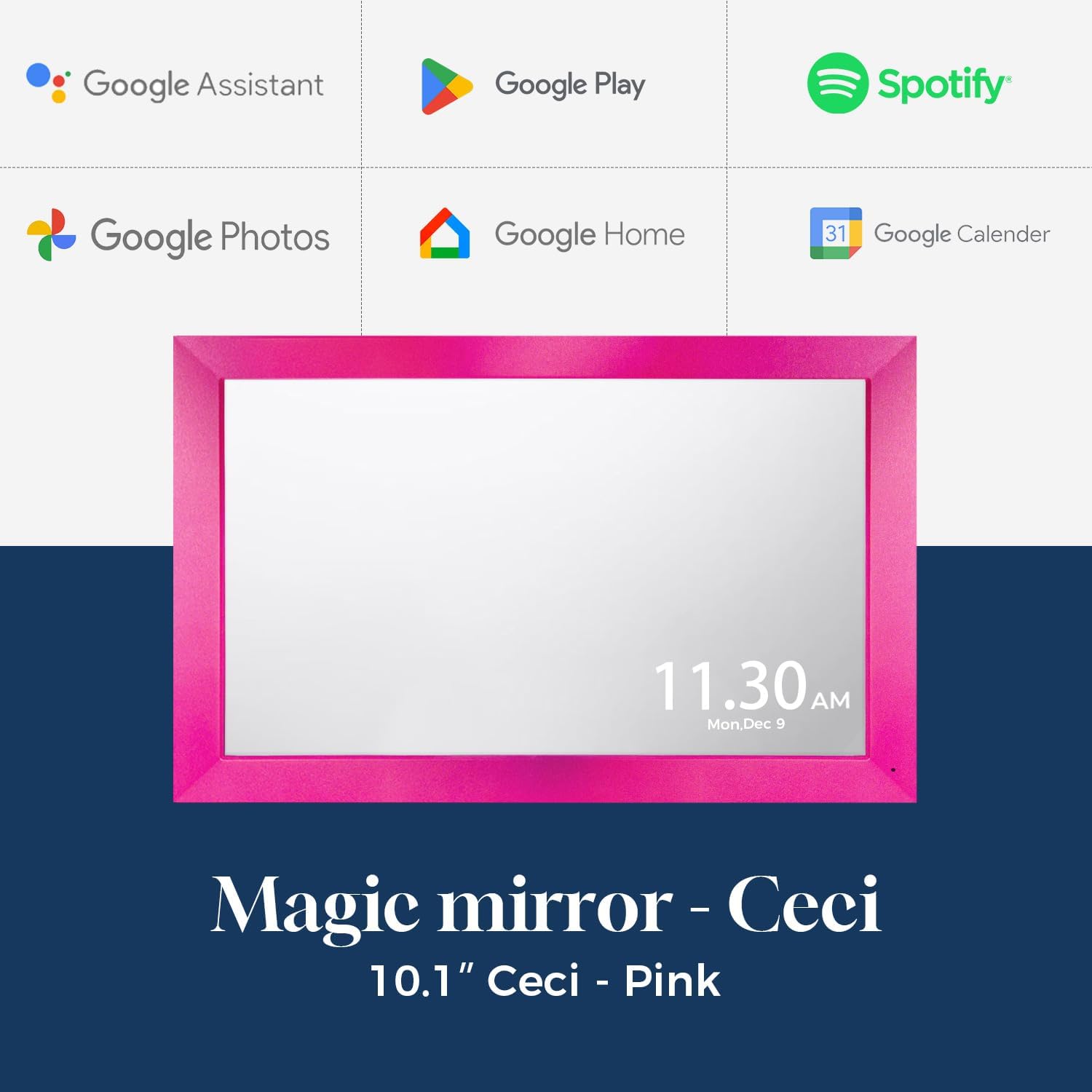
Dual-Purpose Mirror, Double the Convenience: The 10.1-inch Magic Mirror screen serves two roles: a crystal-clear makeup mirror for perfect grooming, and a smart touchscreen for viewing photos, schedules, and music. Streamline your day with one elegant device.
Family Management Made Simple: Google Assistant, interactive chore charts, auto-synced family albums… Turn chores and schedules into fun family games.
Seamless Compatibility: Supports Google, Cozi, Outlook, iCloud, etc. Syncs calendars across devices.
Morning Ritual: Mirror displays weather, calendar, and plays soft music to gently start your day.
Me-Time Moments: Switch to private mode for white noise, Spotify playlists, or guided meditations.
Open Platform: Install Google Play apps to personalize your magic mirror.
Customers say
Customers find the digital picture frame easy to set up and appreciate its picture quality, with one mentioning it’s perfect for displaying wedding photos. They like its brightness features, with one noting it can adjust for day and night, and its build quality, with one describing it as solid. They value the customization options, with one highlighting the ability to set reminders for medication and appointments, and consider it good value for money. The functionality receives mixed reviews, with some finding it very useful while others report non-working units.
8 reviews for Changing Ceci Digital Calendar with Magic Mirror Touchscreen|Google Photos&Voice Assistant&Home Hub|Chore Chart|Music Speaker|Install Google Play Apps|Built-in Li-Battery|Gift For girl|10.1 inch(F10C)
Add a review
Related Products


Original price was: €300.€139Current price is: €139.
antivoid –
Amazing product
I’ve got to rave about this 10.1-inch smart display! Itâs incredibly versatile and fits perfectly anywhere. I placed it in my office, and the size is just spot-on!It comes with Google Calendar, Google Photos, and Google Home built right inâsuper convenient! The screen quality is amazing. I specifically bought it for its anti-reflective screen, and it really makes a difference. My eyes donât get tired even after long hours of use, which is a huge plus! I downloaded Outlook via Google Play, and now itâs like having a second screen for workâitâs so handy! And the auto-sync feature for schedules is a game-changer, boosting my work efficiency big time.During breaks, I use it to listen to music or watch movies. Itâs the perfect blend of work and play! Iâm absolutely in love with it. For what you get, the price is a steal.
realbob –
Amazing picture quality and easy sync!
Picture quality:Vwry nice picture quality, brightness is set at 80% by default and is perfect.I added a Google account and all calenders synched automatically. Also all pictures came available right away.There is some games also available.You can hang on wall or attach plastic to make it stand itself.Notifications can be customized.A bit slow response but once setup it is great!
Stephanie –
What I was looking for
Great item
Yinju C Hsieh –
Useless
Basically a cheap tablet with an even cheaper frame slapped on it. Utterly useless.Goes to sleep and won’t wake up. Once it does, you have to reopen the calendar app. If I had burned 150 bucks on my back porch, at least I wouldn’t have this thing cluttering up the kitchen.Just awful
Kail –
Great Smart Calendar
Packaged well, works great, easy to set up. I like that there is a setting for brightness and you can adjust for day and night. Comes with a stand for countertop use as well as the ability to hang it up.
Peaches Smith –
Usage Failure
Once again I ordered two of these. One was for me and one for my secretary. The idea was to have the calendars synced together. One worked and the other one didn’t. By the time I realized it wasn’t me doing something wrong it was too late to return the non working unit. The unit failed to get pass the welcome page.
Andi –
Great for a family calendar
Fantastic! I loaded our family Google Calendar and hung it next to our front door. Easy for the kids to check for chore assignments, daily activities like baseball practices, and appointments (I am fighting cancer so it helps us track all of my appointments). I haven’t tried the other features, but I bought it for the calendar function and it works great
Railey Henry –
Excellent Customer Service
With no reviews, I took a chance on this display considering every other digital calendar is $300+.I ran into some tech issues when trying to set the device up and was missing the power cable, adapter and stand. But customer service has been incredibly helpful and responsive. They truly have gone above and beyond to make sure I’m fully assisted.This display screen comes with a lot more features and apps compared to competitors and much more affordable. You can import android apps onto it like YouTube, Prime video, Facebook, probably even cellphone games if you wanted. You can use it for lists, notes and even as a drawing pad. It’s essentially an android tablet with a baked in changingtouch OS/UI.The main thing I wanted was a display that always shows my google synced calendar and the ability to watch YouTube in the kitchen while I cook. By default, the screen will always stay on so you don’t have to worry about constantly having to wake it up. You can change that setting though.The device gets pretty warm after a while so I will have to see how it does over long periods of time. I’m also curious about burn-in as I have never dealt with a digital photo frame/display before and am unaware if it’s a common issue or something to even be concerned about in the first place.The UI is also pretty basic with no real customization. The hyper specific app buttons and menus you see is all you get. You have to have some technical knowledge and navigate settings to find certain apps like the Chrome browser as they won’t show up in the changesmart Apps menu. But I don’t really mind – I just leave the calendar running so I don’t really have to look at the UI much.I’m also not too fond of the location of the power button (it’s on the back in the center) and the fact there are no external volume buttons or easily accessible screen wake buttons. If you have this wall mounted and need to wake the screen, you will have to take it down to press the power button on the back.Speaking of the back of the device, the wall mounts are picture frame holes that allow you to mount it horizontally or vertically. Keep in mind, there are no holes or adaptors to hook it up to a mounting bracket.Overall, for cost, amount of settings and apps customization, and features this display is worth it!