

Hisense Laser Mini Projector C2, 65-300″, Gimbal Design, 4K, Triple Color Laser, 110% BT.2020, 2000 ANSI Lumens, 1700:1 Native Contrast, Dolby Vision, HSR240, Sound by JBL
€2,000


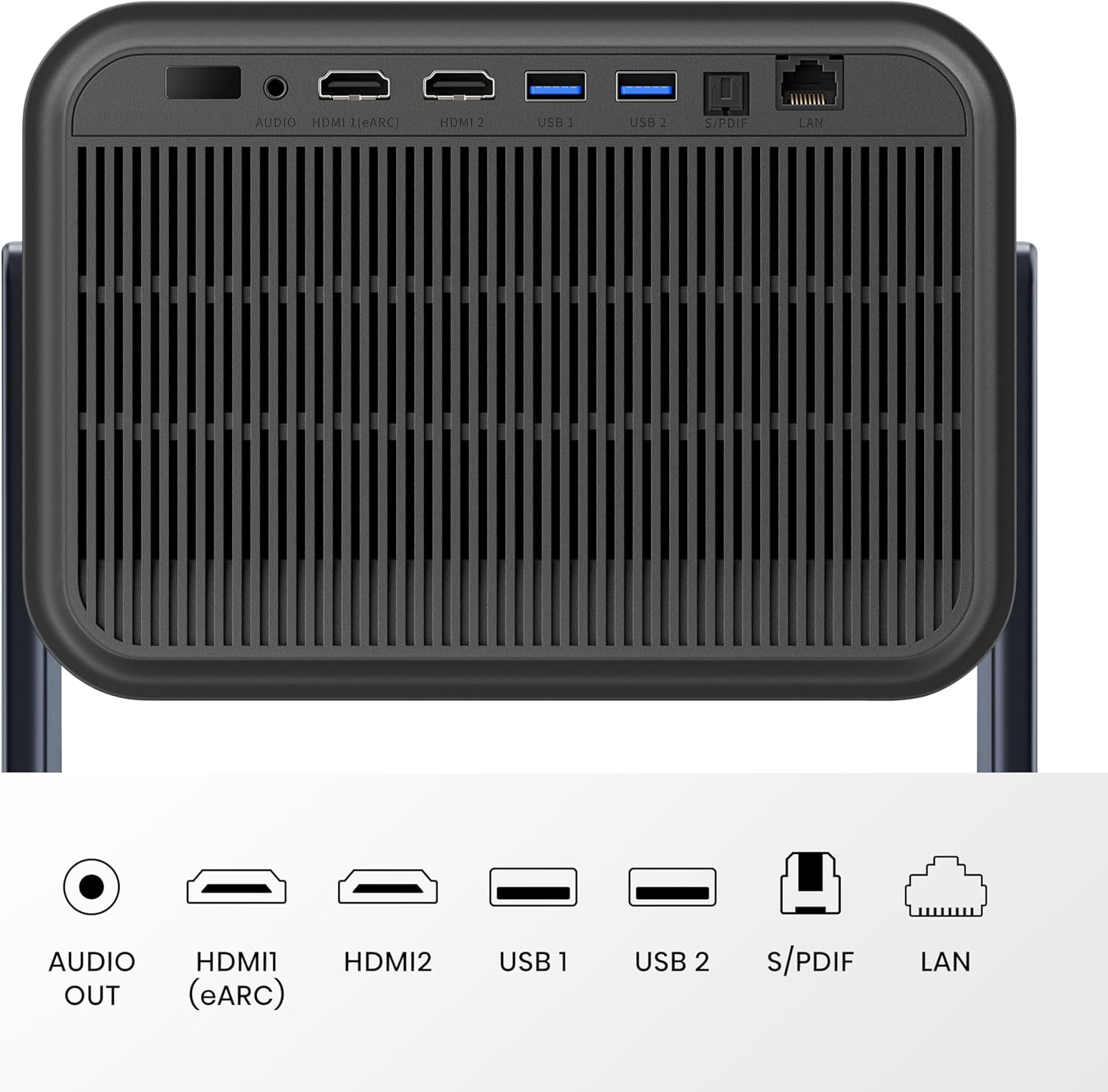


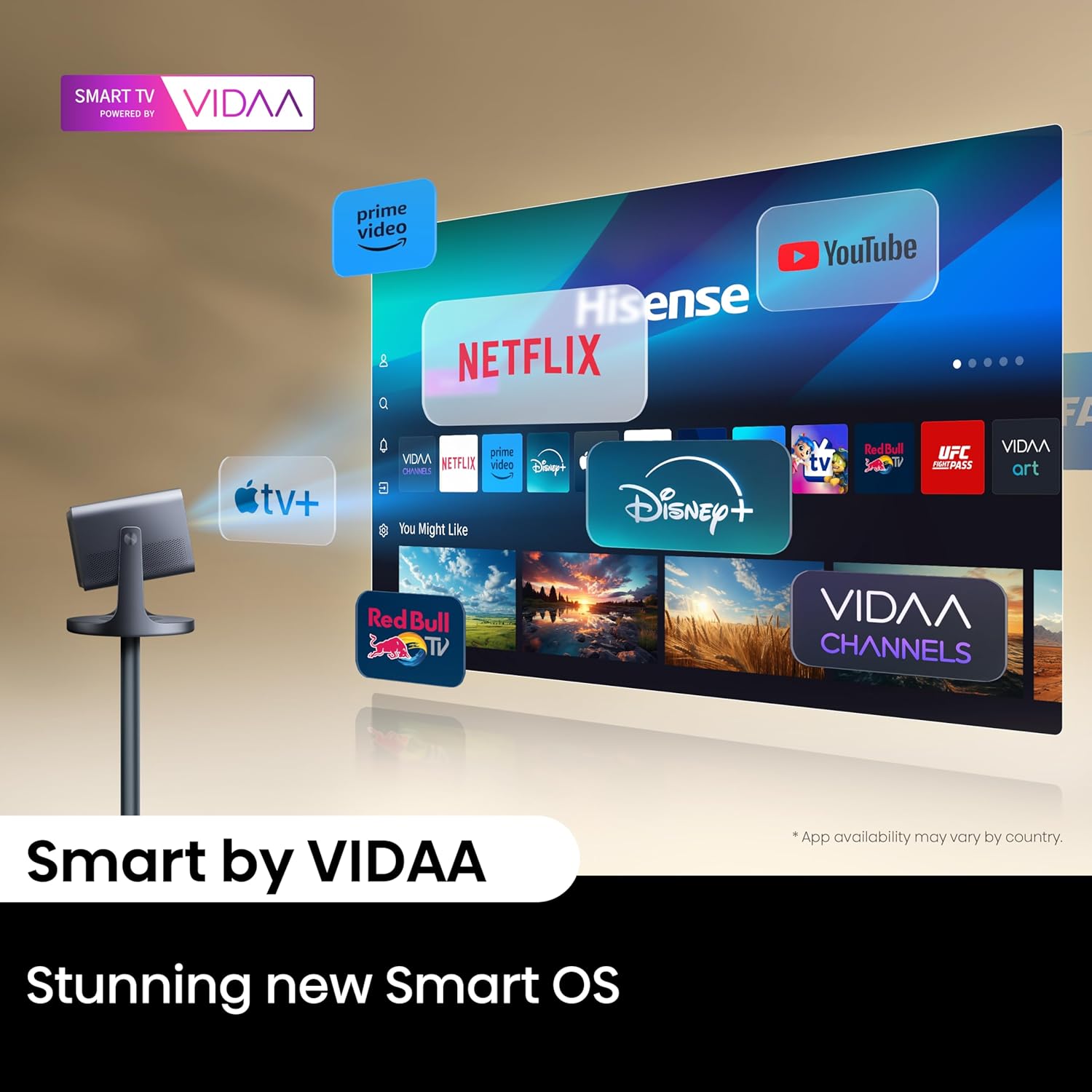


Price: $1,999.99
(as of Jul 28, 2025 08:07:04 UTC – Details)
Anywhere, Anytime Entertainment. The C2 uses a triple laser light source to deliver impeccable color performance, bringing every scene to life with vibrant clarity. With Dolby Vision, you can expect stunning contrast and detail for an immersive cinematic experience wherever you go. Enjoy a large screen size that can transform any space into a private theater, while flexible installation options make it easy to set up and start watching. Whether for movies, gaming, or presentations, this mini projector is your go-to choice for superior performance and convenience.
65″ – 300″ PROJECTION SIZE: Create the ultimate viewing experience. This projector adapts to any screen size from 65” to 300”, so you can project onto a wall in your living room or a gigantic screen in your backyard
Triple Laser Light Source: See extremely precise and accurate color before your eyes through the innovative MCL38 Laser’s design. Made with 28 laser chips, each one is strong enough to add up to 4 LEDs, for superior and unparalleled depth and subtly
110% BT.2020 Color Gamut: Achieving an expansive 110% BT.2020 (≈151% DCI-P3) color space and an exceptional Delta E score of 0.9 for color accuracy, the C2 Pro transforms every scene into a masterpiece of unparalleled depth and subtlety
Angle Adjuster: Calibrate your projector to your ideal viewing angle with a gimbal that can swing the console 360° horizontally and 180° vertically. It’s a breeze to project movies both on a screen and ceiling.
4K & 4K Upscaling: Bring what’s on-screen into crystal-clear focus. Our 4K AI Upscaler transforms beloved classics, home movies, and broadcast TV into striking 4K quality. It’s amazing what can happen when every pixel works even harder.
Dolby Vision: Get transported through the screen. With support for Dolby Vision, the C2 delivers stunning color expression, crisp images, and enhanced contrast for unparalleled detail
2000 ANSI Lumens brightness: Experience whatever you’re watching with 2,000 ANSI lumens of brightness, capturing both deep shadows and bright highlights. Your picture becomes even more compelling when viewed with maximum vibrancy and detail
Immersive, lag-free gaming: Play hyper-fast, intensive games without dealing with blurry images or system stutters. Go on, this is your chance to go head-to-head with no lag
Seamless Auto Keystone Correction: Our seamless auto keystone correction ensures clear, sharp, and proportionate projected images without manual adjustments, offering the ultimate viewing experience and flexible projector placement
Seamless Auto Focus: Automatically adjust to changes in distance or screen size to maintain a sharp and clear image for optimal viewing
Customers say
Customers are impressed with the projector’s picture quality, noting its super vivid colors and sharpness, while also praising its build quality, sound, and ease of setup. The auto-focus feature receives positive feedback, with one customer highlighting its simple zoom and keystone adjustments. Customers find the performance reliable, with no latency issues reported, and consider it worth the high price. The brightness receives mixed reviews – while it performs well in semi-dark rooms, some customers find it too dim.
7 reviews for Hisense Laser Mini Projector C2, 65-300″, Gimbal Design, 4K, Triple Color Laser, 110% BT.2020, 2000 ANSI Lumens, 1700:1 Native Contrast, Dolby Vision, HSR240, Sound by JBL
Add a review
Related Products


![[Netflix Officially & Auto Focus] VOPLLS 4K Projector with WiFi and Bluetooth, 3D Stereo Sound & Auto Keystone Video Projector, 1200ANSI Outdoor Movie Projector, 50% Zoom, MAX 300”Display (Grey)](https://m.media-amazon.com/images/I/71PQSwO7FLL._AC_SL1500_.jpg)


€2,000
WD –
Hisense C2 Ultra Review – A Welcome Upgrade Indeed in 2025
Hisense C2 Ultra Review & Settings SharedI bought the C2 Ultra to upgrade from the bang for the buck Viewsonic PX701-4K, which is an amazing offering in its price range but of course lacks HDR10+ as well as Dolby Vision content which is becoming more common. The C2 Ultra handles all modern formats and uses a true RGB laser configuration which is what lead me to this purchase.My theater is a dedicated, 150 inch 1.3 gain matte white screen darkened space with Roku and a Dolby Atmos setup so I can comment from that point of view and experience thus far. I did not buy it for portability, apps / OS or its sound system. There is zero ambient light to contend with in my theater. 3000 lumens is more than enough in here.The quick review is that right out of the box without any tweaks (you should tweak though) the difference was huge. Color is amazing without being over saturated. The sharpness of the image, including captioning text, is incredible. The auto-focus feature does what no human being could accomplish in any amount of time when it comes to perfecting the image, in about 20 seconds. Optical zoom and keystone were very simple to dial in also.Mounting: Ceiling mount, standard 1/4â adapter for lifestyle projectors. My setup required minimal keystone due to the height of my already installed screen. I installed mine at the maximum zoom distance which is about 17 feet back from the 150â screen. I wish it didn’t have speakers adding weight to it, but it mounted up fine after I used some good anchors.Setup: The theatrical standard for color temperature is 6500k, so I downloaded a Kelvin Meter app and tested it against LED bulbs and their claimed Kelvin values before using on my screen. I used a YouTube bright white video for reference. The closest modes were CINEMA NIGHT + color STANDARD but were still too cold (well over 7000k).I adjusted the WHITE BALANCE setting to BLUE GAIN -8 to achieve 6500k.I then used 20% and 50% grey YouTube videos to confirm 6500k was also translating to shadow content with this setting, so no offset was needed.I then pulled up a YouTube video with all primary and secondary colors displayed in gradient bars from black to full range and used the COLOR TUNER brightness adjustments for each to be sure the gradients were equal, and arrived at the following settings:Red 0, Green -2, Blue 0, Yellow -1, Cyan -3, Magenta +1This is a poor man’s setup but it translates as I watch movies I am familiar with in theatrical release viewings, aka good enough for me. My eyes gave me no reason to believe that hue or saturation needed to be adjusted and I don’t have real test equipment to even confirm in depth decisions like that.Tweaking: Using YouTube videos (see Murideo Black Pluge for brightness and White Pluge for contrast, and explainer web or video info on how to use them) and a LUX meter app I arrived at the following settings for SDR content.CINEMA NIGHT modeLASER LUMINANCE: 4*BRIGHTNESS: 44*CONTRAST: 88*SHARPNESS: 0COLOR SATURATION: 50COLOR GAMUT: AUTOADAPTIVE CONTRAST: HIGH*SUPER RESOLUTION: ONMOTION SMOOTHING: CUSTOM 0GAMMA: BT.1886 (in my room this was critical for black and shadow detail)*After software update P0315 from Hisense I was able to move brightness down, contrast up, adaptive contrast to high and laser luminance down to 4. It appears as though that update allows deeper blacks and higher contrast as I had already dialed in settings before it prompted me to install the update. Most of these settings translate across all Dolby and HDR modes, I assume the C2 Ultra treats those settings as universal and adjusts curves and responses accordingly.Many of these settings, like color tuner and white balance, are universal. I had to seek out content to force each of the following modes individually as content delivery changes (I am 100% streaming from Roku, you may not be).HDR10+ THEATER: Adaptive Contrast: MediumHDR NIGHT: Adaptive Contrast: Medium, Dynamic Tone Mapping onDOLBY VISION CUSTOM: Adaptive Contrast: Medium, Laser locks at 8I now have each mode tailored for my room and preferences. Most streaming content at this time is still just 4K HD without metadata processing, so the most common mode I am in is CINEMA NIGHT. I preferred DOLBY VISION CUSTOM mode for its default 8 laser luminance setting in my room. I find adaptive contrast medium is better suited to HDR content which already enhances contrast.Notes:Gamma BT.1886 is far superior for SDR content. I suspect many early users and reviewers have not examined the difference it makes in this mode. Its response curve is maximizing black vs highlights in a way no other setting does, and allows for less tweaking or software reliance otherwise in this mode.FILMMAKER mode in my setup is only triggered when using Vidaa OS apps and the two things to know are (1) it defaults to a Kelvin rating that is well below standard and (2) you can tweak it and save it however you like which to me defeats the purpose, unless you consider it a secondary mode. Even then I would think setting it up to reflect theatrical standards would make sense but Hisense thinks Warm1 among other defaults are what you should see. The Kelvin rating was around 5400k which is way off what a filmmaker would expect you to see.Color modes like Warm1 (default) are pleasing with higher red levels for some exaggerated flesh tone and you could easily prefer this if you’re not striving for more balanced viewing as I am.SCENARIO ENHANCEMENT (originally HIGH DYNAMIC before the software update) I do not prefer as it tends to raise brightness levels overall. I could see it being useful in ambient light situations though.DARK DETAIL can be amazing on some content but overall I didn’t want blacks raised to more grey just because a scene is dark.DYNAMIC TONE MAPPING in the one HDR mode that allowed it is incredible and vibrant.I did not prefer any of the INTELLIGENT MODE SETTINGS so they are all off.Each mode will have greyed out menu options that you cannot tweak.The Vidaa OS is perfectly fine, but my family enjoys and is familiar with the Roku Ultra which offers more apps as well. For some reason on my unit the home page coloring on Vidaa OS is really over-saturated and blown out, especially the reds. It appears as though it might be using ânativeâ color gamut as a default. Not a concern for me just an observation. My Roku HDMI is slightly darker than using internal apps which would affect the brightness and contrast settings for me if I used their OS instead.The C2 Ultra handles 24P / 24Hz just fine regardless of some reviewers getting this wrong (Hisense support confirmed this as well). Using the internal Vidaa apps or setting my Roku Ultra output to frame rate match accomplishes this. You can double check the resolution as well as frame rate and color gamut / bit depth by entering the SUPPORT>SELF DIAGNOSIS>SIGNAL INFO menu to view this info while content is playing.Some apps in Roku and Vidaa do not obey the frame matching rules, so certainly the C2 Ultra is using âpull downâ to accomplish a 24 frame rate for cinema in those cases.Setting judder to CUSTOM 0 seems like nonsense but it stopped a little bit of stuttering I was seeing only in end scene scrolling credits on certain apps that don’t obey frame matching as well as say Netflix or MAX.Dolby Vision’s superior color and dynamic range easily best HDR10+ processing, and the C2 will default to whatever the app or device is feeding it. Just a commentary on the two dynamic HDR processes, there really is no comparison. In fact I’ve noticed more than once that good ol’ static HDR10 looked better than HDR10+ to me.I reported a LUX reading of 151 at the screen and 41 at my seat, and Grok calculated that my room is very close to the 14 foot lamberts rating of a cinema. I am the theater often and my eyeballs already kind of knew I was at least close.The remote is great, I like the backlighting and available settings.eArc works with no issues with my Atmos receiver, as a passthrough.Fan noise is lower than the PX701-4K I replaced.There is an animated âcurtain closeâ when turning it off that is an interesting vibe and touch. You can even change the length, I prefer 5 seconds. My kids love it.My wife and kids noticed the image difference and they’re not critical viewers at all. Lots of comments about how clear text is now.All of my setup process included bouncing between multiple apps and resolutions to find the best balance among them so I don’t have to tweak for each movie. Dune, Furiosa, The Batman, Captain America Civil War, 2001: A Space Odyssey, The Tomorrow War, The Meg and Jurassic World were the most used and would force the projector into different modes to tweak each one along to save. It’s all about averaging and balance.I find the unit itself to have a sleek, modern yet cinema sort of appeal so it looks nice.Hisense support, while not knowledgeable of specifications level info (they cannot tell you what modes = what Kelvin ratings for example) are available and responsive enough. You wouldn’t call them and ask setup questions but I bet they are helpful if you have service issues.Edit: I updated after software update P0315.
Dena –
What an amazing projector, just get one!
I performed quite a bit of research before jumping in and almost landed on the Xgimi HORIZON Ultra but watched a side by side comparison by The Hook Up on YouTube. I’m sure glad I did because the blacks are black and the colors are BRIGHT! The reds almost look 3D when browsing the Vidaa homepage. This is one of the only projectors that has Netflix built in so there is no need for a dongle. The Vidaa software is also very well organized and I actually prefer it to my Amazon cube hooked up behind my projector screen in the video I included in this review. Please keep in mind, the video is taken with a cell phone, so it’s not able to accurately replicate what my eyes are seeing in person. The images are crisp and clear. The sound, for it being what it is, is very impressive. We have a decent sized living room and I can’t turn it up above one-third it’s max volume without it being too much. It’s lacking bass, but what can you expect out of a couple low watt speaksers. If you want to play video games on it competitively you’ll probably want to go with Ben’s gaming line up. This Projector sits at around 50 milliseconds of lag, so you’ll be behind everyone else in first person shooters. It’s super quiet. If you have anything playing you can’t hear it at all. You’ll have to hit the pause button to hear it. The auto focus works perfectly. The auto correction works sometimes and obstacle avoidance I have yet to see work, though that’s not a big deal to me. It was super easy to manually adjust it to fit my distance and screen size. If this is within your price range you will not be disappointed. Also, I am able to watch this in the morning and late afternoon with minimal washout on a cheap amazon electric 16:9 projector screen. At around 5pm the sun shines right through a few large windows but that only lasts for 30 minutes or so. As long as I’m not trying to view it during that 30 minute window it’s definitely enjoyable even when slightly washed out. I have 4 super bright cans installed in the room, which the projector cannot compete with, but that is to be expected. They’re so bright I can’t stand to be in the room when they’re turned to 100%.There are only two cons I can think of for this projector:1) There isnt any manual focus, only a digital focus that reduces the overall image size, while creating grey borders the same size as the unadjusted screen. I knew this when purchasing the projector and decided the image quality was more important. It just means you have to mount it perfectly…2) The remote does light up, but not when you move it… You have to push a button to get the remote to light up. Not a big deal after you’ve grown accustomed to the layout but it’s kind of an important feature since you’re going to be using this in the darkest conditions possible.10/28/23 Update: Obstacle avoidance works, you have to turn it on in the settings.
Reid –
What an amazing projector for the money! I have owned now three projectors for my theater room, and this is by far the best one, and last one, I will own. I do not have to darken my room at all. I can leave my 60w ceiling potlights on 100% and still have no issues watching tv shows or movies. I spent weeks comparing all projectors…”HOOK UP” channel on youtube is very informative! A must see.In the end, it was Valerion against Hisense, and just couldn’t justify the 40% increase in price to get the same ISO lumens projector. Get this projector, you won’t be disappointed!
Keven –
I upgraded to the Hisense C1 from an older Epson 1080p lamp projector, and the difference is remarkable. The colors produced by the laser technology are vivid and vibrant, and the 4K resolution is a major step up in quality. My setup isnât ideal since the projector is placed on my bedside table rather than directly in front of the screen, but the keystone correction works impressively well. It provides a perfect image from this angle without any noticeable drop in quality. Overall, itâs been a great investment, offering excellent value for the price.
Soulcreator –
I spent months researching different projectors and while I would hover between various different options, I would always come back to the C1. Having lived with it for 4 months, I can safely say that this is the best projector I could have possibly bought. The picture is crystal clear and looks great on our 100″ screen. We can move the projector from left to right in the room and not worry about it not displaying correctly due to the digital image correction. The sound is WAY better than I expected (seriously, it’s so good). I would like a couple more apps to be loaded into the menu for Canadians (Kanopy, CBC Gem etc), but that’s a minor complaint. Make sure to use an ethernet cable for 4K streaming if you have DSL internet like us. 100% would buy again!
Julo –
Excellent projo!Vraiment je recommande il est superbe.
Michael Mary –
Bon projecteur, qualité vraiment bonne.Effet arc en ciel sur certaines scènes seulement (souvent sombre).Le logiciel est rapide et fluide mais manque de fonctionnalités en comparaison d’Android TV.Le son intégré est bof.L’installation et les réglages sont simples et rapide.Très silencieux également c’était un des points importants pour moi également.Sur mon support j’ai pu utiliser que 3 points de fixation sur 4 mais suffisant d’après moi