

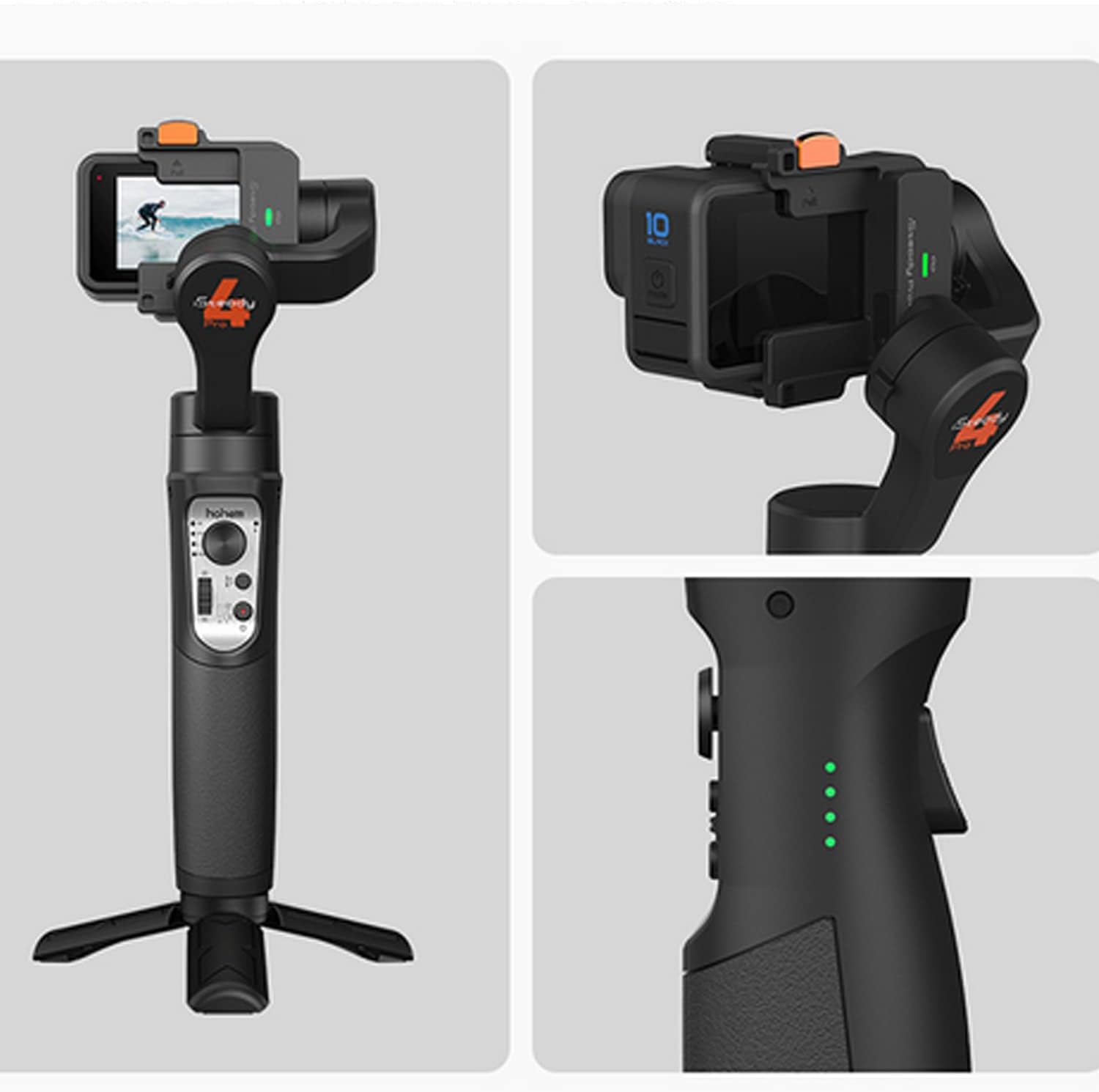
hohem iSteady Pro 4 3-Axis Gimbal Stabilizer for GoPro 13/12/11/10/9 8/7/6/5, for Osmo Action and Other Action Cameras,Support Bluetooth & Cable Control, IPX4 Splash Proof with Tripod
€99

Price: $99.00
(as of Aug 10, 2025 02:28:26 UTC – Details)
Product Description
3-Axis Gimbal Stabilizer Compatible with GoPro 13/12/11/10/9/8 Action Camera

The iSteady Pro 4 gimbal is compatible with GoPro 13/12/11/10/9/8 perfectly.
List of models that can be installed:
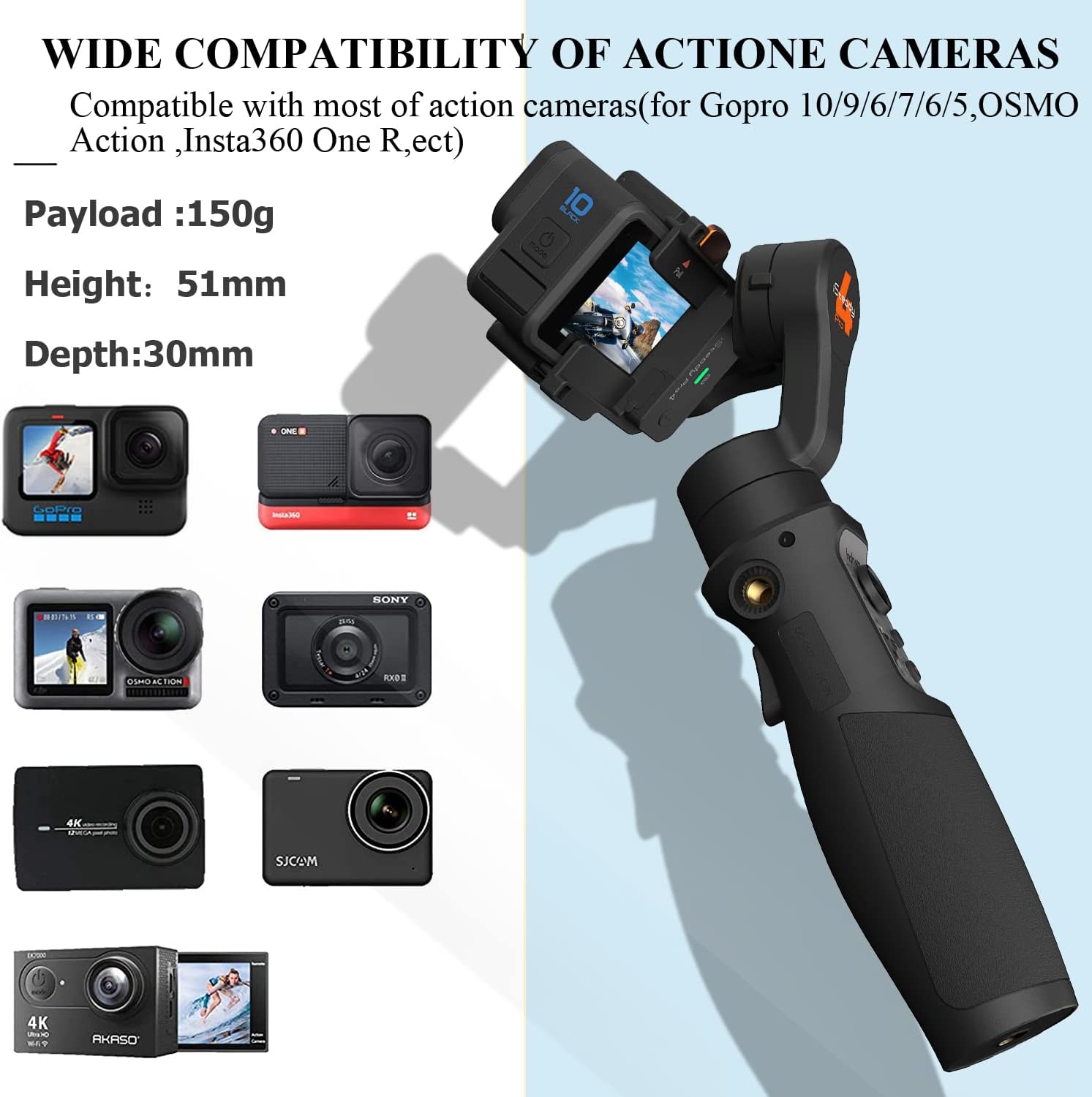
Compatible with GoPro Hero 13/12/11/10/9/8/7/6/5/4/3(Does not support GoPro 7 white & silver version)(If you are ready to use the GoPro 13/12, Please update the firmware of the gimbal to the Newest version)Other action cameras with similar dimensions and weight: Payload:150g; Height: 51 mm, Thickness: 30mmthe DJI OSMO Action 4 CAN’T be paired with the Isteady Pro4.


Wide Compatibility
iSteady Pro 4 gimbal is compatible with GoPro Hero 13/12/11/10/9/8/7/6/5/4/3, DJI OSMO Action, Insta360 one R, SONY RX0, YI cam, Xiaomi Mijia, SJCAM and other action cameras with similar size and weight.

One Step Mounting
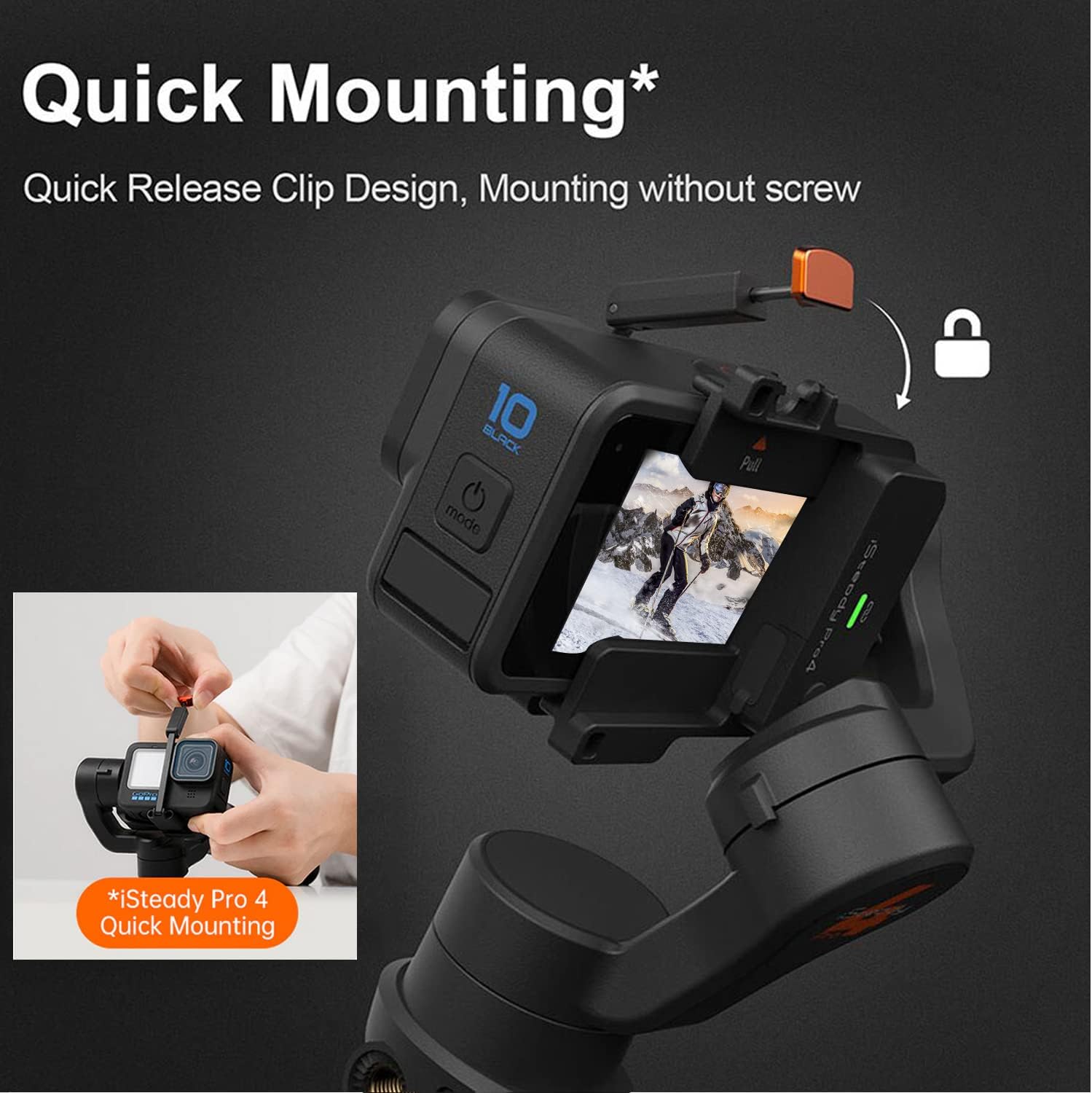
Awhole new design of action camera mounting, quick release clip with spring buckle. It replaces the itallation of tightening screws, so no more struggling with installation.

Wireless Camera Control
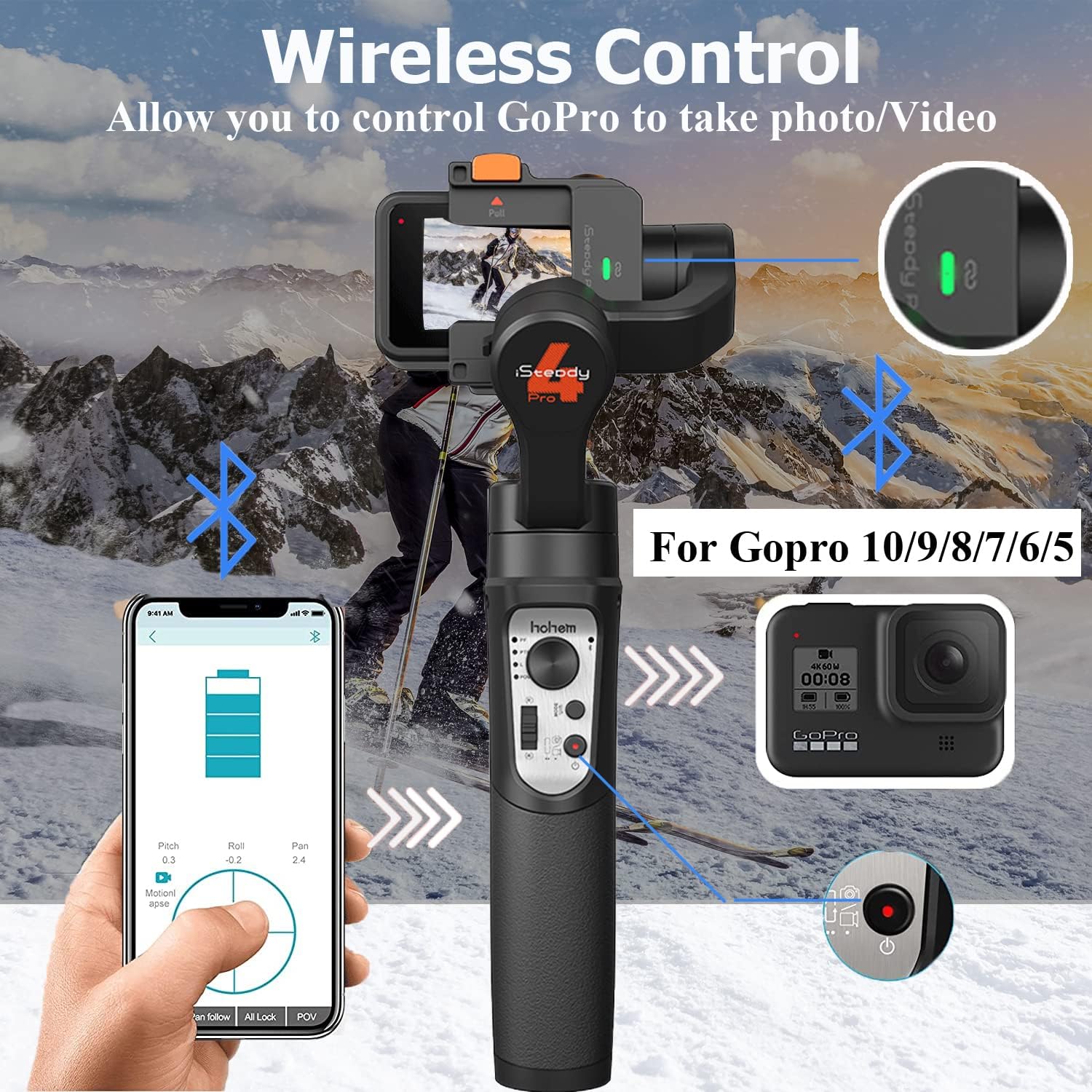
iSteady Pro 4 can control the camera’s shutter button to take a photo or video, and the low-energy consumption of Bluetooth makes gimbal with longer battery life by 50% compared to the previous WiFi connection.
NOTE: Connect Function only for gopro 12/11/10/9/8/7/6/5 Series

Water Splash-Proof
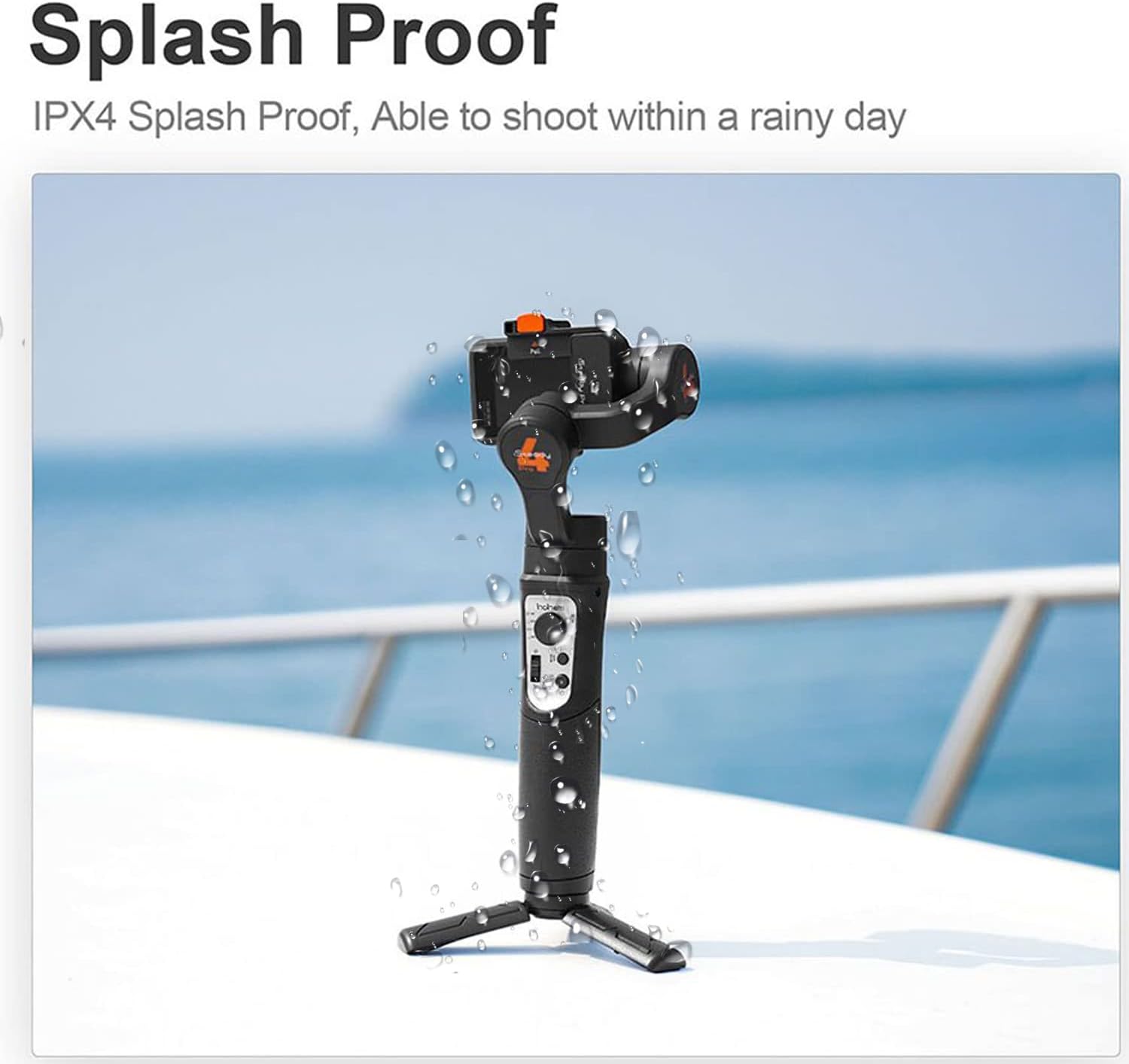
iSteady Pro 4 3 Axis gimbal is IPX4 splash-proof designed, it allows you to take for hiking, travel even at the rainy day.

Pan 600° Rotation -Inception Mode
Pan motor is able to rotate a complete 360° to make an incredible inception effect. 600°Inception/Three-dimensional dreamland, easily create a dreamlike pictures.

Motion Timelapse
Motion Timelapse of iSteady Pro 4 gimbal, allows you to set the track with custom rotating angle, to record heavy traffic on the street, cloud in the sky moving in seconds, times fly but fantastic life moment.

Trigger Button-Sport Mode
Press and hold the trigger button, is able to activate the motors instantly with much more power to follow along with rotation, no worry to lost any fast moving subject.

POV Mode
Pan Motor, Tilt Motor, Roll motors are all available to follow along with axis rotating movement, allowing a real fantastic first person point of view created as you are involved in the footage.

Camera Connection/Remote Control Indicator
Light Off:No any connection ;Keep Flashing Green Light:Double-click the PAIR button to enter the camera pairing mode;Stay On Green Light:Gimbal is connected to the camera;Fast Flash Green Light 3 Times:Press and hold the PAIR button for 3 seconds to unpair the camera;
How to install your acion camera

FAQ
How to deal with shaking after startup?
A. Shaking occurs in no-load situation, please mount your camera before powering on.
B. The camera is too light, and you need to decrease the motor torque through app. Open Hohem Gimbal app, then click “Setting” and “Motor Options” to set the torque.
What should I do if the mobile phone cannot connect to the gimbal via Bluetooth, and the app cannot find the device?
A. Activate the Bluetooth on your phone.–B.Power on the gimbal.–C. Open Hohem Gimbal app.–D. Select the model “iSteady Pro 4″.–E. Click “Device Connections” (Note: Bluetooth connection is done within the app)
If the connection fails, please exit the app, restart Bluetooth, and try connecting again following these steps.
What should I do if the gimbal is not horizontal after startup?
Method 1: Offline Calibration
1.After the gimbal starts up, press and hold the mode button for more than 6 seconds until the Bluetooth indicator is solid bright.
2.Place the gimbal on a static surface without any vibration. Calibration is completed once the Bluetooth indicator flashes twice.
* If offline calibration is not working, please refer to method 2.
Method 2: 6-side Calibration via App
Ensure that the gimbal is connected with Hohem Gimbal app via Bluetooth successfully, then enter “Calibration” and follow the instructions in the app to calibrate the gimbal.
Specifications:
Action Cam Installable List for GoPro Hero 13/12/11/10/9/8/7/6/5/4/3, DJI OSMO Action, Insta360 ONE R (4K & 1-Inch), SONY RX0 and other action cameras with similar size and weight. (Max Camera Size: Height: 51mm; Depth: 30mm;Max.Payload:150g) Bluetooth Control for GoPro 12/11/10/9/8/7/6/5 (not support GoPro 7 white & silver version) Material: High performance composite Max Camera Size: Height: 51mm; Depth: 30mm Weight: 365g Mechanical Range: Panning: 600°; Rolling: 320°; Tilting: 320°. Working Time: 14 hours Splash Proof: IPX4 rating water splash proof(it is resistant to water splashes from any direction).
[Great Compatibility ]: iSteady Pro 4 gimbal Supported action camera with weight up to 150g, height up to 51mm, depth up to 30mm, can well compatible with GoPro Hero 12/ 11/10/9/8/7/6/5/4/3(NOTE: Connect Function only for Gopro 13/12 11/ 10/9/8/7/6/5 Series)
[iSteady 5.0 Anti-shaking Algorithm & IPX4 Splash Proof ]: No matter for daily vlog, or sport movement, even x-sports, iSteady Pro 4 will make you the smooth footage as always. With the IPX4 splash-proof designed, iSteady Pro 4 allows you to take for hiking, travel even at the rainy day.
[Quick Mounting with Quick Release Clip]: A whole new design of action camera mounting,quick release clip with spring buckle. It replaces the installation of tightening screws, so no more struggling with installation.
[Remote Control & One-Clicking Shooting ]: Hohem iSteady Pro 4 is able to switch between different working modes by tapping the mode button, quick to change the mode what you want, like 600°3D Inception Mode, Sports Mode, Time-lapse.Equipped with Bluetooth control module for GoPro, this gimbal allows you to get video on/off at one click for GoPro Hero 10/9/8/7/6/5.(Note: Does not for Gopro 7 Hero White and Silver models pairing to the gimbal.)
[14hrs Battery Life]: Built with 3600mAh battery, iSteady Pro 4 is a nice device working with action camera with short battery life, it can work as a powerbank to charge your action camera with a USB cable while recording, never stop your creation.
Customers say
Customers find the gimbal works well with GoPro cameras and consider it great value for money. The stability and build quality receive mixed feedback – while some say it does a great job stabilizing the camera and is well-made, others report it’s not super steady and sometimes stops working. The ease of use is also mixed, with some finding it easy to use and set up while others find it not intuitive. Additionally, customers report issues with compatibility, particularly with GoPro Hero models, and battery life problems, with one customer noting it fails to maintain a charge.
13 reviews for hohem iSteady Pro 4 3-Axis Gimbal Stabilizer for GoPro 13/12/11/10/9 8/7/6/5, for Osmo Action and Other Action Cameras,Support Bluetooth & Cable Control, IPX4 Splash Proof with Tripod
Add a review
Related Products


€99
Corbeck –
Good Value For The Money
The product was used for stabilizing various GoPro cameras. Please not that it will NOT fit the GoPro 11 Mini. It is simply too thick for that particular camera. Others, no problem. It does an excellent job of stabilization, and when used with the electronic stabilization of the GoPro 11, your videos will become quite smooth, there there is still just a bit of movement detected while walking. It also works in a pinch, as an acceptable tripod. It’s good for a day of shooting, and will probably outlast your patience during the day. I really enjoyed using it, and the price is right. Neither is it too heavy. I’ve a larger stabilizer, for heavier cameras (Canon, Sony, etc.), but when I want to go light, and compact, the GoPro/Hohem iSteady Pro 4 is only a light burden, on a day trek.
Joel V. –
Perfect from Bloggers and Video Project
This thing works with my Wolfgang G420. Very stable video, no jitter and very professional looking. I highly recommend this to all sport video blogger. Very robust and can take the punishment’s. I would not suggest getting it wet thought although it is what they say a waterproof. Very happy with my video shots looking professionally done.
Richard Davis –
Does a pretty fair job!
I bought this for an Akaso Brave 7 and I can confirm that it does fit the camera. Does a great job at stabilizing the camera. If you are buying for an Akaso action camera just be aware that the wireless and Bluetooth functionality does not work currently.Great Gimbal for the price and does everything I need it for.
Shaun –
Great Addition
If you have an action cam, Gimbals can be awesome. This one was easy to set up and the value was good. It feels sturdy and well built. You can spend a lot on Gimbals, but for personal use, this is a great value. It is also nice to use a table top tri-pod. Easy to use and set up, just read the instructions, these are pretty simple versions. One complaint is the manual didn’t give a ton of info, but honestly, google instructions. There are lots of videos and reviews and people will walk you through set up and use on youtube.
Alvaro –
Canât stay level , battery dies fast , does not work with dji or my GoPro
This is seriously not what I expected, I understand this is a budget gimbal but it lacks real stability , barely holds a charge , spins all around even after calibrating it multiple timesNot easy to use , slippery grip , way to heavy , no good
Amazon Customer –
Easy to use
This tool is designed for the purpose of rookie videographers and itâs easy to operate and great YouTube video instructions.
JABA –
Good product!
Good product!
Ste –
app is primitive but works
App lacks preview screen, has issues with quikapp and hohem being synced in the camera for functions, yet uses quik to transfer vid and pictures from gopro12. I updated review from 1 to 3 because hohem team was respnsive to issues with syncing. Do not sync quik and hohem together or like my gimbal it will not work shutter control and loses sync to camera.positives, good gimbal for price, basic primitive screen, a two-dimension target and a center circle with written settings that does work with gimbal. Support did ok and respondedhas 4 functions gimbal changes on the fly, its best feature, quick connect to camera very nice.
Benson –
The iSteady Pro 4 has 3 axis stabilization, very smooth video can be achieved with any action camera. The camera mount is a very nice design, just a simple pull catch to secure and take off the camera. It works as a power bank and has battery life of up to 14 hours, it can also power your action camera with the included short cables, micro USB, USBc etcOut of the box it did not take any adjustment to make butter smooth video, just mount my camera and it does all the magic. I did a side by side test and with the gimbal it eliminate all camera shakes except up and down shift which I will need to learn ninja walk to get rid off.Connecting the gimbal to the phone is very straight forward, download the hohem app from apple app store and click the connect button. Once connected you can set different stength to the 3 motors, motionlapse is easy to use, just create different waypoints and set overall intervals. it will then control movment of the gimbal with the path you choose. Very interesting timelaps video can be made with it.The overall built is solid, it is small enough to fit into my camera bag. attach the included small tripod to the bottom of the gimbal and you have a phone controlled pan/tilt tripod. It gives a new lease of lift to my older action camera which lack the video stabilization need.nice grip with the handle and all the buttons and control is withing reach of the thumb and index finger.
å£ã³ã –
ãã®ä¾¡æ ¼ã®å²ã«ã¯ã¨ã¦ããã£ããã¨ãã製åã§ãããã®ã¸ã³ãã«ã«GoProãè¼ããããç°¡åã«ãã«ãã«ã£ã¨ããæ åãæ®ãã¾ãã使ãæ¹ãç°¡åã§ãã1å°æã£ã¦ãã¦ãæã¯ãªããã¨ã
Tolga Tarakci –
Gopro 11 için aldım , gayet güzel iÅ yapıyor tek sıkıntısı diÄer markalarda döngü sınırsız ken bunda 360 derece dönünce takılıyor kalıyor tek kötü yanı bu , alıÅınca oda sorun olmaktan çıkıyor
Il Recensore –
â¬ï¸ TEST E CONSIDERAZIONI â¬ï¸Mi è piaciuto molto questo gimbal perché permette di sfruttare al massimo la propria action cam portando ad un livello superiore i video, rendendo i movimenti più fluidi e le riprese più cinematografiche. Si può usare con tutte le camere ed in particolare con le Gopro visto che si può connettere ad esse tramite il bluetooth e avviare una registrazione direttamente dal tasto sullâimpugnatura.Con le videocamere di ultima generazione, i gimbal sono diventati un poâ meno utili che in passato, visto il livello molto alto che hanno raggiunto le stabilizzazioni interne delle camere. Ci sono però dei fattori e delle situazioni che rendono ancora molto interessanti lâutilizzo di questi dispositivi. Innanzitutto la stabilizzazione via software delle action cam va a ridurre molto lâampiezza dellâobiettivo, visto che taglia parte dellâimmagine lungo i bordi. Utilizzando un gimbal invece si può sfruttare al massimo lâangolo dellâobiettivo per avere la visuale più grande possibile. In oltre lo stabilizzatore meccanico rimane ancora molto utile per chi vuole realizzare clip più professionali e cinematografiche, visto che permette di rendere molto più fluidi e lenti i movimenti mentre si filma.Il dispositivo arriva allâinterno di una bella custodia utile per poterlo trasportare, in cui sono presenti alcuni accessori, come il cavo di ricarica, diversi connettori, e un piccolo treppiede per quando si vogliono realizzare dei time lapse o per controllarlo a distanza.Esteticamente è realizzato molto bene con un bel design e una comoda impugnatura con tutti i tasti a portata di mano. La caratteristica che mi è piaciuta di più, è il sistema di aggancio della camera, molto innovativo e diverso dai classici metodi che prevedono di dover avvitare la staffa con due piccoli viti.Qui invece è stato utilizzato un sistema a molla, molto pratico e funzionale, che permette di montare e smontare la camera in un secondo.Per quando riguarda le modalità , ci sono cinque diversi tipi di riprese utilizzabili. La prima è la modalità Pan Follow, che mantiene lâasse orizzontale bloccato così da lasciare la possibilità di ruotare lâinquadratura, senza però poterla inclinare verso il basso o verso lâalto. La seconda è la funzione Pan and Tilt Follow, dove è possibile orientare la gopro anche in alto e in basso oltre a ruotarla orizzontalmente. Con la terza modalità , Lock Mode, si mantiene invece sempre fissa la direzione dellâinquadratura, senza seguire alcuna rotazione, mentre la modalità POV, lascia liberi tutti gli assi di ruotare, così il gimbal potrà seguire i nostri movimenti in ogni direzione rendendoli però più lenti e fluidi.Lâultima modalità utilizzabile è detta Quick mode o Sport mode e si attiva tenendo premuto il grilletto posteriore. In questa ripresa il gimbal seguirà tutti i nostri movimenti ruotando molto più velocemente rispetto a prima, sempre mantenendo però una certa stabilità degli assi.Collegando lo stabilizzatore allo smartphone si può anche utilizzare lâapplicazione della Hohem per controllare il gimbal dal telefono. Dallâapp è possibile aggiornare il firmware, calibrare il dispositivo, regolare le impostazioni dei motori e anche controllarlo a distanza. Questâultima è la funzione più interessante perché permette anche di realizzare dei time lapse in movimento, impostando il punto di partenza, quello di arrivo e il tempo dello spostamento.Concludendo questo gimbal mi è piaciuto molto. Funziona veramente bene, le immagini risultano stabili e gli spostamenti fluidi, rendendo le riprese più belle e cinematografiche. à molto comodo da usare e ho apprezzato soprattutto il sistema di aggancio della camera, più comodo e pratico rispetto alla classica staffa con le viti. à un accessorio quindi molto utile per chi vuole rendere i propri video più spettacolari e professionali.
BarBaros –
Very good. Very stable!