
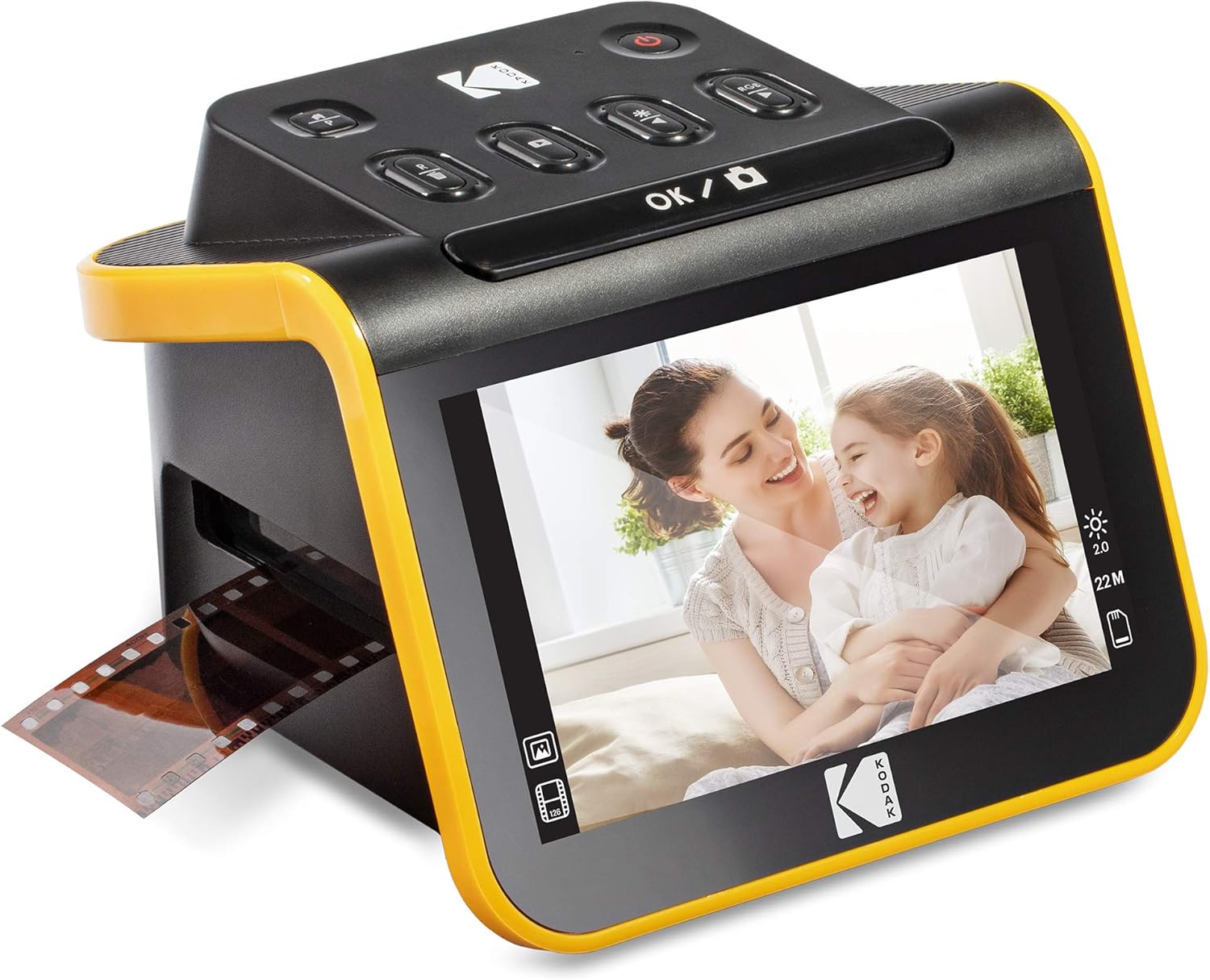
KODAK Slide N SCAN Film & Slide Scanner Digitizer with 5” LCD Screen, Quickly Convert Negatives & Slides to Digital 22MP JPEG Photos, Compatible with 135, 126 and 110 Film & Slides
€190


Price: $189.99
(as of Jul 25, 2025 23:30:21 UTC – Details)
Product Description
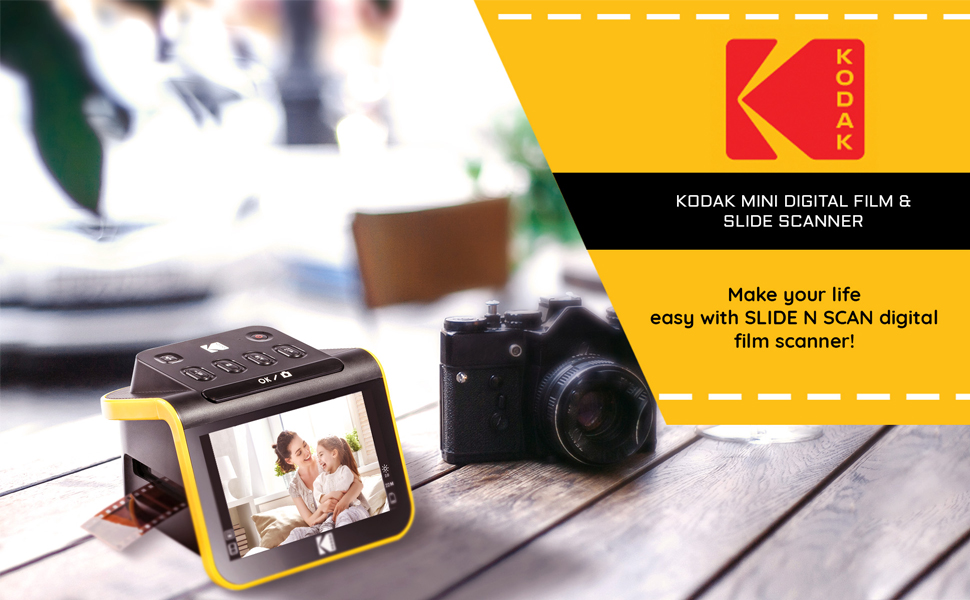
A glimpse of the past—with a futuristic scanner!
Love reminiscing with film negatives and slides from yesteryear? With the new SLIDE N SCAN Digital Film Scanner from KODAK, you can view, edit and convert your old photos, no tech savvy necessary! This easy yet elegant 22MP scanner delivers crisp, clear, beautiful images with the press of a button. Best of all, there’s no straining to see. Watch old memories come to life on the large 5” LCD screen with extra wide viewing angle and gallery mode—perfect for previewing pictures, or for using the scanner as a desktop photo frame!
Unlike other frustrating scanners that require you to remove the tray and reposition slides each time, our easy-load insert system allows for continuous feeding, speeding up the scanning process significantly. In addition to the main 50mm slide holder, three adapters are also provided for compatibility with 135, 110 and 126mm films. You can finally skip the stressful software and complicated onboard buttons—and simply scan!
Please note you must have an SD card to operate this unit. it is NOT Included
Know our product
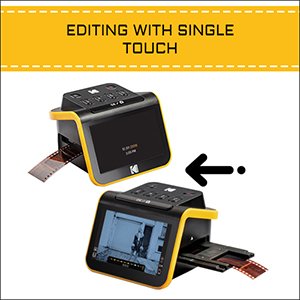
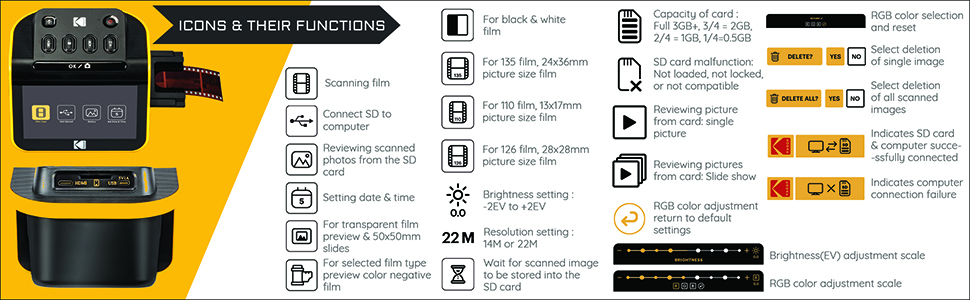
The SLIDE N SCAN captures and has advanced features that software enhances, resizes & converts photos via easy ‘scan’ button. No complex screens or settings! Easy options let you choose film type, adjust color/brightness & assign date/time.
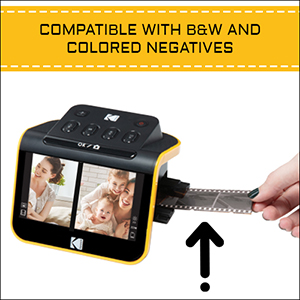
The Kodak SLIDE N SCAN delivers crisp, clear, balanced photographs. It is the perfect resolution for color or B&W film negatives and slides.
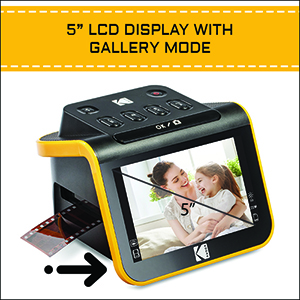
The SLIDE N SCAN features large, crystal-clear screen with wide viewing angle photos. Or use The SLIDE N SCAN as a Photo Frame by Positioning the scanner on a desk or coffee table and initiate ‘Gallery mode’ for use as an electronic picture frame
Why KODAK SLIDE N SCAN Digital Film Scanner?
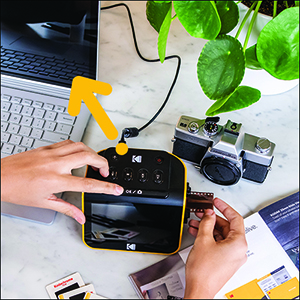
SAVE PHOTOS IN 13 OR 22 MEGAPIXELS AND EASILY TRANSFER TO PC
The SLIDE N SCAN has a 13MP image sensor and certain films allow you to enhance the resolution from 13
to 22 megapixels. View, edit & convert your old color & B&W negatives [135, 110, 126mm] & 50mm Slides [135, 110, 126mm] to digital files & save directly to SD card and easily transfer the images to a computer VIA the included USB Cable.
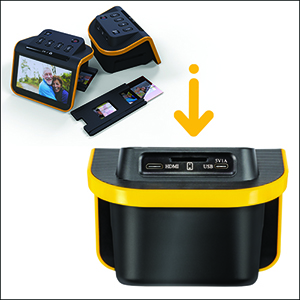
SUPER CHIC. UBER COMPATIBLE
The Kodak The SLIDE N SCAN handles all your old slides & negatives, supports SD or SDHC cards [Up to 32GB] & connects to any type-C USB-enabled computer. It has a gorgeous design and blends seamlessly with your home décor.
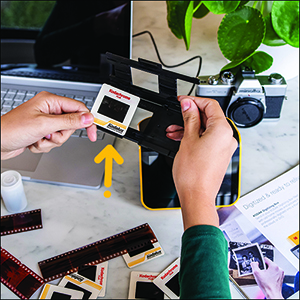
CONVENIENT EASY-LOAD FILM INSERTS
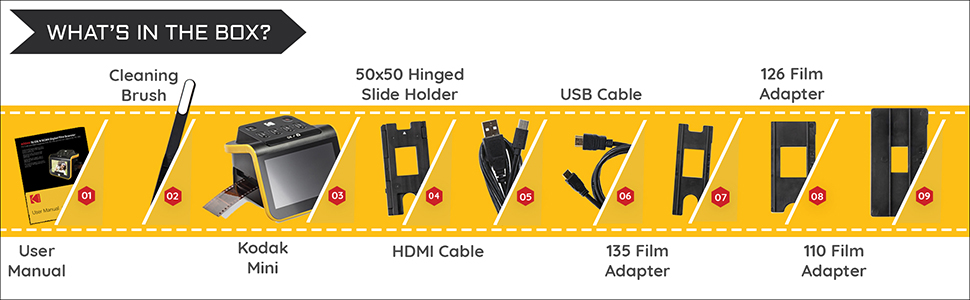
The SLIDE N SCAN has a quick-feeding tray technology that allows for continuous loading action, making scanning fast & simple! It includes 50mm slide holder, adapters for 135, 110 & 126 films, cleaning brush, USB & HDMI Cables.
Specs & Details
Compatible with 50mm slides [135, 110, 126], color negative films [135, 110, 126] and b&w negative films [135, 110, 126]Interface: USB 2.0Image sensor: 13-megapixel CMOSResolution: 13MP/22MP (interpolation)TV-Out type: HDMIPower: from computer USB port, 5V/1A power adapter (not included), power bankDimensions: 5.27” d x 5.35” w x 3.74” hWeight: 13.4 oz.Please note you must have an SD card to operate this unit. it is NOT Included
Add to Cart
Add to Cart
Add to Cart
Add to Cart
Add to Cart
Customer Reviews
4.2 out of 5 stars 1,320
4.4 out of 5 stars 11,173
4.2 out of 5 stars 11,388
4.2 out of 5 stars 3,402
3.7 out of 5 stars 3,616
3.7 out of 5 stars 131
Price
$108.18$108.18 $189.99$189.99 $159.99$159.99 $110.00$110.00 $39.99$39.99
— no data
SRP
219.99 179.99 149.99 129.99 34.99 44.99
Saves Photos To
SD Card (Not Included) SD Card (Not Included) SD Card (Not Included) SD Card (Not Included) Smartphone Smartphone
Screen Size
7″ Tilt-able Screen 5″ 3.5″ Tilt-able Screen 2.4″ No Screen, Uses Phone Screen No Screen, Uses Phone Screen
Compatible Film Types
35mm, 110, 126, Monochrome 35mm, 110, 126, Monochrome 35mm, 126, 110, Super 8, 8mm 35mm, 126, 110, Super 8, Monochrome 35mm 6×6 from 120 and 220 film
Compatible Slide Types
35mm, 110, 126, Monochrome 35mm, 110, 126, Monochrome 35mm, 126, 110, Super 8, 8mm 35mm, 126, 110, Super 8, Monochrome 35mm 6×6 from 120 and 220 film
HDMI Output
✓
✓
✓
X N/A N/A
Image Sensor
13MP or 22MP with digital interpolation 13MP or 22MP with digital interpolation 14MP or 22MP with digital interpolation 14MP or 22MP with digital interpolation Depends on the Phone Camera Depends on the Phone Camera
Resolution
4208 x 3120 4208 x 3120 4672 x 3500 4416 x 3212 Depends on the Phone Camera Depends on the Phone Camera
Quick-Feeding Tray for Continuous Loading
✓
✓
✓
✓
X X
Product Dimensions L x W x H
4.41″ 6.89″ 4.45″ – Weight: 16.9 ounces 5.27″ 5.35″ 3.74″ – Weight: 13.4 ounces 4.72″ 4.5″ 5″ – Weight: 16.2 ounces 3.75” x 3.50” x 3.75” – Weight 8.82oz 5.8″ x 4.25″ x 4.2″ – Weight: 8.8 ounces 7.1″ 3.9″ 4.2″ – Weight: 11.2 ounces
SAVE OLD PHOTO MEMORIES: 1422MP Digital Film Scanner Lets You View, Edit and Convert Your Old Color and BandW Negatives 135, 110, 126mm and 50mm Slides 135, 110, 126mm to Digital Files and Save Directly to SD Card (NOT INCLUDED)
5” LCD DISPLAY WITH GALLERY MODE: Features Large, Crystal-Clear Screen with Wide Viewing Angle for Instantly Previewing and Editing Photos | Great for Sharing with Friends and Family or Using as an Elegant Digital Picture Frame in Home or Office
CONVENIENT EASY-LOAD FILM INSERTS: Quick-Feeding Tray Technology Allows for Continuous Loading Action, Making Scanning Fast and Simple Includes 50mm Slide Holder, Adapters for 135, 110 and 126 Films, Cleaning Brush, USB and HDMI Cables
EDITING WITH A SINGLE TOUCH: Advanced Capture Software Enhances, Resizes and Converts Photos Via Easy ‘Scan’ Button—No Complex Screens or Settings | Easy Options Let You Choose Film Type, Adjust ColorBrightness and Assign DateTime
SUPER CHIC. UBER COMPATIBLE: Device Handles All Your Old Slides and Negatives, Supports SD or SDHC Cards Up to 32GB (NOT INCLUDED) and Connects to Any Type-C USB-Enabled Computer | Gorgeous Design Blends Seamlessly w Your Home Décor
Customers say
Customers find the slide scanner easy to set up and appreciate its quick scanning speed, taking just a few seconds per slide. The device offers good value for money, with one customer noting it creates reasonable images for the price. The picture quality and scanner performance receive mixed feedback – while some praise the excellent scans, others report poor resolution, and while the color display is good, the overall construction could be more robust.
9 reviews for KODAK Slide N SCAN Film & Slide Scanner Digitizer with 5” LCD Screen, Quickly Convert Negatives & Slides to Digital 22MP JPEG Photos, Compatible with 135, 126 and 110 Film & Slides
Add a review
Related Products


€190
L Weide –
A good, easy to use basic scanner
It works well – as advertised. I really like the idea of only needing USB voltage to operate it until you decide to transfer the images. Then, of course, the USB cable needs to be from a computer. Then the scanner looks like just another USB drive.Beyond that, the scanner is limited in post scan operations – some brightness and color but these are limited. Along with that it canât adjust focus, it canât order or index the scanned and stored images. In addition, if you want to change image names they must first be copied to another drive. If you edit names in the scanner the images will still be there but they will not display.All in all, itâs easy to use, no setup is needed and itâs a small independent device with a nice viewing screen. For quality results itâs best to also have a photo app handy on your computer.
AOC –
Perfect for family photos, good quality and fun to use
I’m so happy with this little device! As soon as it arrived I tested a 35mm color negative. It’s really simple to use, as soon as you set up the scanner and slide in the negative, you can see the image immediately on the screen. It’s so enjoyable and quick and the quality exceeded my expectations. You do need to buy a 32GB SD card or 32GB SDHC card. It will not work with larger GB or with SDXC cards.Setup:Plug in the USB-C/USB cable (provided) into the scanner. USB-C side goes into the scanner, and the USB side goes into to your PC or to a wall adapter. Insert the SD card in the back of the scanner (right next to the USB-C slot). Open the hinged slide holder and insert the adapter for 135mm, 126mm or 110mm depending on what film you are using, and then snap it closed again. The manual shows you how to align the adapter inside the hinged holder. If you are scanning slides you won’t need an adapter, you will just need the slide holder. Insert the slide holder into the slot on the right side of the scanner. The arrow on the slide holder should be pointing toward the scanner. About an inch will still be visible, sticking out of the slot. This is where you insert the film.How to use:Press the power button (it must be plugged in to PC or wall using the USB cable to power on). Press the large OK button on the front to select film type. Use right/left arrows on the top of the machine to select film type and then click OK. Select the film size and click OK. Make sure your film is right side up, and slide the negative into the slide holder on the right side of the scanner. Smile when you see your image on the screen! You will need to adjust the film so that the image is centered on the scanner, and then press the large OK button again. Slide the film further in until you can see the next image. Press OK to scan. Once you can’t push the film in any further, you can insert the next piece of film and it will push the first one through and out the left side. I found a few times where the film was curved and wouldn’t go in past the first image. If this happens you can remove the slide holder from the scanner, insert the film into the holder while gently pressing down on the first image. It should slide through and you can reinsert the holder into the scanner with film already in it. It takes about 2 seconds for the image to scan.Transferring photos to your PC. You have 2 options – you can remove the SD card and insert it directly into your laptop/PC if it has a slot. If not you can connect the scanner to your PC using the USB cable (provided) while the SD card is still in the scanner. This will bring up a USB device on your PC and you can see all of the images. They are given file names based on the order you scan them. I have scanned over 1,000 images on the SD card so far.Quality: The quality of the images is better than I expected. For sure up to 8×10 prints would be high quality, I’m attaching a scanned image so you can see. Also please note in the scanned image I didn’t center the negative properly. If you are moving too quickly through the images this can happen, so it’s good to view the images periodically in case you need to rescan anything. Make sure you keep the film dust free, and also make sure the scanner is dust free. It comes with a cleaning brush that can be inserted into the slot where the slide holder goes to clean out dust. Do this with the soft part of the brush facing down. I didn’t do this at first and some of the images ended up with some marks from the dust.
Courtney Swapp –
Quick, easy to use, screen freezes after transferring pictures to my computer.
This product was very easy and simple to use. I had a bunch of slides I got from my parents house with pictures of my dadâs two years in Italy from 1977 and it digitized them like a dream and I was able to digitize about 500 slides in a few hours. It was a fast and easy process. The scanner was very light and small and feels cheap, but works well. The quality of the pictures were really good too.I gave the product 4 stars because every time I transferred the pictures to my computer, I would have to turn off the scanner and turn it back on to keep scanning (I was scanning in batches to keep better track of the order of pictures). When I was done transferring the pictures, Iâd push the film button again on the scanner and the screen would freeze up. Turning it off and then on again fixed the problem. I donât know off itâs a product problem or a something is wrong with my specific scanner
Jeffree A. Nice –
Finally! A great solution to digitize my thousands of Kodachrome images!
This great product has allowed me to finally get the several thousand high quality Kodachrome slides that I took while serving in Europe back in the 1980âs, digitized on my MacBook! It was a relatively quick and easy process that saved me a lot of money and worry, verses having to send the irreplaceable images out to a 2nd party! I highly recommend this economical, well designed, and easy to use product!
LOTFI –
٠٠تاز
Kate D. –
I really enjoy the simplicity of this little gadget. When faced with loads of old negatives this is a relatively inexpensive and simple way to digitise stored family photos – it takes a bit of time but when I compared it to the other common methods this gadget is relatively fast and simple. I’m very glad I bought it.
Fran –
Ottimo per digitalizzare grandi collezioni domestiche â scansione rapida e risultati eccellentiHo utilizzato questo scanner per convertire in digitale una collezione di circa 2000 diapositive in meno di dieci giorni, e il risultato ha superato le aspettative.ð In sintesi:à uno strumento eccellente per chi vuole digitalizzare un archivio personale con risultati più che buoni e in tempi molto brevi. Peccato per la gestione un poâ macchinosa dei file tramite SD card, ma nel complesso rimane un ottimo scanner consumer per diapositive tra quelli disponibili oggi sul mercato.â PROScansione velocissima: il flusso di lavoro è intuitivo, ed è possibile digitalizzare centinaia di diapositive al giorno senza fatica una volta abituatisi ai movimenti.Buona resa dell’immagine: le impostazioni disponibili (esposizione, colore, luminosità ) permettono spesso di ottenere uno scatto “finale” già soddisfacente, senza necessità di post-produzione.Adatto a diversi formati: i supporti inclusi sono pratici e compatibili con diapositive e negativi praticamente di qualsiasi formato – controllate il manuale prima di acquistare -, rendendolo perfetto per digitalizzare collezioni di famiglia.Qualità dellâimmagine sorprendente considerando il prezzo e la natura consumer del prodotto.â ï¸ CONTRONon si può salvare direttamente su computer, nonostante il dispositivo sia alimentato via USB: serve una scheda SD (non inclusa), da acquistare a parte.Supporta solo schede SD di dimensioni limitate (max 32GB) e di una categoria specifica, ad oggi non sempre facili da trovare.
Cliente Kindle –
Gostei muito e recomendo.
D Taylor –
Iâve tried several ways of scanning slides before. But it was always a slow laborious process. With mixed results. This scanners design made it a lot easier.The slide adapter is a tray the runs through the middle of the device. You clip it into place, and then feed the slides through the tray by hand. Allowing continuous feeding of hundreds of slides. At any time you only have 3 slides in the tray. Vertical alignment is fixed. You use the previous and next slide to push the one you are scanning. To center it in the screen. This manual positioning is acceptable, but I would have preferred a fully automatic solution. Once you have aligned the slide you press a button to take a photo of it. This is fast and efficient. Takes a couple of seconds per slide. Some color balancing controls are provided but I just used the defaults. I did try the adjustments but it didnât improve the output. I scanned 3000 slides in a week. Didnât give me time to fiddle with settings. Slides are not square. If you have portrait images, you have to scan them in landscape, or it chops the top and bottom off. Thickness of the slide can be an issue. Kodachrome and Ektachrome cardboard and plastic slides are thin, but I had some really chunky plastic slides. These wouldnât slide through the tray. I had to remove the tray, clamp the slide in the center of it, and then reinsert the tray. It worked for the odd slide but I wouldnât want to scan a box of them. The majority of the slides worked fine. Some cardboard Kodachrome slides from the 70s were a little oversize, making them hard to push through. Picture quality is good enough. Speed of operation is more important to me. You donât need to be connected to a computer while you are scanning. Just need a USB power socket. The cleaning brush supplied with the scanner is useless. I used a puffer brush to blow dust and debris off the slides before feeding them into the scanner.Im happy with the results so far.