

MUNBYN Receipt Printer P068, 3 1/8″ 80mm Direct Thermal Printer, POS Printer with Auto Cutter – Thermal Receipt Printer with USB Serial Ethernet Windows Driver ESC/POS Support Cash Drawer
€150





Price: $149.99
(as of Sep 29, 2025 19:39:55 UTC – Details)
Product description
Munbyn POS Receipt Printer P068—More Choice for Your Growing Business
 Grow Your Business with Munbyn Receipt Printer
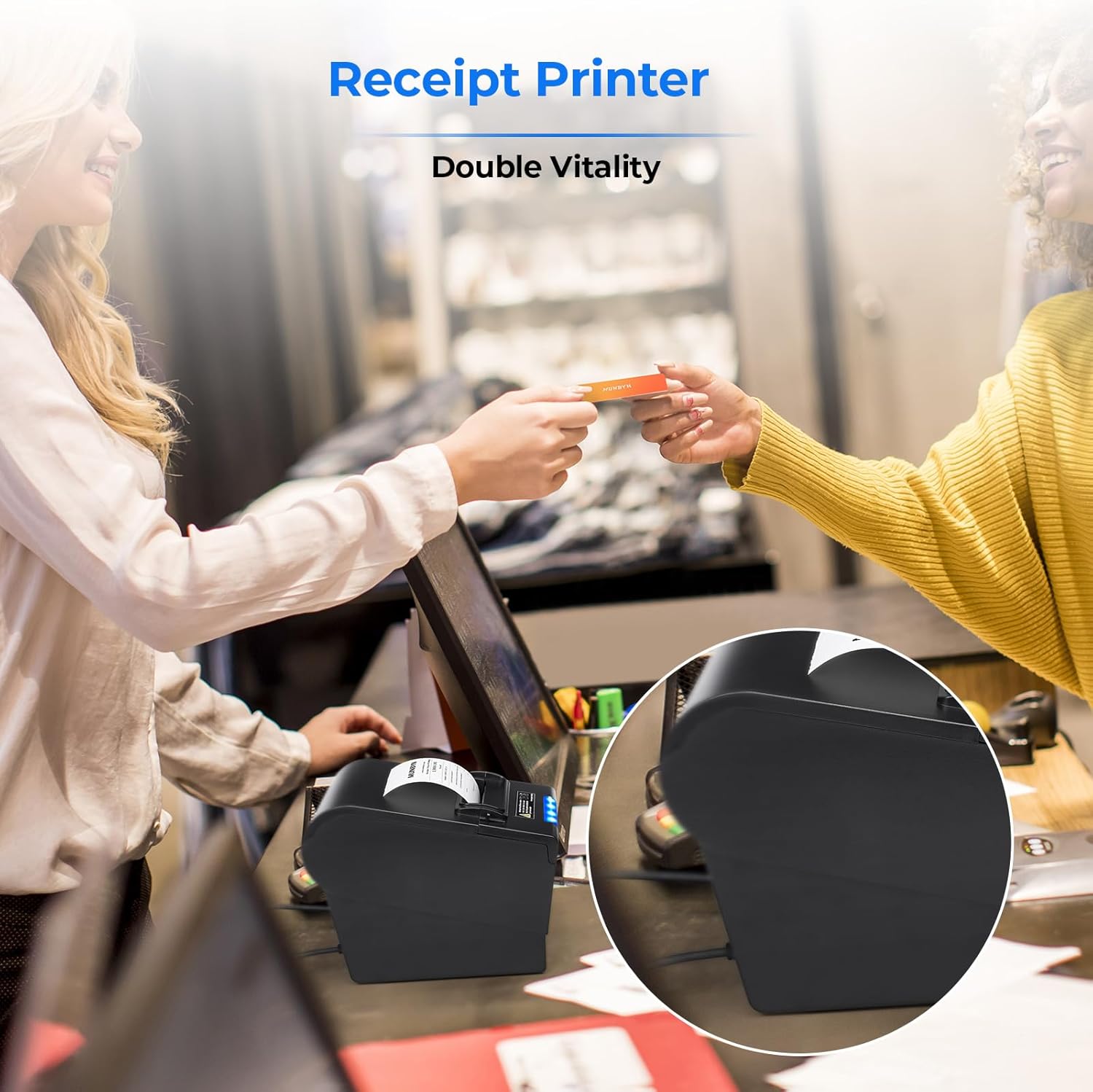
A better choice for retail stores, grocery stores, clothing stores, supermarkets, cafes, ticket points, food trucks, banks, restaurants, and any other business that uses receipts.
 Your Good “Chef Assistant”—Munbyn P068 Printer
So far, we have sold over 123,500 units.MUNBYN customers gave high marks to its stable performance, saying: “With this ‘chef assistant’, the work efficiency has increased by 65%”.

Munbyn Thermal Receipt Printer P068
To be a boss, Munbyn is your choice!
Are you still struggling with how to improve efficiency?Are you still worried that there are too many orders to handle?Are you still worried about accidentally missing an order?Are you still writing orders by hand?Honey, please put your mind at ease and enjoy the reliable business partner – receipt printer P068. This receipt printer will help you get all your business in order so you can have a great day!
The video showcases the product in use.The video guides you through product setup.The video compares multiple products.The video shows the product being unpacked. video Merchant Video
MUNBYN thermal receipt printers are trustworthy!  Wall Mount Design
There are two hanging holes on the bottom of the printer. You can hang it on the wall to save space.Supports Windows 7/8/9X/10 and Mac.  Better Choice for Ur Business
Suitable for retail stores, grocery stores, clothing stores, supermarkets, cafes, ticket points, food trucks, banks, restaurants, etc.  Thermal Paper Refill
One-stop ServiceMUNBYN not only provides receipt printers but also 3 1/8 x 230ft thermal receipt paper, cash drawers, and other ancillary products.  Versatile Receipt Printer
Multi-interface, affordable printersEquipped with USB, LAN, and serial devices, which makes connecting to your computer a breeze.
Know More Details about P068 Printer
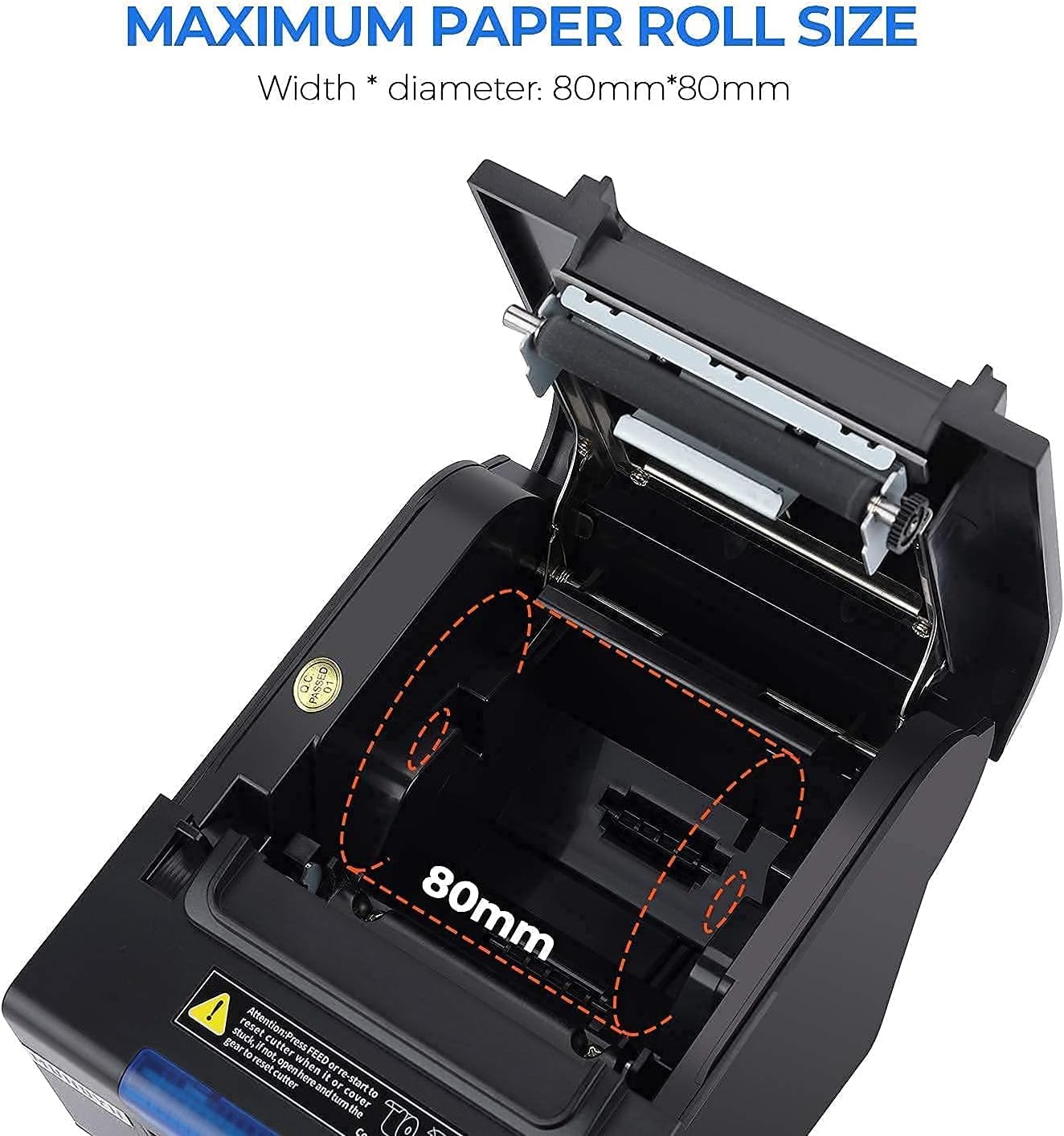
Printing Method Direct Thermal Printing Speed 300mm/s Paper Diameter φ 80mm Interface USB+Serial+LAN Auto-Cutter Can be set ON/OFF Beeper Can be set ON/OFF Paper Thickness 0.06~0.08mm Cash Drawer Output DC 24V/1A Power Adaptor DC 24V/2.5A Cutter Lifespan 10 million times Print Head Service Life 100 km Weight 1.45 kg
How do I set the alarm, cutter and print density? Is there a “one-button operation” to set these functions up?
1. Open the cover on the bottom of the printer and you will see a row of small switches. Switch the buttons to set the print function you need according to the above indicator table “DIP Function”.
2. Toggle the button up to “On” and down to “Off”.
Is it Square compatible? Does this work grubhub and an android tablet?
1. No iOS devices, such as iPad and iPhone. No Doordash. No Square. No Ubereats.
2. As for the Android tablet, you can use the LAN connection to work with a tablet.
3. For more details, you can ask us before placing the order.
I don’t know how to install it. How do I ask for help?
1. Don’t worry. Our products come with instruction manuals and instructional videos, which can help you use the printer.
2. MUNBYN has a professional service team. You can come to us for help via email, or WhatsApp.
Is this machine compatible with Windows printing software?
1. Yes, of course. This printer supports USB/Serial/Ethernet/LAN connection.
2. P068 receipt printer can work well with Aldelo POS and Aronium POS, etc.
One-stop service – cooperate with MUNBYN, the best partner for your business.
Add to Cart
Add to Cart
Add to Cart
Add to Cart
Add to Cart
Customer Reviews
4.2 out of 5 stars 293
4.4 out of 5 stars 163
4.2 out of 5 stars 158
4.7 out of 5 stars 2,159
4.7 out of 5 stars 2,159
4.7 out of 5 stars 2,159
4.7 out of 5 stars 2,159
Price
$149.99$149.99
$93.59$93.59
$116.99$116.99
$28.68$28.68
$54.68$54.68
$119.99$119.99
$18.99$18.99
Connection Method
USB/Serial/Ethernet
USB
USB/Ethernet
/
/
/
/
Compatible Systems
Windows/Android/Linux/Mac
Windows/Android/Chrome OS/Mac
Windows/Android/Chrome OS/Mac
/
/
/
/
Incompatible Software
Grubhub,Square,Ubereats,iPad
Square,Ubereats,iPad,iPhone
Grubhub,Square,Ubereats,iPad
/
/
/
/
Printing Speed
300 mm/s
200 mm/s
230mm/s
/
/
/
/
Printing Width
3 1/8 inch (80 mm)
3 1/8 inch (80 mm)
3 1/8 inch (80 mm)
/
/
/
/
Auto-Cutter
✔
✔
✔
✘
✘
✘
✘
Beeper( can be set on/off )
✔
✔
✔
✘
✘
✘
✘
Please Note: No iOS devices, such as iPad and iPhone. No Doordash. No Square. No Ubereats. If you have any questions about whether this receipt printer is compatible with your POS systems, you can come to us first and ask us about the compatibility before ordering. We are making an effort to improve the compatibility
Fast Printing & Automatic Paper Cutter: High-speed printing technology supports printers that print 48 receipts per minute (300mm/sec). And the automatic paper cutter makes those 48+ receipts more orderly. This square receipt printer minimizes downtime and maximizes efficiency, enhancing overall customer satisfaction during the checkout process.
Incoming Order Reminder: Receipt printer never lets you miss any orders with its order reminder system, which contains the sound and light indicator (The system can be turned off). The printer is more suitable for kitchen environments, equipped with order sound/light reminders and a splash-proof cover to prevent receipt stains and printhead failure.
DIP Switches: The DIP switches, which are on the bottom of the printer, help to set up some main print functions directly, including auto-cutter, languages, sound-light indicator, print density, baud rate, etc
Wall Hanging Design: Thermal printer support wall mount hanging. This kitchen printer has two hanging holes on the bottom. Easy to use, save the place
Customers say
Customers find the receipt printer to be a good value with excellent quality and easy setup, with one customer noting it works well with QuickBooks. The print speed is good, and while some customers report great print quality, others find it horrible. The compatibility and noise level receive mixed feedback, with one customer mentioning it works with QuickBooks while another notes the beeping noise is too loud to stand.
8 reviews for MUNBYN Receipt Printer P068, 3 1/8″ 80mm Direct Thermal Printer, POS Printer with Auto Cutter – Thermal Receipt Printer with USB Serial Ethernet Windows Driver ESC/POS Support Cash Drawer
Add a review
Related Products




€150
Average Joe 79 –
Great replacement for old dot matrix printers
We purchased two of these printers for our POS system that has cash drawers. One POS terminal is very old running windows Vista, the other is new on Windows 11. These printers were easy to setup and work perfect on both machines. The printers are quite and fast. The print quality is great. And the cash drawer function works correctly. Would recommend!
M&M Wireless Tech –
Great Printer And Great Price
This printer can work with any operating system and this is why it is one of the best out there. The description says it does not work with iOS/iPad but it actually does work if you use the Network connection and connect to it using IP Address. The only issue is that you would need a tech-savy person that is able to setup the connections properly. The other issue is you are not able to get it to work as a USB printer and a Virtual COM port at the same time and have to choose between one or the other . But besides that this will still work with most POS Apps out there. Great product in general
Siri Fujimoto –
This soft ware/ farm ware is really bad.
Over the past two full days, I, someone with relatively strong technical literacy, have battled endlessly with what should have been a simple setup: getting this thermal receipt printer to print an 80mm-wide receipt without unexpected margins or cut-off content. Despite carefully configuring driver settings, adjusting DIP switches, reinstalling drivers, and even diving into low-level registry entries and Print Management tools, the right margin remained stubbornly incorrect, cutting off vital print data.One glaring issue: even after setting both software and hardware to 80mm (or 72mm printable area), the test pageâand any real printâstill treated the page as 58mm. No matter what settings I adjusted, the driver refused to recognize the wider format. Printer preferences, device settings, and Windows’ internal Print Queue all reflected mismatched paper widths. Worse, the manufacturer’s own test print was misaligned, confirming the issue lies in firmware, driver, or hardware miscommunication.This is not a user error. I did everything by the bookâand beyond. The time I spent trying to resolve this issue far exceeds the cost of the printer itself. It’s unacceptable that in 2025, a supposedly plug-and-play USB receipt printer can waste this much of a technically capable user’s time. Unless you’re content with narrow-width prints and unpredictable behavior, I recommend steering clear of this model entirely.ããããã°ã説ææ¸ã®ãªã³ã¯ãããã¦ã³ãã¼ããããã©ã¤ãã¼ããã¡ãã¨åããªãã£ãã®ã§è¿åãã¢ãã¾ã³ã®ã·ã¹ãã ã§äºåº¦è¦è«ãããåãä»ããªãã£ããHPã«ãã£ã¦ãææ°ã®ãã©ã¤ãã¼ãå ¥æãããããããä¸è¨ã®éããããããã¦ãä¸å½è£½ãï¼
Meleesha –
Great Quality/Excellent price ð
I’ve been using this printer for over two years and it’s still going strong. The set up was pretty easy, thanks to the clear you tube instructions provided by the seller. The print quality is great and it’s reasonably priced. The company’s customer service is top notch as well. I definitely recommend and will purchase more products for my business in the future.
Will –
Good Choice!
This is a pretty solid thermal receipt printer, the shipping was fast, it was nicely packaged with setup instructions (with links to videos) from the seller as well as cables (USB A to B and Serial. No Ethernet cord tho). The reason its not a 5-star review is the auto-cut feature isn’t currently working – waiting for the seller to get back and resolve the issue, otherwise the setup is pretty much plug and play. Using the USB A to B method of connection is definitely the quickest, the LAN requiring more effort; The LAN requires some setup and configuring, but the videos walk you thru it.Pros:-Setup was straightforward. The seller includes links to youtube videos that walked you thru the setup of the printer-There isn’t an actual blade to manually cut the paper, instead it uses the plastic piece to “cut” it. Works better and eliminates the chance of getting injured-There are rollers inside to aid the paper in rolling, this should prolong the life of the printer-Pretty cheap printer that works like it should, mostly (see cons)Cons:-The only thing that didn’t work out of the box was the auto-cut feature. There is a DIP switch under the printer that allows the user to turn on and off the auto-cut feature, however my unit doesn’t cut regardless of the DIP switch, waiting on the seller to get back to me on that
xiaofeng yu –
Best
Very good for printing clear and fast. So far the best one I bought
William Lai –
Compact and Does Its Job
I’ve never worked with a receipt machine before but it was quite simple to learn for home use. I just had to download the driver using the link found in the manual and connect the machine to my computer. It’s also very easy to open the machine to refill or fix the thermal paper. Printing is also very quick and the beeping noise can be turned off using the switches on the bottom. There are also other factors you can change using the switches, there’s a page of the key in the manual.The only downside is that there were 2 additional pieces that were not in the manual, no idea what they do/where to put them.
The photo that displayed the case didnât look like what I were expecting. I was expecting a flip case. –
Dependable power
Itâs dependable and very durable