

NERO Audio & Video Converter Software | MP3 Converter | MP4 Converter | conversion, converter for videos (MP4, MPEG, VOB, DAT) and audio (MP3, WAV, FLAC, MP2) | 1 PC | Windows 11/10/8/7
€40




Price: $39.95
(as of Sep 26, 2025 14:45:12 UTC – Details)
Product description
Nero Recode – Convert and rip videos and music to all standard formats for your mobile devices.
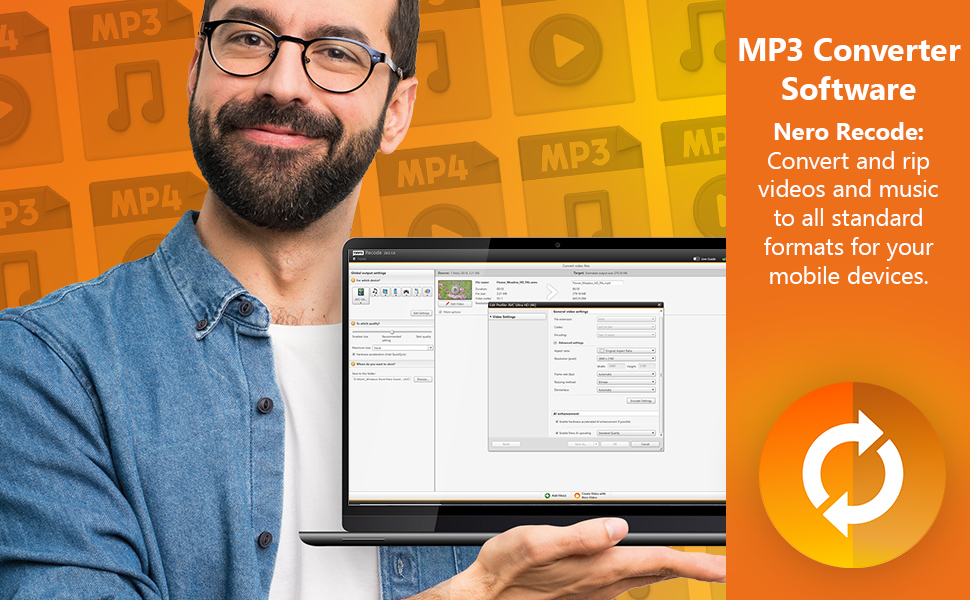
Function overview:
Import
Import songs, audio books, podcasts, music, films and seriesImport from CD*, DVD*, Blu-ray* & AVCHD* or hard drive simply by drag & drop
Rip
Easily rip entire discs with 1-click conversion from Nero Disc to DeviceGracenote technology: sort and play your music tracks on your mobile device by album artConvert Blu-ray 3D discs to 2D HD and SD formats
Convert
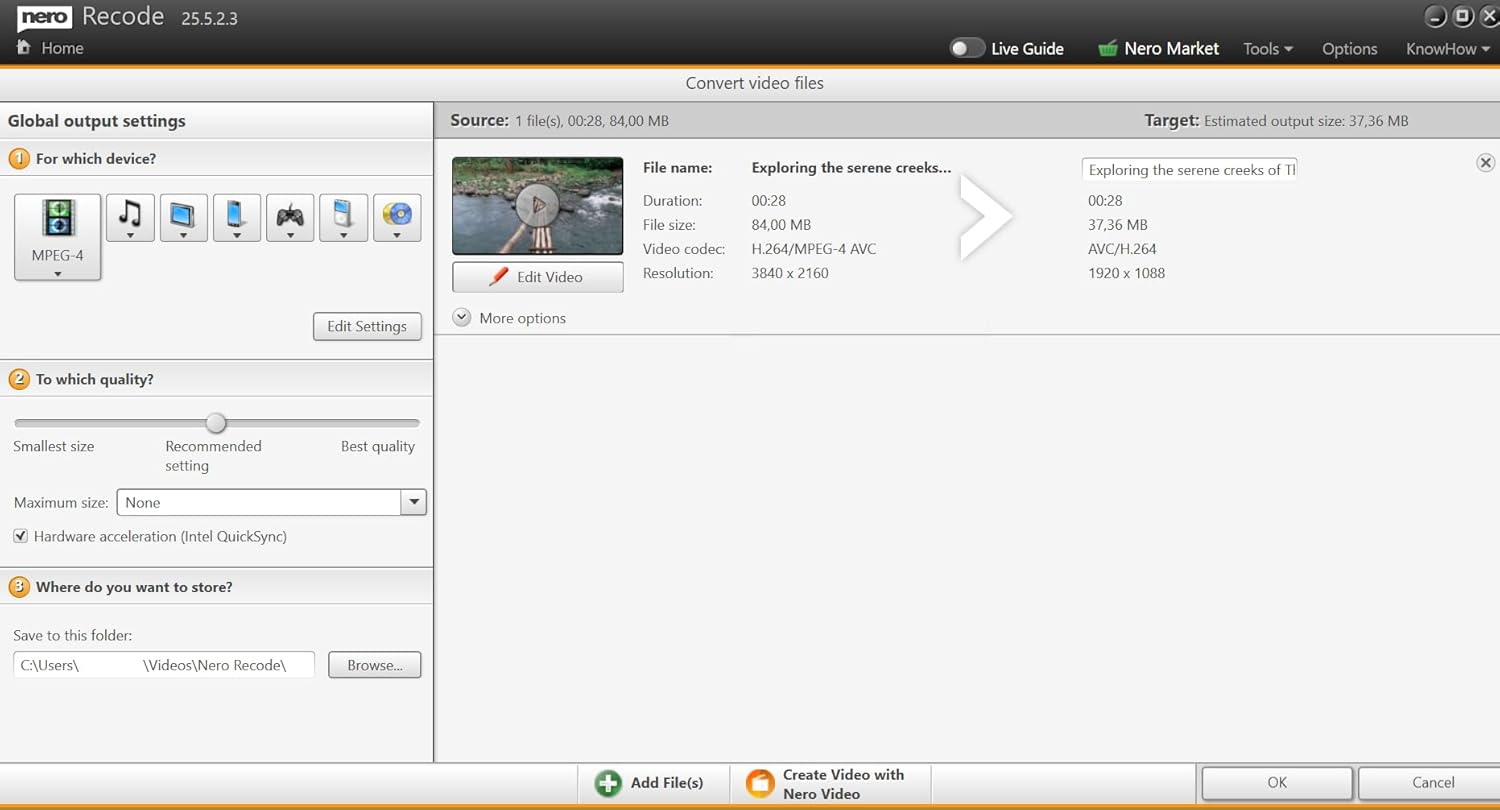
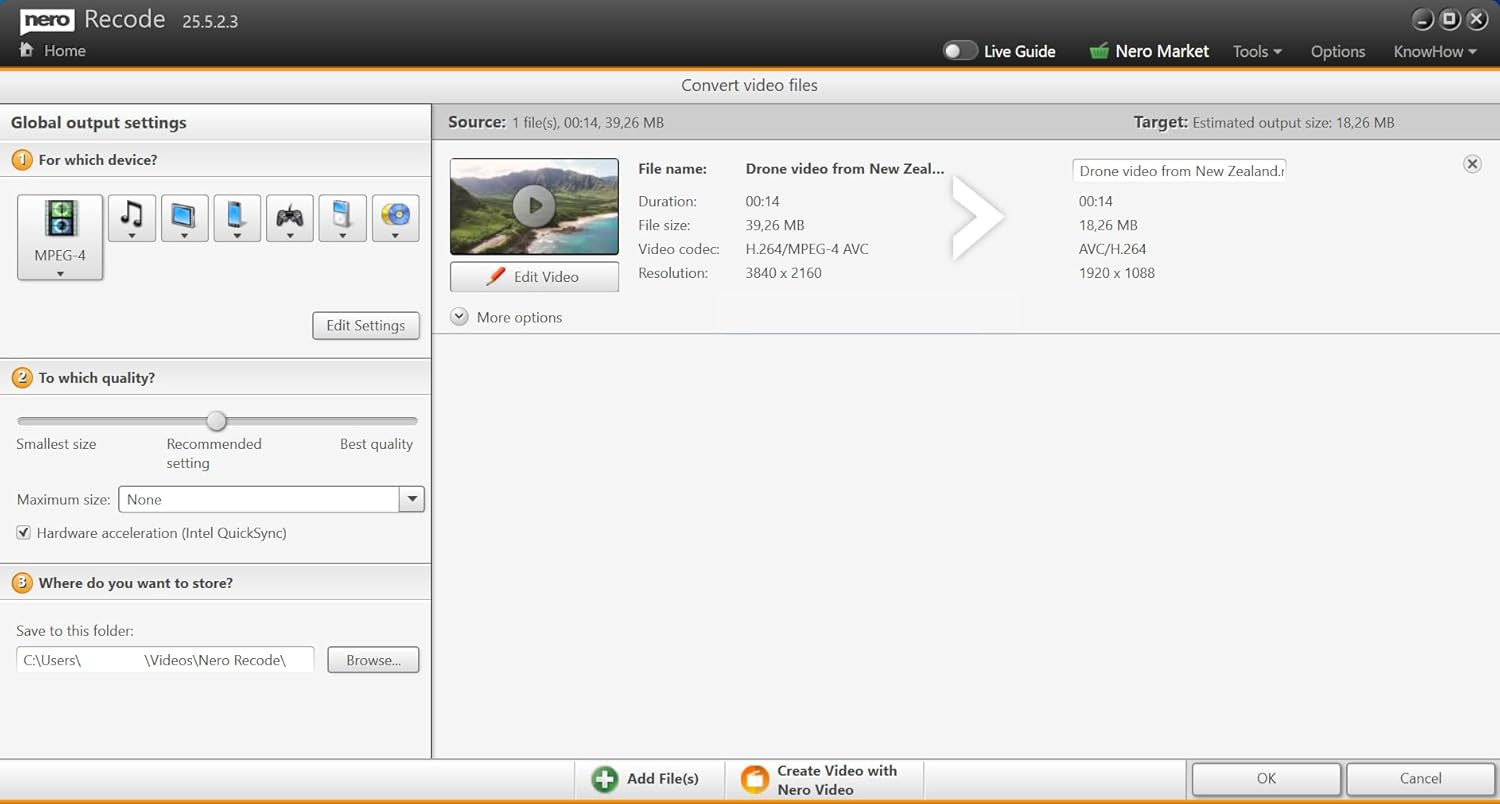
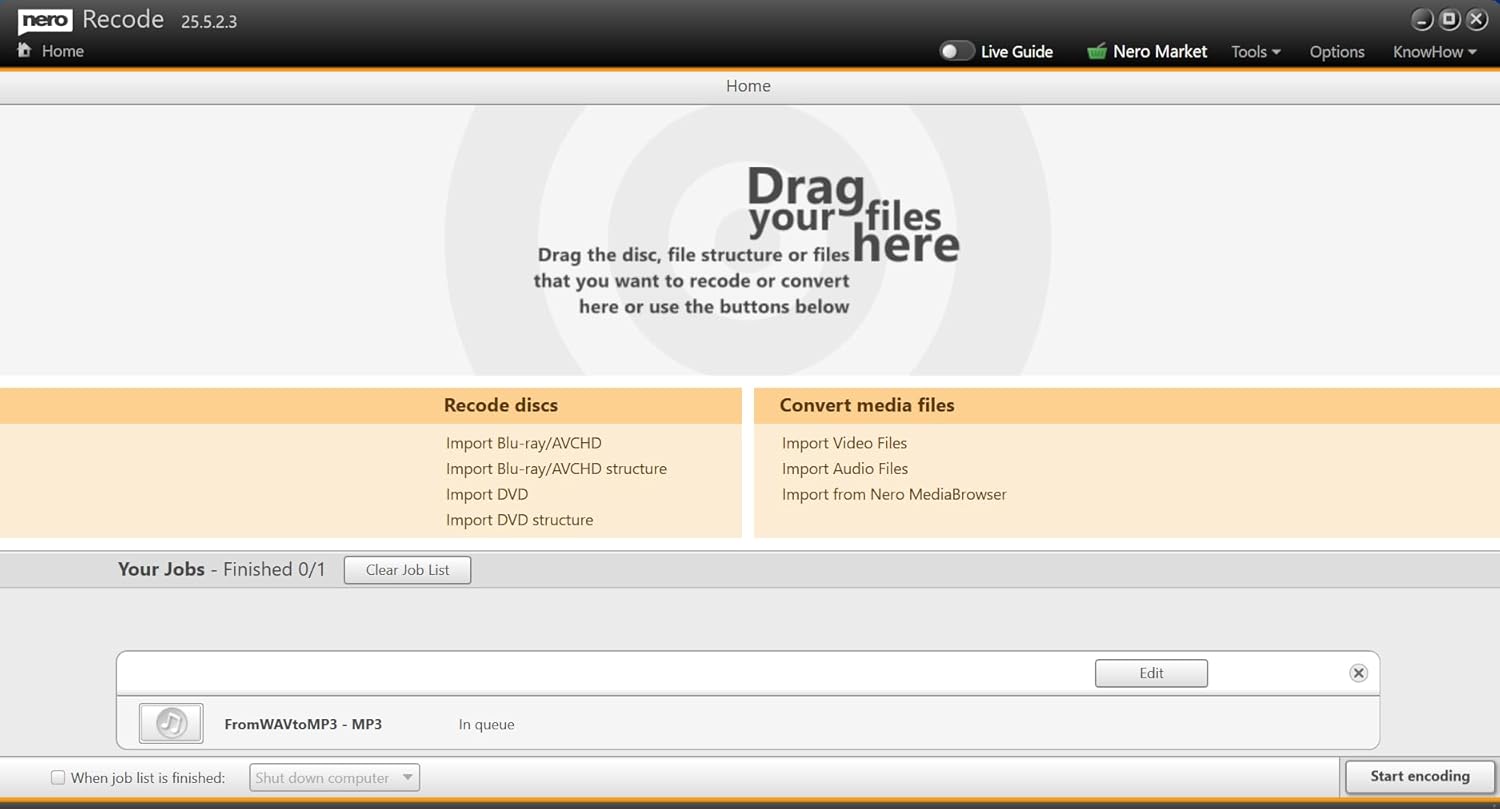
Easily transfer and play video and audio files from your PC to your deviceLatest device support for tablet, smartphone, PlayStation, Xbox, MP3 player etc.Convert your video files also specifically for use in video discs (DVD-Video, AVCHD, Blu-ray Disc).Conveniently create job lists for your scheduled conversions and run large conversion jobs overnight with the Turn off PC after completion option.
Edit
1-click trimming tools: rotate, crop and shorten videosAutomatically sharpen videos with AI Upscaler
Easy-Mode: Convert your files in 3 simple steps:
1. Select files
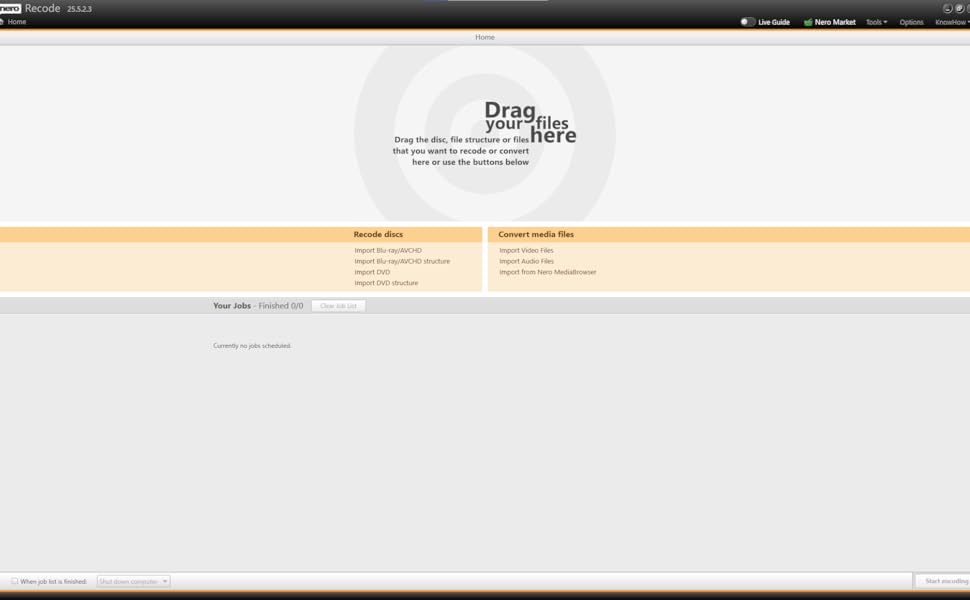
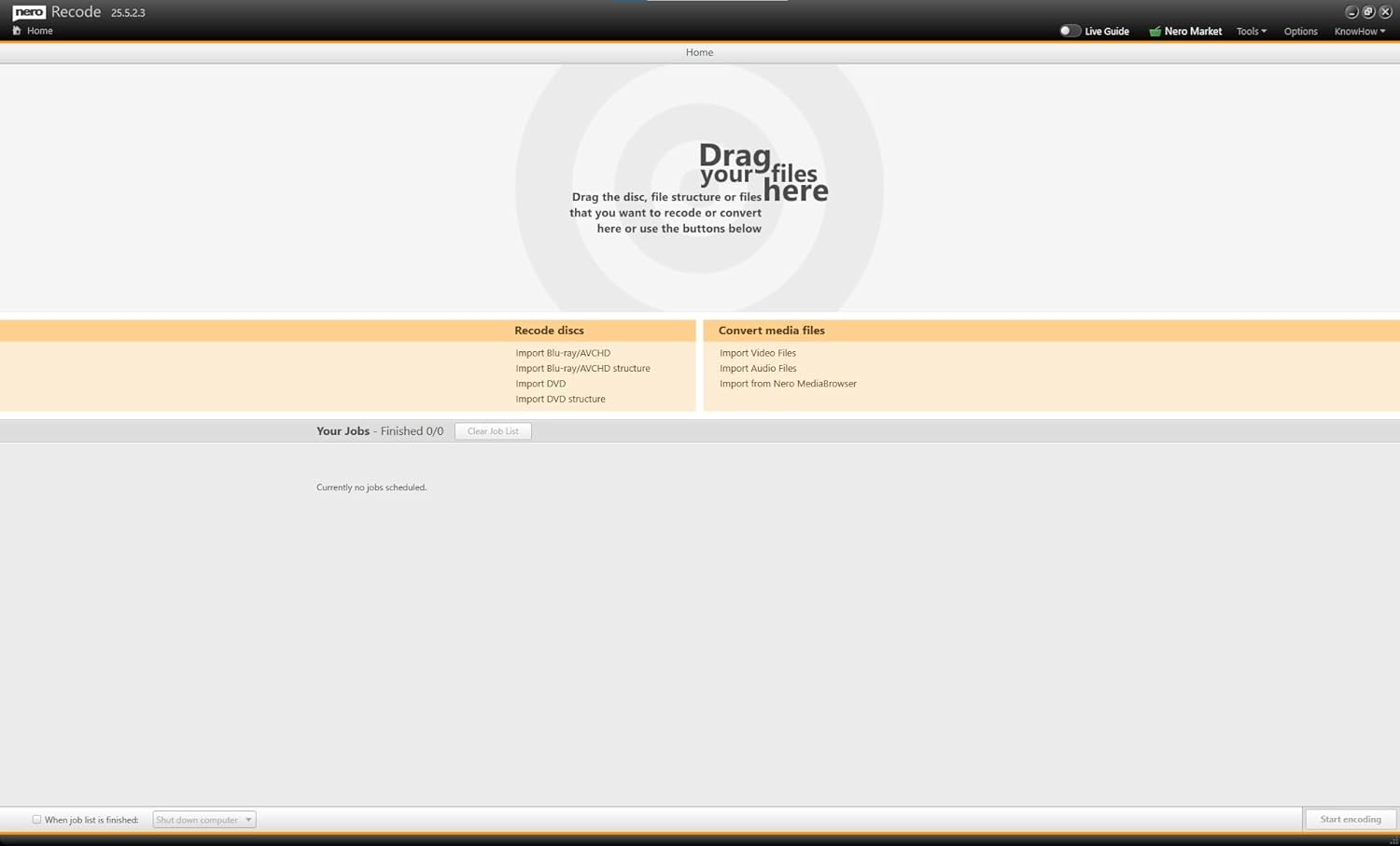
Open Nero Recode and select the files you want to convert. To do this, click on “Import video files” or “Import audio files” or simply drag and drop them in.
2. Select target format
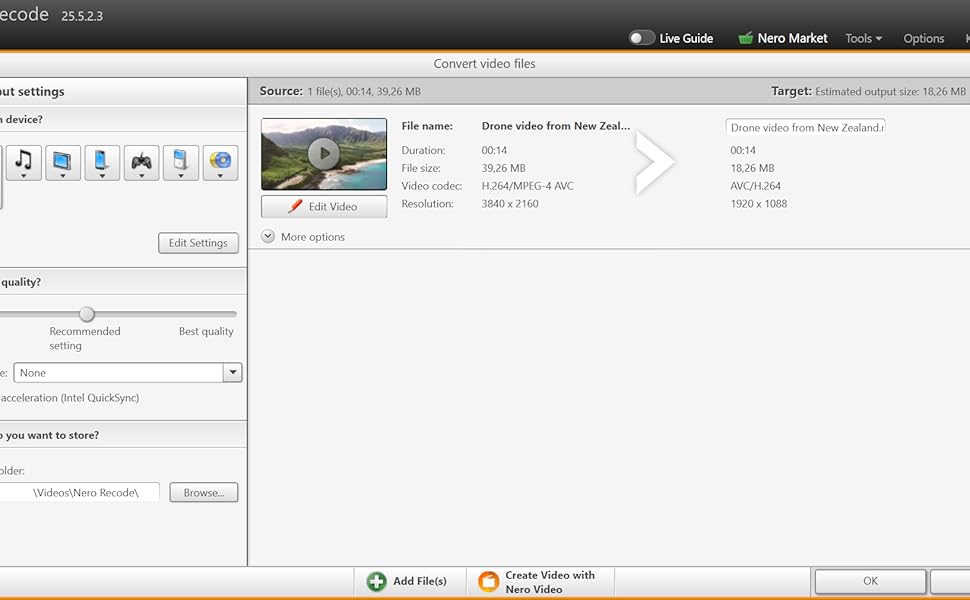
Select the format you want to convert the files to.
3. Start coding
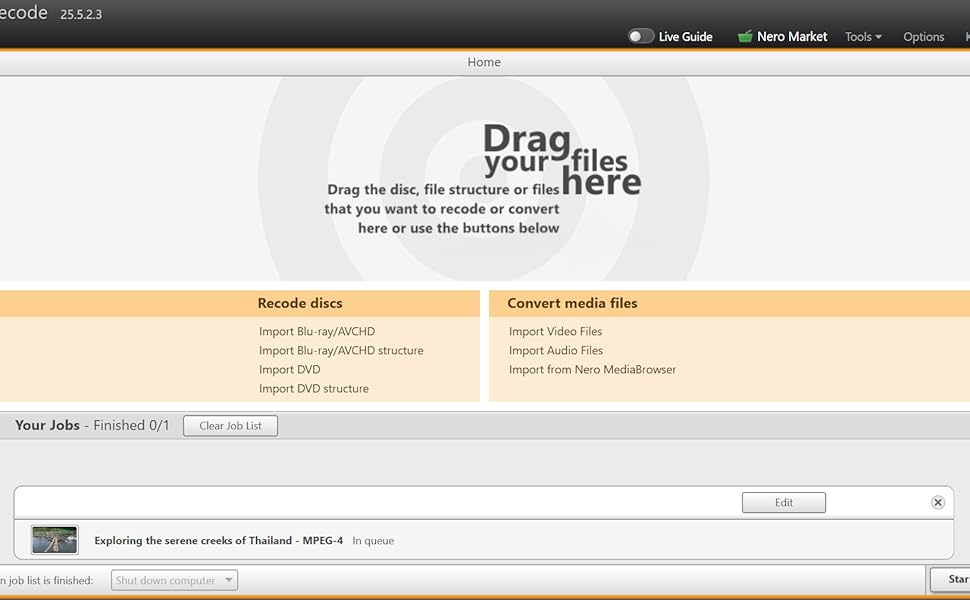
Click on “Start encoding” to start the conversion process. Nero Recode automatically converts your files into the desired format.
Other highlights:
Save storage space by compressing audio and video files while maintaining the best possible qualityHigh conversion speedBatch processing possibleConversion to numerous formats optimised for your end devices (smartphone, mobile phone, tablet, media player, game console, TV, etc.)Audio encoding options, bit rate control, volume normalisation, audio trimming etc.With the free WiFi+Transfer app, you can easily transfer your converted media archive including album art to your end devices1-click conversion from Nero Disc to DeviceRotate, trim, and crop videos with one click
Nero Recode supports many video and audio formats:
Supported file/container import formats Video: 3gp, asf, avi, divx, f4a, f4b, f4p, f4v, flv, m2ts, m2t, mts, ts, mkv, mov, mp4, mpe, mpg, mpeg, vob, m4v, tod, trp, wmv, mod, mpv2, nd, nvavi, ogm, dv, ogv, ogg, mmv, dat, ifo, m1v, m2p, m2t, m2v, mmvAudio: Mp3, wav, wave, wma, flac, aiff, aif, amr, m4a, ape, oga, mp2, mka, ogg, mp4, mpe
Product Dimensions : 4.92 x 3.54 x 0.08 inches; 0.32 ounces
Date First Available : March 11, 2025
Manufacturer : Nero Inc.
ASIN : B0F1441QWC
Best Sellers Rank: #219 in Software (See Top 100 in Software) #1 in File Conversion
Customer Reviews: 3.2 3.2 out of 5 stars 45 ratings var dpAcrHasRegisteredArcLinkClickAction; P.when(‘A’, ‘ready’).execute(function(A) { if (dpAcrHasRegisteredArcLinkClickAction !== true) { dpAcrHasRegisteredArcLinkClickAction = true; A.declarative( ‘acrLink-click-metrics’, ‘click’, { “allowLinkDefault”: true }, function (event) { if (window.ue) { ue.count(“acrLinkClickCount”, (ue.count(“acrLinkClickCount”) || 0) + 1); } } ); } }); P.when(‘A’, ‘cf’).execute(function(A) { A.declarative(‘acrStarsLink-click-metrics’, ‘click’, { “allowLinkDefault” : true }, function(event){ if(window.ue) { ue.count(“acrStarsLinkWithPopoverClickCount”, (ue.count(“acrStarsLinkWithPopoverClickCount”) || 0) + 1); } }); });
✔️ The complete solution for your video and audio conversion – convert to any video and audio format with the software.
✔️ VIDEO: Supported file / container formats Video: 3gp, asf, avi, divx, f4a, f4b, f4p, f4v, flv, m2ts, m2t, mts, ts, mkv, mov, mp4, mpe, mpg, mpeg, vob, m4v, tod, trp, wmv, mod, mpv2, nd, nvavi, ogm, dv, ogv, ogg, mmv, dat, ifo, m1v, m2p, m2t, m2v, mmv
✔️ AUDIO: Supported file formats audio: Mp3, wav, wave, wma, flac, aiff, aif, amr, m4a, ape, oga, mp2, mka, ogg, mp4, mpe
✔️ Conversion to numerous formats, optimised for almost any device
✔️ High conversion speed, batch processing possible
✔️ Adapt your music, movies and photos to your device – smartphone, mobile phone, tablet, media player, game console, TV and many more
✔️ The original from Nero
✔️ Multilingual in 24 languages – simple user interface
✔️ Unlimited licenses for Windows 11, Windows 10, Windows 8, Windows 7
✔️ Scope of delivery: installation link, card with licence key (internet connection required)
13 reviews for NERO Audio & Video Converter Software | MP3 Converter | MP4 Converter | conversion, converter for videos (MP4, MPEG, VOB, DAT) and audio (MP3, WAV, FLAC, MP2) | 1 PC | Windows 11/10/8/7
Add a review
Related Products

![VideoPad Video Editor Free – Create Stunning Movies and Videos with Effects and Transitions [Download]](https://m.media-amazon.com/images/I/810xsDCJ4eL._AC_.png)

![Norton 360 Premium, Antivirus software for 10 Devices with Auto-Renewal – Includes Advanced AI Scam Protection, VPN, Dark Web Monitoring & PC Cloud Backup [Key Card]](https://m.media-amazon.com/images/I/71zyM-0FAQL._AC_SL1500_.jpg)


€40
Danny smith –
audio/video converter software
works well… easy to use, edit and convert your audio video files into a more up to date format.
angela –
Returning
Doesnt covert movies like it says
Chiacomshort –
Works well
Program works well and it’s fast. The issue is getting my disc player to burn lol
jorban –
Reliable but Overcomplicated: A Look at Neroâs MP3 Converter Software
Having a long history with Nero software, I decided to give their MP3 converter a try, partly out of familiarity but also to see how it holds up in todayâs fast-evolving digital world. While the core functionâconverting audio filesâremains relevant for some users, this particular software comes with a mixed bag of experiences that make it harder to fully recommend without reservations.The installation process was the first hurdle. It was noticeably more complicated than expected, requiring the download and setup of additional Nero components. Some of these extra installations felt a bit intrusive, with multiple prompts for optional upgrades and other bundled software that donât seem strictly necessary for the MP3 converter itself. This adds unnecessary time and complexity before you even get to the main functionality. It felt like a layered experience that could have been streamlined for the sake of simplicity.Once the software was fully installed, the interface itself was fairly straightforward. It doesnât overwhelm you with options, but still offers enough control to manage the conversion settings as needed. For anyone who occasionally needs to convert audio files, the process is clear enough to navigate without much confusion. Itâs not the most modern-looking or elegant interface by todayâs standards, but it gets the job done without excessive fuss.The actual conversion capabilities are solid. The software reliably converts a variety of audio formats into MP3, and it gives users some options to adjust output quality and bitrates. This is useful for those who want to customize their files for specific playback devices or save space on storage. While many modern devices can play multiple audio formats natively, having a dependable converter remains handy in certain cases, and this tool performs that basic function well.What holds this software back from a higher rating is mainly the installation complexity and the somewhat dated feel of the user experience. The extra steps to get up and running can be off-putting for users who expect a simple, quick install. Additionally, the interface, while functional, lacks the polish or intuitiveness that newer applications bring to the table. Itâs usable, but not particularly enjoyable to work with.In summary, this MP3 converter software provides reliable performance for those who need to convert audio files and appreciate a moderate level of control over output settings. Itâs not an essential tool for everyone, given that many devices and platforms now support a wide range of formats natively. The installation process and extra bundled components make it less appealing for casual users seeking a no-fuss solution. But for those who are willing to invest the time upfront, it will serve its purpose adequately. Three stars.
Flip Masters –
Works but complicated to use.
So Nero has a lot of options for encoding, etc. However, it installs a ton of “extra things and programs” that are not needed. If it were only the converter, and it were more user-friendly, then I might give it more stars. The audio quality of my previous videos in MP4 format were clear and at a great bitrate, but the converted files’ audio sounds a little less clear and at the same bitrate. So, that might be a user issue, but that’s the problem; it is very complicated to use. Even with watching the tutorials. I can just use other programs that work better or ask AI to do it online now.
JohnnyD. –
Easy audio and video file conversion…
If you are a content provider then you’ll likely want this software tool. It allows for the seamless and quick conversion of video and audio files to conform to various hardware platform needs. It’s a necessity for content providers trying to reach an expanded audience.
Fred E –
Did not like product
didn’t work for me
S. Miller –
Polished and simple UI, works well
For starters, it’s an odd way to buy software in today’s age – you buy it and then wait for them to snail-mail you a business card size piece of paper with the download link and activation code.You first have to install “Nero Start” and create a Nero account. Nero Start wants to upsell you on lots of other products, but it isn’t overly pushy. I was a bit overwhelmed by all the products listed as “free”, “trials”, “for purchase”, and “available in my plan” – which is odd because I had not purchased any plan yet. For some reason, Nero Recode was listed as “Available In My Plan” before I even entered in the activation code. I then entered my activation code and nothing really changed. Not sure if you even have to buy this for it to work.As for the Recode program itself, it seems pretty polished and works well. I converted several old MPEG-2 DVDs to HEVC media files. For one DVD, I tried a few different settings. For a simple convert/upscale to 1080p HEVC using hardware encoding, it took 16 minutes to convert a 1h 37m movie. I then tried the same movie, but set their AI enhance to Max, and it took 34 hours to convert. It did look quite a bit better, so I guess if you have something that needs to look its best, this setting could be for you. For reference, I have an i7-11700K @ 3.60GHz, 64GB RAM, and an NVIDIA GeForce RTX 4060 Ti.
whipsaw –
This is a great piece of software for those who deal in a lot of physical media and downloaded media. Not only does Nero Recode have the ability to rip DVDs and Blu-ray discs to digital video formats, it can also convert from one digital video file format to another. There are presets for numerous different devices (Android tablet, iPhone, iPad, etc) so that you get the best performance when playing the media on your device. It will do audio files as well. Overall I’m pretty impressed with it!
BBD –
This NERO Recode software is just awful.I’ve used Nero software for decades (notably Nero Burning ROM) but every iteration they release has just got worse and worse. And now it’s again gotten so much worse because of the DRM “controls” they believe should be forced on users who actually pay for their products. Pay but never truly own, I should mention. If Nero ever goes out of business your software and the ability to install it (remember – you paid for this software) goes away completely.Trying to use the software was instantly frustrating. You have to submit your email to receive an activation code as part of a forced registration process (remember, you paid for this software) and that’s the best part of the experience. Reluctantly I followed their instructions to get everything installed. I opted to recode a Bluray disc that I legally own so I ripped the files using MakeMKV and just dragged and dropped the entire directory structure to Nero Recode. It identified my video files and made it easy to select the files I wanted to process. I checkmarked the source videos and selected a current encoding standard: HEVC. I was immediate greeted with an upgrade request. Annoying. Other options were available as video codecs, but they were all pretty old. But I selected one (MPEG-4). I was again greeted with a registration request after having already used the email process and serial number to install the software. Even more annoying.After hours of encoding my files, I felt like I had simply wasted a ton of time using this software and felt like I had surrendered a lot of private info just for the privilege of using a heavily anti-consumer software package from NERO.Avoid. Just use freeware options like MakeMKV or similar software instead.
JL –
This Nero program installs as a main umbrella suite, where then each sub program that you purchase is activated and found within.I use a mp3 media converter software quite often because I like to get a lot of music. I would then downsize them so that it takes less space in my phone. I tend to change my media from the 320 to either a 96 or 64 bit rate.This Nero interface is different then what I am used to, but it is intuitive and easy to grasp the concept. It only takes a few minutes to figure out.It still has the main tool I need to lower the bit rate. The program defaults each media to automatic. There is no general overarching setting however, as each one needs to be set individually. It’s a bit of a hassle because I like to convert many files at one time. I also found that the softwareâs lowest recognized bit rate is 96. If the original rate is lower than that, the selection tab gets greyed outThe conversion process is pretty quick. It takes about 5 seconds for a 4 min mp3 file. The file retains all the mediaâs information and artwork.The software only has the ability to trim. In my previous software, it had many other effects to play with, such as fade, remove gaps, and even insert another audio file to overlap. In most instances, it is just about removing the silence or certain noises at the front or back of a song, so the trim tool is likely sufficient. But if you want to do more advanced editing, this will not do that.This also comes with the basic Nero TuneitUp software. It is a program that cleans your system. It can uninstall software and optimize the overall function of the machine. It’s fairly intuitive. You just perform a scan and then the options are laid out for you.Overall this is a solid program. It will convert your mp3 media, but the software is quite basic. It lacks the depth within that other converters would have.Four stars.
John and Allison D –
I opened this expecting software on a physical CD, but instead itâs a piece of paper with a URL to go to as well as an activation code. From there itâs pretty straight forward at first, although you have to set up and account which I didnât necessarily appreciate, but OK. After you set it up, it opens âNero Startâ which is basically the interface software for all the Nero products. Here you can see whatâs software you have and whatâs available. So far so goodâ¦except for at this point it seems to begin automatically installing various Nero products that I didnât want. You can stop and/or uninstall, but I didnât like that it began choosing and installing random products on its own in the background.From here the experience got worse. When I tried to install the only product I actually wanted (and the only one I ordered from Amazon), it still spent the next 10 minutes or so installing a ton of stuff on my PCâ¦clearly more than the mp3 converting software. At this point I gave up and stopped/uninstalled everything. I really just wanted .mp3 conversion software. Not a pile of Nero products.Itâs unfortunate because in the past I remember Nero software being great. Iâm giving it a little grace in my rating because of the fact that it does look like if you had the time and patience, you would be able to just download what you wanted. But I didnât appreciate it trying to force things on me I didnât want.
Ramouz –
Nero, boy do I recall this brand from 20+ years ago. We used to use Nero burning ROM back then.To start, you have to visit their website, download the main installer, Nero Start, and then you download the product you bought and then enter the product key.Now, Nero Start looks nice, modern, and is functional.But, Nero Recode is unfortunately very old looking. It says 2025 on it but it looks like it’s from 2010. Now, I usually don’t mind that, and I like old software and their ease of use and settings, but this one isn’t that well made.However, the worst part is that it’s very, very slow. I don’t understand why it’s so slow. I also use Avidemux, which is a free software for light video editing, compressing, format change, etc., and it’s instant. It loads videos instantly. Nero Recode takes multiple seconds to load it and it freezes before it does. Then, when it’s loaded, when you want to save it, also another freeze. Everything kind of freezes and takes time to load.Here’s another big problem I had. I took videos on my Samsung Galaxy S23 Ultra and Recode didn’t want to open them because of this reason (paraphrasing): “H.265 HEVC decoding and encoding not available and you need to upgrade now”.Worst part is that Recode says that its program is for mobile devices, and the title says 2025. Pretty sad if you ask me. It should support that codec, and probably others. My phone is not from 2025 but 2023. And that HEVC codec has been around since 2013, and around 2015 for phones. This should be supported. But, due to how old Recode looks, I’m not surprised that this doesn’t work.I uninstalled it as I have no need for it if it can’t support this. I had to DaVinci Resolve Studio to compress it.I did compress another format and it did a good job at that, so if you’re using a bit of older formats, it’s quick and easy to use. What I did not like are the freezes though. And, dragging and dropping a video into it isn’t well done. It feels like there’s no where to drop the video from your desktop to Recode. I had to find a spot where the drop icon appeared and it was a very small area, with no other indicator.In short, this feels like an abandoned software.I wouldn’t be surprised. Nero Start has many programs in there and it seems they have their hands full.