

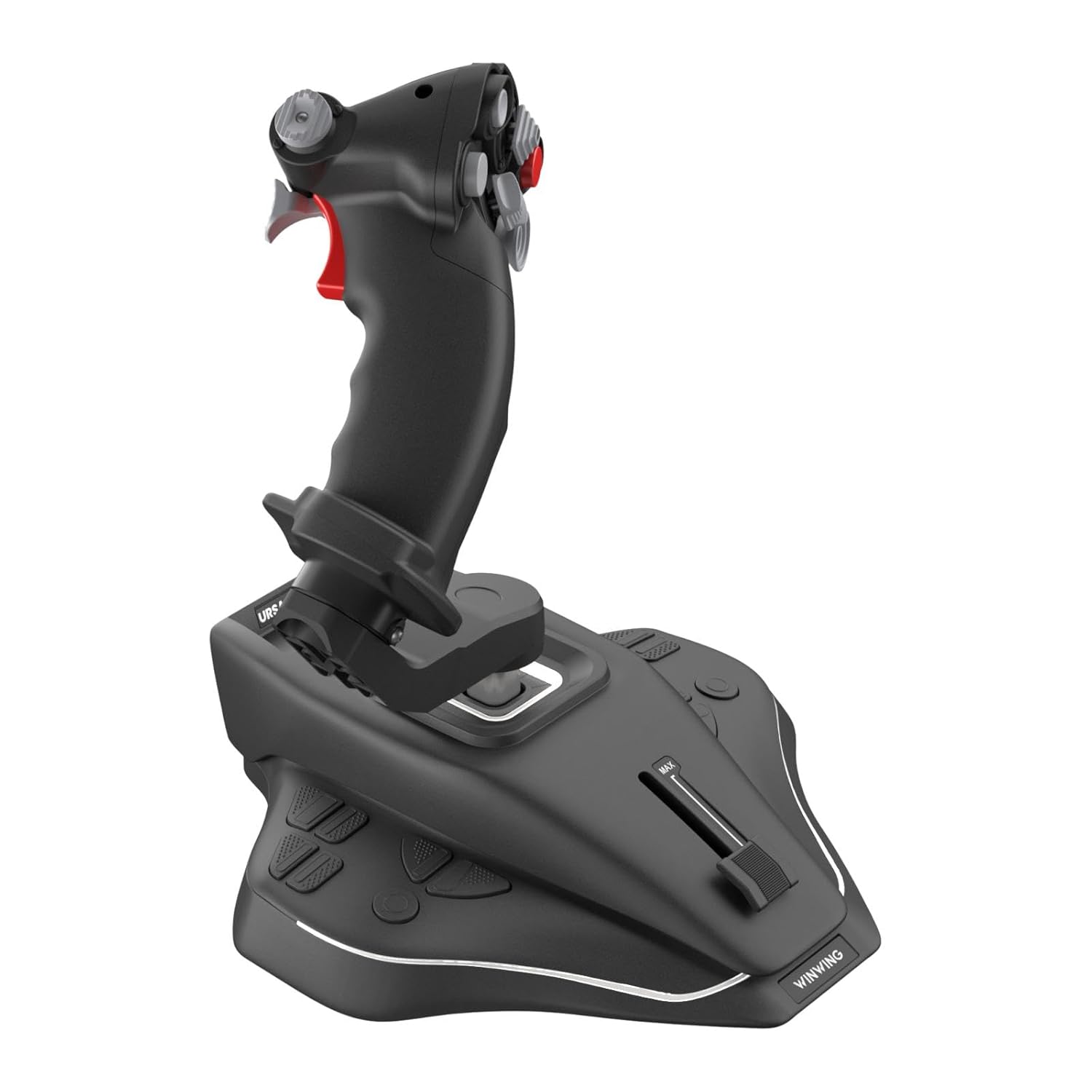
WINWING:URSA MINOR Space Joystick L(PC ONLY)
€156


Price: $156.48
(as of Jul 26, 2025 13:13:34 UTC – Details)
Product Description
Specification
The video showcases the product in use.The video guides you through product setup.The video compares multiple products.The video shows the product being unpacked.
Enhanced Immersion  Synchronized Haptic Feedback
Experience haptic feedback that synchronizes with in-game flight data through a dynamic vibration motor
Pioneering Space Vibration Feedback
First-ever tactile feedback to feel vibrations in space simulation games

 Comprehensive Aircraft Vibration Model
In-house developed, third-party vibration model for a full range of aircraft for realistic simulation

Equipped with ABS engineering plastic pincer gimbal (not CAM) for smoother control and enhanced gaming experience

Streamlined design with programmable breathing backlight

Ready to use right out of the box with no assembly required

The base features anti-slip pads for desktop and pre-drilled holes for cockpit mounting, compatible with both desk and cockpit installations

The base comes with a quick-release cover for easy maintenance and adjustments without the hassle of complex disassembly

HOTAS Configuration 
Utilize a long-travel sliding potentiometer axis for precise throttle control with ease

Incorporating the design of Soviet-style fighter jet grips, enjoy a comfortable and evolved layout design

The entry-level flight simulation product leads the way with its superior key function configuration:

Download the WINWING SIMAPP Pro software to easily adjust button functions through intuitive, visual settings

Plug and Play

Compatible with a variety of flight simulation games, including MSFS2020, X-Plane, Prepar3D, DCS, Star Citizen, Elite Dangerous, War Thunder, and more
Technology and Durability

Equipped with a 32-bit ARM controller.

Constructed from industrial-grade ABS plastic

Adjustable dry clutch damper

The gimbal is made from glass fiber reinforced nylon and features ball bearings. The X and Y axes utilize non-contact magnetic resistance sensors
Enhanced Immersion: Experience haptic feedback synchronized with in-game flight data through a dynamic vibration motor. This first-ever tactile feedback technology brings unprecedented realism to space simulation games.
Structure and Design: Equipped with ABS engineering plastic pincer gimbal (not CAM) for smoother control and enhanced gaming experience. The streamlined design features programmable breathing backlight and is ready to use out of the box.
HOTAS Configuration: The URSA MINOR Space Joystick offers X/Y axis movement angles of ±15° with an operating force of ~6N, and Z axis rotation angle of ±20° with a rotation torque of ~4kgf·cm. The long-travel sliding potentiometer axis allows precise throttle control, inspired by Soviet fighter jet grips for a comfortable layout.
Applicability: As an entry-level flight simulation product, it boasts superior key function configuration. The grip includes a vibration function with adjustable intensity levels from 0 to 255. It features 14 button switches with a press force of 250gf and a press travel of 0.25mm. Easily adjust button functions through the intuitive WINWING SIMAPP Pro software.
Technology and Durability: Equipped with a 32-bit ARM controller and constructed from industrial-grade ABS plastic. The adjustable dry clutch damper and glass fiber reinforced nylon gimbal with ball bearings ensure durability and precision. The X and Y axes utilize non-contact magnetic resistance sensors for enhanced accuracy.


Batou –
Fast delivery and good support
Picked this up for my small simpit. They have a really nice feel to them over my older ball&socket joysticks. The cams really do make a big different in the feel. The only complaints I have it there is zero documentation in the box, you have to go to the website to find any documentation and the software for programming the joysticks (if needed for your game) is very-very basic. I just started using Joystick Grimlin when I need to pass key presses through to games that don’t directly support the ooodles of buttons.
Jack –
Dual stick setup (left and right)
I was originally using a Logitech x3d pro and then upgraded to thrustmaster t16000m and the throttle that comes with it.. even got an extra t16m and whilst I enjoyed those I wanted something with more buttons and didn’t like how the flight joystick worked flying in space. I saw this and was very interested because the tilt. The tilt truly is more immersive for space. I read and watched reviews on their other products and decided to give them a chance since these are new and not much info or reviews for them yet. I was extremely happy with all of the buttons and how it felt flying my anaconda and cutter on Elite Dangerous. So I then got the left oriented ursa minor space for my throttle. Now i have both and I just love them. I use linux so I have no idea how the software is on windows. I used antimicrox gui app on fedora silverblue to remap my joystick functions to keyboard functions.. elite dangerous only can use up to 32 functions so this thing needs you to do some remapping since its over 32 buttons. Kind of a pain but once you set it up you dont have to worry about it again. I have so many extra buttons im still optimizing and tweaking my setup. I love them. Highly recommend. The vibration support is still in development but the joystick itself feels great. I play elite dangerous on steam and it works great. Some people have said they copied some features from other joystick manufacturers but I don’t care personally. Their product cones nicely packed and looks well built. The light effect us neat in the dark. It seems like winwing actually cares about their product and put some tlc into its manufacturing. There is not another joystick like this one it is unique. The grip axis reminds me of the throttle on a quad motor bike or something along those lines.. I use them for my roll functions on elite dangerous. Thanks winwing… good work and o7 to all you commanders out there!
Justin M. –
Immersive Quality, Very Tactile
WinWing makes solid quality Joysticks and peripheral control panel modules.The only downside in quality is in the USB-C ports. They are a bit weak. You can accidentally break them just by pulling the cord out. I highly reccomend getting magnetic USB-C adapters for any Wingwing items you get