

Wireless HDMI Display Adapter 4K, Screen Mirroring Display Dongle, Streaming Video & Audio from i-Phone i-Pad Tablet Laptop PC iOS Android Windows to TV Projector Monitor Support Airplay Miracast DLNA
Original price was: €30.€28Current price is: €28.



Price: $29.99 - $28.49
(as of Jul 28, 2025 04:36:24 UTC – Details)
From the brand


4K Wireless Display Adapter


【ENJOY 4K ULTRA HD & HDR SCREEN】Drymokini wireless HDMI dongle delivers stunning 4K ultra-clear visuals, supporting resolutions up to 4K x 2K at 30Hz, 1080P at 60Hz, 1080P at 30Hz, and 3D/720P. Effortlessly sync your phone, laptop, or tablet to your TV, projector, or monitor for an immersive movie experience. Share unforgettable entertainment moments with family and friends.
【PLUG AND PLAY】With Drymokini wireless display adapter, enjoy a hassle-free setup. Just plug it in to TV and power it via your TV’s USB port. Activate the Miracast function on your device and select AMB-xxx—no additional settings, apps, or drivers required. Instantly start streaming movies, presentations, and more for classrooms, meetings, hotel stays, and store showcases.
【FOR ANDROID & WINDOWS DEVICES】This wireless HDMI adapter is best for Android and Windows devices with support for encryption screen projection apps, you can enjoy seamless HD series, movies, and live sports from Netfix, Prime Video, Sky Go, BT Sport, Tiktok, Youtube, DIRECTV, HULU, Comcast TV, XFINITY, Vudu, Movistar and more.
【FOR IOS AND MAC OS DEVICES】 This wireless HDMI dongle can cast movies, photos, and music to a big display from free apps, such as Safari, Office apps, YouTube, WhatsApp, Skype, Twitter, Reddit, and more. Please note: A-pple devices are not compatible with HDCP apps like Neflix, Amazon Video, Sky Go, BT Sport, DIRECTV, HULU, Comcast TV, Xfinity, or other “HDCP” copyright-protected applications.
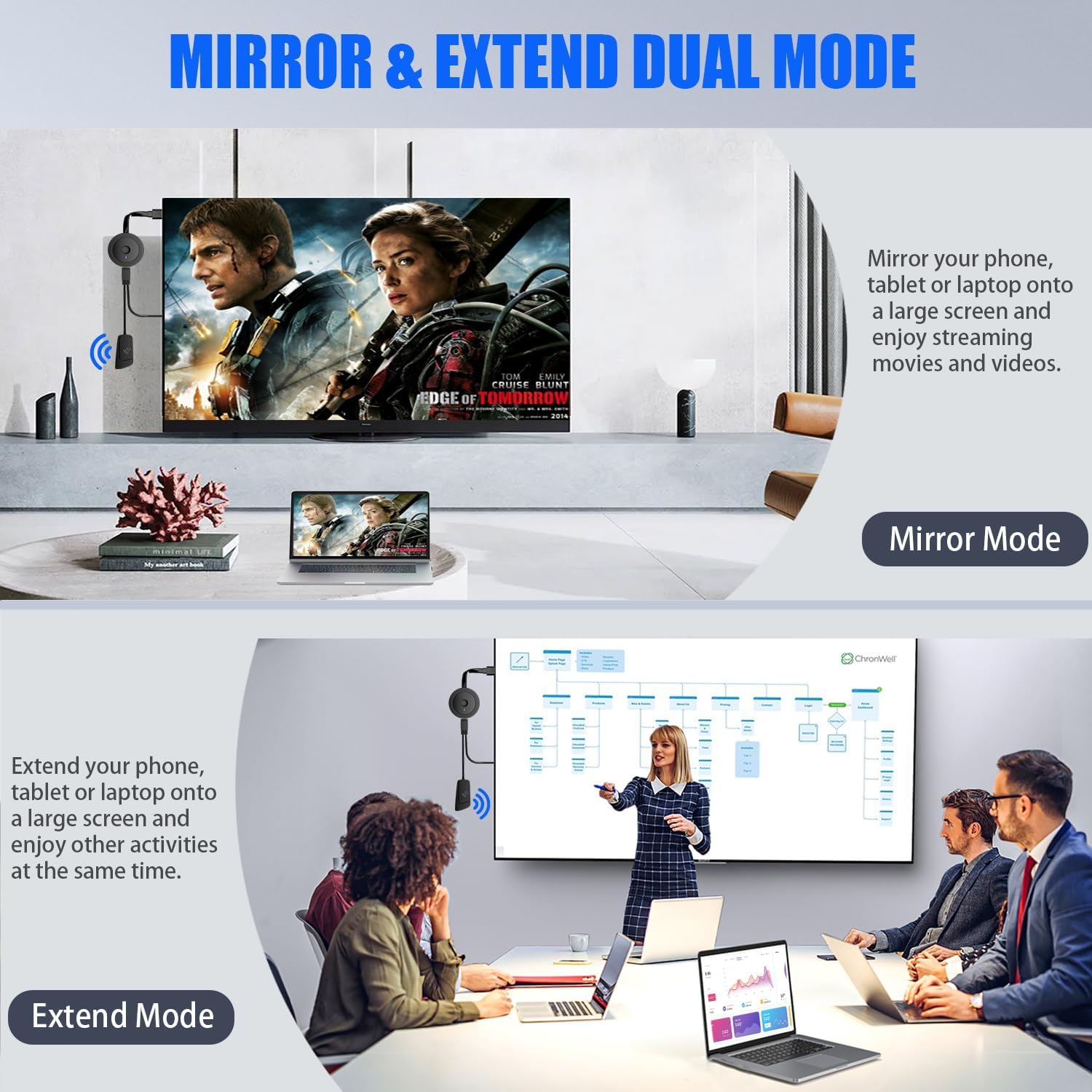
【MIRROR AND EXTEND MODE】DRYMOKINI wireless HDMI adapter supports mirror mode and extend mode. Under Mirror Mode, you can share the most luxurious video and audio with your friends or family members. With the Extend mode, the wireless HDMI display dongle allows you to cast video into the TV and play phone at the same time.
Customers say
Customers report mixed experiences with the HDMI dongle’s functionality, with some saying it works great while others mention compatibility issues with streaming services. The setup process receives mixed feedback, with some finding it simple to link while others find it somewhat complicated to set up and use. Additionally, connectivity issues are reported, with multiple customers noting problems with network connectivity on their phones and devices that won’t connect to the device.
13 reviews for Wireless HDMI Display Adapter 4K, Screen Mirroring Display Dongle, Streaming Video & Audio from i-Phone i-Pad Tablet Laptop PC iOS Android Windows to TV Projector Monitor Support Airplay Miracast DLNA
Add a review
Related Products


Original price was: €30.€28Current price is: €28.
Alvaster –
Does exactly what it says, but some devices won’t connect
This does exactly what it says and works beautifully. Better than the built in functions of our Samsung and LG TVs. This circumvents Samsung’s silly screen share, and the LG TV’s tendency to lag via Miracast.Because “casting:” natively (without this device) doesn’t actually cast, but rather tells the TV’s built in app to launch and then use the phone as a remote, you gets ads. I can’t stand ads.Using MIracast solves this issue, but on some TVs its a little slow because of the OS.Using this device, we connect our phones to cast youtube, movies, etc. with our adblocking features, and it’s very quick and reliable.The ONLY caveat is some devices won’t work as easily. Can’t say why. Our Samsung tablet refuses to connect, and if it does, it’s once out of every 20 connect attempts. Our phones, Oneplug and Samsung, however, connect in an instant, every time. I won’t blame it on the device, so it’s a 10/10 from me.Had it for a while, no issues yet. Go for it if you’re on the fence.
Eanna Bernini Cronin –
Bricked completely following firmware update
I bought this in high hopes I could cast the screens from my Windows 10 desktop and laptop to my TVsSetupThe initial setup was as I expected, requiring me to sign in to the device’s own WiFi network to allow it to connect to my home WiFi. This worked, and I was immediately able to cast from my Android phone to the device. For what it’s worth, it has a pretty slick info screen showing how to connect any device.(ii) But wait… One star?I then tried to cast my Windows 10 laptop, but the interface kept refusing to connect. From the icons on the TV screen, it appeared that the adapter detected that there was an incoming connection, but each time, it would apparently drop its WiFi connection to my home network.I think.I mean, there are three icons, and they aren’t the most clear. But that’s what I was able to discern. I tried the same on my desktop Windows 10 PC, with the same results. I tried resetting the device, restoring factory settings, using a USB power supply with more power, in case the wireless adapter was having trouble getting power, all to no avail.Chapter 3: Spirals of Despair, in which our character takes bad advice from a Wireless HDMI adapter, just like the fortune teller predicted.So, in desperation, I logged directly into the web interface through my home network, which immediately suggested that I update the firmware to the latest and greatest 1.13610.11 version. So I figured this might be the solution to all my problems, right? Wrong.I dutifully installed the update, and the device rebooted. Everything looked okay, except some of the unit-specific information was missing from the TV screen now. The unit was no longer connected to my home WiFi network, but I figured that would just need to be reconfigured as before, so I took my phone and looked for the device’s own network.And looked.And looked.No network.No network on my phone. No network on my backup phone. No network on my laptop. No network on my desktop.The closest I can figure is that upgrading the firmware, as the device itself recommended, broke the interface for the network adapter. So now I have absolutely no way to connect to the device. Even the previously functional Android screen casting functionality is now borked.Firmware upgrade? More like firmware deadgrade, am I right?It has a single physical button, which I’ve used to reset it several times. Alas, all in vain. In the words of the late great Leonard Nimoy “He’s dead, Jim”X: Epilogue, wherein we all reflect on how much we’ve grown, and remember those we lost along the wayAnyway, in synopsis; If you want a Chromecast device to cast from an Android phone or Google Chrome, this will work, as long as you never, EVER, upgrade the firmware (but there are better solutions out there for that *ahem* Chromecast *ahem*). If you, like me, want to cast your Windows laptop to a TV (which should, in 2021, be trivial) then look elsewhere.
Nene McKinney –
Itâs a 2.5 to maybe a solid 3 star.
I give it a 2.5 to maybe a solid 3 star. I connected to the internet rather quickly using my phone. Wasnât hard to set up. Mirrored phone games from my iPhone to my tv. As well as text messages, and a few other things. Did not try to mirror streaming apps. When it was first set up (and the reason for the purchase) the extend feature worked as intended. However, the second screen (extended screen) is now very choppy. Iâm unable to use the extend mode, duplicate mode, or second screen only mode for PC. The device is cute, itâs small and can sorta be out of the way. Itâs not entirely worth the amount when itâs not clear, but that may just be settings on my part. Iâll post more if I figure out how to fix the PC stuff.
fito –
I cant read the instructions, too faint and too small
The instructions are not legible.
Olufemi Osisanya –
Excellent product
Easy to use and one of my best purchases in a long time
MQB –
Does what is says – setup was a bit odd
My intended use was to cast iPhone (mostly for music) to the OneGuide (hdmi in) channel of XBOX ONE.It does that. Sometimes the audio skips a bit (not my wifi), but it isn’t constant and is tolerable. Overall, it does exactly what i had hoped.The setup of the device had instructions that (in hindsight) were clear enough, but it took a few missteps to get it right. The paper instructions say to connect it then push a button to select language. The picture – at a quick glance – seemed to show pressing the top. But a second picture showed there is a SMALL button on the side to press. Plus, there was a delay clicking it, which added confusion.Then you need to connect it to your wifi on your phone, and then put in an IP in your web browser to finish setup. If someone is completely “tech-challenged”, these steps might be too much. (but if they are, i doubt they are buying this device.)
aezhunstyo –
AMAZING!
It’s my kind of wireless adapter!This wireless adapter is what I’ve been looking for, the form factor is unusual and technical, just the type of thing I like. I was considering the Google chromecast, but this wireless HDMI adapter is really better value for money.How it works: The link is easy, no software is needed, it’s simple to link and use by following the guidelines. I was looking at the page of this product step by step and it’s really easy.I have already recommended it to my friends. Superb ð!
Kindle Customer –
The worst product for casting
This sucks. It does not cast only mirror. The clarity is awful.
V –
We have been using this to connect iphone and ipad to large televisions and monitors (it can go into anything with an HDMI connection which makes it pretty flexible) – it works really well, and is easy to use from the ipad. It shows up in screen mirroring in an iphone/pad so they find it and connect very simply, and the connection is stable. Very useful, and very glad we got it!
Nul mon chien a encore des puces –
Pour mon téléviseur dans ma chambre mon ancien modèle ne fonctionnait plus mais celui-ci non plus difficile de trouver un Chromecast facile à utiliser
Jailajoie –
Not that easy to configure.Quits Working without apparent tessonMust be frequently resetDo not work with all phones / software updates
-Doktorvater- –
This thing works. Just Plug it in and you will see the manual and the connection status on the screen. It is just so easy, this is really smart. Beware it only works in 2.4, at least it only worked on 2.4 here. This will seriously slow down any other items on 2.4, especially wireless scanners and other real time devices. So it works, but it has limitations.
MoGreg –
Sub-standard instructions but item works well once you’ve figured things out