

YUNZII QL75 Wireless Typewriter Hot Swap Retro Mechanical Keyboard,Punk Round Keycaps,RGB Backlit QMK/VIA Programmable,Multi-Device Keyboard with 2.4GHz/Type-C/BT5.0 (Pink, Cocoa Cream V2 Switch)
Original price was: €110.€99Current price is: €99.




Price: $109.99 - $99.00
(as of Sep 24, 2025 17:31:19 UTC – Details)
Product description
The video showcases the product in use.The video guides you through product setup.The video compares multiple products.The video shows the product being unpacked. 1 Merchant Video


1 MAIN FEATURES
2 TRI-MODE CONNECT
3 KEYBOARD STRUCTURE
4 HOT SWAPPABLE
5 FOR WIN/MAC


1 LONG LASTING BATTERY
2 RGB KEYBOARD
3 ROUND KEYCAPS
4 PROGRAMMABLE SOFTWARE
5 CUSTOM SWITCHES


1 75% LAYOUT
2 5 INDICATOR LIGHTS
3 MULTI-MEDIA KNOB
4 FN+FUNCTION
5 PACKAGE LIST


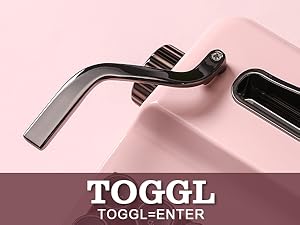 Functional Toggel
Parallel toggle, equivalent to the Enter key function. Also customizable via QMK/VIA for programmable needs.
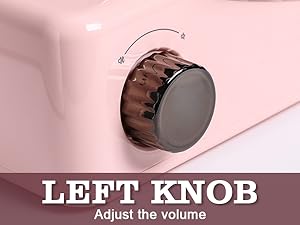 Left Knob
Left knob adjusts the volume level of the connected device.
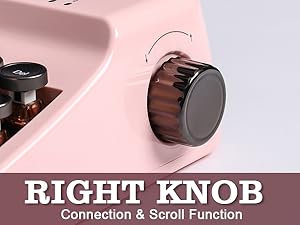 Right Konb
Rotate the right knob = scroll function. Short press the knob to change connection channel. Long press the knob to change the paring mode.
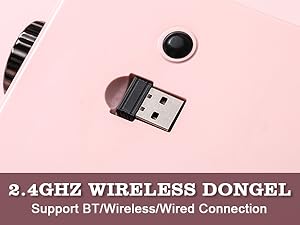 2.4gHz Wireless Dongle
2.4G wireless receiver included on bottom of keyboard, for the fast and stable wireless connection.
TYPING SOUND Onyx Tactile Switch
Type:Tactile Switch Pre-Lubed: YesOperating Force: 43±20 gf / Total Travel: 3.9±0.4 mm / Pre-Travel: 2.0±0.5 mm
The video showcases the product in use.The video guides you through product setup.The video compares multiple products.The video shows the product being unpacked. 1 Merchant Video
TYPING SOUND Cocoa Carem V2 Switch
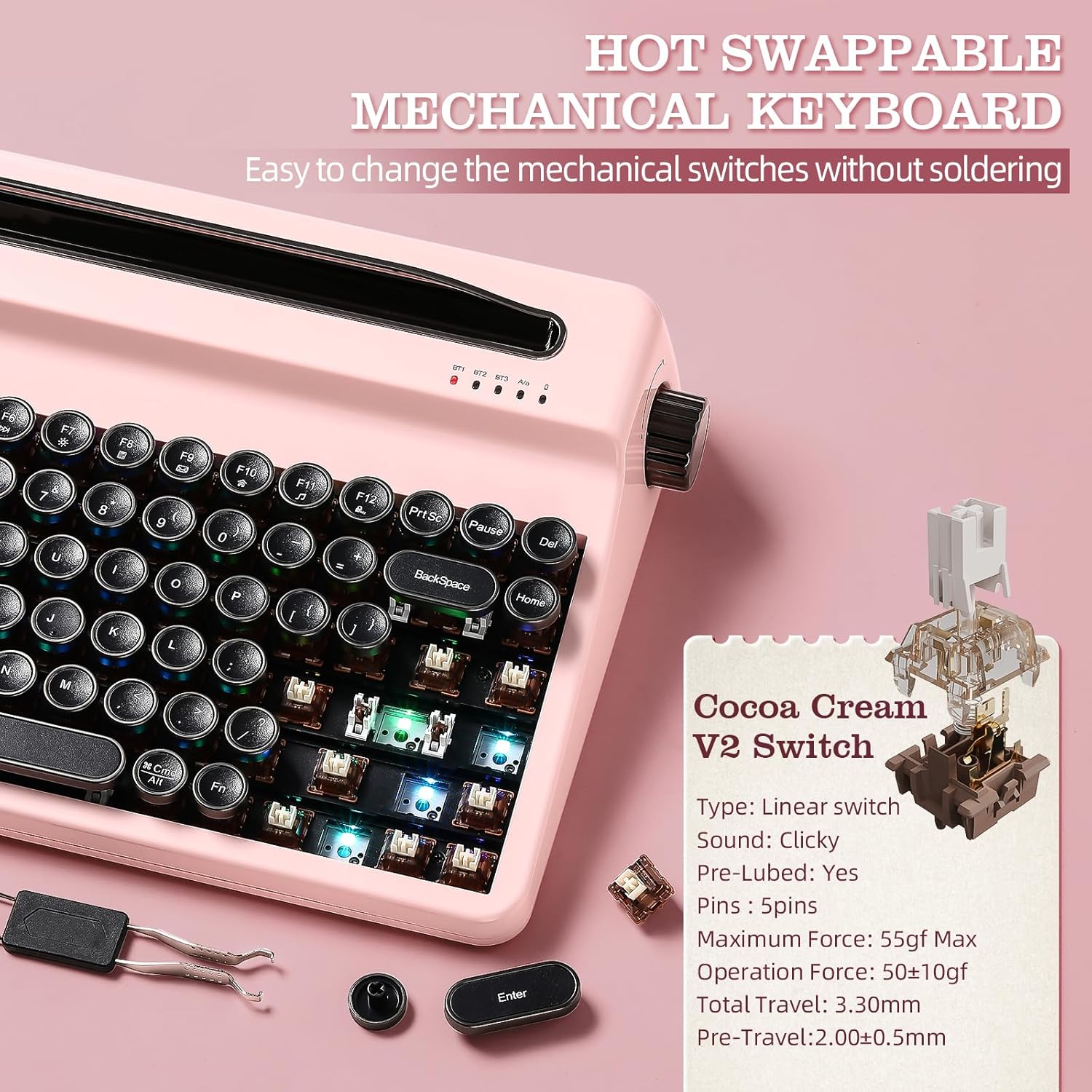
Type: Linear switchPre-Lubed: YesMaximum Force: 55gf Max / Operation Force: 50±10gf / Total Travel: 3.30mm / Pre-Travel:2.00±0.5mm
The video showcases the product in use.The video guides you through product setup.The video compares multiple products.The video shows the product being unpacked. 1 Merchant Video
RGB of QL75 Keyboard
FN+Enter= Change Backlight Color
FN+End= Change Backlight Effect
FN+ → = Blinking Speed ↑ FN+ ← = Blinking Speed ↓
FN+↑ = Brightness Up FN+↓ = Brightness Down
The video showcases the product in use.The video guides you through product setup.The video compares multiple products.The video shows the product being unpacked. 1 Merchant Video
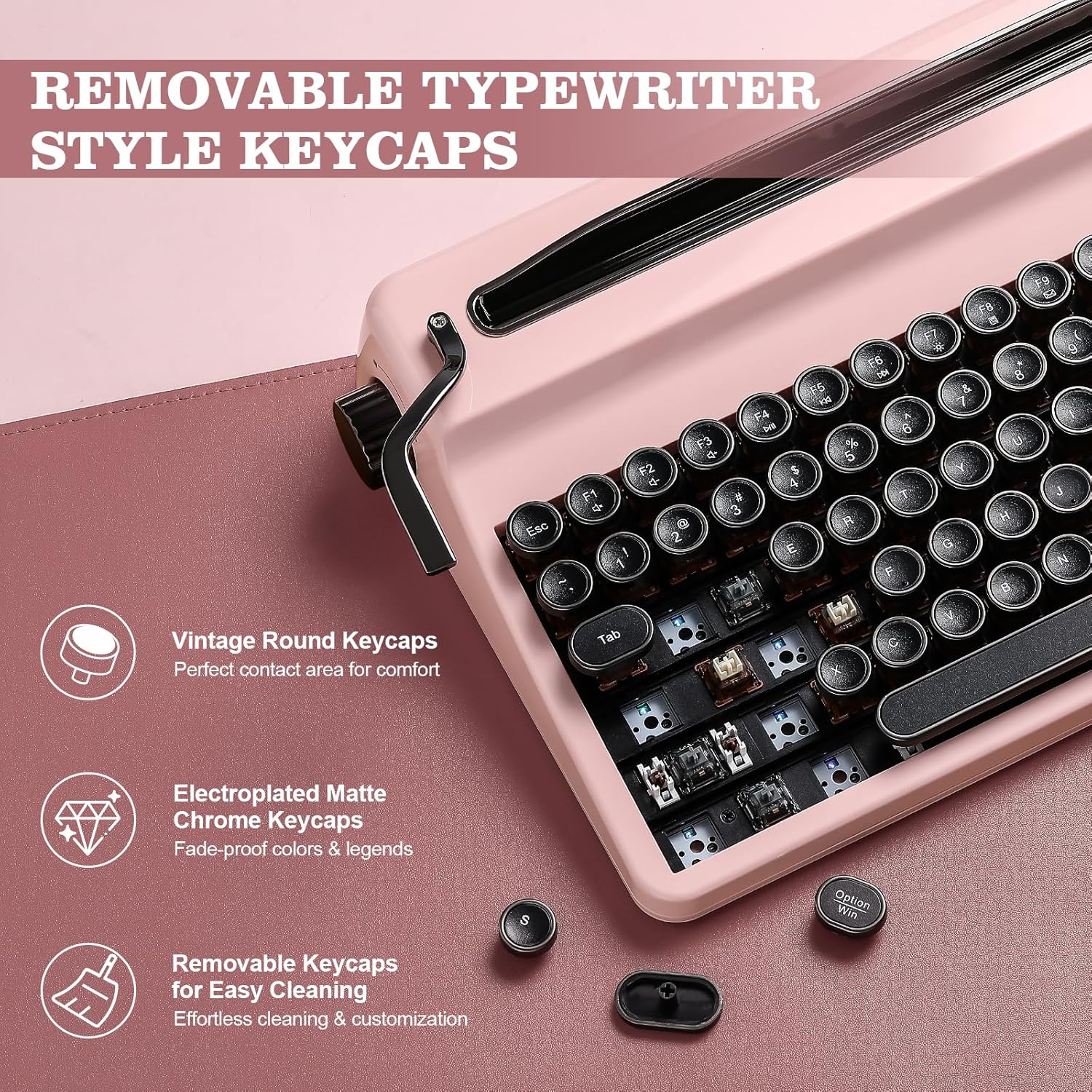
Retro Typewriter Keyboard: YUNZII QL75 retro keyboard features a unique typewriter style keyboard aesthetic with tri-mode connectivity ( BT/2.4gHz wireless/ wired) and build-in stand for multiple devices. Each key row of this mechanical keyboard has a gradually ascending height for an ergonomic and comfortable typing experience. With the keyboard typewriter style design, round keycaps and pre-lubed switches, the wireless keyboard is perfect for lovers of retro keyboard and typewriter style aesthetics
Hot Swappable Mechanical Keyboard: As a fully customizable hot swappable mechanical keyboard, QL75 allows you to switch between tactile keyboard switches or linear switches for the perfect typewriter-inspired clicky sound and feedback. Premium PCB board of the custom keyboard is compatible with 3pin/5pin switches, personalize your typing or gaming experience effortlessly
QMK/VIA Programmable & RGB Backlit Keyboard: The custom keyboard QL75 Unlock endless customization with QMK/VIA support, making this retro mechanical keyboard fully programmable. Enhance your setup with dynamic LED keyboard effects and backlit keyboard, perfect for gamers and typists who love a personalized thocky keyboard or other vibrant lighting styles
Vintage Keyboard with Built-in Stand: The 75% keyboard also includes an integrated stand holder for your pad, phone, or tablet, perfectly holding your devices firmly and matching your desk’s aesthetic while saving space. A premium gift for keyboard enthusiasts and typists who value both style and functionality
Multi-Functional Elegance: QL75 type writer features multi-functional metal knobs (right: device switching & scrolling, left: volume control) and a typewriter style lever (default Enter key, fully programmable via QMK/VIA). Designed for effortless productivity, the steampunk keyboard includes shortcut keys for Win and Mac. The durable UV-coated finish, sturdy metal handle and knobs enhance the aesthetics, while endless programmability ensures a personalized typing experience
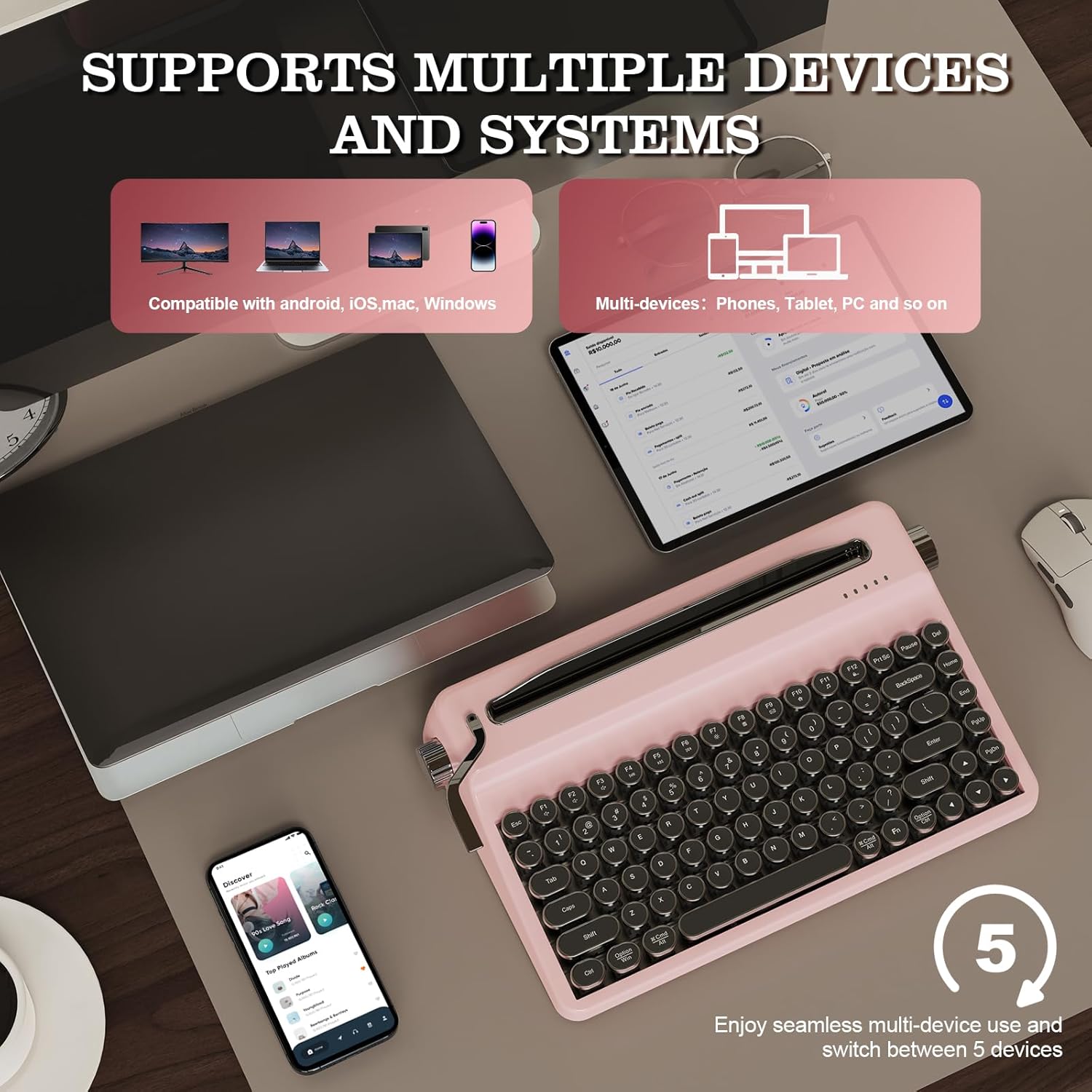
Wireless Typewriter Keyboard:QL75 wireless typewriter keyboard offers seamless keyboard wireless connectivity via USB-C, Bluetooth, and 2.4GHz wireless, compatible with Windows, macOS, and Android for versatile use. Enjoy seamless multi-device use and switch between 5 devices for tablet or smartphone, pc, tv, and etc. This build-in large battery capacity ensures that the gaming keyboard is always ready for long work or typing
Customers say
Customers appreciate the keyboard’s quality, build, and appearance, with one noting its nostalgic look and feel. The sound quality receives positive feedback for its perfect clicks, and customers like the Bluetooth connectivity, with one mentioning it works well with all devices. Customers like the typing experience, with one describing the keys as having a soft buttery feel. The functionality receives mixed reviews, with some saying it does its job well while others report issues.
10 reviews for YUNZII QL75 Wireless Typewriter Hot Swap Retro Mechanical Keyboard,Punk Round Keycaps,RGB Backlit QMK/VIA Programmable,Multi-Device Keyboard with 2.4GHz/Type-C/BT5.0 (Pink, Cocoa Cream V2 Switch)
Add a review
Related Products



Original price was: €110.€99Current price is: €99.
Michael s. –
Fun, artful, thoughtful keyboard with customization unique amongst typewriter style keyboards
Very fun board. I have been wanting a typewriter style keyboard for a while and finally gave this one a try. The via software is distinctive in the niche of these typewriter style keyboards. I looked far and wide and yunziiâs was the only to supply that customization capacity. Apparently the redragon has its customizing software, but i donât know about its functionability yet. As for the keyboard here, the iPad holder support portrait mode, only, on a 12.9 inch iPad Pro. They do not specify as much, but can confirm the iPad seems fairly secure. No weight issues at least. The holder itself is plastic, and i do have a concern it may pop out, but overall it seems alright.Attention to detail is a hit here. The box is artful, even supplying the instructions in this old fashioned style correspondence envelope with a string tie. Very thoughtful, appreciated that.The trigger thing is customizable with via, though i havenât actually had the mind to reach up and pull it.Via is useful on iPad being able to set a layer to use mouse and arrow key controls. And really, this board is meant for an iPad. So thereâs the pull.Keys are quality. Overall build is really cool, actually, because they put steps into the baseboard. Itâs not just inclined to make the keys rise upward in that typewriter fashion. Itâs actually stepped for each row upward. Again, attention to detail is here.Body is plastic. Green turns out to fit really well with the aesthetic. And the plastic is fine, it probably enhances the acoustic some with the electroplated keys (which are fantastic). Stabilizers seems pretty solid so far.Via was glitchy, it always is for me. But it works fine with customizations. Mouse movement is slow on iPad and i haventâ yet figured out how to resolve that here. Iâve resolved it on other via keyboards, think can do same here eventually.Biggest knock, esp given the thoughtfulness of the keyboard, is that the wired mode leaves you with a blinking red light. No idea why they would think it necessary to blink the charging indicator indefinitely, and kind of ruins wired mode. Dongle is included for 2.4 connection, and they provide another thoughtful detail in a magnetic usb holder on the backside of the keyboard.Overall, well done. Fun keyboard. Didnât think Iâd like cream switches on a typewriter style keyboard (i like clicky switches and think thatâs the best for one of these) but alas, i am enjoying them here. The keys and build is quality enough to give a nice thocc to make clicking kind of unnecessary. Though i might tinker.Bluetooth works well. And lastly, its actually pretty ergonomic. Really think the step-layered rows make that so.
kitkatkate –
Love it!
I was a little nervous about ordering this after listening to some sound tests for the Cocoa Cream switches, but I ordered anyway thinking I can always change out the switches if they’re too clicky for my taste. I’m really glad I ordered it. The sound in real life isn’t as clicky as it is in the videos I’ve watched, it’s smoother and deeper, which gives it a unique thocky/creamy sound.This keyboard is easily one of the best sounding keyboards I’ve tried! The only one that beats it is my (modded) Yunzii YZ98 keyboard, but not by much.I also love the shape of the keys. I thought I would have to get used to them before I was able to type normally on this keyboard, but that wasn’t the case.The only thing I don’t like is when I out in my tablet (Galaxy Tab S9 FE), it leans back too far so I had to find a sturdy piece of plastic to put behind it to hold it up at a better angle. I wish there was a way to change the angle for various tablets, but foe now the plastic piece I’m using is working for the most part. I’m also bummed I have to take my tablet out of its case in order to slide it into the top slot, but it’s not a huge deal since my case is magnetic and easy to out on/take off.I’m really happy with both Yunzii keyboards I have and now have my eye on a 3rd one (X71) because I obviously have a problem that I can’t reign in just yet lol.
LMAB –
Almost awesome
Update: I was able to reconnect and i just love this thing!I can not even begin to tell you how excited I was about this keyboard. When I pulled it out of the Amazon box, I immediately felt like Christmas had come early. The packaging was absolutely stunning and when I opened the box, I looked down at the coolest retro keyboard ever. I was absolutely delighted. It took a little bit to Bluetooth it together but once I did I was absolutely in love. I love everything about it. Sadly, I had to return it for a couple of reasons.First, I purchased this particular keyboard because the keys could be remapped and recoded. However, once I attempted to do the very thing, I learned that I had to wire it to a computer to change the keys in teh ways that I wanted. I donât own a computer. I only use a tablet and a smartphone. I was so disappointed to discover I wouldnât be able to make the modifications that I wanted.Second, and more importantly, I had a LOT of trouble pairing it for the first time. At some point later, I was disconnected from BT and I have not been able to reconnect it. The keyboard is incredibly finicky.As a side note to other users, I have discovered that when you are pairing a BT keyboard to multiple devices for the first time, itâs important to turn BT off on all of the items that yoâure not currently pairing. Like, when I wanted to connect my tablet, I turned BT off on my phone and vice-versa. This is true of all of the keyboards I have tried to BT so this is just food for thought as you try to pair any BT device with multiple channels.The one last negative thing Iâll say is that I donât love the color scheme. Yunzii has all of these various keyboards with cool features but thereâs no one keyboard that has all of the features. If it did, it would be a show stopper. If you donât need to have a tablet holder, and you want an absolutely gorgous BT typewriter-style keyboard (that does not have knobs), I HIGHLY recommend Yunziiâs AL71. It is absolutely STUNNING and it was hugely effective, never losing connection or causing any problems whatsoever. Sadly, I realized I really do need a tablet holder with my keyboard so I couldnât keep it. But if you want a beautiful keyboard, thatâs one to look out for.NOW, for all of the positive things!Everything about this keyboard is fun, fun, fun. Once it was paired properly, I fell in love. I absolutely LOVE the key caps. People donât realize this but keycaps can make or break how many typos you make. Iâve been on the hunt for a retro typewriter keyboard and all of the ones Iâve tried have had a lot of issues. While I tried them, I had the chance to try out various keycaps. Some of them were so incredibly sensitive that I could just breathe on them and they would insert lots of extra characters. Going back and fixing my typos was so time intensive it wasnât worth it. (This was the Wormier 71,, not to be confused with the updated 75 which i didnât see when I made my original purchase. That one might be better.) However, I didnât make a SINGLE typo when testing out this keyboard. The keys also feel really good. They are indented so when you touch them, your finger sort of dips into the keys. This made such a big difference to me that Iâm now only going to look for keyboards with these types of keys.The tactile feel of the keys is crisp and satisfying, as is the sound of the clicks as you type.The knobs are super cool in theory. They are set up to do things that I donât need which is why I wanted to remap the knobs but using them was amazing. Being able to simply do a quick twist of the knob to change the BT device is a feature I havenât found in any other keyboard and is hugely helpfulOne thing I also loved and thought was very unique was the lever on the left side. I also BTâed the keyboard to my smart TV and the lever paused and resumed the TV which I thought was totally cool! However, I tried to use the left knob to adjust the volume as itâs supposed to and it didnât seem to work. That being said, Iâm not certain I was doing it right so that might not have been the issue of the keyboard.The backlight is both good and bad. You can only see the backlight when you are starting straight down at the keyboard. This is a drag because when you do see it, itâs absolutely stunning to look at. It makes the letters look almost metallic. Sadly, no one stares straight down at a keyboard that way.One thing that is a bit of a neutral is that the charging cable feels really weird when you insert it into the keyboard. It feels like itâs broken. Like, it was hard to push in and you felt like you were going to break it and it sort of got stuck when you tried to remove it. You had to really pull. That sounds negative but i think itâs a neutral imo because if it works, then whatever. As long as it doesnât ACTUALLY break then Iâm ok with it.Overall, I totally believe this keyboard is worth trying. The main issue for me was the BT connection and that might not happen to everyone. Iâve found that BT can be extremely finicky on every BT device, especially when youâre dealing with multi-channel devices like this one. Iâm still going to give it another try to see if I can pair it. If it ends up working out Iâll update this review. Iâm still sort of hopeful that I can make it work. As for the key remapping, Iâm pretty sure I can just borrow a friendâs computer to remap things. I only need to do it one time and then it should stay that way permanently so itâs still something I can work around.ALL of that being said, I really hate to sell out Yunzii but Iâve been forced to try out quite a few keyboards of this type for various reason and so far, the keyboard that has the greatest number of features that work consistently is the Macally (https://a.co/d/hIrxSxc ) I got it in the pink and it is totally cute. The pink is very subtle and not at all âin your face.â The iPad sits back a little bit too far but not too badly. The keys are round and I find I make very few typos. The BT connection works like a champ for all devices. It doesnât have the full look of the retro keyboard you might want but it certainly functions that way. Itâs not the one I would like to have but it may be the one I end up with simply cuz it does its job so well and looks so cute even if a little more modern than Iâd like.A note to YUNZII:You have a collection of keyboards that are always âalmostâ great. If I was able to create my own keyboard out of your products, I would choose the following:The keycaps would be like the QL75 with the indentation.The color scheme of the keyboard would be just like the AL71.The backlight would be just like the colors on the QL75 but it would light up the way it does on the AL71 or at least be south facing. South facing using the same type of coloration as the QL75 would probably be gorgeous.You have to get the BT issue under control cuz Iâve tried a few of yours and there seems to always be an issue.I would love the tactile feeling and sound to be like that of the AL71 but, in truth, the QL75 is pretty great too.I would include the knobs and levers of the QL75.I would make it easier to remap the keys without having to wire it to a computer.I would also love to see the knobs being the way you switch BT channels like on the QL75. I would keep the tablet stand exactly as it is in the QL75 cut that one is perfect and doesnât lean back too much.You already have all of the features you need, you just have to put them together in one
David Hatfield –
Works Great!
Great keyboard! Able to connect to multiple devices without issue. The aesthetic is very cool and the keys make a very nice clicking sound. Very pleased with the purchase!
UrbanBookJunkie –
Love it
Very stylish. The off white and gold looks amazing, the sound of the keys when typingâ¦nostalgic. Easy to connect to IPad, computer, and phone.
Jatin Dev –
Looks so premium, sounds from keys is authentic yet not loud unlike so many others
Margarida B. –
Itâs absolutely beautiful! And great Retro Keyboard â¦
Massimo T. –
à splendida e sembra una macchina per scrivere Olivetti degli anni 60/70 con il colore pastello tipico degli oggetti di quegli anni.Da subito la tastiera si presenta molto bene con una robusta ed elegantissima confezione ed un packaging interno altrettanto curato.Appena tolta dalla scatola stupisce per il peso, la qualitá dei materiali e le finiture.Anche se si tratta di plastica la soliditá strutturale ed il giá citato peso la fanno sembrare di metallo.La sto usando collegata al PC in modalitá bluetooth ed é stata immediatamente riconosciuta.Ho acquistato la versione con gli switch Onyx che piú rispecchiano la filosofia vintage e typewriter della tastiera per sonoritá, forza di attuazione ed escursione.Non ha il layout italiano e va impostata in windows come tastiera italiana con layout americano/internazionale.Magari all’inizio qualche lettera accentata si fará fatica a trovare (soprattutto per chi proviene da tastiere full-size) ma é solo questione di abituarsi un attimo.E a questo proposito puó aiutare la web app Usevia.app che permette di riconfigurare praticamente tutto della tastiera a cominciare dai tasti fino poi ad arrivare alle macro ed ai layout ed é davvero molto potente.Come tutti i prodotti peró qualche piccolo difetto lo si puó trovare comunque.La retroilluminazione e gli effetti di luce sono poco visibili ma del resto lo spazio tra i tasti e la loro opacitá rende difficile far passare la luce e personalmente la cosa mi importa poco, anzi la trovo aliena allo spirito vintage del prodotto e quindi si possono tranquillamente spegnere e cosà si risparmia anche un pó di batteria.Il problema piú antipatico peró riguarda diversi copritasti che sono praticamente solo appoggiati sullo switch e basta capovolgere la tastiera per farli cadere.Questo difetto l’ho visto subito appena aperta la scatola in quanto vi erano giá almeno una decina di copritasti staccati e che vagavano nel sacchetto.Avrei voluto rendere il prodotto e farlo sostituire, peró ho temuto di riceverne un’altra nelle stesse condizioni, per cui ho contattato il produttore che é stato molto cortese e veloce e mi invierá un set di copritasti per sostituire quella decina difettati.Ultima cosa che mi viene in mente é che nella confezione c’é il cavetto per la ricarica/connessione cablata, un panno per la pulizia, una breve guida di setup (anche in italiano), due switch di ricambio e lo strumento per estrarli.
Victor Hugo Rodriguez Machado –
No sirve para iPad Pro
mikko –
ã¹ãã¼ã¹ãã¼ãæ¼ãã¦ãæ²ãã ã¾ã¾ã«ãªã£ã¦ãã¦æ©è½ãã¦ããªãã£ãã®ã§ãä¸è¯åï¼ã¨æã£ããã¹ã¿ãã©ã¤ã¶ã¼ãå¤ãã¦ããã ãã§ãããæéµæã軽ãæã¡å¿å°ã§é³ãã¨ã¦ãæ°ã«å ¥ãã¾ããã