

TREATLIFE Smart Ceiling Fan Control and Dimmer Light Switch, 2.4GHz WiFi Only, Neutral Wire Required, Single Pole Fan & Light Switch Combo, Works with Alexa, Google Home & SmartThings, Remote Control
€40


Price: $39.99
(as of Aug 19, 2025 03:11:55 UTC – Details)
From the brand
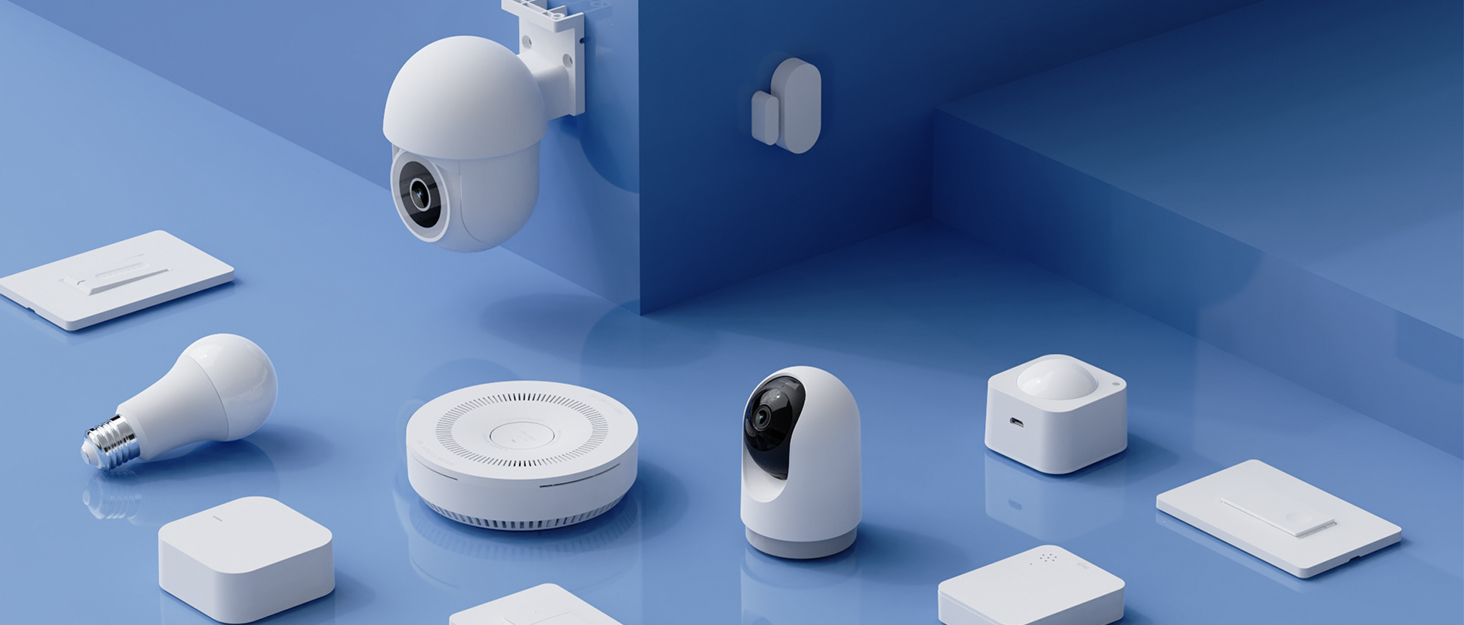

TREATLIFE smart home products provide a new way to experience daily life, one that’s both intelligent and simple. Enjoy powerful control and convenient features no matter where you are.
Remotely turn your connected devices on and off via the Treatlife App, helping to save on energy and monthly bills.
New Release
Smart Dimmer Switch

Smart Plug

Smart Home
Compatibility for Wiring, Pairing, and Application: Supports 2.4GHz Wi-Fi only (5GHz not supported), no hub needed. Requires neutral, fan load, light load, line, and ground wires. Ensure two separate load wires for fan and light. Only works with single-pole setups, not 3-way or multiple ways. Switch dimensions: 4.13″ (L) x 1.73″ (W) x 1.38″ (D)
Compatibility for Bulbs and Fans: Only works with dimmable, non-smart bulbs–max 150W for LED/CFL, 300W for incandescent. Not compatible with smart or non-dimmable bulbs. Supports 4-speed AC fans up to 1.5A. Not for fans with remote, smart fans, DC motors, or exhaust fans. Remove canopy modules before install
Lights Brightness and Fan Speed Control: Easily adjust your fan speed and dim your lights from anywhere with the Smart Life or Treatlife App. This 2-in-1 ceiling fan smart switch offers 4 fan speeds and smooth, flicker-free dimming (10%-100%) for the perfect lighting and airflow. The Gentle On & Off lighting effect creates a soft transition, reducing eye strain and adding to your comfort
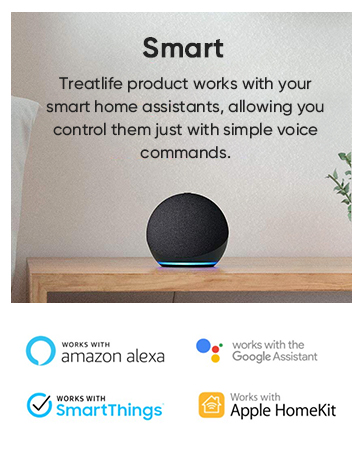
Smart Scheduling & Voice Control: Set timers or schedules to turn lights and fans on/off at specific times with preset brightness or speed. Activate random lighting while on vacation to enhance home security. Works with Alexa and Google Assistant (Not HomeKit) for hands-free control—perfect for dark rooms or when your hands are full
Worry-Free Support: Treatlife FCC-certified ceiling fan wall controls for safety and quality assurance. Any unexpected quality or installation issues, please contact us in time to activate your warranty service to get the best solution the first time
Customers say
Customers find the smart switch works well with Google Assistant and appreciate its ability to control both fan speed and light separately. The device is well-engineered and easy to install, with one customer noting it works seamlessly with HALO canless recess LED lights. The dimming function receives mixed feedback – while it allows full dimming of lights, some customers report that the light control doesn’t always work properly. Customers disagree on the value for money, with some finding it worth the price while others consider it a terrible product.
7 reviews for TREATLIFE Smart Ceiling Fan Control and Dimmer Light Switch, 2.4GHz WiFi Only, Neutral Wire Required, Single Pole Fan & Light Switch Combo, Works with Alexa, Google Home & SmartThings, Remote Control
Add a review
Related Products


€40
U2Bigg –
Works great–once you get through the installation…
I have a number of Hunter fan/light wall controls in our home, which have generally worked well–so when it came time to add another fan as we finished our basement, I tried to get another. Unfortunately for them, they’re out of them during COVID–and after waiting months for them to get new stock, I finally gave up and tried this model instead. And I’m very glad I did! My family loves being able to control the fan and light via our Alexa.However, all that praise comes AFTER I got past installation…When I was first ordering this control, I noticed that its Amazon page mentions multiple times (including directly in the item title!) “neutral wire required”. Again, on the carton, boldly highlighted in yellow, “Neutral wire required….confirm whether there is a neutral wire inside the switchbox before opening the package.” Again multiple times in the instruction manual–“neutral wire required”. Am I misunderstanding something, or don’t ALL fans and lights–and for that matter, ALL household circuits–use a neutral wire? That’s an awful lot of emphasis for something that is standard.What ISN’T mentioned nearly as prominently is the fact that this control requires a SECOND LOAD wire between the control and the fan. MANY fans are wired with only one load wire–typically 14-2 wiring. (That is, one load wire-black, one neutral wire-white, and one ground wire-bare copper.) The light and fan are then controlled by pull chains at the fan. 14-2 wiring won’t work with this control–you need 14-3 wiring, which has an additional load wire (typically red). THIS IS THE WARNING WHICH SHOULD BE EMPHASIZED FOR CUSTOMERS, NOT THE NEUTRAL WIRE.The next step is figuring out which wires are which–at both the switch, and at the fan. At the switch, the manual schematic shows that the yellow wire from the switch should be connected to a yellow wire from the wall, the red wire from the control should be connected to the red wire from the wall, and black to black, white to white, and green to green. It further states that “The wire colors indicated in this manual are the usual colors…” NOT TRUE! Most 14-3 wiring has a black wire, a red wire, a white wire, and a bare copper wire leading to the fan. (They don’t use yellow because in certain fluorescent lighting, white and yellow can be hard to differentiate.) The power supply wire is typically 14-2–consisting of black, white, and bare. So the correct wiring is:–Black wire on control to the black wire in the 14-2 bundle in the wall–White wire on control to both white wires in the wall–Green wire on control to both bare copper wires in the wall–Red wire on control to the red wire* in the wall–Yellow wire on control to the black wire* in the 14-3 bundle in the wall* These two may need to be switched–it depends on how the wires are connected in your fanTreatLife really should update their wiring schematic to more clearly explain this wiring. Having done a number of fan and control installations, I can say that most other manufacturers explain this much better. Someone with electrical experience will have no problems–but without clearer instructions, many lay people will struggle.Once you get this done, the next fun step was getting the app installed and running. The controller only supports 2.4Ghz networks. My router is dual band–5Ghz/2.4Ghz, so it would seem there would be no problem there. However, my phone automatically chooses which one to be on–there’s no way to force it to the other–and it was choosing to be 5Ghz. So I couldn’t talk to the controller. Both the manual and the app provide instructions on how to get your router to be only 2.4Ghz, but my router couldn’t use those instructions. After some internet research, I ended up walking down the street for about a block until I was far enough away that my phone lost the 5Ghz signal, and thus connected to 2.4Ghz. A hassle–but, hopefully, only a one-time hassle.Once you connect, and then go through the process to connect the controller to your Alexa, the Alexa actually finds TWO devices–one of which is named something like “DS03 Ceiling Fan Controller”, and the other whose name is a series of Oriental characters. (I’m not familiar enough with languages of that part of the world to know if they’re Mandarin, Japanese, or something else.) The controller actually treats the fan and the light as two separate devices–the device with the non-alpha name is the light. Once you realize that and rename it to what you want, the rest was quite easy. Although I will mention that if you look for assistance on either their website or their app, you do get to some pages which are a little hard to understand, as they were written by someone who clearly isn’t a native English speaker. They made a valiant effort–but TechLife may want to invest in better translators and/or tech writers.So, with installation complete–both I and my family love this controller. The manual controls are easy, clear, and logical, and the Alexa controls work consistently well. A couple of the small chiclet buttons on the control feel like they may be a bit flimsy, so it’ll be interesting to see how they hold up–but that may just be me adjusting to the latest in modern technology. 🙂 I know I’ve probably dwelt a bit too much on the negatives in this review, so let me end by saying that it really is an impressive controller. I look forward to installing more of TechLife’s products in my home–perhaps even replacing some of my beloved Hunter fan controls!
Shaun D. –
Very nice controller with app for fan and light, and all works great…eventually!
The concept and functionality as a switch is excellent and build quality seems quite solid so far. A nice looking wall-mountable remote controller was included with our new ceiling fan, but we opted to have a handyman add a neutral wire to our electrical set-up, and use this smart switch instead. We have an old house with small electrical boxes; some other LED dimmer switches we have tried are simply too deep to fit in the wall. We end up having to return them. This unit is only very slightly deeper–maybe 1-2 millimeters deeper, than our old rocker switch, and pairing it with the included screwless cover plate, with a wider side profile, turned out to be perfect for our situation. Our old switch cover was not quite fitting with this new switch.Now, on to setting up the switch with the TreatLife app: This was a bit of a problem. My handyman and I both spent considerable time trying to get this device to show up on the 2.4G network. With no way to contact the company for support through the app until their product is fully paired and set up (which defeats the purpose of offering customer support through the app in the first place)…I was left to my own devices, frustrated but determined. The included instructions are fairly detailed and they mentioned trying to use an “AP” mode for set-up, rather than the “manual” or “auto” set-ups, if those pairing modes fail. It was not easy to find this AP mode (make sure your Bluetooth functionality on your phone is activated), but eventually, after numerous restarts, resets and failures, I found AP mode on the tail end of yet another failed device pairing. Our wifi network is absolutely fine in this room (verified with multiple devices during installation), so there is something amiss with the device pairing procedure over wifi, and getting the switch recognized over the network by the app. HOWEVER, once I got into the elusive AP pairing mode: PRESTO! Device paired and the rest is history. I can control the fan and light from my phone very easily. I don’t use Alexa or Google Home really, so cannot comment on their implementation, but so far this app does what it is expected to do, and will be very useful. UPDATE after a few days: the scheduling feature in the app is a bit buggy (sometimes changes do not save—but eventually after a few tries they do). Still, overall it is working out well. I will report the bugs to the company, and hopefully they will be fixed in a future app update.I highly recommend this fan and light wall switch. I also recommend to the manufacturer to make it more clear how to QUICKLY get to AP mode when configuring. It easily would have saved me an hour or more during setup. And being able to send a support request through the app prior to completing the pairing would also be very helpful.Notwithstanding the above, I would absolutely purchase this combo switch again! For our needs, even had it not had a functioning app at all, this switch, given its smaller footprint, would still have been the best solution. But the app, so far, now that it is up and running…is a HUGE advantage. Overall: thumbs up!
Keith MacDougall –
During our renovations we bought a cheap Harbor Breeze ceiling fan from Lowes. It was wired by the contractor with pull chains on a single switch (yuck). I was skeptical this switch would be able to work with it — especially the ability to dim the light/fan speed. However, I read a couple other reviews and I had neutral wires running into the switch box, so thought I would give it a go.It works like a charm. The instructions were well laid out, and the wire labels were really helpful while I was trying to figure out how to rewire the fan (to avoid the pull chains). I hooked it up to our google home (there is a smart speaker in that room) and now we can control light dimmer and fan speed with our voice. Pretty cool party trick!The google home setup was a little awkward (it shows up as two separate devices, and the name of the light switch defaulted to some Chinese characters) – but once I noticed the two new devices, I was able to control everything easily.Go for it.
Adam Lamont –
Overall, this switch works well. Easy to sync up and easy to use. My biggest gripe is how large it is. I had a lot of troubles getting it into the electrical box and screw down tight enough.I installed a new fan in a room that had a switched outlet. I ran new 14/3 wire to the box and rewired it so that the switched outlet was no longer switched and instead I controlled the fan/light in the ceiling with this dimmer. The wiring itself wasn’t very difficult but getting things into a standard 12.5 cubic inch box was tricky. I had to constantly rearrange the wires and got everything to JUST fit. I even had to install a different box because mine was installed “incorrectly” by today’s standards and didn’t have the amout of room needed. There is still a minor gap but its good enough for me. I would suggest that if you have a standard single outlet box and have 3 wires coming into it, look into getting a deeper box (3″ deep instead of 2.5″) installed to save yourself some headaches or even install a larger 2 gang box and have a blank plate beside it. I was originally going to do a 2 gang box and have separate controls. I kind of wish I had to save me A LOT of troubles. The other option would be if they had screw terminals or push in connectors on the switch itself instead of having to wire nut everything together. I may have been able to save some space inside the box.
Kevin –
Very easy to control the fan and lights. The dimming is very easy to manipulate, tap the + or – to change brightness in increments or hold for a continuous change in brightness then release at the desired setting. No delay for controlling the brightness it remains the same at the point of releasing the button. Some devices have a delay where the brightness continues to change after releasing the buttons. The best feature of this device is the app. Control your fan and light from anywhere in the world with an internet connection, select your desired fan speed or vary the lamp brightness as your hearts content. Set up schedules and timers to run the fan at specific speeds and or lamp brightness. This is just awesome!Installation is not for the average joe you will be working with electricity and need to take the necessary precautions.UPDATE:So I’ve been using this for almost a year now and I found that the schedule doesn’t work very well. Whenever you create a scheduled task there is a slider that allows you to activate or deactivate (on/off) the task. I find that these keep on turning themselves off and as a result the schedule doesn’t work properly. ð I guess you can’t have everything. I use the android version of the app.
Johnny8594 –
I saw this item on a tech review video and thought it was a great idea. I ordered it immediately. Some people might think it’s pricey, but because this smart switch controls two things – I think it’s a justified price?The original wiring in my house was a little pesky (that’s what happens when black wires are used for everything!), so it took a few attempts. After figuring the wiring and snapping everything into place – the light switch didn’t work, but the fan switch turned on the fan and the light. I couldn’t control them separately via the switch, app or Google Assistant Because it’s summer (and I have no air-conditioning) I decided to live with it and use the pull chain for the light, since the fan is always on for the most part. I did like that I was able to control it from the phone, and set schedules/routines. However, hours later I discovered that something in the wiring in my light switch impacted the electricity in the stairwell and another bedroom. Not sure why it was wired like that, but that caused the cons to outweigh the pros.It is a quality product, but since my original wiring wasn’t straightforward – I guess it just wasn’t meant for me. Maybe if I knew more about how wiring works across multiple rooms and had more free time to troubleshoot it could’ve worked out. Thanks though!
MarkB –
I installed this a few days ago to control an older-model ceiling fan and light at my cottage. The installation went well and the switch connected to my wifi without any significant problems.I needed this wifi-controlled switch because I plan to turn on my electric fan heaters remotely to warm the cottage up before I arrive, which usually takes at least a few hours or even longer if it’s cold. The fan is perched high in the vaulted ceiling and is necessary to mix the warm and cold air. The wifi thermostat for the forced air fan heaters (Sinope TH11124WF, reviewed separately on Amazon) also works quite well.I really like the app (called Treatlife). It’s pretty slick; as good as I’ve used with my many wifi devices. In fact, I liked the app enough that when I went to replace another light switch, I bought a Treatlife product so I can use the same app. I now have over a dozen proprietary wifi apps, which can get to be cumbersome, so I’m starting to buy products from manufacturers that I know and like for both their products and their apps.It seemed a little expensive for what it is, but it works well so I’m satisfied.Regards, Mark