

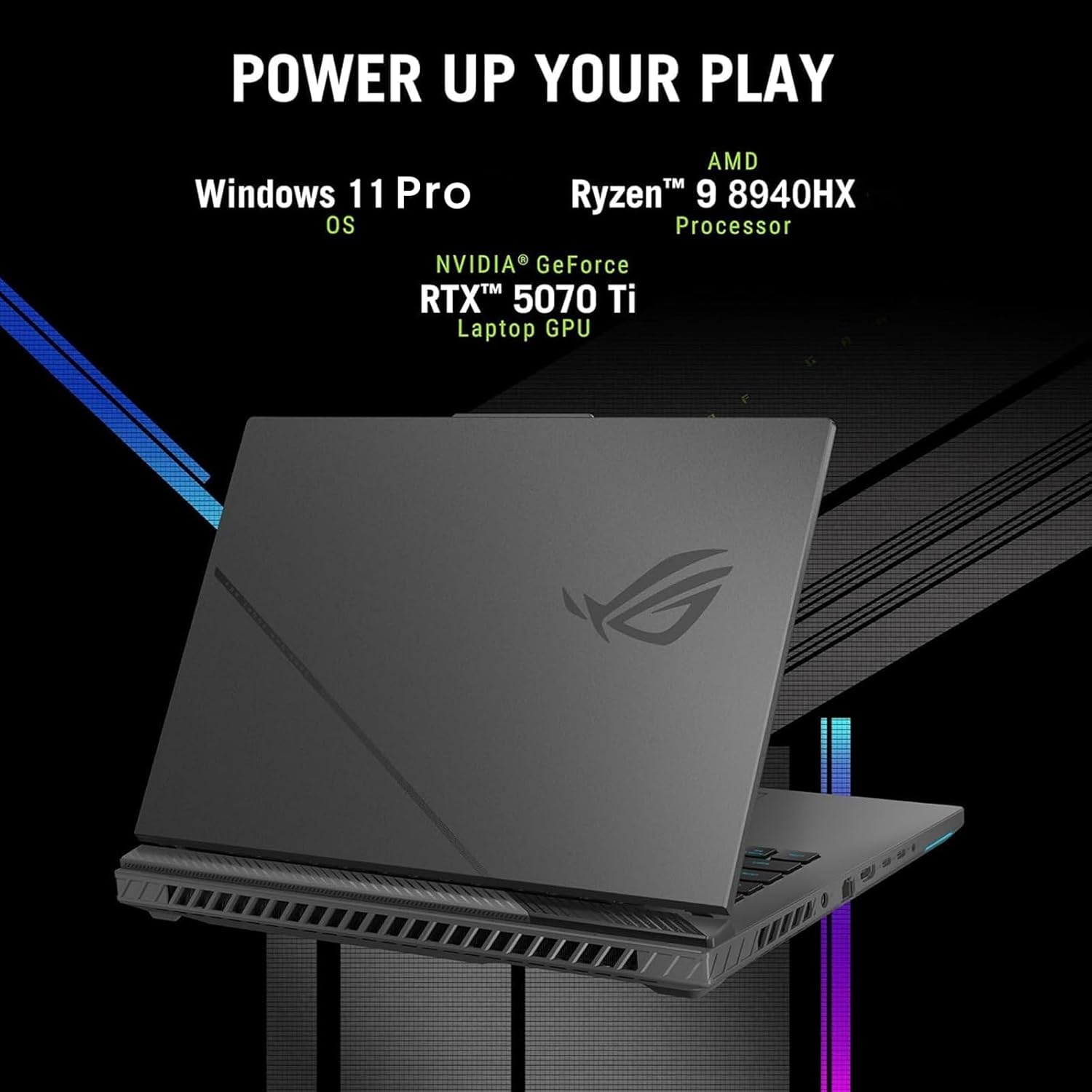
ASUS ROG Strix G16 Gaming Laptop 2025-16″ 165Hz FHD+, NVIDIA GeForce RTX 5070 Ti GPU, AMD Ryzen 9 8940HX (up to 5.2 GHz), Win11 Pro, Backlit KB, Wi-Fi 6E, w/Accessoires (64GB DDR5 RAM, 2TB SSD)
€2,500


Price: $2,499.99
(as of Oct 01, 2025 19:13:31 UTC – Details)
Statement:
Original Seal is opened for upgrade ONLY. If the computer has modifications, then the manufacturer box is opened for it to be tested and inspected and to install the upgrades to achieve the specifications as advertised.
★ ROG Strix G16 (2025) G614: Unleash Ultimate Gaming Power ★
✔ Powered by the AMD Ryzen 9 8940HX (16 cores, 32 threads), this machine delivers blazing-fast multitasking and performance up to 5.2 GHz boost—perfect for gaming, content creation, and pro-level workflows
✔ Equipped with the NVIDIA GeForce RTX 5070 Ti Laptop GPU, pushing a max 140W TGP with Dynamic Boost, it supports advanced ray tracing and DLSS 4 for breathtaking visual fidelity and smooth frame rates
✔ Features a vibrant 16″ Full HD+ (1920×1200) display with a high 165 Hz refresh rate and anti-glare IPS panel, ensuring ultra-fluid visuals and immersive gameplay
Specifications:
Brand: ASUS ROG
Model: Strix G16 (2025) G614
Operating System: Windows 11 (Home/Pro depending on configuration)
Processor:
AMD Ryzen 9 8940HX (Zen 4)
16 cores / 32 threads
Base: ~2.4 GHz; Boost: up to ~5.2 GHz
Graphics:
NVIDIA GeForce RTX 5070 Ti Laptop GPU
Max TGP: 140W with Dynamic Boost
Supports Ray Tracing and DLSS 4
Display:
16″ Full HD+ (1920×1200) IPS display
165 Hz refresh rate, anti-glare, 100% sRGB (approx.)
Memory & Storage:
Up to 32 GB DDR5 (e.g., 5600 MHz)
PCIe Gen 4 SSD; one slot upgradable to Gen 5
Cooling & Design:
ROG Tri-Fan cooling system, full-surround vents, full-width heatsink
Conductonaut Extreme liquid metal cooling on GPU/CPU
Audio & Features:
Dolby Vision & Dolby Atmos support for immersive media
Summary:
The ROG Strix G16 (2025) G614 is a premium gaming powerhouse built for high-frame-rate performance and future-proof visuals. With its Ryzen 9 processor, RTX 5070 Ti GPU, super-smooth 165 Hz display, and next-gen cooling, this laptop delivers top-tier gaming and creative performance in a sleek, upgradeable chassis. Ideal for gamers and creators demanding elite speed and graphical fidelity.
🎨 Creative-Grade RTX 5070 Ti Graphics: Designed for more than just gaming, the NVIDIA GeForce RTX 5070 Ti (12GB GDDR7, 140W TGP) accelerates rendering in Adobe Creative Suite, Autodesk, Blender, and DaVinci Resolve. With AI-powered DLSS and CUDA cores, it cuts render times drastically and delivers real-time previews.
⚡ Ryzen 9 8940HX Multicore Power: The AMD Ryzen 9 8940HX (16 cores, 32 threads, up to 5.2GHz) gives you desktop-class performance for multitasking. Handle 4K video editing, complex simulations, and large datasets while running multiple creative apps simultaneously.
🖥 16″ WUXGA FHD+ Display: With 1900 × 1200 resolution, 165Hz refresh, 300-nit brightness, and 100% DCI-P3 color, this display ensures your creative work is color-accurate and fluid. Perfect for video editors, animators, and designers who demand precision.
🧊 Professional Cooling Reliability: Tri-fan Intelligent Cooling with liquid metal keeps the system stable during rendering marathons or heavy 3D workloads, ensuring consistent performance with minimal throttling.
🔌 Advanced I/O & Connectivity: Thunderbolt/USB4, HDMI, SD card reader, Wi-Fi 6E, and Bluetooth 5.3 support ensure seamless integration with external monitors, drawing tablets, cameras, and cloud storage—ideal for creators with diverse workflows.
Customers say
Customers praise the laptop’s dual screens and responsive touch screen, while appreciating its speed, with one customer highlighting its super-fast 3D rendering capabilities. The functionality receives mixed feedback, with some customers finding it great for multi-tasking while others report crashes after 18 months. The sound quality and brightness also get mixed reviews, with some customers reporting static-y sound and good brightness, while others mention defective speakers and insufficient brightness.
12 reviews for ASUS ROG Strix G16 Gaming Laptop 2025-16″ 165Hz FHD+, NVIDIA GeForce RTX 5070 Ti GPU, AMD Ryzen 9 8940HX (up to 5.2 GHz), Win11 Pro, Backlit KB, Wi-Fi 6E, w/Accessoires (64GB DDR5 RAM, 2TB SSD)
Add a review
Related Products


€2,500
Rhonda Jensen –
Great PC for college students!
I bought this computer for my son as a high school graduation present for college. He loves the dual screens because he can take notes or work on documents on one screen and have reference material displayed on the other screen. He says it’s great for multi-tasking. He likes the light weight and the tilt design that allows for better cooling.
IssakY –
Game changer first of its kind
Love the dual touchescreen. perfect for multitasking. you can text and have your phone on the bottom screen or fb messenger or you can use it as a whiteboard. you can have 2 different internet pages open. or you can extend one screen on both screens and it’s all very seamless. this tech will only get better, but this is a great start and can’t wait to see other companies and laptops start experimenting with dual screens. brightness is good and windows 10 runs perfect. you can swipe from all sides of the screen and each direction has its own function as well. asus and microsoft did a great job with this laptop and it runs very smooth for a gamechanger in design!
Dirk P. Young –
I think ASUS listened and improved the U482 model over the U481, which was not so bad either!
Hi Guys,This review is after just having the Asus UX482EA, 14â, FHD, i7-1165G7, 8GB RAM, 512 SSD, for two days. I really wanted to have the 16GB version, but that was hard to find. What I wanted to do on this laptop is basic office stuff, Word, Excel, PPT, internet searching. The heaviest work would be reviewing high school football film. A little streaming. I am not a gamer. Pretty safe for the 8GB model. So, I just went for it. I think I was in the mood for something revolutionary. In short, I love this thing! I was debating between the Dell XPS 13â and this one. They have different applications, and I would have been happy with either one. I just wanted something different and not the standard clam shell, open it up and use laptop. This second screen set up is more than a gimmick and becomes particularly useful. The reason why I am posting this is for the external monitor question/answers that were minimal. I was able to hook up a 27â external monitor via the HDMI port. Like I did with my previous Asus Q324u 14â. Windows identified the external as a #3 display (Yeah!). This is great for me for breaking down game film. I have zero complaints really. Just the adjustments like in previous posts. You must move to the left a little bit to reposition for the keyboard and you have to get used to the touchpad on the far right. It is not so much the touchpad, but the left/right âmouse keysâ on the far right. I, like most would be, am used to the pad at center point. So, invariably I keep hitting the space bar instead. Absolutely not a deal breaker. I am getting used to it and use a separate mouse anyway. The graphics, screen brightness (almost too bright at max setting), board keys, speaker sound, battery life are more than adequate for me. Also has a USB 3.2, so I do not have to carry a hub with me. But has the USB-C if I do! This unit (again with 8GB) was $300 less than the XPS and I got it in three days. After all the shopping and researching overkill! I’m super happy with this one! Maybe I’m too easy to please? I hope this helps someone out there!3.31.21 Had this thing for almost 4 weeks. Still love it. Addressing some comments about the hard to see second screen plus or that you have to look over the top. I just found a $10 angled laptop stand on Amazon. Easy fix or adjustment. see added pic. for what its worth.5.22.21 Update: Still love the thing. I’m with the posts that think the Duo is a fingerprint magnet. To address it, I put on a carbon skin designed for a Dell. Trimmed it down and here we go. Corrects my fingerprint OCD. note: I lifted the “Dell carbon circle”. Now I have a teal blue spot on my lid. Just to be different.
JustHIM –
It’s Not Bad….I Like it
PROS:âLightweightâBeautiful ColorâUnique and SEAMLESS Duo Touchscreen setupâSuper fastâA nice battery lifeâ***Unique Keyboard/Trackpad setup***âInfrared Face sign-inâ2 USB-C lightning ports (which seems identically similarly to the macbook)âIncluded accessories (a pen, a sleeve, and a stand that sticks under the laptop)CONS:âIt feels smaller that 14in (that’s what she said ð)âScreenPad not as useful as I thought it would beâNot enough ports, had to purchase a USB-C adapterâ***The keyboard definitely tires your wrist when not sitting upright at a desktop***âSHARP. When using on my lap you feel the divids digging into your thighs.â8gigs of RAM (eh, would like more)âYou still have to slightly lean to see that newly lifted screenpadâFINGERPRINTS EVERYWHEREALL IN ALL, I really enjoy this laptop. It’s definitely unique and feels high end. I ran into one hiccup when using a Adobe Illustrator in which it told me I didn’t have enough RAM to perform an action. But everything opens so fast which makes it easy to get into a workflow. I prefer using this thing at a desktop, and utilizing the included stand that sticks to the bottom. The keyboard and mouse setup takes a slight getting use to. But when I work on my “work laptop” I find myself placing my hand to the right for the trackpad all the time.My only wish is for ASUS is to PLEASE provide the specs to some kind of custom skin creating site because this thing visibly leaves behind every single touch. More accessories would be nice also like an attachable usb-c hub in that celestial blue color. For this price point, I feel it should be marketed better with more accessories available for it.
Cleazo83 –
best money ive ever spend
This laptop is literally the best decision and money I’ve ever spend. I’m so happy I bought this and didn’t waste my money on a mac book pro. This laptop has some many more advantages I don’t know where to start,lol. touchscreen, 2 screens that you can use separately, superfast, comes with pen unlike the Microsoft, graphics are great, good sound, every type of port you need, super-fast 3d rendering, looks sexy , the only thing I don’t like has nothing to do with the actual laptop but more the program , unfortunately it cant connect to your phone if you have a iPhone when trying to pair them on the connect my phone option . Other then that little issue this laptop has not only surpassed every expection i had it shattered them, its gona take a lot to top this baby ………..
Alex –
Good product
I love it
Christian Schweinhart –
Everything is amazing butâ¦
Like I said, everything is amazing. Runs great. Very fast and the touch screen is very responsive. My only issue is that the trackpad/touchpad does not work. Iâve tried to update everything and reinstall the driver but it just does not work. But other than that it works amazing.
Stan –
had this laptop for about a month now. Moving from a 15″ Macbook.Shipping was surprisingly fast. I preordered expecting to receive this middle of April but it showed up at my door in late march! What a great start!2 Screens. Game changer with laptops! I find I’ll always have my emails open on the bottom screen while my work is on the main. the “swap screens” button is genius for switching between tasks on the go. I was worried i would always trying to have at least 2-3 programs running to feel like I’m utilizing the duo screens. Now it comes pretty naturally and i don’t feel guilty anymore even if i turn off the bottom screen just to surf. The bottom screen is noticeably darker. I always have it set to max brightness. DO GET THE NEWER VERSION, that lifts up the bottom screen! I did test drive last years model with that static screen, and that little bit of propping does make a huge difference! Having touch screen capability really nullifies the issue with the tiny useless track pad. I don’t use the pen that much, but i did purchase a BT mouse.I love the build quality. There’s no screen flex and keyboard is a rock and an absolute pleasure in typing. Even when the whole laptop is propped up on the folding stand it comes with (it did take me a while to figure this out!) it still feels planted! Sound is surprisingly good, not mind blowing. USBC charging FTW, and the battery lasts all day (at work) for me with medium load of emails and basic graphics (AI/PS) work.Cons? Small complaints. It’s heavy. I only carry it from the car into the office in a backpack, and i notice it. This track pad is pretty garbage. you can adjust the tracking sensitivity so you can swipe edge to edge to help, but get a mouse. can’t open single handedly. It does come with a case/bag(?) which has a little loop to store the pen. would love to have a slot or clip somewhere on the laptop itself. Unfortunately the strap in the bag that holds the pen down is lose enough that the pen always slides out every time I put it into my backpack sideways.I got the basic model (i7, 8GB memory, 528GB HD) wouldn’t mind upgrading to 16gb, but I don’t any lag. IDK if I would purchase the 15″ version. having the 2 screens really nulls that extra size. I really love how small and compact this feels when closed and in my hands. Yeah, I would purchase again.
VP1085012 P. –
Use of second screen not intuitive. The USB 3.0 socket failed on most times. Could not make it work despite following all the instructions online. made do with a USBC extender.
Andrey Hristov –
Super
Jordan B –
J’adore ce petit laptot, idéal pour les cours au cégep. la batterie ð dur encore longtemps sans être chargé. meme après plus de 2 ans d’utilisations. fortement recommander pour un petit passe partout.Aucun trouble avec l’écran tactile même après 2 ans et +
Matias –
It is just so cool, the second screen is very, very helpful in many cases from note taking, to drawing, to texting. Great main screen colors but both screens could be brighter. The Asus pen is fantastic and works great.