

ASUS TUF F16 Gaming Laptop, Dedicated GeForce RTX 5060 GDDR7, 16’’ FHD+ Anti-Glare Display, Intel 16-Core i7 14650HX, Backlit KB, Facial Recognition, Win 11 Pro, Accessories, 64GB DDR5+2TB SSD
Original price was: €3,000.€2,000Current price is: €2,000.



Price: $2,999.99 - $1,999.99
(as of Oct 01, 2025 12:49:10 UTC – Details)
Statement:
Original Seal is opened for upgrade ONLY. If the computer has modifications, then the manufacturer box is opened for it to be tested and inspected and to install the upgrades to achieve the specifications as advertised.
🎮 Gamer-Centric Powerhouse: NVIDIA RTX 5060 + 14th Gen Intel i7 combo crushes AAA games, streaming, and heavy multitasking—built for competitive and casual gamers alike.
🛡️ TUF Durability Heritage: Engineered for toughness, ready to withstand daily wear, travel, and intense gaming sessions without compromising performance.
🖥️ Immersive 16″ Gaming Display: 165Hz IPS screen with G-SYNC & 100% sRGB delivers smooth, vivid visuals—ideal for long gaming marathons or content creation.
💨 Advanced Cooling System: 2nd Gen Arc Flow Fans + full-width heatsink + integrated dust filters keep hardware cool quietly—no loud fan noise disrupting gameplay.
🔄 Smart GPU Switching: MUX Switch boosts gaming performance by 5-10% (direct dGPU display routing); Advanced Optimus auto-switches to iGPU for longer battery life.
🌐 All-Round Connectivity: Thunderbolt™ 4, HDMI 2.1 FRL, RJ45 LAN, and multiple USB ports—flexible for external monitors, peripherals, and stable gaming networks.
💾 Expandable High-Speed Storage/RAM: Up to 64GB DDR5-5600 & 4TB PCIe 4.0 SSD—no lag, fast loads, and room for games or large media files.
General Information
Brand: ASUS
Product Name: ASUS TUF F16 Gaming
Operating System: Windows 11 Pro
Color: Jaeger Gray
CPU Cooling System: Air
Graphics
Graphics Type: Dedicated
GPU Brand: NVIDIA
Graphics: NVIDIA GeForce RTX 5060
Advanced Graphics Rendering Technique(s): DLSS 4 (Deep Learning Super Sampling), Ray tracing
GPU Video Memory (RAM): 8 gigabytes
GPU Video Memory Type (RAM): GDDR7
Processor
Intel Core i7 14th 14650HX
Total Cores: 16
Total Threads: 24
Max Turbo Frequency: 5.2 GHz
Cache: 30 MB Intel® Smart Cache
Display
Display Type: LCD
Screen Type: IPS
Screen Size: 16 inches
Screen Resolution: 1920 x 1200 (Full HD+)
Refresh Rate: 165Hz
Brightness: 300 nits
Display Surface: Anti-glare
Color Gamut (Standard RGB): 100 percent
Synchronization Technology: G-SYNC (NVIDIA Adaptive Sync)
Memory & Storage
Up to 64 GB DDR5 5600 megahertz
Up to 4TB PCIe 4.0
Ports & Slots
2 x USB-C 3.2
3 x USB-A 3.2
1 x Headphone Jack
1 x Microphone Input
1 x Ethernet Ports
1 x HDMI 2.1
Camera
Front-Facing Camera
Front Facing Camera Video Resolution: 1080p
Built-In Microphone: Yes
Features
Backlit Keyboard
Customizable Keyboard Lighting: RGB
Customizable Case Lighting: Yes
Audio Technology: High Res audio and Dolby Atmos support
Security Features: Facial recognition
Wireless
Wi-Fi 6E and Bluetooth
Dimensions & Weight
13.94″ x 10.59″ x 0.7″
5 pounds
🖥️ Immersive 16″ FHD+ 165Hz Display with G-SYNC: Experience ultra-smooth gameplay on a 16-inch 1920×1200 IPS anti-glare screen featuring 165Hz refresh rate and NVIDIA G-SYNC technology. This combination eliminates tearing and stuttering on while the 100% sRGB color gamut and 300-nits brightness deliver vibrant, lag-free visuals for competitive gaming and content creation.
🎮 NVIDIA GeForce RTX 5060 8GB GDDR7 GPU with DLSS 4: Unleash lifelike graphics with the dedicated NVIDIA RTX 5060 GPU featuring 8GB GDDR7 VRAM and advanced ray tracing. DLSS 4 AI-powered super sampling boosts frame rates while maintaining crystal-clear image quality, delivering immersive realism in supported games .
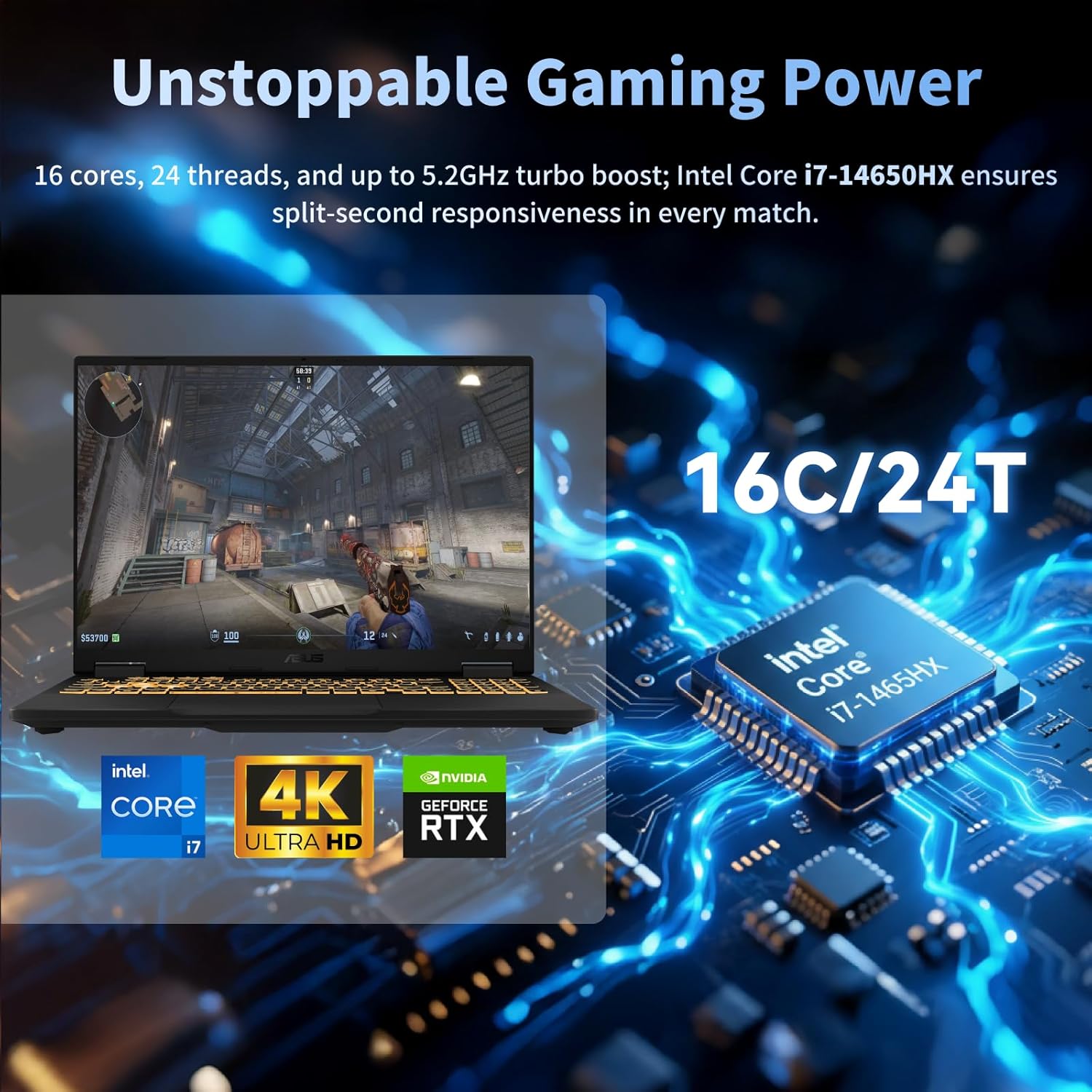
⚡ Intel Core i7-14650HX CPU with 16 Cores: ASUS gaming laptop dominate multitasking and gaming with the 14th Gen Intel Core i7 processor, boasting 16 cores, 24 threads, and a 5.2GHz max turbo frequency. The 30MB Intel Smart Cache ensures rapid data access, providing seamless performance for streaming, coding, and running AAA games without bottlenecks.
🔧 Military-Grade Durability & Efficient Cooling: Survive intense gaming sessions with MIL-STD-810H certification against drops, vibrations, and extreme temperatures. The 2nd Gen Arc Flow Fans and full-width heatsink maintain optimal thermals for sustained CPU/GPU performance while minimizing noise—ASUS TUF F16 is perfect for LAN parties and long-haul gameplay.
🔗 Robust Connectivity with MUX Switch & Advanced Optimus: Maximize performance with a MUX switch boosting FPS by 5-10% via direct dGPU-to-display routing, while Advanced Optimus auto-switches between GPUs to extend battery life. Enjoy versatile ports including Thunderbolt 4, HDMI 2.1, USB-C 3.2 with G-SYNC support, and Wi-Fi 6E for lag-free networking.
Customers say
Customers find this laptop to be a great little powerhouse with an extremely fast performance and crisp video display. They appreciate its excellent value for money, lightweight design, and responsive operation. The sound quality receives mixed feedback, with some customers finding it quiet while others report crackling issues. The battery life is particularly concerning, with customers reporting very poor performance.
8 reviews for ASUS TUF F16 Gaming Laptop, Dedicated GeForce RTX 5060 GDDR7, 16’’ FHD+ Anti-Glare Display, Intel 16-Core i7 14650HX, Backlit KB, Facial Recognition, Win 11 Pro, Accessories, 64GB DDR5+2TB SSD
Add a review
Related Products


Original price was: €3,000.€2,000Current price is: €2,000.
Oscar –
A highly tentative 4-stars: the first two hours impression
Edit* (1/24/2018):Now that Amazon has actually published this review, here are a few edits and recaps [the original review is more thorough]:-Apparently I was mistaken: you have to purchase Windows 10 Pro separately if you want Pro, there is no free upgrade (at least none I could find). Otherwise W10 Home has remained satisfactory. It was always a fast OS, still is, programs open quickly, switching from one to another and between tabs is as seamless as on a desktop, and the power on-through-BIOS-to-login screen time is less than ten seconds, I’d say. I don’t know if Microsoft finally stopped making constant updates, but I haven’t noticed any update interruptions in the last 2 weeks. Maybe they decided to stop torturing people with forced updates. Maybe the laptop has be waking itself up in the middle of the night and installing while I sleep. IDK.-I am loving this Intel chip. Quite possibly the single component responsible for making this laptop deserving of 5 stars. I have NEVER had as good a laptop experience as this. You pay a premium for Intel, but I’m content that you get the bang for your buck (I say this having only ever used AMD for desktops). Usually the CPU never gets over about 50-55 Centigrade during 1080p 60 fps video watching in Chrome and Firefox, and is often in the middle 40s to high 30s with simple tasks and when idle. Occasionally during multi-tasking it will spike as high as 66-68 Centigrade, but usually only for a second. The fan is rather obvious in sound, but unless you’re watching really quiet video, you won’t notice it when it does kick on, usually only above 50 degrees. ASUS and Intel say the 8550U goes up to 4.0 GHz, but I haven’t seen it go past 3.8-3.9 GHz on this unit. I have however seen it dip significantly below 1.8 GHz, as low as 1.15 GHz and even less than 1.0 GHz. I’m unfamiliar if laptops normally do this to conserve power and extend the chips lifespan, but I imagine it does. Haven’t run into thermal throttling, but have discovered something else from Intel’s monitor; this does “current limit throttle”, which is new to me. Maybe a limitation from the battery and amperage of the power supply even plugged in? Never heard of it before; it does occasionally throttle for a second, but not for extended periods even while under the same load.-The speakers are awesome. The onboard audio is very good in general, and I don’t know if I’d be able to tell the difference between it and my desktop SoundBlaster ZXR unless they were side by side with identical headphones. I recommend setting the “Audio Wizard” controller to the [Music] option and tweaking the bass and treble up a bit. I haven’t fiddled around with decibel modulation in the frequency options, but it’s there for anyone to use. The speakers are good enough to be from a TV.-Again, I emphasize that the keyboard is rather far set into the chassis, and it really isn’t comfortable. I may invest in some wrist rests, small enough to fit on the laptop, I don’t bother with the track pad. The keys are alright, a bit flat, but it’s a laptop, so I’m not put off. If I want, I could always just plug in a USB keyboard and type in my lap. I use a USB mouse (Logitech G600) and haven’t had any glitches.-General I/O, system drivers, and other odds and ends are nicely hands off. No silly stuff like having to download Realtek ethernet drivers, a problem I had with an older ASUS motherboard. This unit has sufficient NVIDIA drivers, including GeForce Experience to get to the most recent drivers for the 1050; audio is good to go, wireless/bluetooth, etc etc. I’m very glad ASUS has this stuff covered.-I still like the screen. Blacks are nice and black, a fact that makes a big difference. Nice colors, no flickering or tearing, no problems. I certainly hope that it lasts until this unit is hilariously obsolete.-One important note: I still have not tested any games, or anything else that would use the 1050. I’m going to download a 13.5 GB game soon to both test the CPU and SSD a bit more, and eventually the 1050 graphics processor. Based on my experience with the 1060 desktop from EVGA, I don’t think I’ll be let down. At some point I also want to see if this unit can output 4K UHD (at 30 fps I assume?) like ASUS claims it can, and maybe even 1080p 144 Hz if I can turn off the built in display.-Probably one of the few annoying/bad things I can complain about is that the power button is placed right about the minus “-” key on the numpad, so it’s pretty easy to mistakenly hit it.All things said, I’ve given it a new, but still tentative, 5 stars. Thanks for building a good machine, ASUS!Original review* (1/11/2018:So upfront I will say I dislike laptops. They often have terrible quality control from manufactures, they either overheat or perform poorly, and the batteries run dry like the Sahara. This purchase is one of the most nerve-wracking, extremely considered, over analyzed processes I’ve ever had the (dis)pleasure of subjecting myself to. Looking at Dell battery recalls, HP costumer satisfaction holes, and yes, even lukewarm waters for ASUS and Acer laptops (usually due to QA conflicting with high prices)…I have been questing for a laptop that can satisfy the avarice of an enthusiast desktop user, me.My first two hour experience with this model has been….suspiciously equitable. To cover some of the basics:-Windows 10 Home, preinstalled, has not been horrible. I disabled everything I hate about W10 and deleted all that apps I didn’t want within about ten or fifteen minutes. The OS is fast like it was when I used it a year or two ago on a desktop test. A+, most things considered. I still wish it would let me have a 40-50 character password for login. Maybe the free upgrade to Pro will get me there. That said, ASUS doesn’t provide a physical copy. Lame, but whatever. Said more, there is almost no paperwork with this laptop; a warranty booklet and a short user guide. Straight to business I guess.-Herein lay my first issue, regarding the OS; there is no disk drive on this model. Not the be-all-end-all, I can probably copy Windows 8 to a flash drive and boot to it from BIOS if W10 starts driving me crazy……if I can figure out how to get to the ASUS BIOS….again, this is just 2 hours into using, so we’ll see where things go.-Restarts/boots are quite fast for a laptop. Very appreciated. Programs are fast too. No annoying lagging when opening a program like on older laptops, particularly duo core models. I’m liking my first experience with Intel.-My first “stress test” for any computer is as follows: as quickly as I can and as simultaneously as I can, install Chrome and Firefox, download and install new NVIDIA drivers and the requisite CPU overclocker/monitoring program (which, from Intel, I quite like first impressions), login to Chrome, sync, and watch a YouTube video in 1080p 60 FPS, open task manager and compare the CPU clock speeds to the monitoring utility program. All of this went very well. This Intel CPU is quadcore, has excellent low clock speeds, and hasn’t gotten over 41-42 Centigrade during all of this stressing. Speeds in the task manager match those in the utility. So far so good. It feels like desktop performance, which is thrilling.-The screen: very nice. This 17″ model is excellent; I like the color vibrance, the bright whites are intense, the blacks are very black (aside from a tiny bit of backlight leak in, so far as I’ve noticed, the bottom left corner; this is not worse than my ASUS monitor, which I love, so no issue for me personally, after all, this isn’t an OLED screen or anything), and the easy access to screen brightness is keyboard functional, very awesome. Windows 10 also has a color corrector option in the settings that reduces blue light and increases red light at night, I quite like it. On desktops I usually use the program f.lux for this, and for now they seem relatively similar in performance. ASUS also say this screen already has reduced blue light, so kudos. My eyes are saved!-In line with the keyboard brightness control, the general UI has been pleasant. The keys for now are unfamiliar, but I’m typing this review on the laptop and it has been just fine. Given how verbose I am, it’s a good test of extended use. One negative is that the keyboard is set what must be approaching 4 inches into the width of the chassis, so my forearms aren’t comfortable to rest on it. The key presses however are fine, have a satisfying travel distance, and the backlit keyboard is a first for me; can’t say as I’ll get more use out of it than the lowest brightness setting. The trackpad is…a trackpad. I prefer a mouse. There are no “buttons”, so I mush things a bit when trying to use it two handed/ two fingered, but if you’re used to trackpads it’ll be no problem I suppose.-Moving onto IO. It’s excellent, and one of the biggest factors into why I bought this model. Plenty of USB, SD, HDMI, and even a glorious ethernet jack, and a headphone/mic jack. The DC power jack isn’t as solid feeling as I would like, but that’s because I’m used to power cords that plug into PSU’s that weigh as much as this laptop.-Speaking of power, it seems quite well supplied on this unit; I haven’t run the battery down to 5% and then timed full charge, but ASUS boasts quick charging. Power players probably won’t see past 3 hours of use on battery alone, I haven’t even played any games to test how power hungry the GTX 1050 is, but moderate use (just by my initial experience) probably spans into 5-6 hours, and I imagine 10-12 hours could be achieved with skilled power management and task stringency. I pulled the plug after full charge, and the battery estimate says I have almost 4 hours left after an hour already spent unplugged. I’m very happy with this.For now, I suppose that’s all I’ll say. The unit is quiet, the fans are reasonable when the CPU is working, the HDD or something makes some soft clicking/chirping when working (though, thankfully, the OS and everything is installed on the SSD, which I’m liking the speeds on), but it’s not really any different than the occasional noise I get from my desktop or have heard from a usual laptop. The unit is almost entirely cool to the touch, save for the bottom at the front and the top center at the front. I imagine that’s where the CPU/GPU/heatsinks and pipes are.As I said to begin, I tend to dislike, even hate laptops. This ASUS however has been a wonderful experience thus far. Fast. Responsive. Quiet. Performing. Beautiful display. Oh, and yes, quite lovely onboard sound, at least through my Senheiser headphones. The speakers seem rather quiet, but I haven’t tested them at all, so I’m probably mistaken about hat.4 stars for first impressions. If it keeps up, I’ll probably give this thing 5. I will update probably within a month.
Gerry Conway –
An excellent computer. VERY glad I purchased it
I purchased this ASUS (N705UD-EH76) 4 months ago. I work in IT for a living and spent 2 months researching before committing to this one. Because it predominantly be used for programming and remote support, a large screen and backlit keyboard were my primary needs. Overall performance and initial boot time were also important.This ASUS has exceed my expectations in all areas but one. I find that every “TrackPad mouse” I have ever encountered has been well below acceptable. I find clicks to be intermittent at best. The cursor movement tends to hang intermittently (lift finger and move again fixes it.) I have encountered these issues on EVERY laptop I have ever used, so I don’t consider it a big negative on this one specifically. The video display is crisp and bright and very fast. It is also very consistent across the entire display. The dedicated video card makes the entire system that much quicker ( I will never purchase a machine without one.) I find the keyboard easy and comfortable and the back light is great without being distracting. I read a number of complaints about the keyboard layout, but I find it very useful and easy to use. The compressed number pad (I don’t use them that much) provides room for a normally spaced main keyboard layout that I find very natural.The AC wireless is very fast and reliable and has a very good usable range. The wired ethernet connection is also useful to me. RAM and processor speed are more than enough for any use, including mid-level gaming. I don’t do a lot of gaming on computers, but have done some for testing purposes. The SSD drive allows the system to fully boot in less than 10 seconds (not using Sleep/Hibernation.) I have encountered many corrupted systems resulting from sleep/hibernation issues so quick boot without them was important to me.The system remains very cool even after 8 hours of use and there is almost no fan noise to speak of. System weight is very light for any laptop, but when you consider it’s a 17″ display the weight is exceptional.Between work and personal, I have purchased over 200 laptops in the last 10 years, and I can honestly say this is the best under $2K I have encountered.
Captain Ron the DJ –
3rd time is a charm!
***Update (glutton for punishment) I took a chance and gave this laptop one more shot. The third one I received is perfect and runs like a dream! Easily the best gaming laptop out there. Playing Black Desert Online and Guild Wars 2 both on high graphics settings with no issues whatsoever even on large groups I’m still getting 60fps. My only gripe at this stage is how hard Asus made this laptop to upgrade. I’d love to put an M2 1tb and a SSD data drive into this baby. Possibly upgrade to 32gb of memory at some point when the prices aren’t crazy (thank you BC farmers :() But, I’m too scared to open it up to be honest.***Update 2nd laptop received has exact same issues!!!! ***Received laptop not 24hrs ago and did all the usual updates, settings changes and everything. Was a beautiful laptop and was blown away by the quality then out of nowhere it starts getting sluggish so as anyone would I shut down and restarted it. Once restarted all I received was a blank black screen that even after 2hrs never went anywhere. Searching around online I found that this is a very common occurrence with Asus products. My only saving Grace was being able to find a keycode online that Asus uses in order to reboot the system to reload Windows. Luckily the reset everything but save my information worked as I could then copy off my valuable data and remove my account before sending it back. Asus used to be an industry leader now I fail to see how they’d even stack up to an emachines had they still existed! I have requested a replacement so, if anything gets better I will update this as soon as I can.
JPN –
This is my 3rd ASUS laptop, all have been good to great and this one gets the same marks. My last ASUS was a VERY heavy i7, 17″ gaming laptop with an equally heavy charging brick, 16 GB RAM & 256 SSD, which I upgraded to 1 TB SSD. (Weighed 15 lbs, and it was 6 1/2 years old… and had been upgraded to Windows 10…)This VivoBook Pro is exactly what I was looking for: a lighter 17 inch quality screen, 16 GB RAM, a recent processor and an SSD and regular HD.The screen is beautiful! I did not want a touch screen and this screen is great (5*)Memory no issues and none expected for what I do: Office apps, some web development, some database work, browsing & email. (5*)SSD this one is smaller, capacity wise, but appears to be much faster for all things Windows (startup, shutdown, app loading etc) ; I have not really used the 1 TB HD yet, but I have looked into how to upgrade if needed. (5*)The available ports fit all my current and foreseeable needs. (5*)The network card is great and is a noticeably great improvement over what I had previously. (5*)The weight (or lack thereof) is great, I now have the power of a gaming laptop, without the weight. (5*)The sound is pretty good too, but I don’t really use it much (5*)The case, hinges and bezel have a quality look and feel but are not industrial tough, but I expect them to be ‘home use’ tough. (5*)I cannot comment on the track-pad, as I am not a fan and use a Logitech trackball that fits nicely on the flat surface next to the track-pad.The keyboard is unusual in a few ways, the letter & top row number keys are standard size with a nice feel and response, the bottom row keys ctrl, fn, Windows, alt, spacebar are taller than the letters, the arrow keys, and numeric keypad numbers are narrower than the letter keys and there is no gap between the alpha and numeric keypad, the top row function keys are shorter in height… and there is no dedicated key… the power button is the top right key and happens to be the smallest key on the keyboard. For the most part these differences have been adapted to without issue, but I do miss the key and have to slow down when keying in numbers… there seems to be enough room to have accommodated regular width keys throughout but no… I will adapt, but it’s good not ‘great’ (3*)Battery life has never been great on my ASUS laptops, but you don’t buy ASUS for battery life you buy ASUS for solid design and specs; that being said, this unit’s battery life is surprisingly good (by ASUS standards) when the laptop is not being pushed I am getting 3-4 hours and for me that’s great. (4*)Some reviewers have mentioned fan noise, and I kept my ears open and tried to notice what was going on when I did hear it. Well I am happy to report that I have only heard it a few times and while it cannot be missed I would not say that it is not loud enough to be annoying and in each case that I did hear it it did not last long when I made sure that air flow was not impeded… It seems that I only heard it when I put the laptop on a soft cloth surface (couch) or blanket (my bad).All in all I am once again very satisfied with another ASUS product, and I would buy it again and recommend it without hesitation.Thanks
JP –
This was my 1st ASUS laptop i got it because few people told me it is good. They were lucky I wasn’t. couple of months of use and come keys felt out of keyboard. Now processor and motherboard are fried and it is home computer, nothing excessive, that would be running day and night. Very disappointing. If you need computer that lasts get Apple, not ASUS. Its worth save money and pay twice as much but get laptop that lasts.
Russell Johnston –
Very fast, very light. Only one fault. The wifi card isn’t very good. My phone can pick up more coverage.
Yoyoma2 –
The DC Adapter is the “round” type plug (same look as your wireless router). Over time, moving the laptop around, the central pin inside the computer becomes loose, leading to battery connection issues. YES you can send it back to Markham and get it fixed under warranty (ONCE ONLY!) but it seems that this laptop does not have longevity. A new charging solution should be devised, perhaps a magnetic charge port.
Krys M. –
It took me some time to decide which model and manufactured to go with. Very pleased from this purchase. Used so far for 1 month, mostly for picture and video editing (Pinnacle). Recommended. Chris