

HyperX Vision S – Webcam, 4K Video Recording @ 30fps, 90° Field-of-View, Responsive Autofocus, Hyperflex Cable, Aluminum Body, Plug and Play, Sony Starvis 8MP Sensor, 5G2P Lens, USB-C – Black
€200



Price: $199.99
(as of Jul 28, 2025 14:07:31 UTC – Details)
Let your talents be seen in stunning clarity with the HyperX Vision S Webcam. With 4K recording capabilities and an 8-megapixel Sony StarvisTM IMX415 sensor, the HyperX Vision S is built for creators who put a lot of care into their creations’ visuals. It’s capable of capturing a 90º field of view to take in more of your surroundings and can capture it all in 4K at 30fps and go up to 60fps for 1080p. Responsive autofocus capabilities combined with a low-distortion glass lens help you stay in focus while it takes in all those additional details. The included magnetic privacy cover and LED indicator help defend your privacy, putting a physical barrier between you and would-be prying eyes. A universal clip mount with a ¼” mounting point make setting up this USB camera a simple task. Durable and built to last, this camera features a glass lens, aluminum body, and the detachable, ultra-flexible HyperFlex Cable. Get everything looking just right with HyperX NGENUITY Software. Adjust picture settings like contrast, saturation, white-balance, and anti-flicker, as well as camera settings like exposure, zoom, and low-light compensation in the easy-to-use software. The HyperX Vision S camera is compatible with PC and Mac systems, Windows Hello Certified, and works with recording and meeting platforms like Teams, Zoom, OBS, and Discord.
High-Quality 4K Video Recording @ 30fps: Upgrade to 4K video recording at 30fps thanks to the Sony STARVIS 8-megapixel sensor. You’ll also get more clarity, great low-light performance, and less light distortion with the premium glass lens.
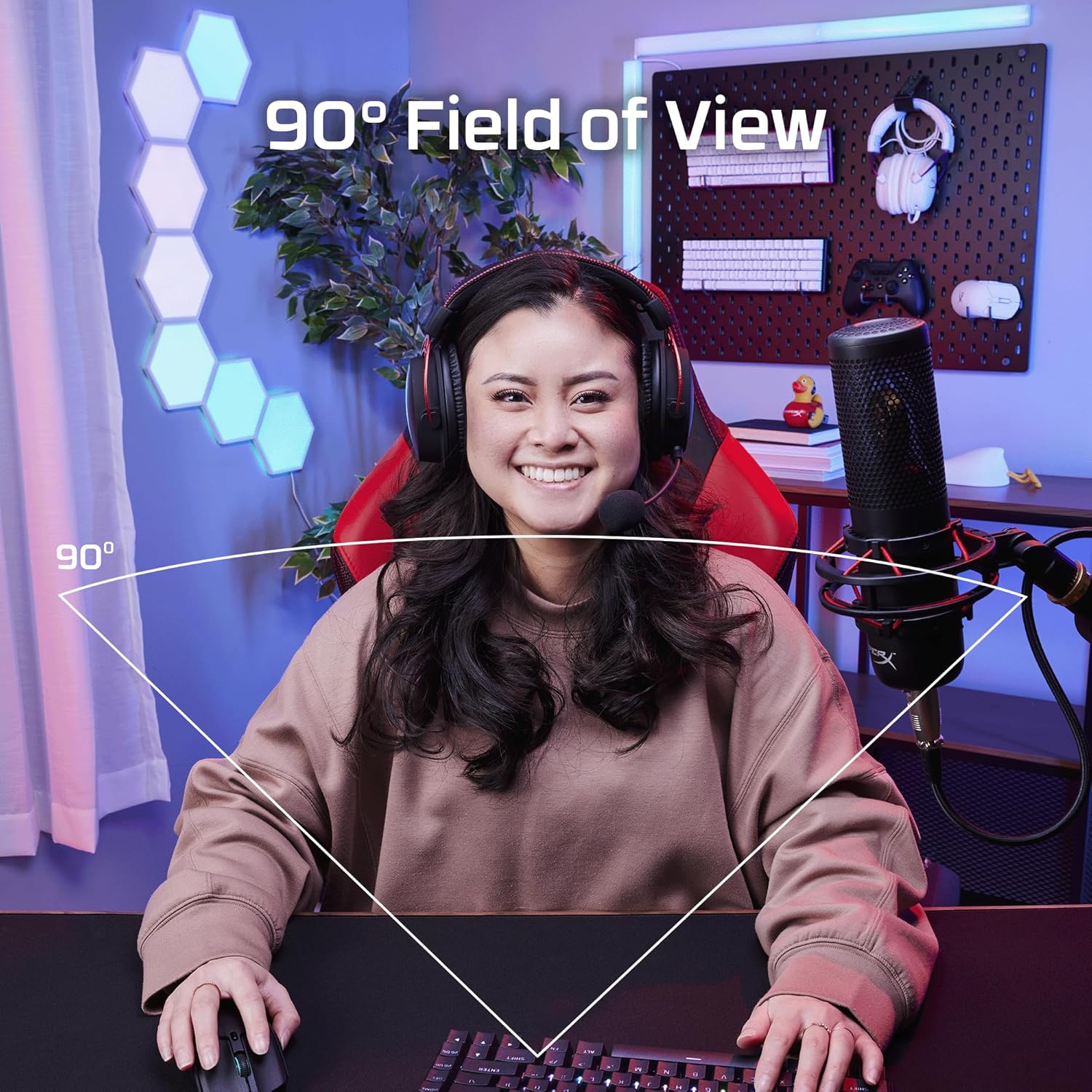
90° Field-of-View with Responsive Autofocus: With a wide 90° field of view, you can capture more of your surroundings while the responsive autofocus keeps the focus on you.
Keep Private Moments Private: Put a physical barrier between you and prying eyes with the included magnetic privacy cover and an LED indicator to let you know when the camera’s active.
Swivel and Tilt for Adjustments: Make sure you’ve got everything set up just right. The HyperX Vision S can swivel and tilt to allow you to capture everything at your desired camera angle.
Durable Aluminum Body: HyperX Vision S features a tough aluminum body and a scratch-resistant 5G2P lens.
5 reviews for HyperX Vision S – Webcam, 4K Video Recording @ 30fps, 90° Field-of-View, Responsive Autofocus, Hyperflex Cable, Aluminum Body, Plug and Play, Sony Starvis 8MP Sensor, 5G2P Lens, USB-C – Black
Add a review
Related Products


€200
Kasmo 𪠖
Picture Perfect, Performance on Point
Iâm absolutely thrilled with this webcam! Given how much time I spend on camera these days, I figured it was worth the investment. Iâm not a content creator or influencer, but I do some work that needs top-notch image quality. Plus, a clean, crisp picture always makes business transactions smoother.First off, Iâm amazed by two things about this camera: the mount and the image quality. The built-in (yet removable) mount clips onto my monitor like a dream despite its size and weight. Itâs like itâs not even there! I donât plan to keep it there permanently, but itâs a perfect temporary spot until I set up a dedicated mount.The image quality? Simply outstanding. Itâs sharp, clear, and the colors are spot-on. No over-saturation, no weird distortions. Even in low light, it delivers a realistic, high-quality image that rivals my iPhone â without Appleâs fancy processing, thanks to the larger lens.I did install the HyperX software, and while itâs not mind-blowing, it gets the job done. You can tweak a few settings like zoom and your standard image sliders, but for serious use, youâre better off with a specialized program.Now, my only gripe is the lens cover. Itâs a clip-on type, which is decent quality and snaps on and off easily. But itâs also easy to lose. A built-in flip cover wouldâve been much more convenient. Privacy isnât a huge concern for me â if Iâm worried, I just unplug the camera. Simple!Thereâs no built-in microphone, which is a bit of a letdown. It means if I take this camera on the go, I wonât have a quality mic by default. I wouldâve preferred a standard mic included, but I get why they left it out â better no mic than a poor-quality one.Overall, Iâd say this webcam is worth every penny if youâre frequently on camera or do any creative work. I canât compare it to 4K models, but it blows my old Logitech 1080p out of the water, especially for work-related photography. For streaming or video chats, the difference is noticeable, though not dramatic. All in all, I highly recommend it!
Coral –
Great buy, easy angles
Best buy ever would recommend and has great hold on the angles and rotations
Dino Biel –
Great for almost any webcam need
Crisp, and solid colors. Being able to capture 4k @ 30fps is spot on as well. Very happy with this, as I use it for business meetings.
Chris –
A High-Def Showstopper for Creators
The HyperX Vision S webcam isn’t just another face in the crowd. It’s a 4K powerhouse aimed at streamers, content creators, and anyone who wants to take their video calls to the next level. After putting it through its paces, here’s my verdict:Sharp as a Tack: The star of the show is undoubtedly the 8MP Sony Starvis sensor. 4K recording at 30fps is crisp and clear, capturing fine details with impressive accuracy. Even in 1080p at 60fps, the picture remains smooth and vibrant. Low-light performance is commendable too, thanks to the sensor’s light sensitivity.Wide Enough for Everyone: No more cropping out your teammates or squeezing into the frame. The 90° field of view is a game-changer, showcasing your entire setup or capturing more background context in your streams. It’s perfect for presentations, group calls, and showcasing your creative workspace.Focus on Point: Autofocus is fast and accurate, keeping you sharp even if you’re constantly moving around. No more blurry faces or fidgeting to stay in focus. This is especially helpful for streamers and educators who need to be dynamic on camera.Built to Last: The HyperX Vision S feels premium, with a sleek aluminum body and a sturdy yet flexible HyperFlex cable. It’s a welcome departure from flimsy plastic webcams that feel like they’ll break at the slightest touch. The magnetic privacy cover is a nifty addition for extra peace of mind.Plug and Play Perfection: True to its name, the Vision S is instantly ready to go. No drivers, no fuss â just plug it in and start streaming. This ease of use extends to the HyperX NGENUITY software, where you can fine-tune settings like white balance, exposure, and even adjust the field of view to your liking.Minor Nitpicks: While the audio quality is decent, it doesn’t quite match the video. If you rely heavily on voice, a dedicated microphone might be a better option. Also, the lack of a built-in tripod mount might be a minor inconvenience for some users.Verdict: The HyperX Vision S delivers on its promises. It’s a premium webcam that offers exceptional video quality, a generous field of view, and a user-friendly experience. While the price tag might be a bit steeper than some budget options, the build quality, performance, and feature set justify it for creators and serious video-callers. If you’re looking for a webcam that elevates your online presence, the HyperX Vision S is a top contender.I recommend the HyperX Vision S to:Streamers and content creators who value high-quality video captureProfessionals who want to impress in video calls and presentationsAnyone who wants a durable and feature-rich webcam for everyday video communicationIf you’re on a tight budget or don’t need the extra features, a more basic webcam might be sufficient. But for those who demand the best, the HyperX Vision S is definitely worth considering.I hope this review helps you decide if the HyperX Vision S is the right webcam for you!
Bob Smith –
Overpriced junk, terrible app.
For under $200, I would recommend looking for a better camera. I am still evaluating other cameras, but it does not appear that there are any that offer a sharp image and quick autofocus (quicker than this). If my built-in laptop webcam offers better image quality and performance, then this camera is severely overpriced.It works, but the autofocus is slower than I would like for such an expensive webcam. Images are not as sharp as they should be (for $150-200) and even with anti-flicker on / changing from 60hz to 50hz, if it is pointed at a monitor, the video will strobe. It is plug and play for Windows 11. No issues with any quality USBc cable. The magnetic cover can attach to the back of the camera.The hyper-x app is garbage and does NOT save your settings. I had wrongly assumed that you could change the camera settings and it would retain it after closing the app or restarting the computer. Not so. The settings that you change are not remembered and reset when you close the app.According to other users, Hyper-x (HP) has not fixed this issue since the product was released. There are no firmware updates and none have been released.