

Logitech Wave Keys MK670 Combo, Wireless Ergonomic Keyboard with Signature M550 L Wireless Mouse, Comfortable Natural Typing, Bluetooth, Logi Bolt, for Multi-OS, Windows/Mac – Graphite
Original price was: €90.€80Current price is: €80.


Price: $89.99 - $79.99
(as of Sep 25, 2025 07:06:35 UTC – Details)
Experience day-long comfort and productivity with this wireless ergonomic keyboard and mouse combo. Typing feels instantly familiar on Wave Keys’ wavy keyframe design. The cushioned keyboard palm rest lifts pressure and improves wrist support. The Signature M550 L Wireless Mouse features a contoured shape and rubber side grip to keep medium- to large-sized hands comfortable throughout the day. This wireless keyboard and mouse combo is made with recycled plastic (10) and connect easily using Bluetooth or the included Logi Bolt receiver. The ergonomic keyboard has up to 3 years of battery life, while the mouse has up to 2 years of battery life using the included batteries (3).
Meet the comfort combo: Get comfier with the Wave Keys Ergonomic Wireless Keyboard paired with the Signature M550 L Wireless Mouse – a great fit for medium- to large-sized hands
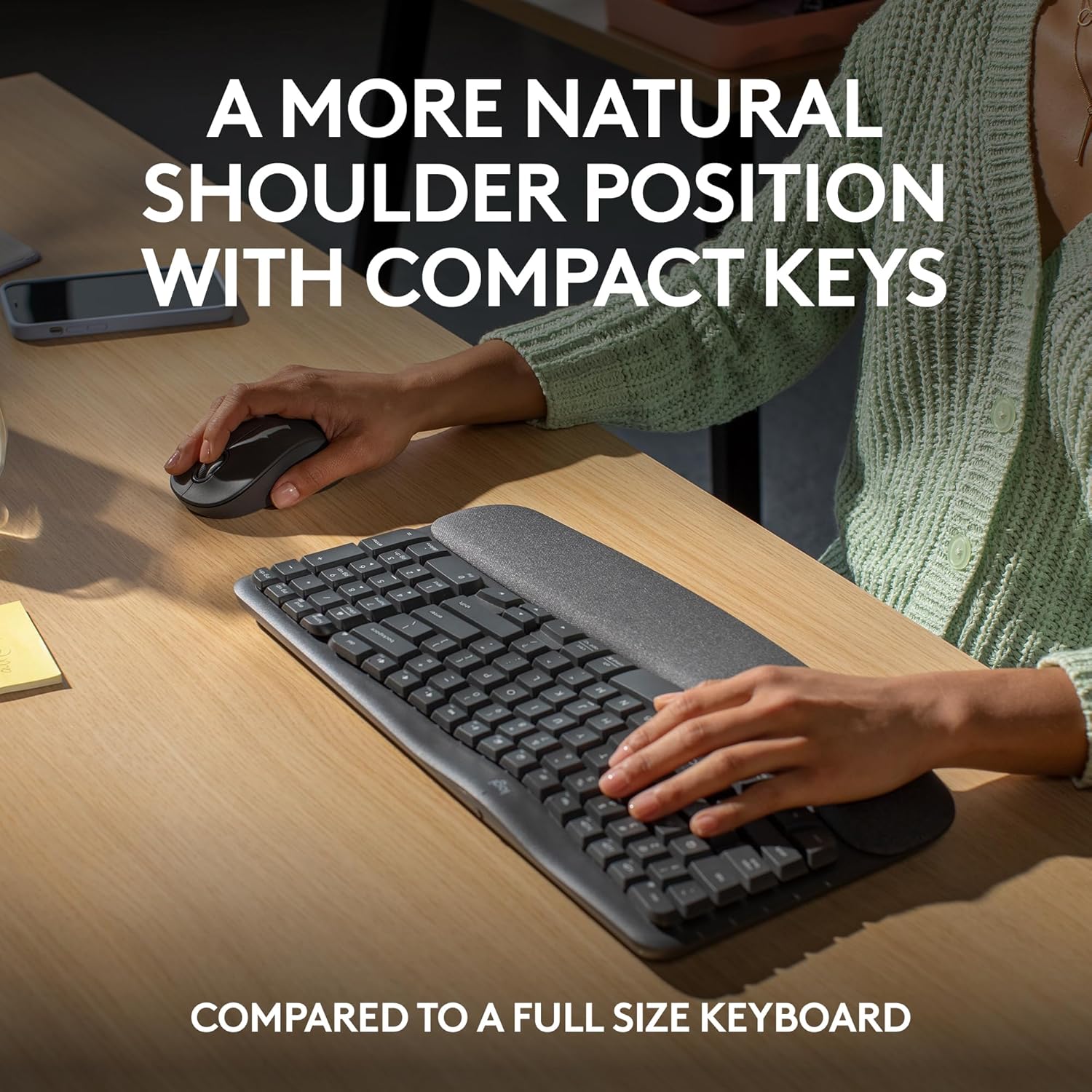
Compact keys: Wave Keys’ compact size allows you to bring your mouse closer to your body, resulting in a more natural shoulder position compared to a full size keyboard
Type in comfort all day long: The wavy design of this compact keyboard places your hands, wrists and forearms in a natural typing position for all-day comfort
More palm support, less pressure: A cushioned palm rest with memory foam gives you more wrist support throughout the day (1)
Less noise, more focus: On top of its sculpted design and rubber grip, this quiet mouse uses SilentTouch technology to make workdays more peaceful with 90% less click noise (7)
Scroll smarter: Scroll through documents line by line, or fly effortlessly through long web pages with SmartWheel
Smoother days, your Way: Personalize your Wave Keys experience using the Logi Options+ App, where you can choose shortcuts that save time and keep your work flowing (2)
Connect the keyboard via Bluetooth or Logi Bolt and use Easy-Switch* to toggle between PC, tablet, and phone (Windows/macOS/iPadOS/ChromeOS); *not-applicable for Signature M550 L mouse
Plastic parts in Wave Keys and Signature M550 L include certified post-consumer recycled plastic (Keyboard: 61%(5), Mouse: 65%(6))
In case of wireless keyboard or combo (keyboard and mouse), the USB receiver is usually provided either inside the mouse (under the battery cover) or attached within the product packaging
Customers say
Customers praise the keyboard’s quality, ergonomic design, and soft feel, particularly noting the comfortable wrist rest and quiet typing experience. The keyboard size receives mixed feedback – while some find it perfect for their desks, others mention it’s smaller than typical full-size keyboards. Functionality and connectivity also get mixed reviews, with some reporting great performance while others experience issues with function keys not working and Bluetooth connectivity problems.
11 reviews for Logitech Wave Keys MK670 Combo, Wireless Ergonomic Keyboard with Signature M550 L Wireless Mouse, Comfortable Natural Typing, Bluetooth, Logi Bolt, for Multi-OS, Windows/Mac – Graphite
Add a review
Related Products


Original price was: €90.€80Current price is: €80.
Miah –
No more sore wrists at the end of the day.
The Logitech Wave Keys Wireless Ergonomic Keyboard is a standout option for those seeking comfort and efficiency in their typing experience. Designed with a unique wave-shaped layout, this keyboard aims to reduce strain on your hands and wrists, making it ideal for long hours of use.Pros:Ergonomic Design: The wave-shaped layout and integrated wrist rest provide a natural typing position, reducing the risk of repetitive strain injuries.Wireless Connectivity: Offers both Bluetooth and 2.4 GHz wireless options, ensuring a stable and flexible connection.Compatibility: Works seamlessly across multiple operating systems, including Windows, macOS, and Linux.Affordable: Priced reasonably, making it accessible for a wide range of users.Sustainable Manufacturing: Made with environmentally friendly materials, aligning with Logitech’s commitment to sustainability.Cons:Non-Rechargeable Battery: Uses replaceable batteries instead of a rechargeable option, which might be less convenient for some users.Build Quality: Some users may find the build quality slightly flimsy compared to other premium keyboards.No Backlighting: Lacks backlit keys, which could be a drawback for those who work in low-light environments.
SprainedAnis –
Perfect for the Price given what’s available on the platform (inflation increases)
– This product is much better than expected. First time I have ever received a mouse/keyboard combo that not only had a battery for each device, the battery was a good brand (Duracell). Not some off-brand that may last a week.- Instead of foam for packing, a fabric-like material (equivalent to a shop towel you can buy from a home deco store) was used. Product was not damaged and worked out of the box.- Although the keys are a bit “squished”, I prefer this product over the basic USB-wired Dell keyboard (hope that is a good use reference) because of the key-spacing and its feel (the soft wrist padding). –However, I still prefer the Microsoft Wireless Comfort Desktop 5050 with AES – Keyboard and Mouse (*preferred choice – https://www.amazon.com/dp/B007CJT12A/?coliid=I296OE6LY7B3EG&colid=WPND5OZJJFLP&psc=1&ref_=list_c_wl_lv_ov_lig_dp_it) or the Microsoft Sculpt Comfort Desktop USB Port Keyboard and Mouse Combo (L3V-00003) (**secondary choice – https://www.amazon.com/dp/B00DUV024K/?coliid=I88KBXZT8DTEY&colid=WPND5OZJJFLP&psc=0&ref_=list_c_wl_lv_ov_lig_dp_it) over this product for the function, key-spacing and feel.- This keyboard/mouse combo will be perfect the days when I WFH. This keyboard is a bit smaller than what I prefer when using a keyboard (15″ vs 17″), I do not regret this purchase. –Will update review if the product does not have a good life expectancy.— Note: I previously purchased my *preferred (now over $200) and **secondary (currently unavailable) items before on Amazon at under $100. Inflation has made these devices unaffordable or unavailable.
Mariela Herrera | Mom & Professional Organizer –
Comfortable and quiet!
I spend a lot of time typing and this keyboard. The wavy layout of this keyboard felt a little weird the first day, but by day two it already felt more natural. My shoulders and wrists donât feel as tense after long work sessions, and the palm rest is really soft it actually supports.The typing experience is quiet and smooth, and I love that itâs compact but still feels spacious enough. I use it between my Mac and PC and switching is seamless.
Courtney Dressler –
Second Time’s a Charm
Like many of the other reviews, I had to return the first time, as my keyboard didn’t come with the USB connector and the bluetooth wasn’t syncing to my device. I ordered a replacement and I’m very happy with it. The replacement did have the USB included and it quickly connected to my MacBook Air via Bluetooth. If your device does not have the USB and/or it struggles to connect to Bluetooth I highly recommend returning, because the one I have now is quick and easy to use. Like others said, it is smaller than a standard keyboard, but an easy adjustment for me as it’s about the same size as my MacBook Air. I also have smaller hands so I find it to be a comfortable fit for me. If the keyboard I received originally was as great as the replacement I received this would be a five start reviews. Four stars for the non-working original keyboard and seeing that many people had similar issues with theirs.
AmethystSmoke –
Worth Every Penny!
One of the best keyboards I’ve ever had. It took no time to get used to it. Typing is soft and quiet. Super comfortable, no more wrist fatigue. Highly recommend!
SoCal Nana –
Effective Ergonomic Set
Once I tried ergonomic keyboards, I was hooked. I give them credit for never getting carpal tunnel nerve damage, despite spending many hours on the computer each week.This particular combo of wireless keyboard and mouse is more compact than some I’ve used, but it pairs well with my laptop. It’s uncomfortable for me to use a standard laptop keyboard, so I use this one instead. A wireless dongle plugs in smoothly into the laptop, then the battery-powered keyboard and mouse and free to do their tasks.I also purchased a lightweight protective carrying case to hold the board and mouse, and off I can go when portability is needed.
Eric Ferrer –
Lo que ofrece el proveedor
ricardo –
teclado logitech de muy buena calidad, llego sin problemas, funcionando muy bien, recomendado
Pinar Giter –
Merhaba klavyenin içinden usb alıcı çıkmadı göndermenizi rica ediyorum
Werner Jonas –
the Logitech Wave keyboard is great, I was surprised to see that it is not a full sized keyboard and initially had to get use to not overreach for a key on a normal sized keyboard.I love the palm rest and overall I cannot fault anything on the keyboard and brand.
AlbertaMike –
A well-designed keyboard, well-sized and highly functional. It feels well-designed and well-built. It was easy to connect to my PC and easy to manage via the Logi Options+ app, which I also use to manage a Logi mouse. Part of the magic of why it’s easier on your hands is the compact nature of key placement, i.e., it offers all the functions of a full-size keyboard but in a smaller form factor. My hands are large (i.e., I wear size large gloves), and I find the keyboard perfectly well laid out; I don’t feel crowded, but this might be an issue if your hands are even larger.A couple of items that I will need to get used to are the placement of the delete key and the arrow keys. I figure it’ll take a couple of days, and I’ll have the muscle memory, so no biggie. The keys are quiet and firm, yet easy to push.The wrist rest is nice, and I think it will help address the numbness issues I encounter during long work sessions. I’m using it on a sit-and-stand desk and will fine-tune the height to get things dialled in right, but in the meantime, it’s working well.You can program a number of the function keys via the Logi Options+ app, something I’ve done with the mouse; this can be a huge time/keystroke saver for repetitive work. You can also enable the top row to be either F-keys or media keys, which means you don’t have to push the function key along with the F-key that you want to use.In case you’re wondering, no, this keyboard is not backlit. More importantly, it has raised lines on the home keys, and as a touch typist, this is all I need. I don’t look at the keyboard, and don’t need it to be backlit. To be honest, I would find it distracting and annoying. Yes, the Caps Lock key has a tiny light on it.Between writing for my PhD and my day job, I easily type for 10+ hours a day, hence why I opted for the ergonomic layout. Other than the minor items mentioned above, which I can adapt to, I think this will be an excellent keyboard to work with.This is an excellent keyboard and well worth the price. I would highly recommend it for someone who can touch-type, doesn’t care about backlit keys, and wants the enhanced functionality of programmable keys.***Update one week laterEverything above is still true, but I found the keyboard to be too small for my hands; there were too many awkward finger twists, etc., and it was interrupting my typing/workflow. So, I returned it and got the larger Logi ERGO K860 For Business keyboard – love it!