

EPOMAKER QK81 75% Wireless Mechanical Gaming Keyboard, QMK/VIA Programmable and Hot-Swappable, 81 Keys with Metal Knob, 2.4Ghz/BT/USB, Creamy Gasket-Mount, RGB Backlight (White, Wisteria Switch)
€80


Price: $79.99
(as of Sep 23, 2025 12:09:26 UTC – Details)
Product description
EPOMAKER QK81 75% QMK/VIA Programmable Wireless Gaming Keyboard 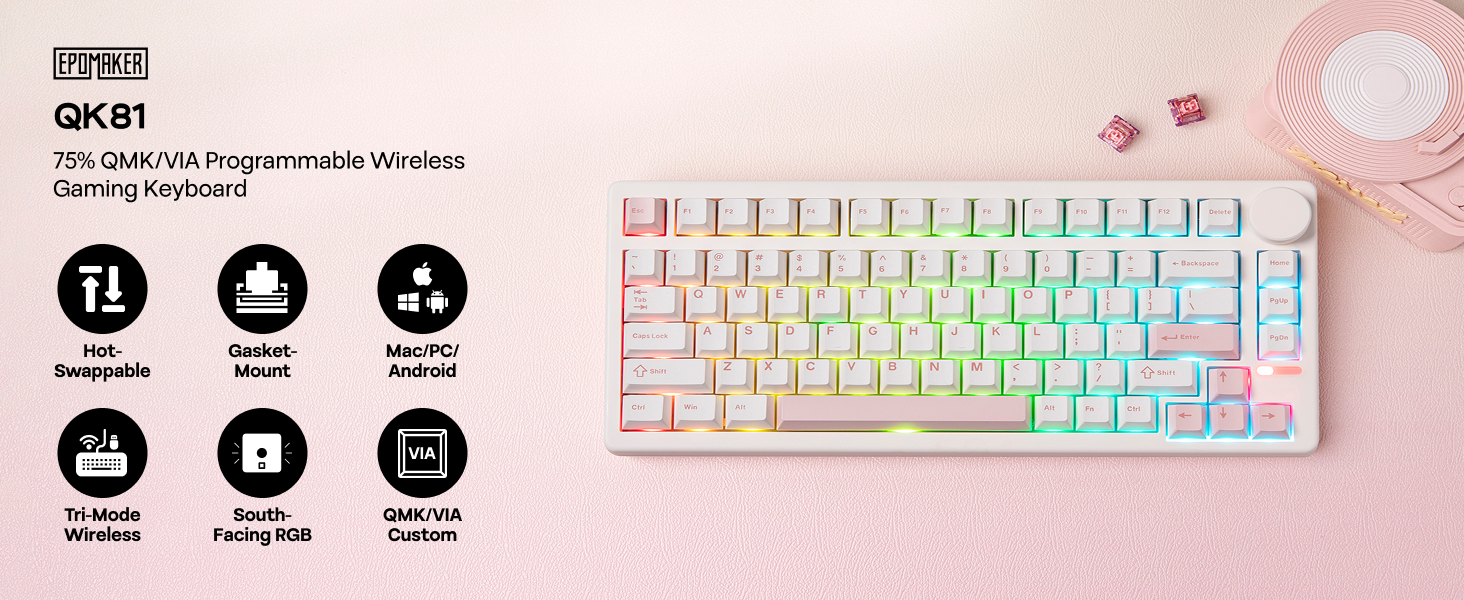
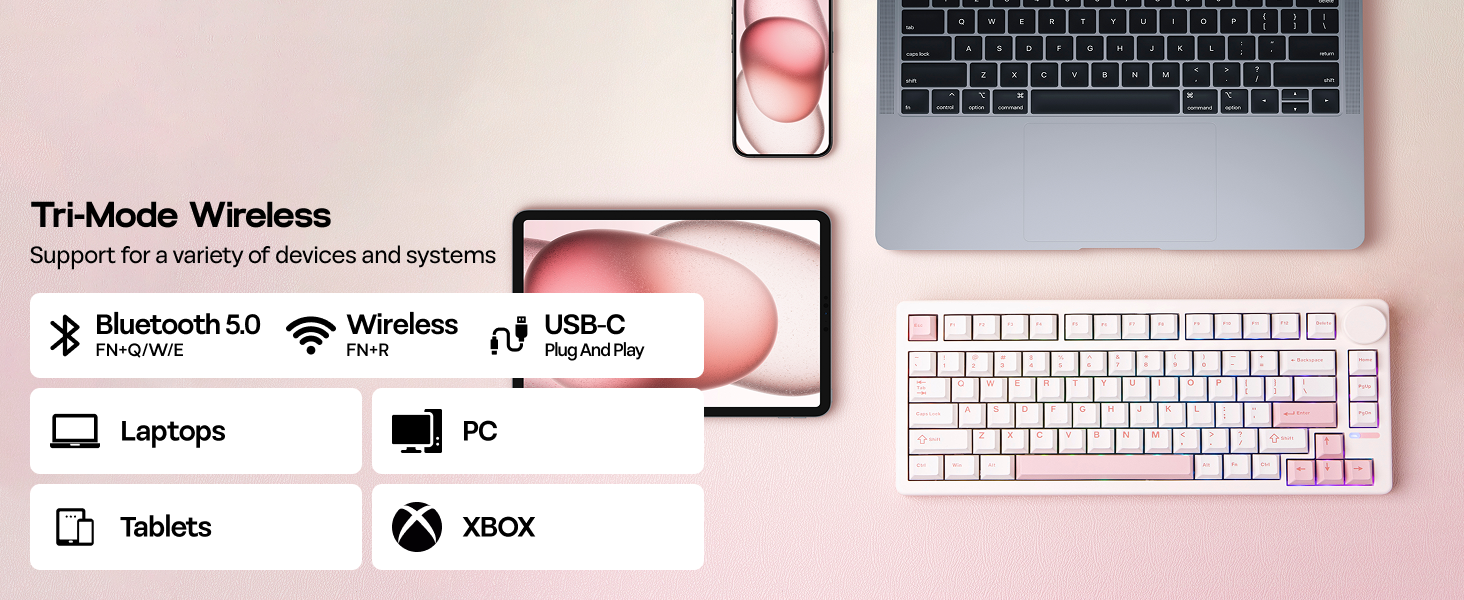
1 Tri-Mode Wireless
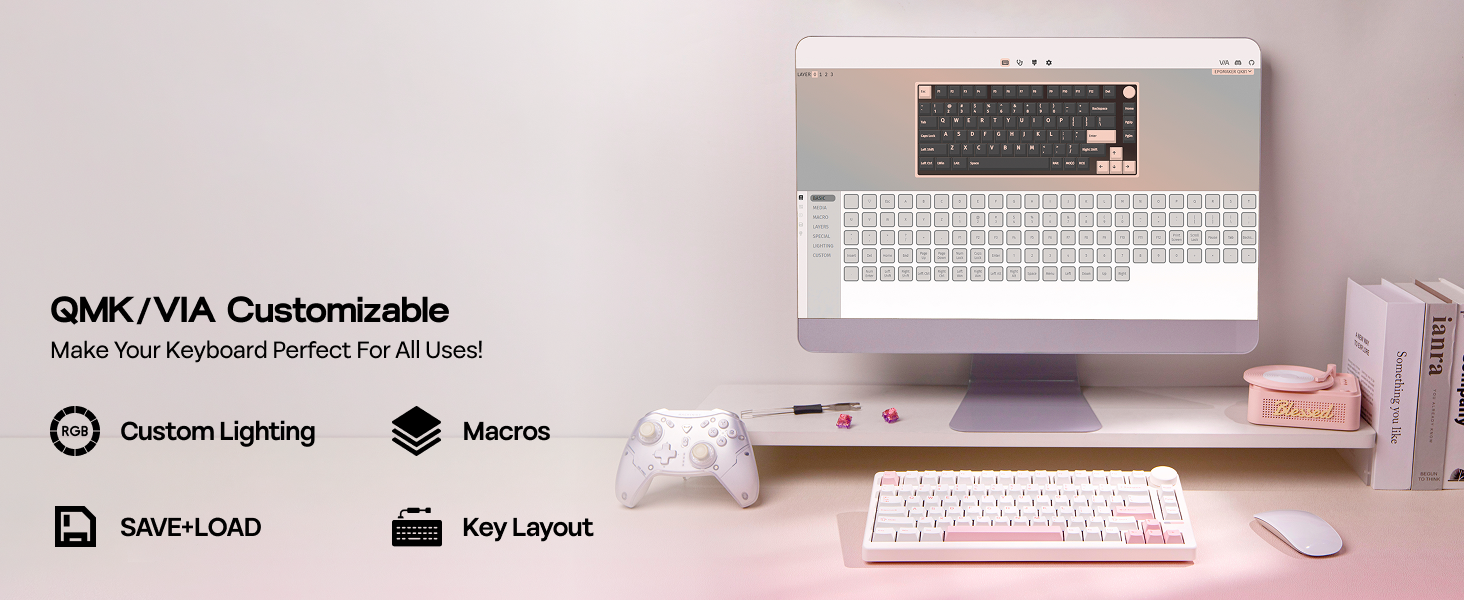
2 QMK/VlA Customizable
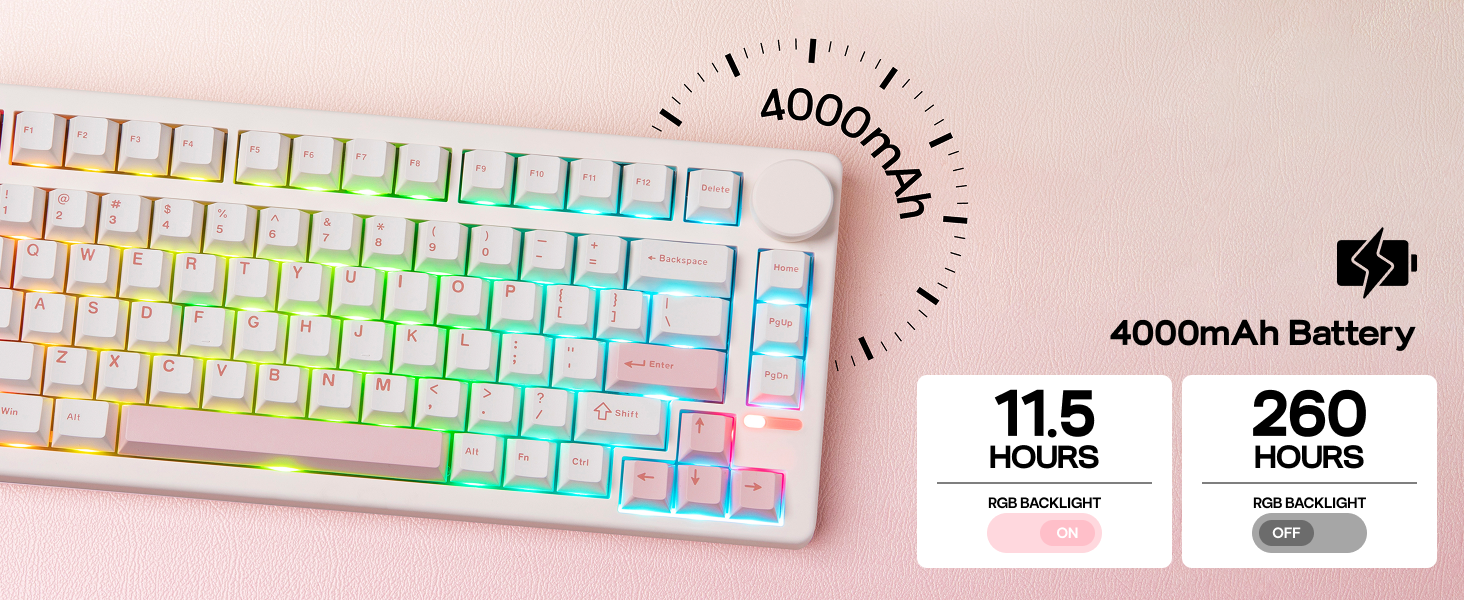
3 Long-Lasting
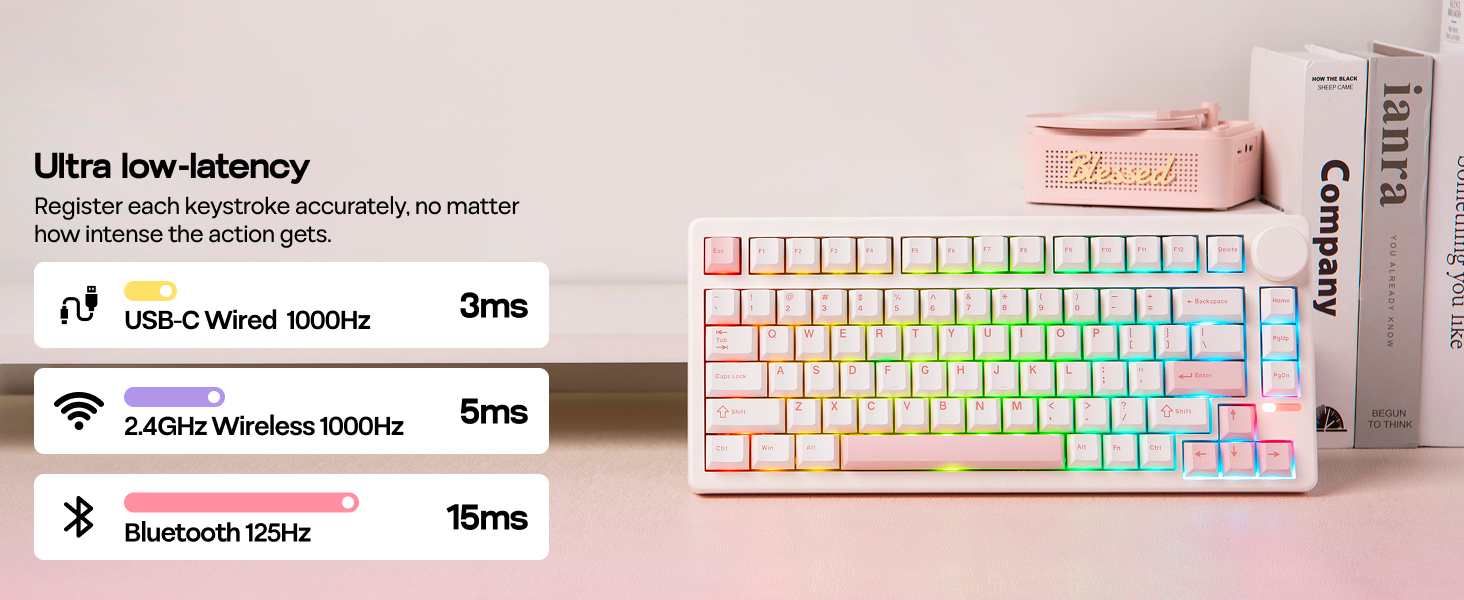
4 Ultra Low-Latency
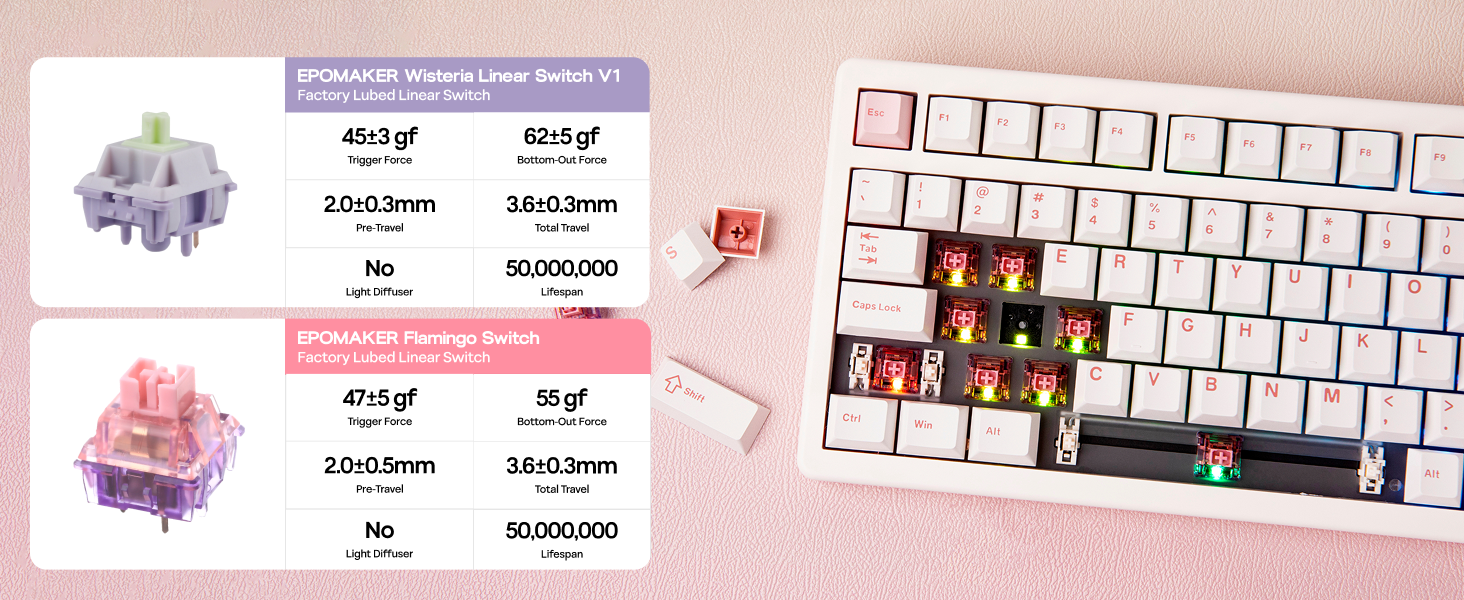
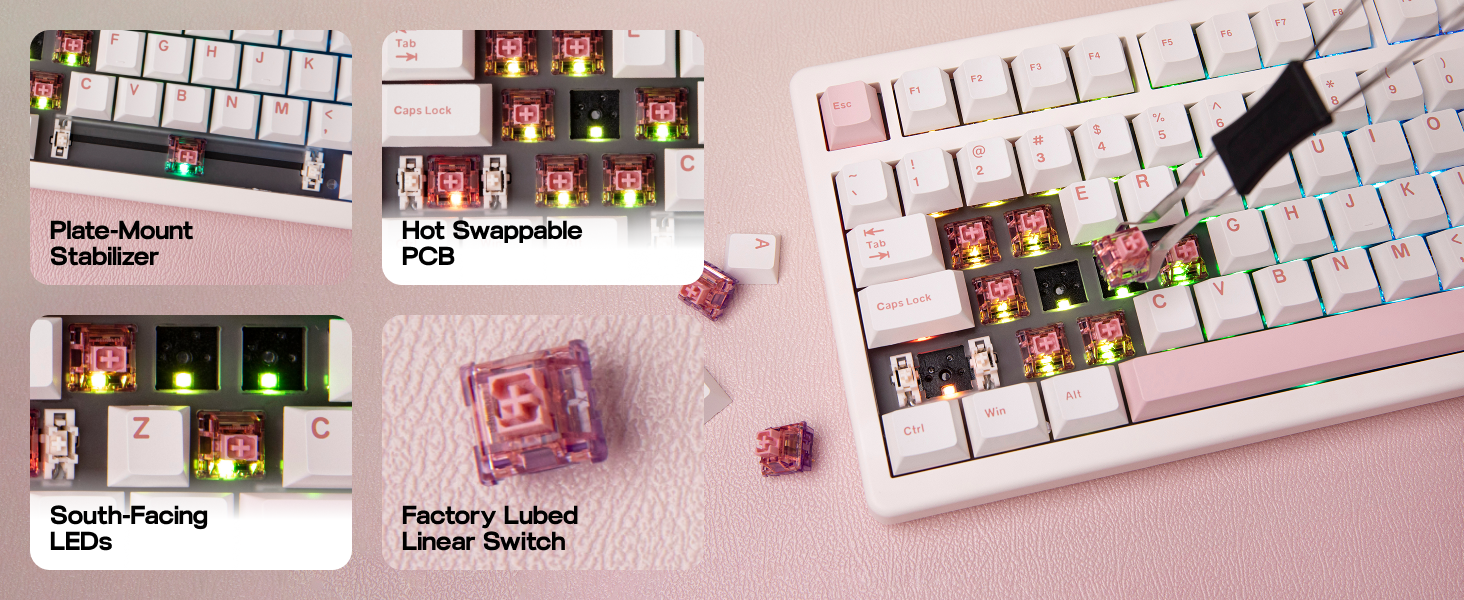
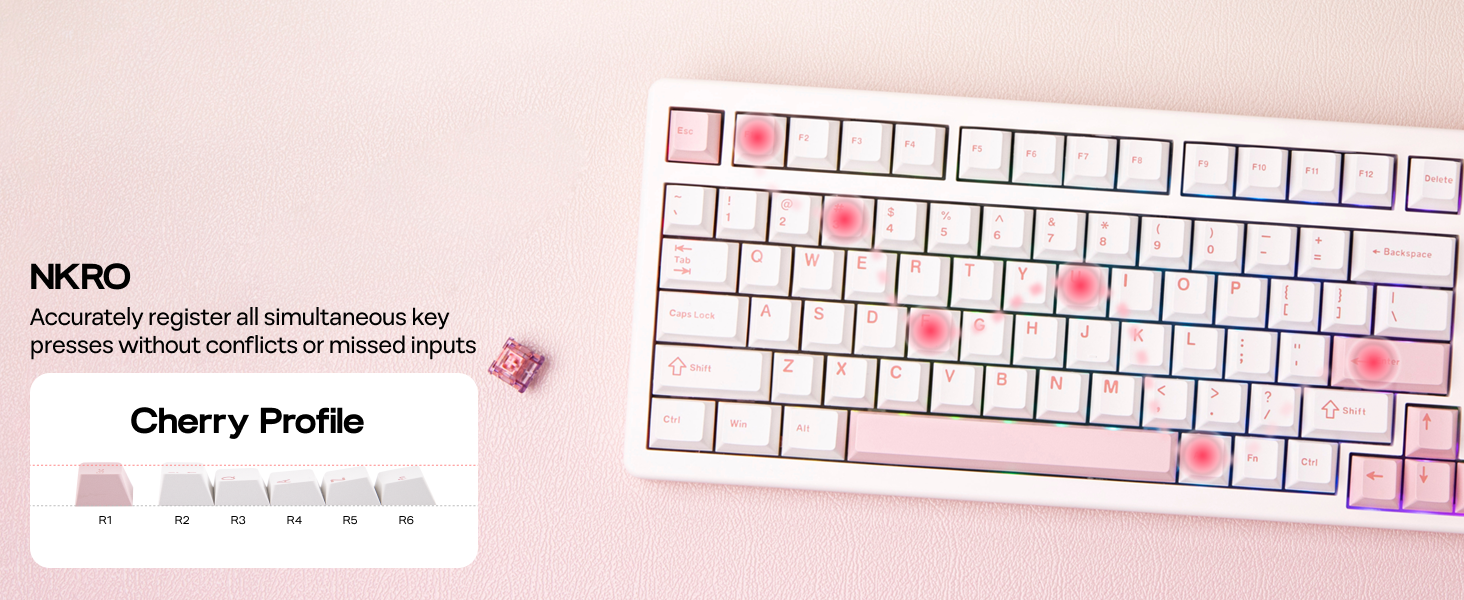
1 Lubed Linear Switch
2 Hot Swappable PCB
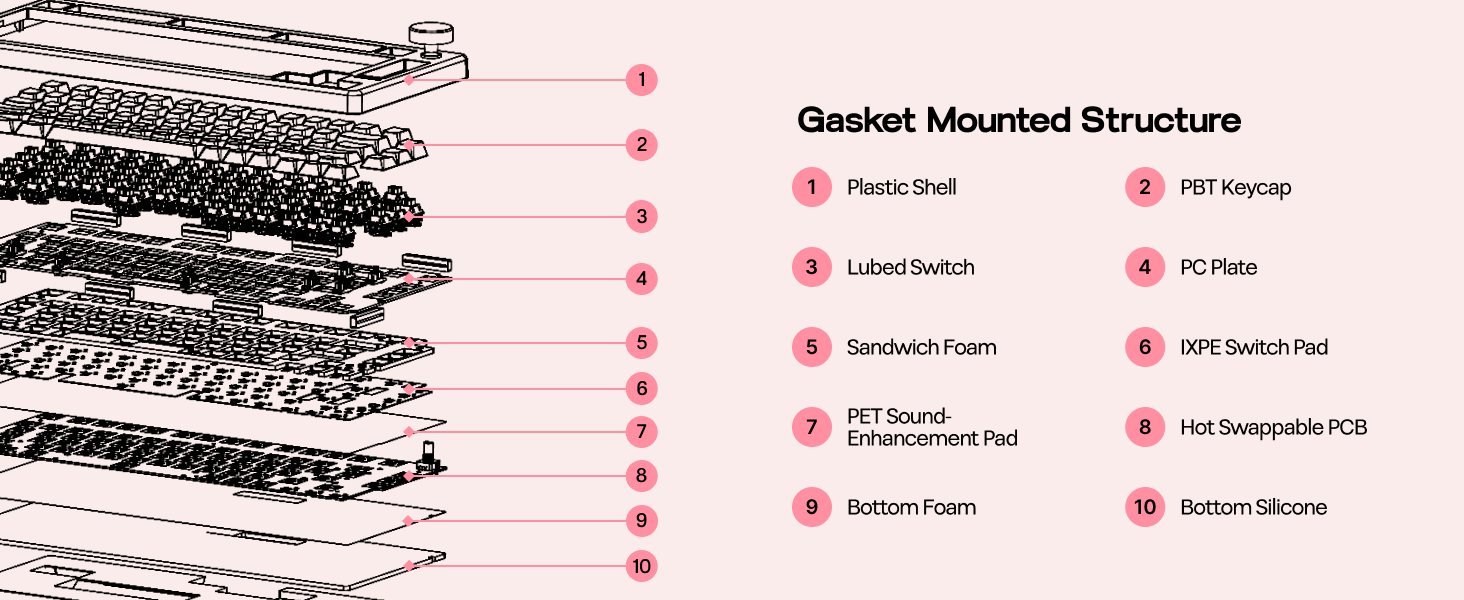
3 Gasket Mounted Structure
4 NKRO
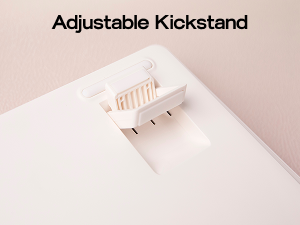 Adjustable Kickstand
Type comfortably from multiple angles, with the embedded feetstand.
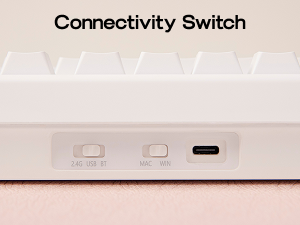 Connectivity Switch
Clear and visible instructions to help you change connectivity mode.
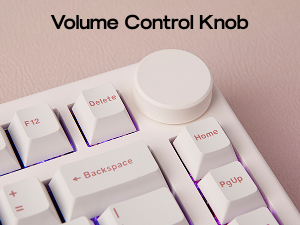 Volume Control Knob
The knob can be used to adjust the volume. Additionally, you can customize the knob to your desired functions via VIA software.
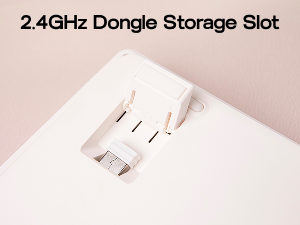 2.4GHz Dongle Storage Slot
With a built-in 2.4GHz receiver storage slot, user can easily access it when needed and securely store it to prevent loss.
VIA/QMK Programmable Wireless Keyboard with 16.8M RGB Backlight To Customise with VIA Software Guide on connecting to and using the VIA software
Engineered for ultimate customization through VIA software, the QK81 QMK keyboard adapts precisely to your unique needs and playstyle.
Tips on using VIA software: 1). Get the QK81 JSON File; 2). Import the QK81 JSON file to the online version of VIA Software. 3) Start programming.
The video showcases the product in use.The video guides you through product setup.The video compares multiple products.The video shows the product being unpacked. EPOMAKER QK81 75% QMK/VIA Wireless Gaming Keyboard Merchant Video
with Dynamic RGB Effect Lubed Switches & South-Facing LEDs
Creamy Gasket Keyboard with Sound-Dampening, with linear switches well-lubed in factory.Feel the satisfying tactile feedback of each keystroke, as the 81 south-facing LEDs shines bright in customizable RGB lights:
FN+|: Change Light EffectFN+PgDn: Change Light ColorsFN+↑↓←→: Adjust Brightness/Speed
The video showcases the product in use.The video guides you through product setup.The video compares multiple products.The video shows the product being unpacked. EPOMAKER QK81 75% QMK/VIA Wireless Gaming Keyboard Merchant Video
Package Content
1* QK81 Wireless Mechanical Gaming Keyboard1.8m Detachable USB A to C Keyboard Cable1* 2-in-1 Switch-and-Keycap Puller1* Multilingual Manual (EN,DE,ES,FR,IT,JP,CN)
The video showcases the product in use.The video guides you through product setup.The video compares multiple products.The video shows the product being unpacked. EPOMAKER QK81 75% QMK/VIA Wireless Gaming Keyboard Merchant Video
75% Layout Mechanical Keyboard from EPOMAKER
Add to Cart
Add to Cart
Add to Cart
Add to Cart
Add to Cart
Add to Cart
Customer Reviews
4.5 out of 5 stars 110
4.6 out of 5 stars 89
4.6 out of 5 stars 76
3.7 out of 5 stars 16
4.6 out of 5 stars 128
4.2 out of 5 stars 15
4.7 out of 5 stars 431
Price
$79.99$79.99
$67.99$67.99
$93.49$93.49
$89.99$89.99
$63.99$63.99
$47.00$47.00
$65.99$65.99
Case Material
Plastic
Plastic
Aluminum
Plastic
Plastic
Aluminum
Plastic
Layout
75% Layout
75% Layout
75% Layout
75% Layout
75% Layout
75% Layout
75% Layout
Keys
81+1
80+1
84
81
81+1
81
80+1
Screen
✘
✘
✘
✔
✘
✘
✔
Knob
✔
✔
✘
✔
✔
✘
✔
Connectivity
Bluetooth/2.4Ghz/USB-C Wired
Bluetooth/2.4Ghz/USB-C Wired
Bluetooth/2.4Ghz/USB-C Wired
Bluetooth/2.4Ghz/USB-C Wired
Bluetooth/2.4Ghz/USB-C Wired
Bluetooth/2.4Ghz/USB-C Wired
Bluetooth/2.4Ghz/USB-C Wired
Battery Capacity
4000mAh
4000mAh
3000mAh
4000mAh
4000mAh
8000mAh
4000mAh
Keycap Material
Double-shot PBT
Double-shot PBT
Double-shot ABS
Double-shot PBT
Double-shot PBT
Double-shot PBT
Double-shot PBT
Keycap Profile
Cherry Profile
Cherry Profile
DSA Profile
Cherry Profile
Cherry Profile
Cherry Profile
Cherry Profile
Switch Option
Linear
Linear
Low-profile Linear, Tactile
Linear
Linear
Linear
Linear
Programmable
QMK/VIA Software
F75 Software
QMK/VIA Software
EPOMAKER Software
EA75 Software
M75 Software
F75 MAX Software
Keyboard Size (cm)
33*14.6*4.7cm
32.3*14.3*4.3cm
314*129*26 mm
33.5*14.5*4.4cm
33.3*14.7*4.5cm
31.9*13.4*4.2cm
32.8*14.3*4.4cm
QMK/VIA Custom Keyboard: Engineered for ultimate customization through VIA software, the QK81 QMK keyboard adapts precisely to your unique needs and playstyle. Tailoring every keypress for lightning-fast reactions in your favourite FPS or MMO, remapping crucial in-game actions like quick inventory access for a tangible edge over the competition, or seamlessly executing complex macro commands with a single keystroke. For unparalleled speed and accuracy, beyond gaming, take the QK81 keyboard to streamline your workflow for coding, video editing or graphic design with personalized layers and shortcuts. Unlock your full potential and experience the future of personalized input
75% Compact with Big Knob: Introducing the compact powerhouse – QK81 – an 81-key mechanical keyboard engineered for peak gaming and typing experiences. Dominate your favourite titles with a clutter-free desk, with valuable mouse space freed up for those crucial flick shots and swift manoeuvres, and enjoy seamless, on-the-fly audio control with our intuitively placed and sized volume knob. LAN parties, esports tournaments, or simply moving between your gaming rig and workstation, the 0.8kg weight and reduced size makes transportation a breeze. Elevate your gameplay and productivity with this space-saving marvel, designed for those who demand high performance without the bulk
RGB Backlit Custom Keyboard: Elevate your setup, enhance your gameplay, and personalize your experience with the QK81 RGB keyboard. Not just a canvas to express your creativity, with colour and effect adjustable dynamic lights, experience immersive gaming that goes beyond the screen, for immediate visual cues that light up the path to success. Feel the satisfying tactile feedback of each keystroke, as the 81 south-facing LEDs shines bright in customizable RGB lights: be one step ahead with custom colour profiles – a subtle green for healing spells or a flashing yellow for incoming alerts, as unmissable beacon directing you to hard-fought victory
Creamy Gasket Keyboard with Sound-Dampening: Experience the pinnacle of typing bliss and gaming tranquillity, with the Gasket-Mounted QK81 cushioned with 5 layers of sound-dampening materials. Unlike traditional keyboards, the Gasket-Mount structure suspends the key switches between layers of sound-dampening material, eliminating harsh bottom-outs for a uniquely creamy, cushioned feel. Each press on the key feels like sinking into a cloud, with a refined, almost silent symphony of gentle thock. Feel the difference as your fingers glide effortlessly across the keys, for enjoyable typing without disturbing others
260 Hours Long-Lasting Wireless Keyboard: Unleash yourself from cable clutter and power anxiety with the QK81 wireless keyboard. Conquering the virtual worlds for weeks on a single charge. Boasting an incredible 4000mAh battery, this powerhouse delivers an astounding 260 hours of uninterrupted use with the vibrant backlight off, for a clean, minimalist desk setup, unburdened by tangled wires, offering complete freedom of movement for your mouse and peripherals. Cable wired, 2.4Ghz or Bluetooth wireless, easily switch between 3 connection modes with the toggle besides USB port, for stable performance on PC, Mac laptop, Android tablet, phones or gaming controllers
Customers say
Customers find the keyboard’s sound quality excellent, with one noting it sounds satisfying when typing. The build feels solid, and customers appreciate its softness. However, the quality control receives mixed feedback, with some customers reporting lower quality control.
12 reviews for EPOMAKER QK81 75% Wireless Mechanical Gaming Keyboard, QMK/VIA Programmable and Hot-Swappable, 81 Keys with Metal Knob, 2.4Ghz/BT/USB, Creamy Gasket-Mount, RGB Backlight (White, Wisteria Switch)
Add a review
Related Products



€80
Shayne –
Super cute super creamy!!
This is the cutest little white keyboardâ¤ï¸â¤ï¸â¤ï¸â¤ï¸ the low profile, white knob is the main reason I bought it, so cute. And the build of this board has an excellent creamy sound.ð¤ð¤ð¤ I chose the wisteria switches and itâs perfect (a little noisier/thockier than my Ainbell68 keyboards but definitely creamier and softer than the epomaker th80-x.)
A. Davis –
!! HUGE KNOB !!
This keyboard has everything I wanted. South-facing RGB, volume knob (it’s hilariously big), adjustable feet, and a creamy/thocky sound. I love the cute little light feature that rotates through the RGB colors. Seriously a pleasure to type on! It’s not super heavy like some of my other non-aluminum keyboards, but it’s not flimsy either. Great keyboard for the price!
Amazon Customer –
Great budget keyboard, lacking top tier quality control
Overall a very solid board (especially given the price), the keys sound and feel good. However, my keyboard couldnât connect to VIA / QMK and had to manually adjust my lighting. I assume this is the effect of lower quality control for a budget board and wouldnât expect this to be an issue on all boards. I decided to keep mine instead of returning since I personally donât change my keyboard lighting / macros and this wasnât too much of an issue. But if you do care about the software, you might be gambling a little bit.
Javier G. –
Quiet and comfortable
Quality keyboard, keys feel incredibly soft and quiet
Review Guy –
A Solid, Feature-Packed 75% Tenkeyless Mechanical Keyboard.
This isnât my first EPOMAKER keyboardâI previously owned the compact full-size CYPHER 96, which completely blew me away with its performance and price. So when the QK81 became available, I jumped on it immediately. I was actually in the market for a compact tenkeyless keyboard to replace the wired one I currently use with my laptop.The keyboard arrived in nicely designed packaging. Like my previous EPOMAKER, the packaging is a bit minimal, but still adequate given the build quality of the keyboard itself. The QK81 weighs around 1 lb 14 oz, so it feels solid in the hand. While it features a plastic housing (as opposed to metal), it doesn’t feel cheap. Inside the box, youâll find a few spare switches, a keycap and switch puller, and a braided USB-C cable, which I appreciatedâmy older EPOMAKER only came with a basic one.This is a 75% compact tenkeyless keyboard, meaning it lacks a numpad, and the directional keys are squeezed in near the Enter and Shift keys. Personally, I love the form factorâit perfectly matches the footprint of my gaming laptop. Since I mainly use it for gaming, the missing numpad isnât an issue for me.The keyboard supports three connection modes:⢠2.4GHz wireless (via included dongle),⢠Bluetooth (connect up to 3 devices), and⢠Wired USB-C.You can toggle between modes using a switch on the back, and thereâs another toggle next to that for Windows/Mac compatibility. The 2.4GHz dongle is cleverly hidden inside the left kickstand slotâeasy to miss if you donât know where to look. Switching between Bluetooth devices is done with FN + Q/W/E.The keycaps feel solid, though Iâm not a fan of the green font/legends on black caps. Theyâre okay during the day, but under low light, it can be hard to make out the keys since the legends arenât shine-through. The keyboard does have south-facing RGB lighting, and while the lighting is vibrant and customizable, the lack of shine-through legends/keycaps limits the overall RGB effect. That said, replacing the caps with pudding keycaps would solve that.Switch-wise, I previously went with Flamingo switches, but this time I chose Wisteria switches â that are also linear, 5-pin, with an actuation force of 45gf. They feel smooth, with a gentle bottom-out and soft rebound. The gasket-mounted design adds a bit of flex and creates a soft, satisfying sound and feel when typing. Itâs a very comfortable typing experience overall. After testing both, I still slightly prefer the Flamingos, but both switches are excellent.One more feature I appreciate is the volume knobâitâs responsive and smooth, and a nice touch for quick volume adjustments. For those interested in customization, this keyboard supports QMK/VIA, making it fully programmable and is a great bonus for more advanced users.Overall, The EPOMAKER QK81 is another great entry in their lineup. Itâs well-built, feature-rich for its price point (around $68 at the time of writing), and a joy to use. My only real complaint is keycaps and the color choice of the keycap legendsâbut thatâs a personal preference and easily fixable. Itâs not the cheapest keyboard out there, but it strikes a great balance of quality, features, and price. For anyone looking for a compact, versatile mechanical keyboard, Iâd definitely recommend it.
Amazon Customer –
All the features you expect from a 75% keyboard plus VIA support.
To save people some frustration for things not in the instructions:Print Screen â fn+IScroll Lock â fn+OPause â fn+PInsert â fn+DelEnd â fn+HomeTo get VIA working:Make sure you download and extract the QK 81 JSON file from the Epomaker website. In VIA (either downloaded app or web browser version) click the Design tab (paintbrush icon) and click the Load button (Load Draft Definition). Select the QK 81 JSON file you downloaded earlier and you should see that the generic keyboard picture has changed to the QK 81âs layout. A dialogue box should pop up that lists the QK 81. Select the QK 81 and click the Connect button. Most of the functionality is under the Configure tab (keyboard icon).The Epomaker QK 81 has all of the features you would expect from a modern, compact mechanical keyboard like hot swappable switches and a volume knob, but it also has VIA support. VIA is a popular open source program created for custom keyboards and is a welcome alternative to the buggy, resource hogging software most keyboard manufacturers force you to use. The best feature of VIA is the ability to remap any key on the keyboard. For example, I never use the home key, but I use the print screen key a lot, so I used VIA to swap out the home key for print screen on my QK 81. The keyboard is plastic, but doesnât feel hollow or flimsy. The stabilizers were perfect right out of the box with no rattle. The keyboard has a nice marbley sound to it. The Wisteria linear switches are very smooth but you can easily swap them out if you want something different. There is just enough space around the F row and nav cluster keys that you can use the included keycap and switch puller to remove them without needing to take the keyboard apart.The QK 81 is gasket mounted and uses a flexible poly carbonate top plate, but the battery and layers of sound dampening prevent it from being super bouncy. The volume knob has a mild tactility and can be turned from the side with your finger instead of having to grab and twist it. The RGB lighting is very bright and can be fully controlled by the keyboard. There are several effects to choose from (including some cool variations of the spinning color wheel) and they animate smoothly. Battery life when using either wireless mode is excellent. The 2.4ghz mode requires a USB dongle which is tucked away in a magnetic compartment underneath one of the flip out feet. You can be paired with up to three Bluetooth devices at a time and can swap between them with fn+ Q, W or E. The Bluetooth mode has a polling rate of 125hz so you should probably stick with wired or 2.4ghz connections for gaming. I never had any issues with wireless connection stability or pairing.There is a lot of solid competition to choose from when it comes to 75% mechanical keyboards in this price bracket, and the QK 81 holds up well in terms of features and performance.
Abdul Manaan –
The keys letters are not transparent
Alright, so I got this keyboard and I gotta say, the build feels really solid, which is a plus. Typing on it actually sounds pretty satisfying too, it’s got a nice clicky sound. My main gripe is the LED lighting though, it’s bright enough. Seriously, you can barely see the keys in the dark. Overall, it’s decent, but the LEDs are a definite letdown.
alybaba –
(Reçu gratuitement pour test, mais comme toujours, je dis ce que je pense vraiment.)Bonjour,Besoin d’un clavier, j’ai pu choisir ce modèle. J’ai hésité car il n’a pas de clavier numérique! Mais comme je le prend pour du gaming et non pour travailler, je me suis rendue compte que je ne m’en servait que très très rarement sur une année, donc c’était pas plus mal d’en avoir un plus court :)Dès la réception on sent la qualité. Il est…lourd! On a pas du bête plastique en main. Et pourtant un clavier mécanique j’en ai déjà eu un en main. Celui ci le remplace d’ailleurs!Le clavier est personnalisable, les touches sont vraiment agréables, le son malgré le mécanique est agréable aussi.Il est sans fil, il pourra donc être utilisé pour plusieurs appareils, ou tout simplement pas que pour un PC de bureau/gaming!On ne peut pas rater le bouton de volume (regardez en haut à droite lol). Pas besoin de baisser les yeux pour le trouver au toucher :)Attention, il s’agit de la version QWERTY ;)A reprrogrammer / changer la config sur windows 🙂
Fatima B. –
رائع رائع راااااائع ÙاÙثر ٠٠رائعضغطات٠سرÙع٠Ùازرار٠جدا٠رائعةاÙصÙت Ø٠اÙازرار ÙجÙÙ â¥ï¸
Anders –
I received the EPOMAKER QK81 through the Amazon Vine programme in exchange for an honest review.This keyboard is an impressive mix of high-end build quality, customisation and performance. The 75% layout with 81 keys strikes a great balance between compact size and usability, leaving more desk space for mouse movement while retaining dedicated arrow keys and function keys. The metal volume knob is a nice touch, allowing quick and smooth audio control.The QMK/VIA compatibility is one of its standout features. Using VIA software, I was able to remap keys, create macros and set up custom layers for both gaming and work tasks. It really enhances productivity and makes the keyboard feel truly personalised.Typing and gaming on the gasket-mounted design is very satisfying. The multiple layers of sound dampening give the keys a soft, cushioned feel with a pleasant âthockâ sound that is much quieter than a standard mechanical keyboard. The Wisteria linear switches are smooth and responsive, great for both fast-paced games and long typing sessions.RGB lighting is bright and fully customisable, with south-facing LEDs providing excellent keycap illumination. Battery life is also excellent, easily lasting for weeks without needing a charge when the backlight is off. The ability to switch between wired USB-C, Bluetooth and 2.4GHz wireless is convenient and works flawlessly.
Sergio Galici –
à una tastiera Epomaker, devo aggiungere altro? Spettacolare. Presa per programmare (con il layout US é piu’ comodo scrivere codice). Sensazionale veramente.
çåæ ¶ä¸ –
ãã¼ã®ã¿ããæãã³ãã³ãã§å¥½ã¿ã®äººã«ã¯åºãã